

LG 49VH7E-A signage display Digital signage flat panel 49" LED 700 cd/m² Full HD Black 24/7
Artistic Immersion, Overwhelming CaptivationThe impressive immersion generated by the extremely narrow 0.9 mm bezel becomes even more powerful with a state-of-the-art smart signage platform. Beyond the self-playing feature, the VH7E series is capable of multitasking that raises brand awareness, drives traffic to your store, and engages customers in brand storytelling.Seamless Large Screens with Extreme-Narrow BezelThe borderless design, with its 0.9 mm even bezel and 1.8 mm BtB (Bezel to Bezel), verified by Nemko, minimizes bezel interference and delivers immersive and seamless content on assembled video wall screens.Image Gap ReductionThe VH7E series includes an image improvement algorithm that can reduce image gaps among tiled displays when playing back videos. Objects located on the bezel boundaries are adjusted for a seamless viewing experience.Higher Viewing AngleLarge screens are usually positioned higher than human-eye level, making uniform picture quality essential for video walls. The viewing angle of the VH7E series is high enough to display vivid colors throughout the screen with no distortion.Wider Viewing AngleIt is well known that LG IPS panel technology provides better control of liquid crystals, which in turn allows the screen to be viewed at virtually any angle. Thereby, the VH7E series captivates the attention of more viewers with lifelike colors, regardless of their viewing position.High Performance and Great ScalabilityThanks to its built-in SoC and webOS smart signage platform, the VH7E series can execute several tasks at once while providing smooth content playback without the need for a media player. As webOS supports HTML5 as a web-based platform and offers SDK(Soft Development Kit), it is even easier for SIs to build and optimize.Flexible Content CreationSeveral different videos can be played simultaneously via web apps, and various animation effects, such as scaling or rotating, are added to content using CSS(Cascading Style Sheets) transition effects. Real-time streaming is also available, providing the flexibility to organize and diversify content free from capacity limits.Intuitive Menu StructureThe menu structure has been optimized for commercial use. It simplifies approach flows and groups similar functions together, adopting a more intuitive GUI for ease of use. This way, users can avoid having to do trialand-error when exploring desired functions and managing displays.User-Friendly Smart Signage UXDedicated GUI for Portrait OrientationThe conventional GUI(Graphic User Interface) was designed based on landscape-oriented consumer TV usage, so OSD(On Screen Display) wasn’t well-suited for screens in portrait mode. The OSD of the VH7E series, however, consists of a long range menu, creating a comfortable and efficient business environment.Easy Color AdjustmentDepending on the content, the color temperature of the display can be easily adjusted in increments of 100K using a remote control.Simple White Balance AdjustmentIn conventional video walls, white balance was adjustable only in “full-white” mode, but the VH7E series allows you to modify each value of grey scale to achieve more detailed and precise white balance adjustment.LAN Daisy Chain ManagementA LAN daisy chain allows you to execute commands to control and monitor video walls and even update their firmwares at once.Real-Time Care ServiceThe maintenance gets easier and faster with an optional service Signage 365 Care, a cloud service solution provided by LG service. It remotely manages status of displays in client workplaces for fault diagnosis and remote-control services, ensuring the stable operation of a client’s business.
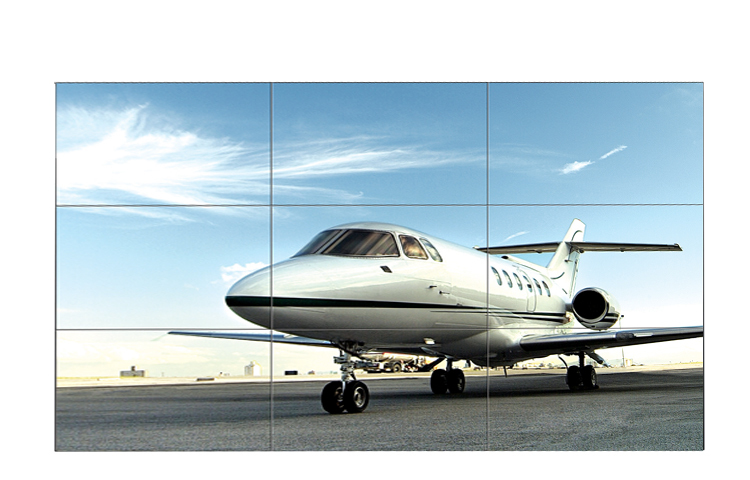
LG 55LV77A-7B video wall display LED
super narrow bezel47" super narrow bezel 4.9mm and 55" super narrow bezel 3.5mm video wall displays create visually stunning digital wall that is easily installed, maintained and managed.higher brightness uniformityBrightness uniformity 90% ensures high-quality image delivered across displays.Evolved Daisy-chain performanceDisplayPort 1.2 connectors enable UHD content playback on 4K Video Wall in 2x2 displays (available on LV75A/LV77A)vividimagery viewingTruMotion™ 60Hz Refresh Rate drastically reduces motion blur and judder ensuring vivid image details.Supersign V for dynamic layout- Use given templates to configure video wall layout easily- Rotate, cut and edit content according to a defined layout- Flexible content editing in various layouts is viable- Scheduled-based content playback based on time and day- Distribute content to media players as wellFree SuperSign C for advanced color adjustment- Intuitive GUI in SuperSign C S/W allows to measure and adjust color and brightness instantly on display- Automatic white balancing of a video-wall display using a sensorFree Supersign C for remote monitor and controlIntuitive GUI-based Remote Monitoring & Control via the networks and RS232 connection feature in SuperSign C S/W.Design, features and specifications subject to change without notice. Screen images simulated and/or dramatized. Some features in videos may not be available on all models. Please refer to the TECHNICAL SPECIFICATIONS tab for a complete list of features by model.
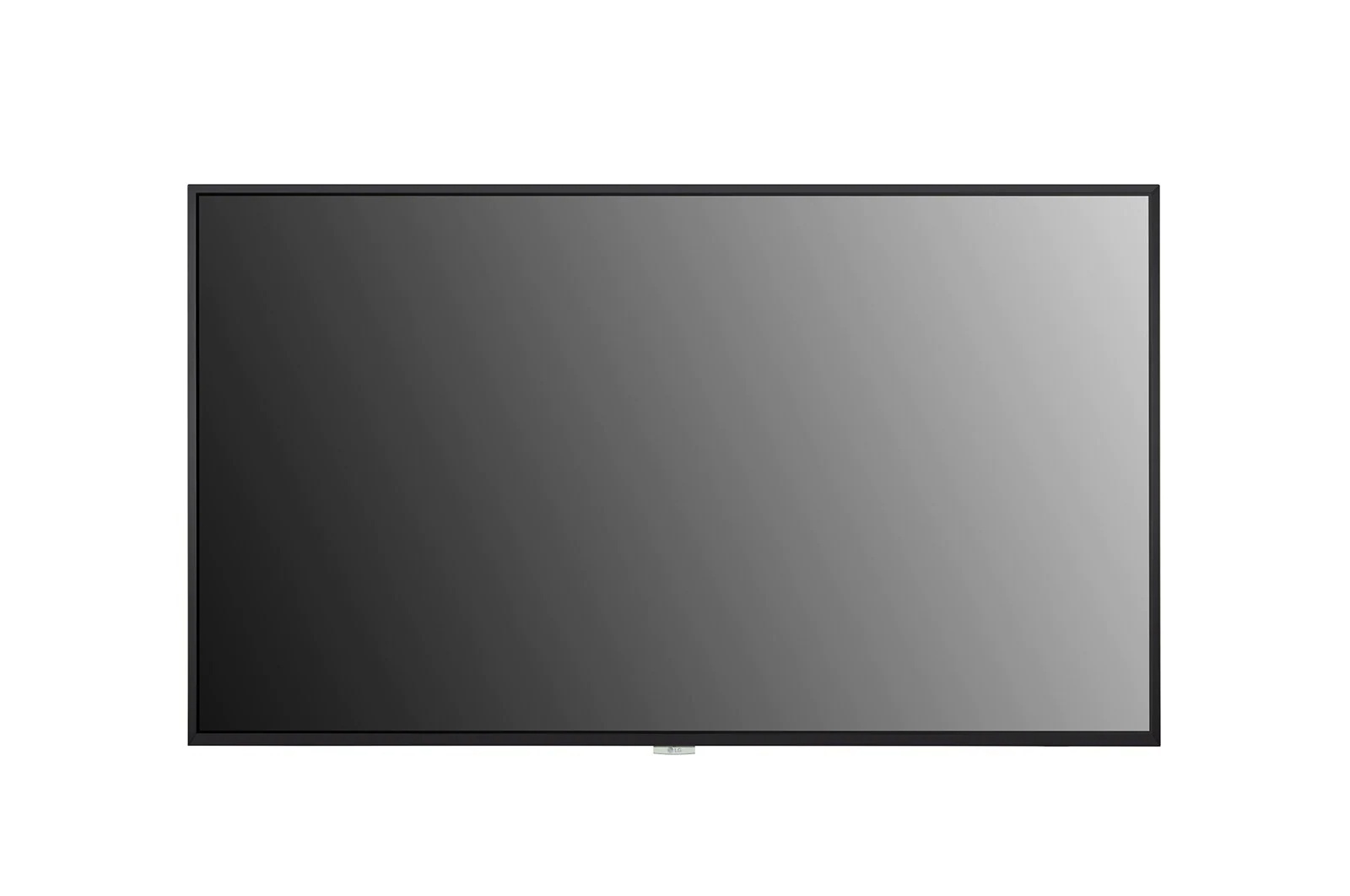
LG 55UH7J-H signage display Digital signage flat panel 55" IPS Wi-Fi 700 cd/m² 4K Ultra HD Black Built-in processor WebOS 24/7
High BrightnessWith a great brightness of 700 cd/m², the UH7J-H series clearly deliver content and attract public attention, making it the most suitable display for marketing in airports, retail, shopping malls etc.High-Performance with webOSLG webOS platform enhances user convenience with intuitive GUI and simple app development tools.Conformal CoatingIn various places the UH7J-H series is unable to avoid exposure to environments containing dust, humidity, etc. which may hamper performance over time. The conformal coating on power board reduces these risks by protecting UH7J-H series from salt, dust, iron powder, humidity, etc.IP5x Certified DesignThe IP5x Dust-Proof Certification ensures that the product is protected from dust, reducing the risk of performance degradation.Mobile Content ManagementYou can create a store profile and get template recommendations using the Promota* app. Users can customize templates for all industries and easily create and manage content not only on PCs but also on mobile devices.Support USB-C Interface PortThe use of the USB-C type is becoming popular for connections with laptops, video devices, and tablets. The UH7J-H series supports the USB-C jack interface, allowing easy connection and use with other devices.Compatible with AV Control SystemThe UH7J-H series has supported Crestron Connected for high compatibility with professional AV controls to achieve seamless integration and automated control*, boosting business management efficiency.
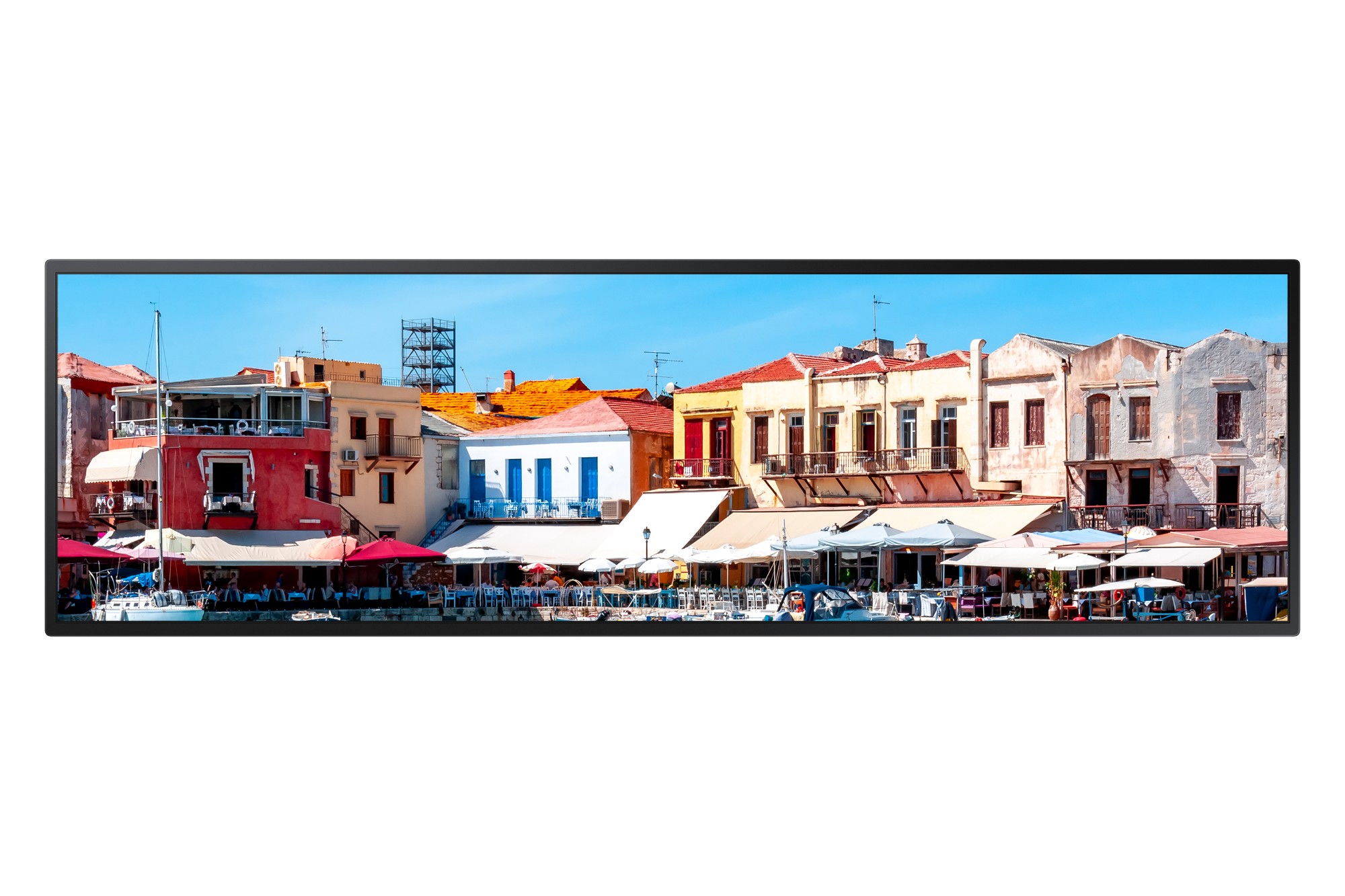
Samsung LH37SHRBBGBXZA signage display Panorama design 37" LED Wi-Fi 700 cd/m² Black Built-in processor Tizen 4.0 20/7
Stretch your messaging reachDigital signage today needs to be versatile and cost effective with an emphasis on maximizing space efficiency. Samsung SHR-B displays with 16:4.5 wide screen stretched display offer the ability to effectively communicate information in small, narrow spaces.Maximize space and optimize content700-nit brightness and a non-glare panel makes messages easier to seeSamsung SHR-B displays deliver vibrant, realistic images offering an unparalleled visual experience. Featuring brightness levels of up to 700 nits and a non-glare panel these displays deliver the clearest, richest images regardless of lighting conditions.Maximize viewer engagement in a minimum amount of spaceSamsung SHR-B displays feature a slim profile with a depth of only 1.7 inches. You can install the slim, light display in areas where space is limited, and content will blend seamlessly with the environment.Powerful, all-in-one solutionWith the embedded media player, there’s no separate PC required, no extra mounting or cabling, and no additional external hardware requiring maintenance. Just plug in the displays and go.Robust content management and monitoringOur leading-edge digital signage platform makes content management easier, more flexible and more robust. Use the data capture tools to inform content creation and automated, targeted distribution. Easily create content with included templates. And manage it all from a single source.1Customize content from portrait to landscapeSamsung SHR-B displays offer pivoting capability, along with automatic image rotation software. You don’t have to rotateyour content separately in editing software.Daisy chain multiple displaysDue to the relative novelty of UHD in commercial display settings, SHR-B displays currently offer support for UHD streaming. With UHD resolution content on multiple displays, made possible with daisy chain, users can deliver eye-catching messages in complete clarity for greater impact.Reliable operation and 3 Year limited warrantyThe SHR-B series is engineered for dependable 24/7 operation and the IP5x Dust-Proof Certification ensures that the display is completely protected from dust, eliminating the risk of performance degradation and a 3 year limited warranty provides peace of mind.
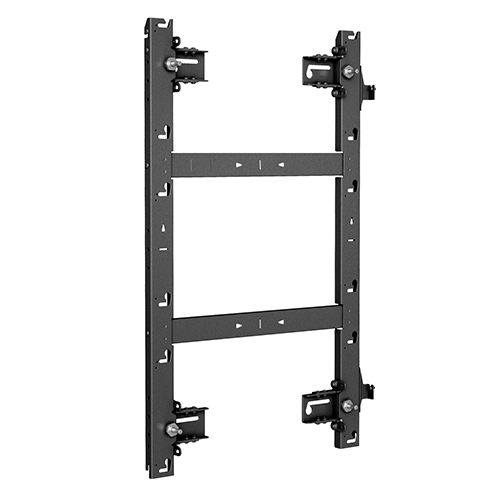
Chief TIL1X3AA signage display mount Black
Built for the Absen™ Acclaim™ Series. Mounts 3 LED displays. Connects to sides, top and bottom of other TiLED Acclaim mounts to create endless video wall configurations. Off-the-shelf solution set means product is ready to ship – no custom lead time or project registration required.
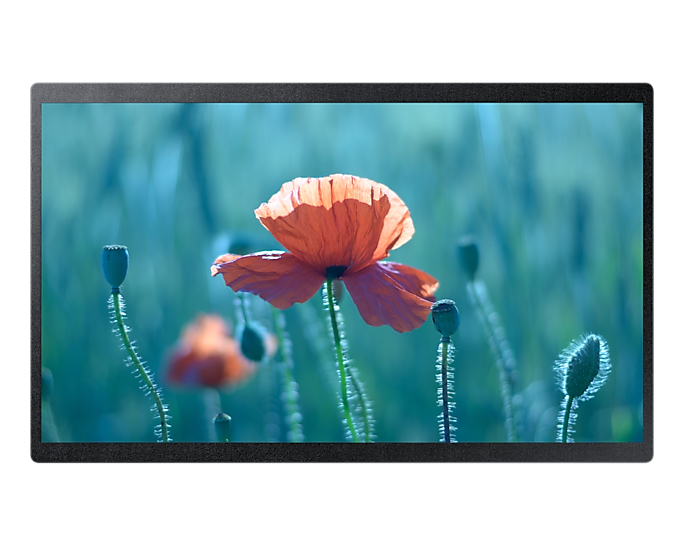
Samsung QB24R-B Digital signage flat panel 24" Wi-Fi 250 cd/m² Full HD Black Built-in processor Tizen 4.0
Small spaces hold sizable opportunitiesGet the most out of every space with Samsung QBR-B small digital signage. Full HD resolution means every message will be sharp and crystal-clear, making these brilliant displays ideal for retail environments, meeting rooms and public spaces. An embedded media player (SoC) lets you easily display content with no external PC required. Crisp and visible content Samsung’s QB24R-B is enhanced by a non-glare panel that always delivers clear images and text regardless of any ambient light. This essential feature is supported by reliable 16/7 operation, suitable for professional use.Slim design The compact and slim design of the QB24R-B allows for efficient space utilization, even in compact locations. A sleek rear design makes the display optimal for wall mounting while the connectivity, content play and device controls are easy to operate.Powerful all-in-one digital signage solutionMagicINFO S player, backed by TIZEN, requires no separate PC, extra mounting or cabling, and no additional external hardware/maintenance. Just plug in the displays and go.Comprehensive security setup The powerful Knox security system provides rigid, three-layer security, offering airtight protection at the application, platform and system level while restricting access to content and hardware. In addition, remote control of the network and USB ports prevents any unauthorized access.Convenient, clean display control With center IR, each display receives IR signals direct to the panel, allowing easy and convenient remote control. When mounted, the display doesn't require an IR receiver cabling extension. Built-in Wi-Fi allows wireless remote management for both content and display. Reliable operation and 3 Year limited warranty The QBB series is engineered for dependable 16/7 operation and the IP5x Dust-Proof Certification ensures that the display is completely protected from dust, eliminating the risk of performance degradation. A 3 Year limited warranty provides peace of mind.
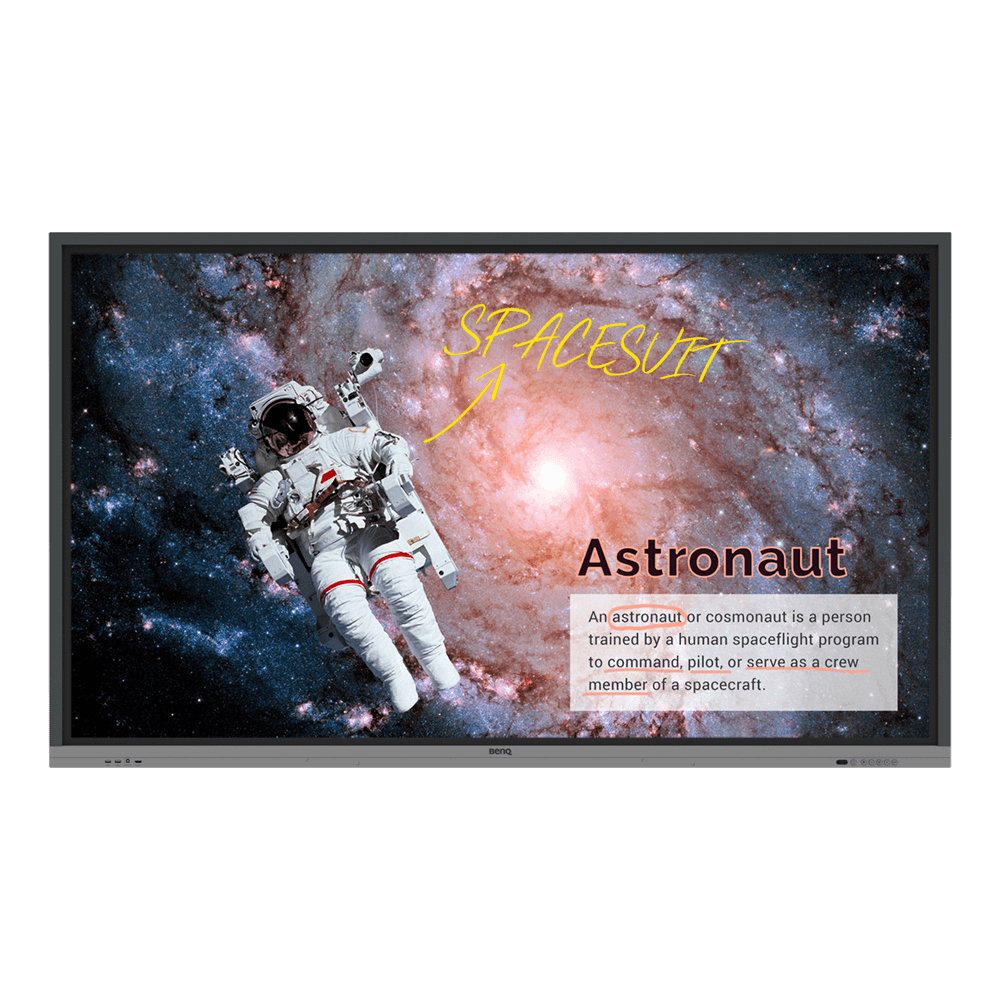
BenQ RE8601 signage display Interactive flat panel 86" LED 400 cd/m² 4K Ultra HD Black Touchscreen
Annotate and Collaborate Everywhere with the Cloud With cloud features, EZWrite 5 streamlines classroom discussions by making it smoother than ever for teachers and students to share ideas, notes, and opinions as if they are annotating on the same whiteboard regardless of where they are. Furthermore, with AMS service teachers will be able to access teaching materials stored in cloud storage and start the class directly with BenQ Education Interactive Display. Smooth Real-Time Collaboration Cloud Whiteboard and Sticky Notes for Classrooms Packed with teacher- and student-friendly features, BenQ’s EZWrite 5 is the leading annotation solution for interactive and collaborative classroom scenarios. Teachers and students can enjoy enhanced interactivity by using EZWrite Cloud Whiteboard to collect, categorize, edit, and share notes between the interactive displays and mobile devices. Instant Access to the Cloud EZWrite 5 allows teachers to directly download and upload files to cloud services, such as Google Drive and Dropbox. Exclusive to EZWrite 5, this convenient cloud access makes it easy for teachers to modify their materials and bring them everywhere. Flexible Anytime Annotation Adjustable Screen Capture Regions and Easy Import With EZWrite's Floating Tool, teachers can capture screen shots of anything on the screen, including content from apps, websites, and videos from any source. They can then import this content into EZWrite 5 for further discussion and annotation on a brand new page. Dual Pens for Simultaneous Collaboration with Different Colors EZWrite 5 comes with dual pens that allow two users to write or draw simultaneously with different colors, making it ideal for lively classroom activities. Brush Mode for Creative Education EZWrite 5 is ideal for creative, inspired creation in art classes. Users are guaranteed to enjoy an effortless experience that feels like writing and drawing with actual pens and brushes. Floating Tool EZWrite’s built-in Floating Tool empowers teachers to write on top of any app, video, website, document, or image. Whether using Windows, Mac, Chrome, or Android, a teacher can take notes on top of any on-screen content and save them. With screen capture, it allows users to capture all – or just part – of the screen within two fingers at both hands. The Floating Tool also offers a smooth writing experience when used with HDMI, VGA, and other signal sources, ensuring maximum flexibility. Intelligent Handwriting Recognition EZWrite's handwriting recognition feature allows users to instantly convert written text, numbers, forms, and drawings into easily legible digital text without having to switch modes. Immediate Message Delivery and Management The Smart Broadcasting System with Instant Delivery and Easy Management X-Sign Broadcast is a wireless broadcast system that can push alerts, messages and announcements during class. Unlike traditional classroom messaging systems, X-Sign Broadcast ensures immediate message delivery as well as group notification. Serving as a next-generation information center, X-Sign Broadcast lets you manage class time content and broadcast enriching material from any device. Creating an engaging learning environment has never been easier. With its grouping function, X-Sign Broadcast can send messages to a selected group of screens, a single classroom or the whole school. The grouping function helps ensure information is only sent to the recipients for whom it’s intended, while also reducing the time and labor required to send messages to multiple people. Create a Healthy Learning Environment When it comes to effective learning, health matters. BenQ Education Interactive Display ensures classrooms can embrace innovation without compromising students’ health by providing smart Eye-care technology. Eye-care Solution Eye-care solution can function by activating eye-care mode. BenQ’s Eye-care technology minimizes blue light exposure and allows for healthier time spent in front of the display, helping you create the best and most comfortable viewing experience for you and your students. Germ-Reisistant Screen The Germ-Resistant Screen is empowered by a multilayer coating of the non-toxic, enduring nano ionic silver agent that kills most germs accumulating on screen surfaces and prevent cross-infection or epidemic in classrooms. The ionic silver’s antimicrobial feature remains effective even after thorough cleaning or long periods of use. Facilitate Teaching Flow with Friendly Design Nurture Uninterrupted Learning with BenQ Launcher To further ensure uninterrupted learning for students, RE8601 streamlines the steps for teachers to start classes with BenQ Launcher. Created to aggregate all key tools in one hub, BenQ Launcher allows teachers to start using EZWrite whiteboard as well as accessing to variety input sources in a single tap without logging into their accounts. Teachers can also put announcements on the message board. Additionally, BenQ Launcher comes with SwitchQ, a task switcher, letting teachers effortlessly switch between recent apps and input signal sources at fingertips. Account Management System for Personalized Workspace BenQ's interactive displays support multi-account management which allows users to directly access and manage their personal system-setting, network drive and cloud storage space such as Google drive and Dropbox. Wireless Solution for Seamless Collaboration InstaShare is the software designed for seamless wireless presentation and collaboration during lectures. It allows the smooth streaming of visual, audio files and Full HD quality videos. Users can also mirror all digital content from devices including PCs, tablets, and smartphones, empowering contributors to enrich their sessions with a variety of multimedia resources. Built-in Speakers and External Microphone Compatibility for More Impactful Learning RE8601 built in two 15W speakers, offering better sound transmission that elevates the level of audiovisual enjoyment during classes. Additionally, RE8601 comes with USB port that allows teachers to connect external microphones, further facilitating an impactful and effective learning experience for students. Maximize Flexibility in Teaching through Open Sharing Multiple Display Application for Increased Teaching Efficiency RE8601 supports dual display application through HDMI out, allowing teachers to share teaching materials to more than one screen and increase the efficiency of teaching and student engagement. Multi-Platform Compatibility The interactive displays can work seamlessly with a wide range of computing and mobile devices running most major operating systems, from Windows to Mac, Linux and Chrome, through its plug-and-play feature. Recommended Apps through “BenQ Suggests” RE8601 incorporates several recommended Android apps into BenQ Suggests, also in partnership with solution partners such as Teamviewer and Blizz, which further expand the interactive displays' potential by simplifying app updates and downloading in the future. Hassle-Free Display Management With cloud features, BenQ DMS combined Device Info and Management, Apps Management and OTA (Over-the-Air) Update to provide you an ultimate device management solution for your productivity. Device Info and Management Remotely control your displays with DMS Cloud via Internet. It’s an effective way to lower TCO and energy consumption for your operation. Apps Management Install Android apps for a selection of displays through our cloud server. DMS Cloud is designed to save you the hassles of repetitive manual installation work. OTA (Over-the-Air) Update Upgrade the latest BenQ firmware for your displays through our OTA Update support and keep them running smoothly at all times.
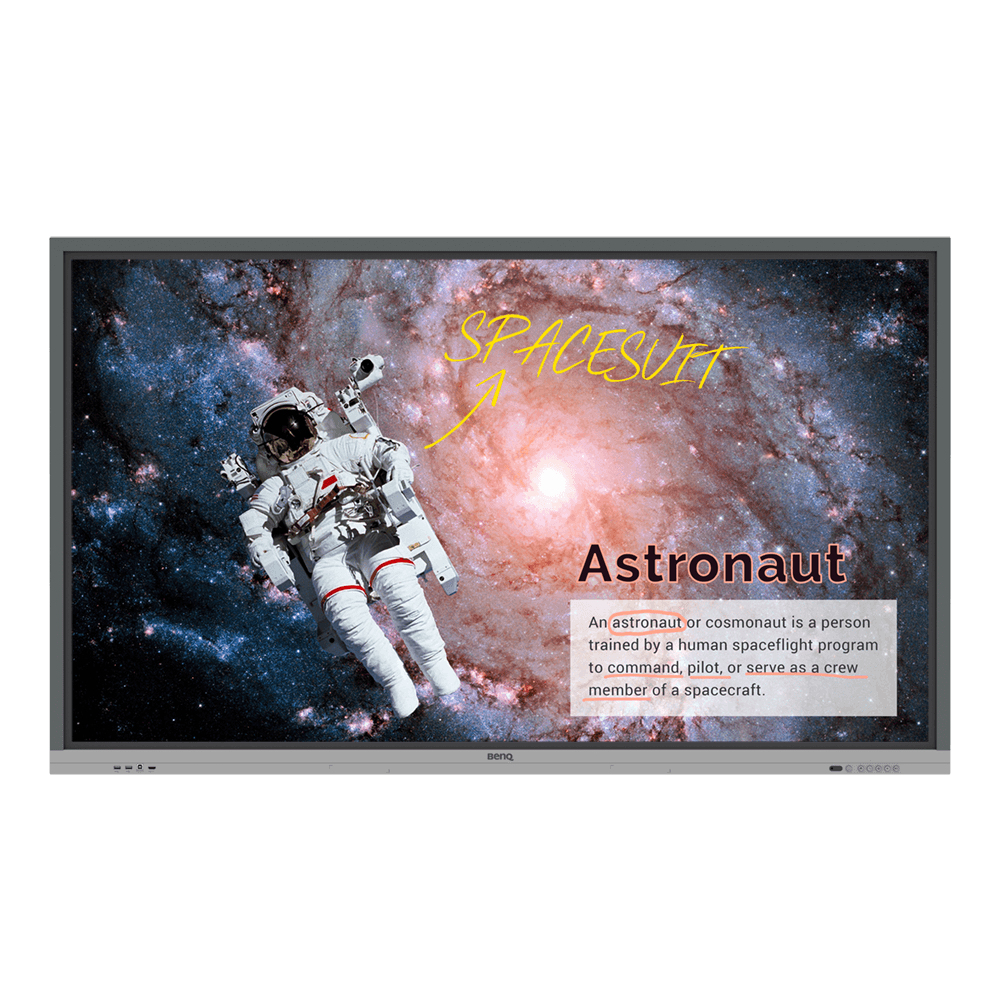
BenQ RE7501 signage display Interactive flat panel 75" LED 550 cd/m² 4K Ultra HD Black Touchscreen
Annotate and Collaborate Everywhere with the Cloud With cloud features, EZWrite 5 streamlines classroom discussions by making it smoother than ever for teachers and students to share ideas, notes, and opinions as if they are annotating on the same whiteboard regardless of where they are. Furthermore, with AMS service teachers will be able to access teaching materials stored in cloud storage and start the class directly with BenQ Education Interactive Display. Smooth Real-Time Collaboration Cloud Whiteboard and Sticky Notes for Classrooms Packed with teacher- and student-friendly features, BenQ’s EZWrite 5 is the leading annotation solution for interactive and collaborative classroom scenarios. Teachers and students can enjoy enhanced interactivity by using EZWrite Cloud Whiteboard to collect, categorize, edit, and share notes between the interactive displays and mobile devices. Instant Access to the Cloud EZWrite 5 allows teachers to directly download and upload files to cloud services, such as Google Drive and Dropbox. Exclusive to EZWrite 5, this convenient cloud access makes it easy for teachers to modify their materials and bring them everywhere. Flexible Anytime Annotation Adjustable Screen Capture Regions and Easy Import With EZWrite's Floating Tool, teachers can capture screen shots of anything on the screen, including content from apps, websites, and videos from any source. They can then import this content into EZWrite 5 for further discussion and annotation on a brand new page. Dual Pens for Simultaneous Collaboration with Different Colors EZWrite 5 comes with dual pens that allow two users to write or draw simultaneously with different colors, making it ideal for lively classroom activities. Brush Mode for Creative Education EZWrite 5 is ideal for creative, inspired creation in art classes. Users are guaranteed to enjoy an effortless experience that feels like writing and drawing with actual pens and brushes. Floating Tool EZWrite’s built-in Floating Tool empowers teachers to write on top of any app, video, website, document, or image. Whether using Windows, Mac, Chrome, or Android, a teacher can take notes on top of any on-screen content and save them. With screen capture, it allows users to capture all – or just part – of the screen within two fingers at both hands. The Floating Tool also offers a smooth writing experience when used with HDMI, VGA, and other signal sources, ensuring maximum flexibility. Intelligent Handwriting Recognition EZWrite's handwriting recognition feature allows users to instantly convert written text, numbers, forms, and drawings into easily legible digital text without having to switch modes. Immediate Message Delivery and Management The Smart Broadcasting System with Instant Delivery and Easy Management X-Sign Broadcast is a wireless broadcast system that can push alerts, messages and announcements during class. Unlike traditional classroom messaging systems, X-Sign Broadcast ensures immediate message delivery as well as group notification. Serving as a next-generation information center, X-Sign Broadcast lets you manage class time content and broadcast enriching material from any device. Creating an engaging learning environment has never been easier. With its grouping function, X-Sign Broadcast can send messages to a selected group of screens, a single classroom or the whole school. The grouping function helps ensure information is only sent to the recipients for whom it’s intended, while also reducing the time and labor required to send messages to multiple people. Create a Healthy Learning Environment When it comes to effective learning, health matters. BenQ Education Interactive Display ensures classrooms can embrace innovation without compromising students’ health by providing smart Eye-care technology. Eye-care Solution Eye-care solution can function by activating eye-care mode. BenQ’s Eye-care technology minimizes blue light exposure and allows for healthier time spent in front of the display, helping you create the best and most comfortable viewing experience for you and your students. Germ-Reisistant Screen The Germ-Resistant Screen is empowered by a multilayer coating of the non-toxic, enduring nano ionic silver agent that kills most germs accumulating on screen surfaces and prevent cross-infection or epidemic in classrooms. The ionic silver’s antimicrobial feature remains effective even after thorough cleaning or long periods of use. Facilitate Teaching Flow with Friendly Design Nurture Uninterrupted Learning with BenQ Launcher To further ensure uninterrupted learning for students, RE8601 streamlines the steps for teachers to start classes with BenQ Launcher. Created to aggregate all key tools in one hub, BenQ Launcher allows teachers to start using EZWrite whiteboard as well as accessing to variety input sources in a single tap without logging into their accounts. Teachers can also put announcements on the message board. Additionally, BenQ Launcher comes with SwitchQ, a task switcher, letting teachers effortlessly switch between recent apps and input signal sources at fingertips. Account Management System for Personalized Workspace BenQ's interactive displays support multi-account management which allows users to directly access and manage their personal system-setting, network drive and cloud storage space such as Google drive and Dropbox. Wireless Solution for Seamless Collaboration InstaShare is the software designed for seamless wireless presentation and collaboration during lectures. It allows the smooth streaming of visual, audio files and Full HD quality videos. Users can also mirror all digital content from devices including PCs, tablets, and smartphones, empowering contributors to enrich their sessions with a variety of multimedia resources. Built-in Speakers and External Microphone Compatibility for More Impactful Learning RE8601 built in two 15W speakers, offering better sound transmission that elevates the level of audiovisual enjoyment during classes. Additionally, RE8601 comes with USB port that allows teachers to connect external microphones, further facilitating an impactful and effective learning experience for students. Maximize Flexibility in Teaching through Open Sharing Multiple Display Application for Increased Teaching Efficiency RE8601 supports dual display application through HDMI out, allowing teachers to share teaching materials to more than one screen and increase the efficiency of teaching and student engagement. Multi-Platform Compatibility The interactive displays can work seamlessly with a wide range of computing and mobile devices running most major operating systems, from Windows to Mac, Linux and Chrome, through its plug-and-play feature. Recommended Apps through “BenQ Suggests” RE8601 incorporates several recommended Android apps into BenQ Suggests, also in partnership with solution partners such as Teamviewer and Blizz, which further expand the interactive displays' potential by simplifying app updates and downloading in the future. Hassle-Free Display Management With cloud features, BenQ DMS combined Device Info and Management, Apps Management and OTA (Over-the-Air) Update to provide you an ultimate device management solution for your productivity. Device Info and Management Remotely control your displays with DMS Cloud via Internet. It’s an effective way to lower TCO and energy consumption for your operation. Apps Management Install Android apps for a selection of displays through our cloud server. DMS Cloud is designed to save you the hassles of repetitive manual installation work. OTA (Over-the-Air) Update Upgrade the latest BenQ firmware for your displays through our OTA Update support and keep them running smoothly at all times.
LG 43UH5J-H signage display Interactive flat panel 43" Wi-Fi 500 cd/m² 4K Ultra HD Black 24/7
Proper Display BrightnessWith a recommend brightness of 500 cd/m² for an indoor display, the UH5J-H series clearly deliver content and attract public attention, making it the most suitable display for marketing in meeting rooms, airports, retail, shopping malls etc.High-Performance with webOSLG webOS platform enhances user convenience with intuitive GUI and simple app development tools.Conformal CoatingIn various places the UH5J-H series is unable to avoid exposure to environments containing dust, humidity, etc. which may hamper performance over time. The conformal coating on power board reduces these risks by protecting UH5J-H series from salt, dust, iron powder, humidity, etc.Mobile Content ManagementYou can create a store profile and get template recommendations using the Promota* app. Users can customize templates for all industries and easily create and manage content not only on PCs but also on mobile devices.

Viewsonic LDM135-151 signage display Digital signage flat panel 135" LED Wi-Fi 600 cd/m² Full HD Black
The ViewSonic® LDM135-151 is an innovative 135” All-in-One Direct View LED display that complements the design of high-end, enterprise conference rooms and lobbies. With 120% Rec. 709 wide color gamut, millions of mounted tiny LEDs for direct image production, and an ultra-slim 35 mm thickness & bezel-free seamless design, the LDM135-151 offers greater color, brightness, and contrast performance, giving viewers a magnificent visual impact, whether hanging on the wall or aluminum alloy floor stand. The All-in-One large screen display boasts easy delivery, installation, and maintenance with front-assembly modular design. The built-in screen sharing software enables multiple meeting presenters to cast out content wirelessly, whether using laptops, phones, or tablets. Compatible with AV control systems, the ViewSonic® LDM135-151 enables IT personnel to remotely setup and configure.All-in-One Design without Complicated SetupFree yourself from a complicated setup of power supplies, control systems, stitching machines, etc. - all you need to do is turn on the display.Seamless Design with Ultra-slim 35 mm Thickness & 10 mm Frameless EdgeWith a huge 135” screen, larger than nine 46-inch LCD displays combined, this display seamlessly delivers content without stitching bezels for a more immersive visual experience.120% Rec. 709 Wide Color GamutViewSonic’s proprietary Cinema SuperColor+ Technology features an exclusive wider color gamut that delivers lifelike colors. An ultra-fast 3,840 Hz refresh rate, 1.5 mm fine pixel pitch, slim profile, and greater contrast ratio also help to deliver smooth, stunning images.Wireless Content Sharing Solution across DevicesThe pre-installed ViewBoard® Cast enables content to be streamed from mobile devices onto the display over wireless or wired networks, whether one-to-one, or many-to-one.Multitasking with Embedded System & Wi-FiWith built-in OS and 2.4G/5G Hz Wi-Fi, users can easily work in a familiar PC environment for app installation, web browsing, multimedia play, wireless device connection, etc.Front-Facing Presentation Solution with ViewSonic Touch DisplaysWhen combined with ViewSonic touch displays*, it allows the presenter to face the audience while annotating on slides – all done without turning their back to the audience. Not only that, it allows the presenter to be in full control of the presentation, creating interaction and eye contact with the audience for total engagement.*ViewBoard, touch monitors, and ViewBoard miniModular Design for Easy Installation2 people, 2 hoursComposed of five cabinets and multiple LED modules. When installed, each individual module auto-configures and calibrates its location and setting values within the display.Full Front MaintenanceElectric vacuum suction toolInstead of moving an entire set of displays around for maintenance, the hot-swappable front LED modules allow users to change any defective piece. With the electric vacuum suction tool, even an ordinary person can complete the exchange.Reliable Operation 24/7Featuring a long lifespan, this professional-grade commercial display is designed for reliable use 24 hours a day, 7 days a week.AV Control System CompatibleThis display is Crestron, Extron, AMX and myViewBoard Manager compatible, providing easy and efficient management of multiple-display configurations from a PC via LAN connectivity.
Item(s) added to cart
Netgear GS105E-200NAS ProSafe Plus Switch, 5-Port Gigabit Ethernet - 5 Ports - 2 Layer Supported - Wall Mountable - Lifetime Limited Warranty-None Listed Compliance
MFR: Netgear, Inc
Qty: 1
Part #: GS105NA