
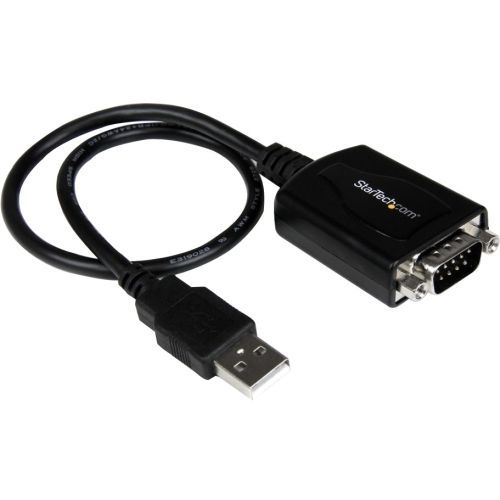
StarTech.com ICUSB232PRO interface cards/adapter
Add an RS-232 serial port to your laptop or desktop computer through USB; features COM port retentionThe ICUSB232PRO 1 ft USB to RS232 Serial DB9 Adapter Cable with COM Retention offers a professional grade solution for connecting legacy or industrial RS232 serial devices to a laptop or desktop computer through USB - eliminating the expense of upgrading serial peripherals for compatibility.A time-saving and convenient USB/Serial solution, the adapter retains assigned serial COM port values in nonvolatile memory, allowing the same values to automatically be assigned to the adapter serial port if disconnected and reconnected, or disconnected from one USB port and installed in another.A versatile connectivity solution that bridges legacy serial peripheral devices with newer USB-capable computers, the USB to Serial adapter offers broad operating system compatibility including Windows®, Linux and Mac OS, for easy integration into mixed environments.Backed by a StarTech.com 2-year warranty and free lifetime technical support.The StarTech.com Advantage

Kensington CH1200 USB 3.2 Gen 2 (3.1 Gen 2) Type-C 10000 Mbit/s Black
For professionals struggling to find enough USB-A ports to connect their desktop accessories, the CH1200 USB-C® 10Gbps 4-Port Hub is the ideal solution. Perfect for connecting up to four USB-A accessories including thumb drives, mice, keyboards and headsets to a USB-C® port on a laptop or docking station, the CH1200 Hub provides up to 10Gbps data transfer speeds in a portable and compact form factor. Enhancing productivity with a simple plug-and-play solution, the CH1200 USB-C® 10Gbps 4-Port Hub is a convenient accessory for connecting USB-A devices to a USB-C® port.4-Port HubExpand your connectivity options by*adding up to 4 x USB-A accessories using a single USB-C® port. Works best with up to 1 x high-power accessory such as a backup drive and 3 x additional USB-A accessories such as a headset, mouse and keyboard.Up to 10Gbps Data Transfer Speeds20x faster than USB 2.0, the CH1200 uses USB 3.2 technology to enhance your productivity with up to 10Gbps data transfer speeds via 4 x USB-A 3.2 Gen2 10Gbps 5V/0.9A ports.Plug-and-PlayA simple plug-and-play expansion hub for connecting up to 4 x USB-A devices to a single USB-C® port on your computer or docking station - no drivers, downloads or additional power required.Universal CompatibilityAn ideal plug and play solution for USB-C® based devices (Thunderbolt™ 4, Thunderbolt™ 3, USB4® and USB-C® Alt Mode) running Windows 10 or above, macOS 11 or above and Chrome OS 91*or above.
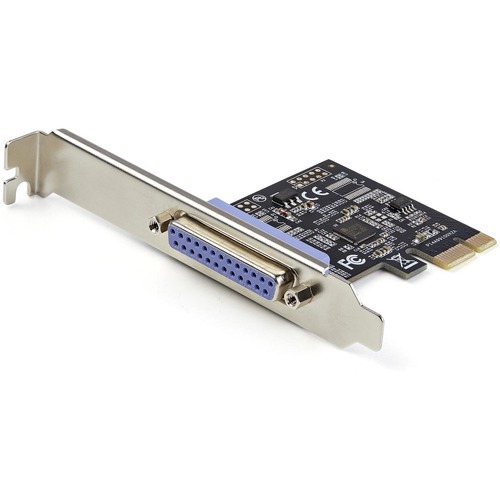
StarTech.com PEX1P2 interface cards/adapter Internal Parallel
PCI Express 2.0 | LPT | PCIe 1x Slot | 2.5 Mbps | Lifetime WarrantyThis PCIe Parallel controller card installs into an available PCI-Express x1 slot in your computer and enables you to add DB25 parallel communication port to your system.Adds a Parallel Port to Your Desktop ComputerThe controller card features an Asix AX99100 chip and enables you to connect a DB25 device to your desktop computer. The parallel port port is ideal for connecting printers, scanners, plotters, point-of-sale terminals, PLCs, scientific sensors, medical equipment or oscilloscopes. The card can also be used in factories, to control or automate equipment. The parallel (LPT) port supports SPP/Byte/Nibble/ECP modes and is compatible with PCI Power Management 1.2 and IEEE 1284 for speeds up to 2.5Mbps.Wide Installation CompatibilityThis add-on card includes both full-profile and low-profile installation brackets (full-profile bracket pre-installed) ensuring you can install it into either a full or low-profile PCIe 2.0 x1 slot (backward compatible with PCIe 1.1). For wide platform support the card is compatible with Windows (XP or higher), Windows Server (2003 or higher), and Linux (2.6.X or higher).PEX1P2 is backed by a StarTech.com lifetime warranty with free 24/5 multi-lingual North American based technical support. StarTech.com has been the IT professionals' choice for over 30 years.The StarTech.com Advantage- 1-PORT PARALLEL PCIe CARD: Using a 1x PCI Express 2.0 Gen 1 slot, add a DB25 parallel communications port to your computer; Installs in full/standard or low profile PCIe cards slots (brackets incl.); Latest version of our popular parallel card PEX1P- TECH SPECS: Parallel port LPT controller card supports SPP/Byte/Nibble/ECP modes- Compatible with IEEE 1284
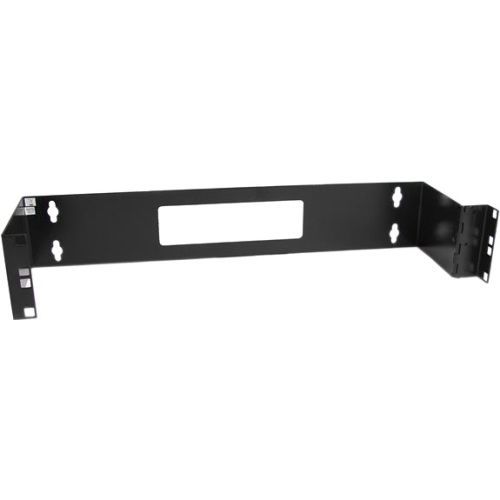
StarTech.com WALLMOUNTH2 rack cabinet 2U Wall mounted rack Black
Wall mount a patch panel or network switch while providing hinged access to the back of the device(s)The WALLMOUNTH2 2U 19in Hinged Wall Mounting Bracket for Patch Panels is 6in deep and sturdily designed to provide a dependable solution for mounting a patch panel, or other slim 19in networking equipment to a wall.The patch panel wall mount features a hinged design for easy access to configuration buttons, ports and cables. The wall mounting holes are spaced 16 in. apart, making it suitable for mounting on almost any wall, based on common wall-frame stud spacing.Backed by a StarTech.com 2-year warranty.The StarTech.com Advantage
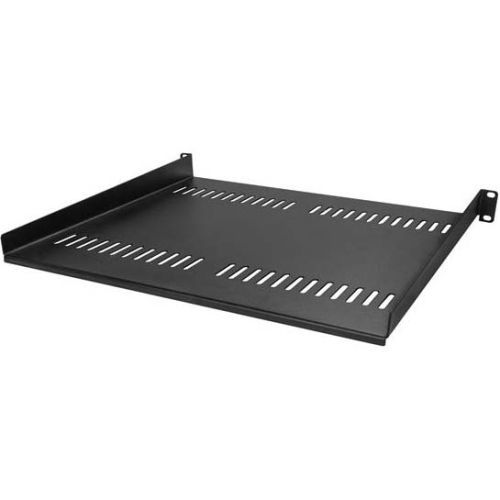
StarTech.com CABSHELF116V rack accessory Rack shelf
Add a sturdy, 1U server rack shelf into almost any rack or cabinetThis 1U rack shelf lets you add 16 in. of flat storage space to any EIA-310 compliant server rack or cabinet. The shelf is vented to improve air flow and help lower temperatures in your rack.Ensure your equipment is secureThe durable fixed-rack shelf can hold up to 20 kg (44 lbs.) of equipment and is constructed using SPCC commercial-grade cold-rolled steel.Make the most of your available spaceThe 1U cantilever shelf lets you optimize your working space by giving you the ability to mount equipment to your rack instead of taking up desk or floor space. It's perfect for your SOHO (small office, home office) environment, server room or any other location with limited space available.Customize your setupYou can install the 1U vented rack shelf in your rack at any height, giving you a stable surface for placing equipment that's un-mountable or storing your tools.The StarTech.com Advantage
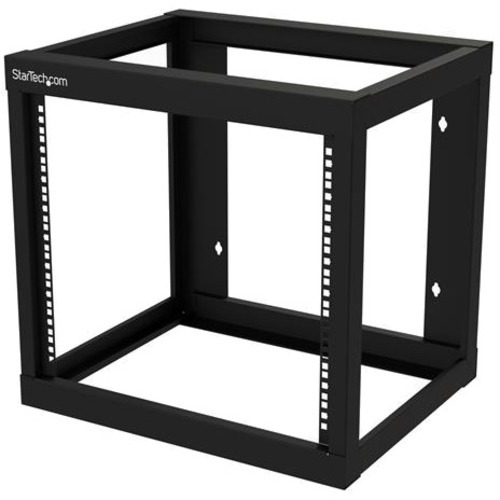
StarTech.com RK919WALLO rack cabinet 9U Wall mounted rack Black
Mount your server or networking equipment using this 9U wall mount rackThis open-frame 9u wall mount rack provides 9U of storage, allowing you to save space and stay organized. The 19 inch equipment rack can hold up to 175 lb. (80 kg).Easy, Hassle-Free InstallationThe wall mount open-frame rack is 18 in. (45.7 cm) deep, so it's perfect for smaller spaces. It ships fully assembled and features mounting holes that are spaced 16 in. apart, making it suitable for mounting on almost any wall, based on common wall-frame stud spacing.Free Up SpaceYou can mount the wall mount open-frame rack where space is limited, such as on a server room wall, office, or above a doorway, to expand your workspace and ensure your equipment is easy to access.Keep Your Equipment Cool and AccessibleBy having an open frame, the small wall mount network rack provides passive cooling to equipment. Additionally, the open frame provides easy access and the ability to configure your equipment, allowing you to maximize productivity.The Choice of IT Pros Since 1985StarTech.com conducts thorough compatibility and performance testing on all our products to ensure we are meeting or exceeding industry standards and providing high-quality products to IT Professionals. Our local StarTech.com Technical Advisors have broad product expertise and work directly with our StarTech.com Engineers to provide support for our customers both pre and post-sales.The RJ919WALLO is backed by a StarTech.com lifetime warranty and free lifetime technical support.The StarTech.com Advantage
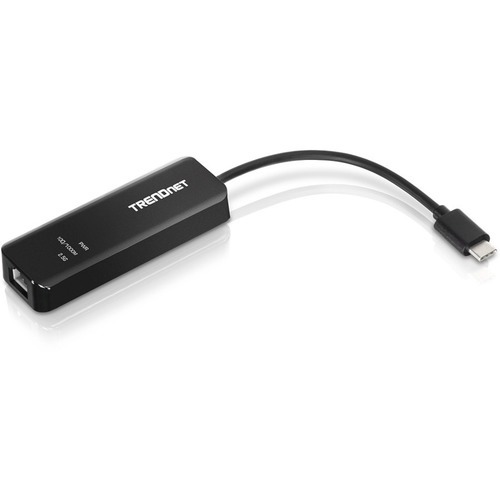
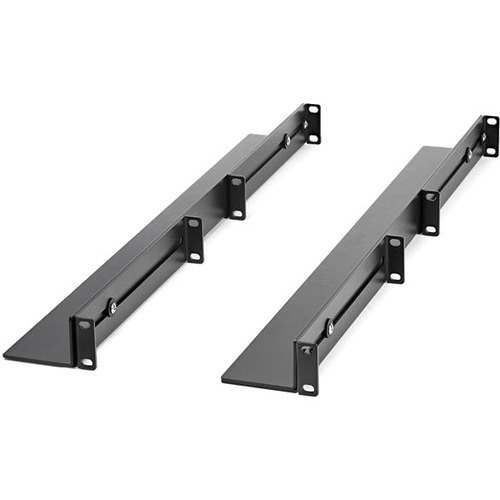
StarTech.com UNIRAILS1UB rack accessory Rack rail
Universal | EIA/ECA-310 Compliant | Supports up to 200lbsThese 1U server rack rails let you mount devices, such as servers or networking equipment, that did not come with rack rails into your 19” 4 post rack. The adjustable server rack rails are also a great solution for mounting OEM equipment such as Dell™, IBM®, HP® or Apple servers.Universal design mounts to almost any 19" server rackAdhering to the EIA/ECA-310 standard for 19 inch server rack equipment and accessories, these mounting rails are compatible with most 19 inch server racks. The depth is adjustable for a variety of rack sizes and configurations up to a maximum depth of 36 inches.Maximum durabilityTo ensure your equipment is secure, these universal rack mount rails feature cold-rolled steel construction. The durable design can support a weight load of up to 200 lbs (90 kg).The Choice of IT Pros Since 1985StarTech.com conducts thorough compatibility and performance testing on all our products to ensure we are meeting or exceeding industry standards and providing high-quality products to IT Professionals. Our local StarTech.com Technical Advisors have broad product expertise and work directly with our StarTech.com Engineers to provide support for our customers both pre and post-sales.The UNIRAILS1UB is backed by a lifetime StarTech.com warranty with free technical support.The StarTech.com Advantage
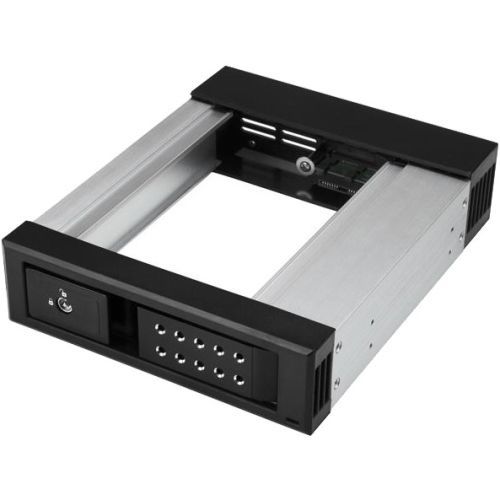
StarTech.com HSB1SATSASBA drive bay panel 5.25" Carrier panel Black
Hot-swap drives with ease, using this trayless mobile backplane for desktop PCs or serversThis removable hard drive hot-swap bay makes it easy to swap 3.5” SATA or SAS drives in and out of your server or desktop computer, using an available 5.25” front drive bay. It features a trayless design that saves you installation time and enables you to insert or remove drives as needed, creating a convenient solution for drive maintenance and interchangeability of data between multiple systems.Hot-swap drives easilyThis hot-swap bay/mobile rack is ideal for IT professionals, such as system administrators or computer operators, for quickly swapping, replacing, or transporting drives between various systems and locations. With support for both SATA and SAS 3.5” drives, it saves valuable time in environments where storage drives need to be replaced or removed regularly, such as in server rooms and data centers.Valuable drive protectionThe hot-swap bay provides a protective backplane with a durable aluminum housing that offers ventilation to ensure proper air flow and heat dissipation. To safeguard your data, you can lock the drive bay door to prevent unauthorized access to your drive.Fast data transfersTo maximize the speed and performance of your drives, the mobile rack supports SAS I and II and SATA I, II and III, providing data transfer speeds up to 6Gbps when paired with a compatible controller.The HSB1SATSASBA is backed by a StarTech.com 2-year warranty and free lifetime technical support.The StarTech.com Advantage
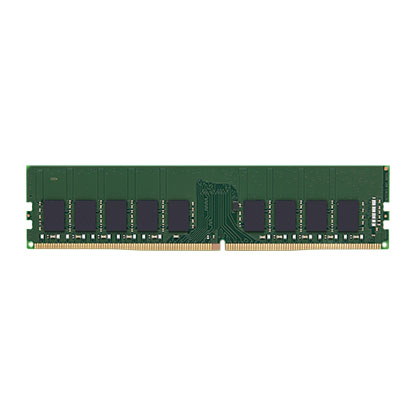
Kingston Technology KTD-PE426E/32G memory module 32 GB 1 x 32 GB DDR4 2666 MHz ECC
Kingston memory is designed, manufactured and rigorously tested to meet the exact specifications of each brand name system.
Item(s) added to cart
Netgear GS105E-200NAS ProSafe Plus Switch, 5-Port Gigabit Ethernet - 5 Ports - 2 Layer Supported - Wall Mountable - Lifetime Limited Warranty-None Listed Compliance
MFR: Netgear, Inc
Qty: 1
Part #: GS105NA