
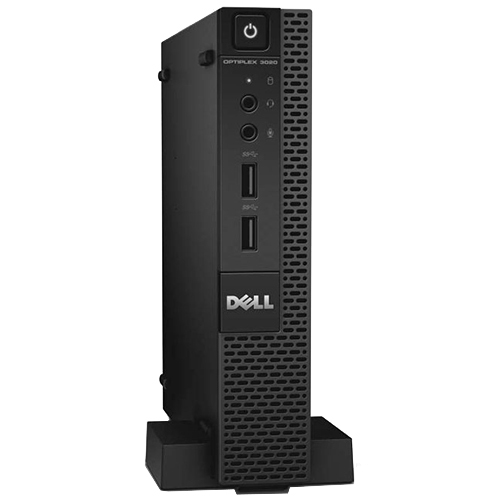
DELL 482-BBBR CPU holder Desk stand CPU holder Black
Simple vertical placement for OptiPlex systemsThe Dell OptiPlex Micro Vertical Stand lets you mount an OptiPlex Micro PC vertically in any workspace. This clean, simple stand is an easy way to safely configure an OptiPlex Micro systems in an upright position.Instantly create more room in your workspaceDesigned for those with limited desk space, the Micro Vertical Stand instantly creates more room by dramatically reducing the OptiPlex footprint. This helps minimize desktop clutter and aids in organization. The vertical mounting option also provides a stylish look for workspaces requiring a specific aesthetic.Easy access to computing portsIn addition to offering a space-saving mounting option, the vertical stand also provides easy access to all ports on your OptiPlex Micro system. With access clear to both the front and rear panels, the Micro Vertical Stand makes it easy to run appropriate cabling and connect peripherals.An ideal companion for OptiPlex Micro systemsThe Dell OptiPlex Micro Vertical Stand has been specifically designed and tested for use with OptiPlex Micro systems. This compact and convenient solution seamlessly upgrades your OptiPlex experience.What's in the BoxDell OptiPlex Micro Vertical Stand.The Dell™ OptiPlex Micro Vertical Stand is Designed for those with limited desk space, the Micro Vertical Stand instantly creates more room by dramatically reducing the OptiPlex footprint. This clean, simple stand is an easy way to safely configure an OptiPlex Micro systems in an upright position. It helps in minimize desktop clutter and aids in organization. Also provides easy access to all ports on your OptiPlex Micro system. With access clear to both the front and rear panels, the Micro Vertical Stand makes it easy to run appropriate cabling and connect peripherals. The vertical mounting option also provides a stylish look for workspaces requiring a specific aesthetic. Moreover, this compact and convenient solution seamlessly upgrades your OptiPlex experience.
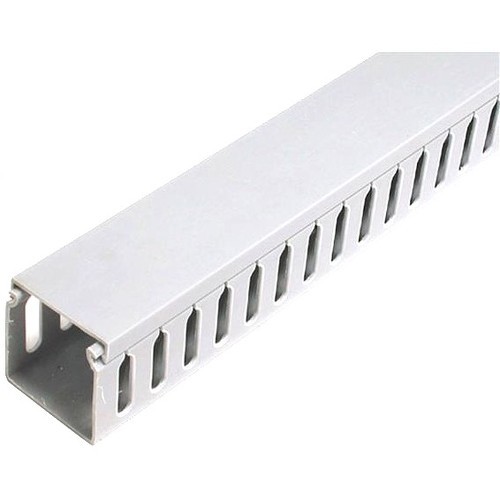
StarTech.com Wiring Raceway/Duct
StarTech.com Wiring Raceway/Duct. Depth: 66.9" (1700 mm)

StarTech.com 1M25-U3-M2-ADAPTER interface cards/adapter Internal M.2
Connect an M.2 NVMe drive to a 2.5-inch U.3 (SFF-TA-1001) drive bayConvert and connect a PCIe M.2 NVMe/AHCI SSD to a 2.5inch form factor to install in a U.3 drive bay or backplane.Adapt While Retaining PerformanceChange the form factor of a 2242, 2260, or 2280 M.2 NVMe drive while maintaining PCIe Gen 4 read and write speeds. This adapter has been designed with no chipset to maintain performance when adapting an M.2 drive to a 2.5-inch form factor.Hassle-Free SetupThe M.2 to U.3 Host Adapter is compatible with all operating systems, including Windows, macOS, and Linux. No additional drivers or software for installation and operation. The adapter includes M.2 drive and U.3 adapter mounting hardware.CompatibilityThe M.2 to U.3 Host Adapter is backward compatible with earlier versions of M.2 PCIe NVMe drives. It is not compatible with SATA or SAS host controllers, M.2 SATA SSDs, or U.2 host interfaces.The StarTech.com Advantage
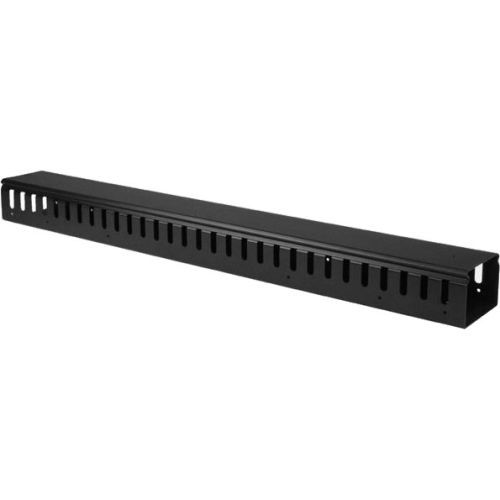
StarTech.com CMVER20UF rack accessory Cable management panel
Organize your cables in any rack or cabinet that’s 20U or larger, using this vertical cable management panelThis 3-foot vertical cable manager gives you a simple and space-efficient way to organize the cables in your server rack. You can attach the cable manager vertically into your rack, to neatly guide cables between equipment that’s mounted at different heights.The 0U cable manager offers versatile installation options and is compatible with most racks that are 20U or larger. The panel features a 0U design that doesn’t take up any mounting space, and with simple tool-less installation, it's easy to attach or reposition as necessary.Improve the appearance and accessibility of your rackThe vertical cable manager uses a finger-duct method of cable management, which includes a cover panel that neatly conceals the cables that are running through it. The cable manager runs vertically along the side of your rack, to neatly guide cables between equipment that’s mounted at different heights. This provides a tidy and well-organized way to run cables from devices mounted toward the bottom of your rack to other devices mounted near the top, without leaving a mess of cables hanging in between.Having neatly organized and routed cables not only improves the appearance and accessibility of your rack, it also makes it easier for you to install, access and maintain rack components.Hassle-free compatibility with your rackFor maximum compatibility with virtually any server rack, you can install the cable-management panel using mounting holes that are commonly found on most rack equipment. The tool-less mounting method attaches the cable management panel to the keyhole-shaped mounting holes that are built into your rack.The horizontal mounting rail method attaches the cable management panel to the horizontal mounting rails that run along the side of your rack.For racks that don't support these installation methods, you can also mount the cable management panel through other means, such as using the non-standardized holes found on your rack walls and enclosures, or the rack units on equipment mounting rails.Protect your equipmentRouting your cables through a panel reduces the tension that's often put on cables. This prevents cable damage or connection loss, and reduces strain on equipment ports, preventing damage to your expensive rack-mounted devices.Properly routing cables also improves airflow, which passively cools devices stored in your rack, helping to keep your equipment running at optimal temperatures to reduce the probability of damage caused by your rack overheating.The CMVER20UF is backed by a StarTech.com 2-year warranty and free lifetime technical support.The StarTech.com Advantage- Improve the appearance of your rack using a vertical cable manager with finger ducts- Promote passive cooling in your rack by organizing cables to improve airflow- Make your rack more accessible by organizing your cables for hassle-free maintenance

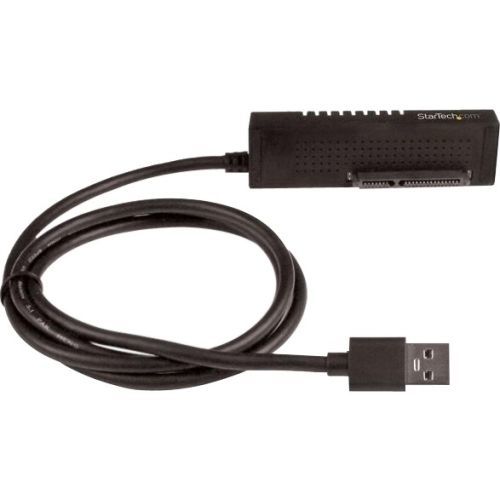
StarTech.com USB312SAT3 interface cards/adapter
SATA to USB Adapter Cable | SATA III 6Gbps | 2.5" or 3.5" SSD or HDD | PortableThis SATA to USB cable is an external drive adapter that gives you quick and easy access to a SATA drive through the USB-A port on a USB 3.1 (10Gbps) desktop or laptop. Faster Transfer Speeds with USB 3.1 The USB 3.1 to SATA adapter gives you greater bandwidth and speed with rates of up to 10Gbps. That’s twice the speed of USB 3.0 and 20x faster than USB 2.0. You can leverage the high performance of the latest SSDs and HDDs, while alleviating bottlenecks in your data transfers. Plus, you can experience transfer speeds up to 70% faster than conventional USB 3.1, when connected to a computer that supports UASP. Convenient and Versatile Drive Access The SATA to USB adapter cable lets you swap between drives so that you can copy or retrieve data from an external 2.5" or 3.5" SATA solid-state drive (SSD) or hard drive (HDD). The cable is ideal for IT technicians who need fast access to SATA drives. It’s the perfect solution for: Data migrations Adding drive space Cloning drives Creating disk images Performing backups and data recoveries Connect from Anywhere The SATA to USB adapter is a portable solution that includes an integrated cable so you never have to worry about forgetting to bring your cable with you. You can easily connect to a 2.5" SSD or HDD using USB power. A universal power adapter is also included for connecting to a 3.5" drive, or for connecting to any 2.5" drive that requires additional power. The adapter is plug-and-play and does not require drivers. USB312SAT3 is backed by a StarTech.com 2-year warranty and free lifetime technical support. The StarTech.com Advantage- Access a SATA SSD or HDD from your desktop or laptop with this SATA to USB cable- Transfer data faster at up to 10Gbps with this USB 3.1 cable- Experience 70% faster read speeds and 40% fast write speeds with UASP support
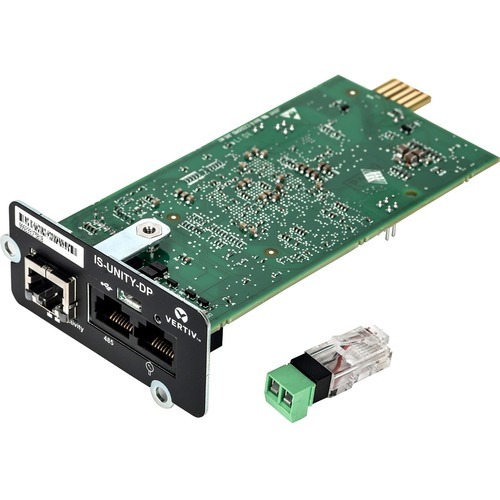
Vertiv Liebert IS-UNITY-DP network card Internal Ethernet 100 Mbit/s
Provides Web access, environmental sensor data, alarm notifications, and third-party interface protocols for Vertiv equipment, and integrates with LIFE Services, Trellis, and Liebert Nform. The IS-UNITY-DP (dual protocol) card allows customers to enable two of the supported third-party protocols (SNMP, BACnet, Modbus, and YDN23) for interfacing with building management or data center management system applications.
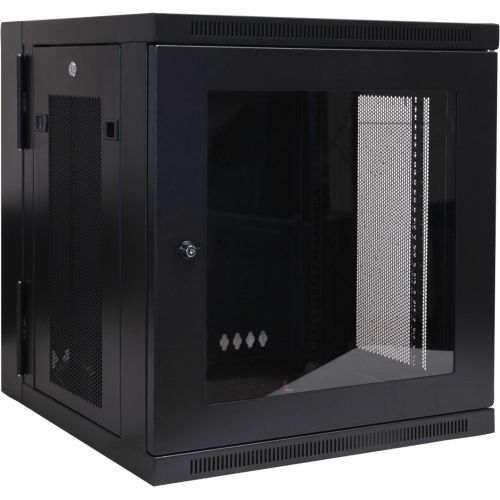
Tripp Lite SRW12USG rack cabinet 12U Wall mounted rack Black
The SRW12USG SmartRack® 12U Low-Profile Switch-Depth Wall-Mount Rack Enclosure Cabinet is designed to house EIA-standard 19-inch rack equipment in network wiring closets, retail locations, classrooms, back offices and other areas with limited floor space where you need equipment to be secure, organized and out of the way. Constructed from heavy-duty steel with a durable black powder-coated finish, the cabinet has a maximum load capacity of 200 pounds (90.7 kilograms).The front door features a shatter-resistant clear acrylic window that lets you monitor equipment readouts without unlocking the enclosure. Not only does the window help prevent equipment tampering and reduce acoustic noise, but it also adds visual flair to your IT installation.The cabinet swings away from the wall on a sturdy hinge, allowing easy back-door access to equipment and cabling during installation and maintenance. The doors and side panels lock securely to help prevent damage, tampering or theft. The top, bottom and removable side panels are vented, which allows air to flow freely and keep equipment cool. The reversible doors can open left or right by rotating the cabinet 180 degrees before mounting. Convenient top and bottom ports allow easy cable routing.The SRW12USG comes fully assembled and ready to mount to the wall, or use the optional SRCASTER rolling caster kit (sold separately) to make it a mobile rack. Square and 12-24 threaded mounting holes and numbered rack spaces make equipment installation easy. The vertical mounting rails adjust in 7/8-inch increments to accommodate equipment up to 20.5 inches deep, such as network switches and patch panels.
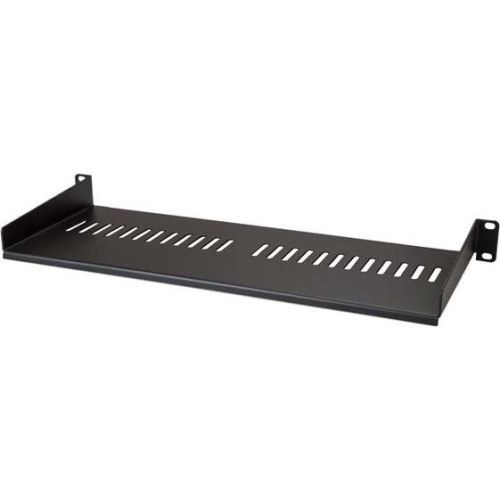
StarTech.com CABSHELF1U7V rack accessory Rack shelf
Add a sturdy, 1U server rack shelf into almost any rack or cabinetThis 1U rack shelf lets you add 7 in. (17.5 cm) of flat storage space to any EIA-310 compliant server rack or cabinet. The shelf is vented to improve air flow and help lower temperatures in your rack.Ensure your equipment is secureThe durable fixed-rack shelf can hold up to 44 lb. (20 kg) of equipment and is constructed using SPCC commercial-grade cold-rolled steel.Make the most of your available spaceThe 1U cantilever shelf lets you optimize your working space by giving you the ability to mount equipment to your rack instead of taking up desk or floor space. It’s perfect for your SOHO (small office, home office) environment, server room or any other location with limited space available.Customize your setupYou can install the 1U vented rack shelf in your rack at any height, giving you a stable surface for placing equipment that's un-mountable or storing your tools.The CABSHELF1U7V is backed by a StarTech.com lifetime warranty and free lifetime technical support.The StarTech.com Advantage
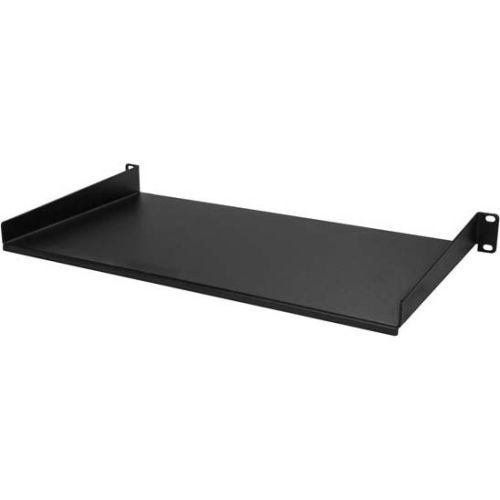
StarTech.com CABSHELF1U10 rack accessory Rack shelf
Add a sturdy, 1U server rack shelf into almost any rack or cabinetThis 1U rack shelf lets you add 10 in. of flat storage space to any EIA-310 compliant server rack or cabinet.Ensure your equipment is secureThe durable fixed-rack shelf can hold up to 20 kg (44 lbs.) of equipment and is constructed using SPCC commercial-grade cold-rolled steel.Make the most of your available spaceThe 1U cantilever shelf lets you optimize your working space by giving you the ability to mount equipment to your rack instead of taking up desk or floor space. It’s perfect for your SOHO (small office, home office) environment, server room or any other location with limited space available.Customize your setupYou can install the 1U rack shelf in your rack at any height, giving you a stable surface for placing equipment that's un-mountable or storing your tools.The CABSHELF1U10 is backed by a StarTech.com lifetime warranty and free lifetime technical support.The StarTech.com Advantage
Item(s) added to cart
Netgear GS105E-200NAS ProSafe Plus Switch, 5-Port Gigabit Ethernet - 5 Ports - 2 Layer Supported - Wall Mountable - Lifetime Limited Warranty-None Listed Compliance
MFR: Netgear, Inc
Qty: 1
Part #: GS105NA