

ASUS PRIME Z890-P WIFI Intel Z890 LGA 1851 (Socket V1) ATX
ASUS PRIME series motherboards are expertly engineered to unleash the full potential of the latest Intel® Core™ Ultra Processors (Series 2). Boasting a robust power design, comprehensive cooling solutions and intelligent tuning options, the PRIME Z890-P WIFI motherboard provides users and PC DIY builders with a range of performance optimizations via intuitive software and firmware features. It’s designed to be Advanced AI PC-ready, offering the power and connectivity needed for demanding AI applications.PerformanceAI SolutionsASUS AI Solutions include AI Advisor as your technical expert with expertise in PC performance, AI Networking II for real-time bandwidth optimization and AI Cooling II for automated temperature control.AI AdvisorASUS AI Advisor allows users to explore the functionality and advanced features of ASUS motherboards in a simple and straightforward way.1AI Networking IIOptimized network performance, helping to ensure seamless connectivity and maximized WiFi 7 speeds.AI Cooling IIOptimized thermals and reduced noise via dynamic adjustment of fan speeds, based on CPU temperatures.PerformanceNPU BoostThe integrated NPU in Intel® Core™ Ultra Processors (Series 2) efficiently accelerates AI workflows — and NPU Boost lets you do more with it. This BIOS feature overclocks the NPU with just one click, increasing performance by up to 24%.4PerformanceRobust power designStable power is crucial for maximizing the performance of Intel® Core™ Ultra Processors (Series 2). The PRIME Z890-P WIFI is designed to meet the needs of high-core-count CPUs. It features 14(80A) + 1(80A) + 2(80A) + 1(80A) power stages that integrate high-side and low-side MOSFETs and drivers into packages rated for up to 80 amperes each. This configuration ensures optimal power delivery, efficiency, stability and performance for both current and future Intel® processors.Enhanced Memory & Storage PerformanceAEMP III for Ultimate DDR5 PerformanceASUS Enhanced Memory Profile III (AEMP III) is an advanced firmware feature that empowers users to achieve unparalleled memory performance with cutting-edge CUDIMM memory. Through a two-phase comprehensive tuning process, AEMP III first optimizes the clock driver and then the memory frequency. This results in the best balance between performance and stability, even at cutting-edge speeds of DDR5-7600 or higher.5DIMM FitDIMM Fit is an ASUS-exclusive BIOS feature that precisely analyzes individual memory modules to optimize performance and pinpoint potential issues. This offers peak efficiency, compatibility, and system stability. Whether you are an overclocker seeking ultimate performance, a competitor pursuing the most responsive gameplay, or a content creator prioritizing rock-solid stability, DIMM Fit provides optimizations tailored to your needs and your hardware configuration.Four M.2 slots (up to 128Gbps)The PRIME Z890-P WIFI offers a total of four M.2 slots, including one that supports data-transfer speeds of up to 128Gbps via PCIe 5.0, three that support 64Gbps via PCIe 4.0. This enables quicker boot-up and app load times with OS or application drives.6CoolingCooler by designThe PRIME Z890-P WIFI motherboard is engineered with multiple onboard heatsinks and an array of hybrid fan headers to help ensure your rig stays cool and stable under intense workloads.CoolingSmart cooling precisionASUS Fan Xpert 4ASUS Fan Xpert 4 software offers comprehensive control over fans and AIO coolers. Auto-Tuning mode configures settings with one click, while Extreme Quiet mode reduces fan speeds for silent operation during light tasks. Controls are also available via the UEFI BIOS.Cooler compatibilityASUS AIO coolers offer robust performance, high overclocking potential, bold aesthetics and customizable functionality for new motherboards, empowering you to build your dream gaming rig.7FlexibilityEmpowering connectionsThe PRIME Z890-P WIFI motherboard offers a versatile range of connectivity, including support for WiFi 7, the latest version of PCI Express, while an arsenal of USB ports includes Type-C connections, and Thunderbolt™ 4 which expands compatibility and bandwidth even further.WiFi 7The next-gen WiFi 78 supports 160 MHz bandwidth in the 6 GHz band and 4096 QAM. Multi-Link Operation (MLO) ensures stable connections and low latency, supporting 2.4, 5, and 6 GHz bands for enhanced coverage and throughput.Thunderbolt™ 4 Type-C® portsThunderbolt™ 4 Type-C® port delivers up to 40Gbps of bidirectional bandwidth for the latest super-speed devices and drives. The port can be employed for up to one external 8K display, and PCIe bandwidth extends to up to 32Gbps.PCIe 5.0 slotThe latest processors introduce PCIe 5.0 support, doubling data transfer speeds compared to PCIe 4.0, enhancing signal integrity, and providing backward-compatible CEM connectors and support for previous PCIe versions.CustomizationPersonalizationThe PRIME Z890-P WIFI enhances the user experience across the board, from simplifying BIOS setting adjustments to offering customizable RGB lighting controls for a uniquely personal system aesthetic.UEFI BIOSThe UEFI interface delivers easy-to-use configuration options for PC beginners, and advanced features for veterans.TurboV CoreIntuitive overclocking within Windows. No BIOS interface, no reboots. Simple and swift performance tuning at your fingertips.ASUS GlideXEnable seamless screen sharing and control across PCs, tablets, and smartphones via wired or wireless connections, supporting multiple platforms.ASUS DriverHubSimplify driver management with automatic detection, one-click installation and update for smooth, efficient system performance.Armoury CrateCustomize Aura Sync RGB and control ASUS devices. Includes product registration and updates.Aura SyncComplete RGB lighting control for enthusiast systems, ensuring seamless synchronization with compatible hardware.Addressable Gen2 RGB headersThree Addressable Gen2 headers detect LED counts on compatible RGB devices, automatically adjusting lighting effects accordingly.CustomizationDIY friendlyThe PRIME Z890-P WIFI motherboard features EZ PC DIY innovations that simplify and speed up the PC building process, making DIY easy and convenient.Q-AntennaWith Q-Antenna, attaching a WiFi antenna to your PC is now easy and fast. Instead of slowly rotating two fasteners until they finally lock in, they just snap into place. Less hassle, and more consistent performance.9PCIe Slot Q-ReleaseA physical lever unlocks the first PCIe slot’s security latch with one tap, greatly simplifying the process of detaching a PCIe card from the motherboard when it’s time to upgrade to a new graphics card or other compatible device.M.2 Q-LatchThe innovative ASUS Q-Latch makes it easy to install or remove an M.2 SSD without the need for specific tools or screws. This design employs a simple locking mechanism to secure the drive and neatly detach it with one tap.Q-LED CoreThe Q-LED Core display produces color-coded lights during the Power-On Self-Test (POST) that can help you troubleshoot potential issues.Pre-mounted I/O shieldOur pre-installed I/O shield safeguards ports, simplifies the build process, increases functionality and enhances aesthetics for PC DIY enthusiasts.BIOS FlashBack™BIOS FlashBack™ simplifies BIOS updates. Just load the BIOS file onto a FAT32 USB stick, insert it into the BIOS FlashBack™ port, and press a button — no CPU or memory needed.SafeSlotPCIe 5.0 is twice as fast as PCIe 4.0. ASUS has adapted our SMT manufacturing for the faster SafeSlot, a reinforced metal sheath that ensures secure card installation and faster data speeds.
ASUS PRIME H810M-A WIFI-CSM
ASUS PRIME H810MA WIFICSM Intel H810 LGA 1851 mATX motherboard, 6+1+1+1 Discrete MOS, DDR5, PCIe 4.0, 2x M.2, Intel 1Gb Ethernet, WiFi 6, DisplayPort, HDMI , USB 10Gbps, front USB 5Gbps TypeC

Logitech 952-000149 network card Ethernet 1000 Mbit/s
SIMPLE, RELIABLE, CONNECTEDEasily provide Ethernet connectivity to Logi Dock users. The Logi USB-C to Ethernet adapter establishes a reliable connection to the network in focus rooms and wherever there is an Ethernet cable.
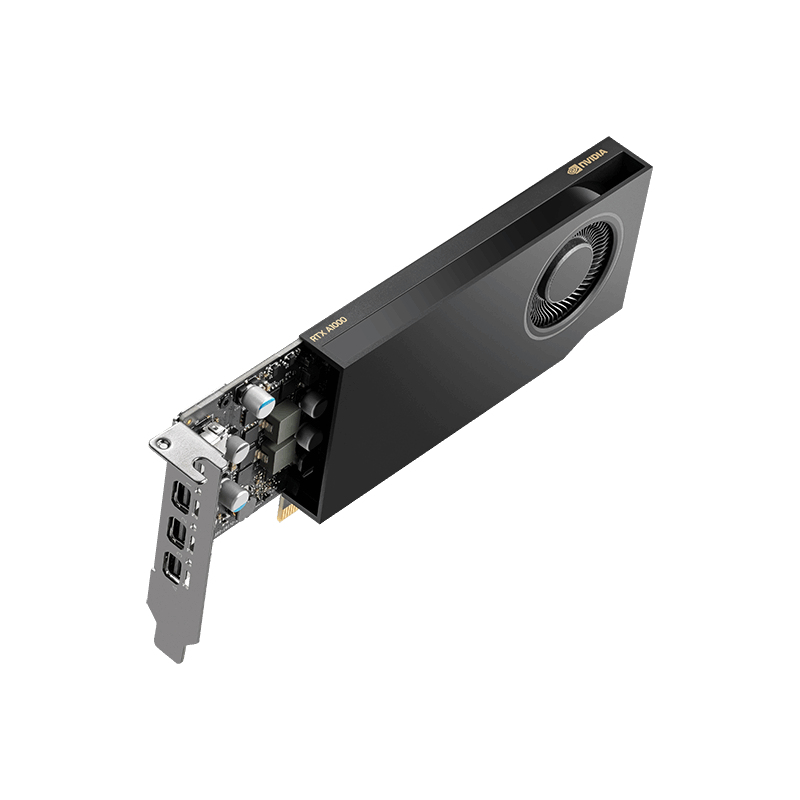
YEALINK NETWORK TECHNOLOGY YEALINK TV MOUNT KIT
YEALINK NETWORK TECHNOLOGY YEALINK TV MOUNT KIT
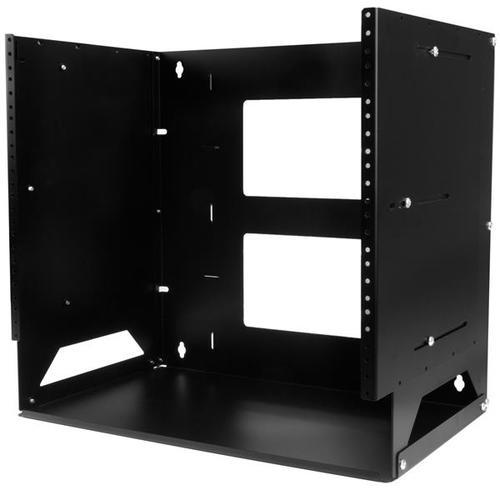
StarTech.com WALLSHELF8U rack cabinet 8U Wall mounted rack Black
Mount your server, network and telecom devices to the wall, while storing your non-rackmountable equipment on the built-in shelfThis wall-mount rack provides 8U of space for mounting your servers or A/V equipment to a wall. The rack also has a built-in shelf to create a sturdy surface for storing equipment that is not rack-mountable.Customize your setupThe wall-mount bracket features an adjustable mounting depth of 12 inches to 18 inches as well as a dual-position 12 in. shelf that can be at either the top or the bottom depending on rack's positioning. These two features allow you to customize both depth and layout to best fit your equipment and cables, ensuring that the rack suits your space.Make the most of your available spaceThe 8U rack wall mounting feature allows you to free up desk or floor space -- perfect for your SoHo (small office, home office) environment, server room or any other location with limited space available.Ensure a secure and hassle-free installationThe wall rack is constructed of solid steel to ensure a sturdy and safe mounting solution for your mission-critical equipment and with the wall mounting holes positioned 16" apart, it exactly matches standard drywall construction framework, to ensure simple and secure wall-stud anchoring.For hassle-free equipment installation, the rack features 10-32 tapped rails, so you can mount your equipment directly to the rail and avoid the hassle of using cage nuts.Save money, with a cost-effective, compact shipping packageThe wall-mount rack comes in a flat-packed box to reduce shipping volume, which significantly reduces your costs in shipping while also providing greater protection than offered by pre-assembled racks. Packaged efficiently, you can easily store and transport the rack for deployment at a later date or in a different location than where it's received.The WALLSHELF8U is backed by a StarTech.com lifetime warranty and free lifetime technical support.The StarTech.com Advantage
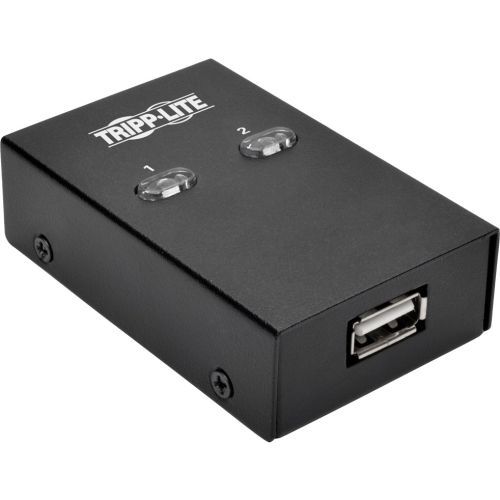
Tripp Lite U215-002 interface cards/adapter
The U215-002 2-Port USB 2.0 Hi-Speed Printer/Peripheral Sharing Switch saves you money, time and precious workspace by letting you connect two computers to a single USB peripheral. Recommended for home and small offices, this sharing switch eliminates the cost of buying two printers, two scanners, two hard drives, etc., as well as the problem of where to put them and their cables.One-touch port switching lets you switch between computers using a mouse, hotkeys or manual pushbutton. Idle time-out switching ensures all data is sent from the active printer buffer before switching ports.A taskbar icon indicates the connected device’s status. LEDs on the unit indicate which computer currently controls the device. The U215-002 is compatible with USB 2.0 and USB 1.1 devices and supports data transfer rates up to 480 Mbps.No external power supply required. Switch is compatible with all USB-enabled Operating Systems. Optional CD software is compatible with Windows (XP and later) and Mac (OS X 10.3 and later).NOTE: Customers are encourage to use the 1.5 ft. USB cables provided between the source (e.g. PC) and switch. Using longer cables could cause an intermittent or connection loss.
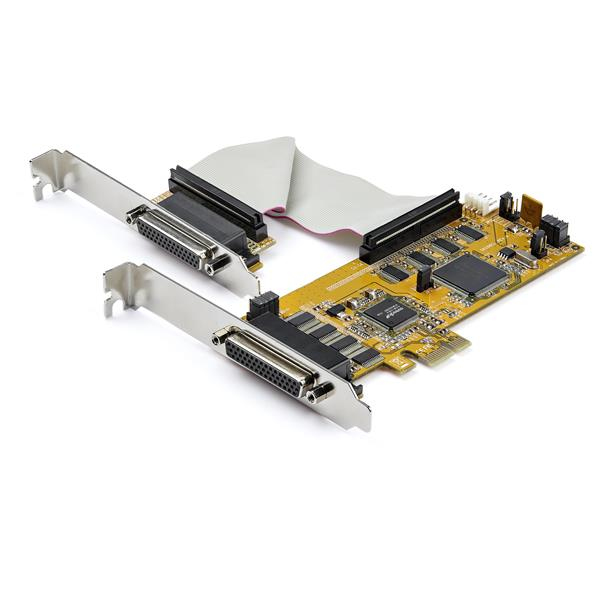
StarTech.com PEX8S1050LP interface cards/adapter Internal Serial
Add eight RS-232 capable DB9 Serial Ports to a desktop computer via PCIe x1 Expansion Card - Low Profile Serial Card (Full Profile Brackets Incl.)Add eight RS-232 DB9 serial ports to your desktop computer, through two PCIe expansion card slots. This PCI express serial card, with two breakout cables, provides you with multiple ports to connect a wide variety of serial peripherals, at speeds of up to 921.4Kbps. Connect your Peripherals with 8 Serial Ports The PCI express serial port card makes it easy to add serial ports to connect your peripherals including printers, scanners, credit/debit card readers, PIN pads and modems, industrial controls and more. The 8 port PCIe serial card includes 2 breakout cables - each with 4 DB9 connectors. Versatile Use The low profile PCIe serial card is the ideal choice for adding serial ports, even when space is at a premium. The DB9 serial card is designed to fit into small form factor and standard computer cases. The card comes pre-configured with a low-profile bracket, and includes two optional full-profile brackets, so installation is easy regardless of the case form factor. Windows Only This PCI Express card is only compatible with Windows and Windows server.The StarTech.com Advantage
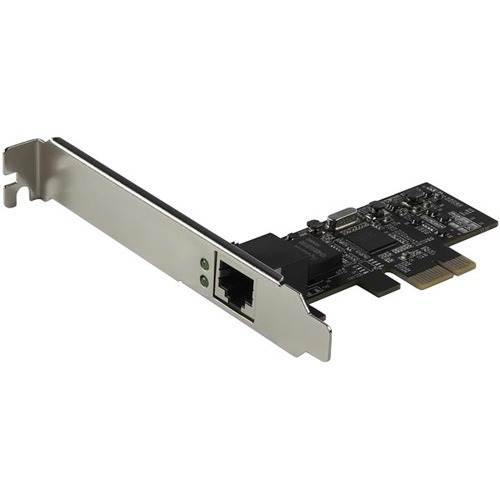
StarTech.com ST2GPEX network card Internal Ethernet 2500 Mbit/s
PCI Express LAN Card | Windows ®, MacOS & Linux | Realtek RTL8125| x4 PCIeThis single-port 2.5Gbps PCIe network card offers a versatile and low-cost way to deploy 2.5GbE network connectivity. It adds one copper Ethernet port to your server or desktop computer and provides Multi-Gigabit Ethernet access to your network at four speeds: 2.5 Gbps, 1G, 100Mbps, 10Mbps. Cost-Effective Multi-Gigabit Ethernet Solution The 2.5GBASE-T NIC provides additional bandwidth using your existing Ethernet infrastructure to help reduce the cost of cabling upgrades. The card enables you to connect to 2.5GBASE-T and NBASE-T equipment at network speeds of 10Mbps, 100Mbps, 1Gbps, 2.5Gbps over your CAT5e cabling (up to 100 m depending on the network configuration). Optimal Technology for Optimal Performance The network adapter card adds one Ethernet port to your workstation through a x4 PCIe slot. It features 2.5GBASE-T technology, supporting advanced Multi-Gigabit systems, including Cisco campus switches and Aruba Networks access points. The network card also supports NBASE-T and additional features including 16K Jumbo Frames, Auto-MDIX and Wake-on-LAN (WoL). Efficient Ethernet The Realtek RTL8125 chipset, compliant with IEEE 802.3az and IEEE802.3u supports the PCIe 2.0 interface for PC embedded applications. It provides up to a 250% increase in data rate over Gigabit Ethernet and requires no changes to existing cable infrastructure. The ST2GPEX is backed by a StarTech.com 2-year warranty and free lifetime technical support. The StarTech.com Advantage- Multi-Gigabit Ethernet connectivity with four network speeds: 2.5G, 1G, 100Mbps, 10Mbps- Compatible with both 2.5GBASE-T and NBASE-T specifications- Supports 2.5Gbps network speeds on CAT5e cabling and CAT6a
Item(s) added to cart
Netgear GS105E-200NAS ProSafe Plus Switch, 5-Port Gigabit Ethernet - 5 Ports - 2 Layer Supported - Wall Mountable - Lifetime Limited Warranty-None Listed Compliance
MFR: Netgear, Inc
Qty: 1
Part #: GS105NA