
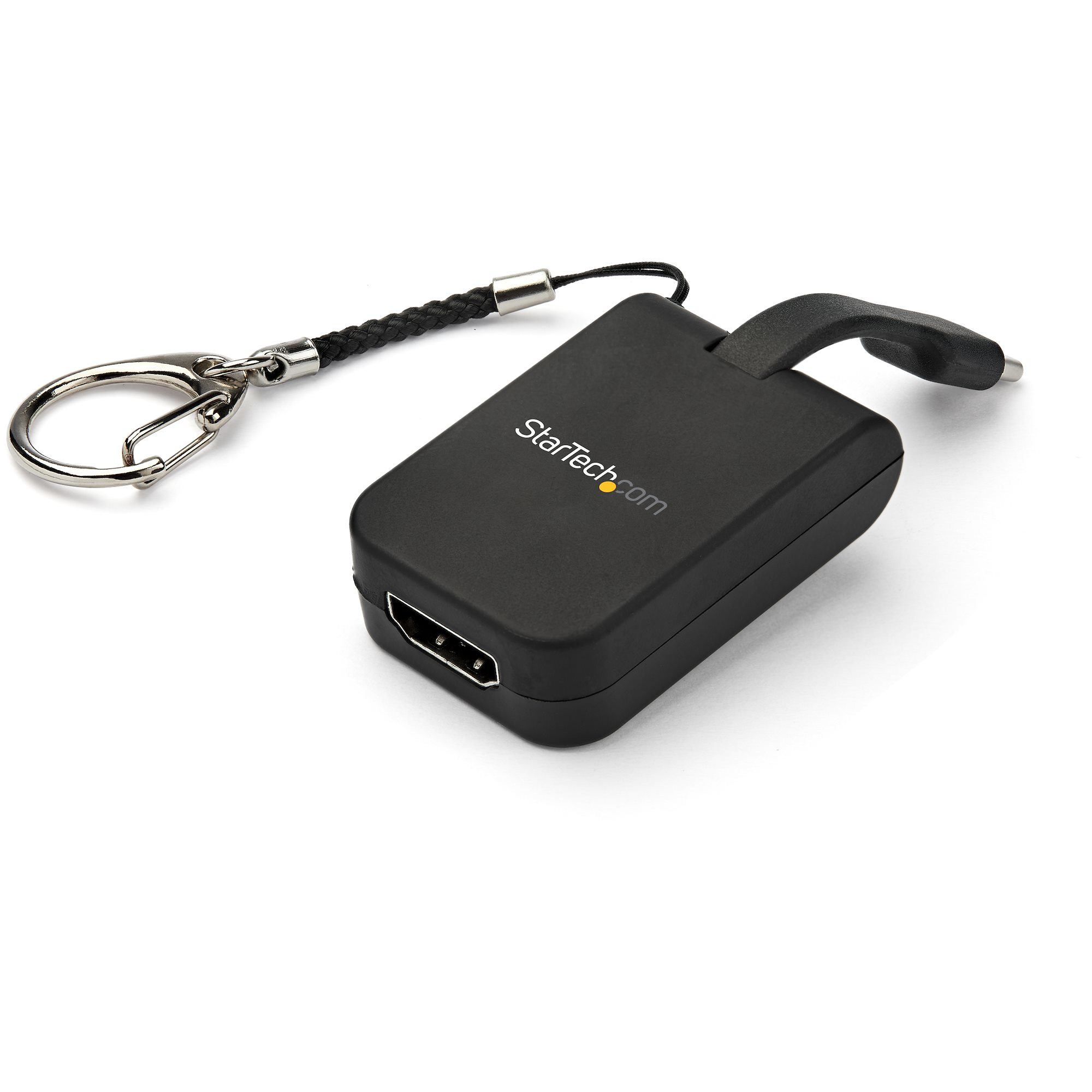
StarTech.com CDP2HDFC USB graphics adapter 3840 x 2160 pixels Black
USB Type-C™ Video Converter | 4K 30Hz | Built-In Flex Cable | Mac & Windows®This compact USB-C™ to HDMI® adapter offers an ultra-portable solution for connecting your USB Type-C laptop or other device with a USB 3.1 Type-C port to a 4K HDMI monitor or display. The adapter is equipped with a removable, quick-connect keychain ring that easily attaches to your laptop or projector bag, maximizing portability.For added convenience, this USB-C adapter is also available with Mini DisplayPort, DisplayPort or VGA outputs.Perfect Travel CompanionThis lightweight USB-C video converter can easily be taken with you wherever you go. It conveniently attaches to your carrying case and is small enough to fit in your pocket, making it ideal for BYOD (Bring Your Own Device) applications at the office or road warriors who need to connect on the go.It’s the perfect solution for:• Delivering high-resolution presentations while in the office or traveling• Connecting your smartphone or tablet to an HDMI monitor• Hot-desking environmentsKeep Your Adapter with YouAvoid misplacing your display adapter with the attached keychain that securely snaps to your carrying case so you can always keep it with your devices; the keychain can easily be removed or reattached to the adapter so you can customize it to your preference and need. The adapter also features a built-in 1.3 in. flex cable that has a folding design, adding to the compact form factor.Plug-and-Play ConnectivityTo ensure a hassle-free connection, this video adapter works with all your Mac and Windows® USB Type-C™ devices and is also compatible with Thunderbolt™ 3. It requires no additional software or drivers, supporting true plug-and-play connectivity.CDP2HDFC is backed by a StarTech.com 3-year warranty and free lifetime technical support.The StarTech.com Advantage
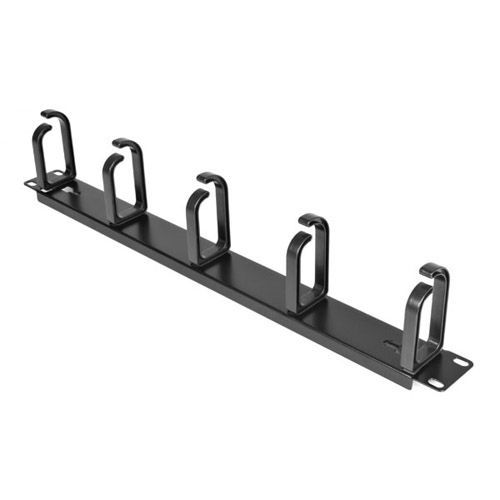
StarTech.com CABLMANAGER2 rack accessory Cable management panel
StarTech.com CABLMANAGER2. Type: Cable management panel, Product color: Black, Housing material: Steel. Width: 19" (483 mm), Depth: 3.49" (88.6 mm), Height: 1.69" (43 mm). Package width: 2.05" (52 mm), Package depth: 19.7" (500 mm), Package height: 1.46" (37 mm)
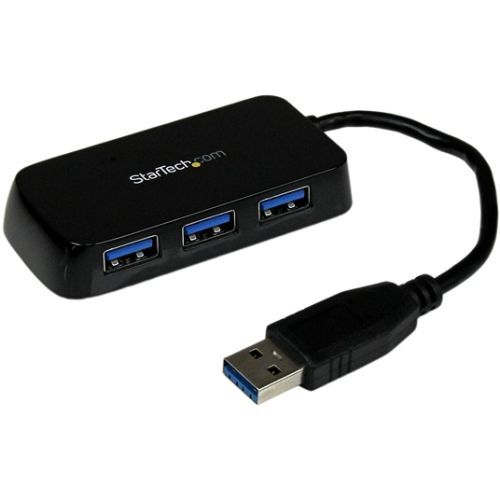
StarTech.com ST4300MINU3B interface hub USB 3.2 Gen 1 (3.1 Gen 1) Type-A 5000 Mbit/s Black
Add four external USB 3.2 Gen 1 ports to your notebook or Ultrabook™ with a slim, portable hubThe ST4300MINU3B Portable 4 Port SuperSpeed Mini USB 3.2 Gen 1 Hub (Black) lets you expand your USB connectivity by turning a single USB 3.2 Gen 1 port into four external USB 3.2 Gen 1 ports. The integrated cable design makes this mini USB hub the perfect accessory for your Mac® / PC notebook or Ultrabook™ computer.The 4 Port USB 3.2 Gen 1 hub supports USB 3.2 Gen 1 data bandwidth (5 Gbps - up to 10x more than USB 2.0) and is backward compatible with USB 2.0 and 1.1 devices, ensuring flawless performance from all of your USB peripherals/devices, regardless of their age.Ideal for home and business users who require portability, the external USB 3.2 Gen 1 hub is USB-powered and features a rugged, compact design with a built-in cable so no additional cables are needed to connect the hub to your system.Backed by a StarTech.com 2-year warranty and free lifetime technical support.The StarTech.com Advantage
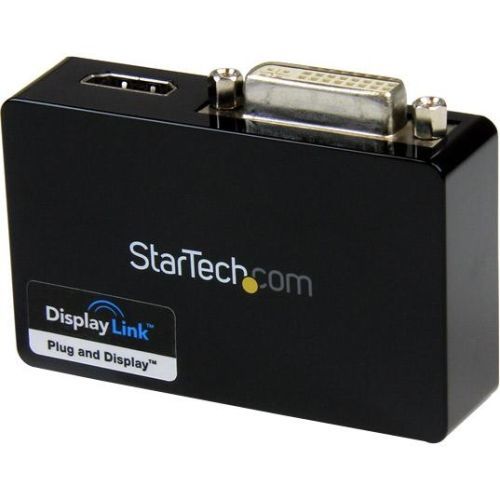
StarTech.com USB32HDDVII USB graphics adapter 2048 x 1152 pixels Black
USB 3.0 External Video & Graphics Card | Multi-Monitor | USB-Powered | Supports Mac & Windows®The USB32HDDVII USB 3.0 to HDMI® and DVI-I Dual Head Adapter turns an available USB 3.0 port into one DVI-I or VGA port (DVI to VGA adapter included) and one HDMI® output, with support for high-definition 1080p and 1920x1200 video and 5.1 surround sound audio (from HDMI® port only). Each display can simultaneously support the maximum resolution of 2048x1152 @ 60Hz.The adapter delivers a convenient external video solution that makes it easy to add multi-monitor capability to a USB enabled desktop or laptop computer (optimal performance from USB 3.0, backward compatible with USB 2.0).Leveraging the high-bandwidth (5 Gbps) SuperSpeed USB 3.0 interface, the USB video adapter functions as a convenient external graphics card that eliminates having to open the computer case for video card installation. The adapter delivers smooth, high definition content to multiple displays and can be used to mirror your primary desktop, showing the same image on each display, or to extend your desktop onto a second or third monitor to double or triple your workspace and increase your productivity.The USB 3.0 HDMI® and DVI-I Adapter is backed by a StarTech.com 2-year warranty and includes free lifetime technical support.The StarTech.com Advantage
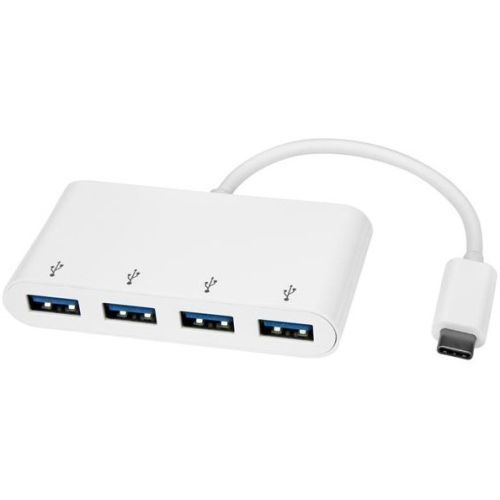
StarTech.com HB30C4ABW interface hub USB 3.2 Gen 1 (3.1 Gen 1) Type-C 5000 Mbit/s White
Turn your laptop’s USB Type-C port into four USB Type-A ports (5Gbps) using this bus-powered hubThis portable USB 3.2 Gen 1 hub expands your laptop or desktop connectivity by adding four USB Type-A ports through a single USB Type-C™ or Thunderbolt™ 3 port. And, because it’s USB bus-powered, you don’t need to connect an external power adapter, which makes travel more convenient and workstations less cluttered.Take it with you wherever you goWith its compact design, you can take this portable USB-C™ hub anywhere you go. It’s easy to tuck into your laptop bag and only takes up a small amount of desk space when you connect it to your workstation.Plus, the hub is bus powered, which means it draws power directly from the USB-C port on your computer. This makes it even more portable because there are fewer cables to carry with you when you travel and it doesn’t need an external power adapter.Keep using your current peripherals and devicesIf you’re looking to extend the life of your existing USB-A peripheral devices, then this hub is the perfect solution. By converting a single USB-C port into four USB-A ports, you can continue to use all of your existing USB 3.2 Gen 1 devices such as flash drives, external hard drives, and printers. Now you can save money by avoiding the added cost and hassle of purchasing new USB-C equipped peripherals.Add four USB 3.2 Gen 1 ports in secondsThis USB hub is multi-platform compatible, which means it will work with a wide range of laptops. It also works with a range of operating systems such as Windows®, Mac, Linux® and Chrome OS™. It installs automatically once you connect it to your laptop, so you can be up and running in seconds.The HB30C4ABW is backed by a StarTech.com 2-year warranty and free lifetime technical support.The StarTech.com Advantage
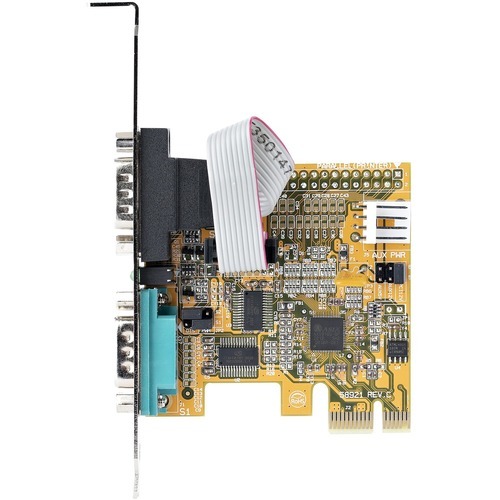
StarTech.com 21050-PC-SERIAL-CARD interface cards/adapter Internal
Baud Rate 921.6 Kbps per Port | 256-byte FIFO | PCIe 2.0 x1Add serial communication support to your desktop computer or Small Form Factor (SFF) system, using this two-port serial card. RS-232 (DB9) support enables control and communication with a serial peripheral device.Legacy ConnectivityInstall this card to enable the continued use of legacy serial devices, preventing down time and avoiding costly upgrades. The 2-port PCIe serial card is ideal for system upgrades in a wide range of applications for logistics, manufacturing, and freight sectors, and the IT industry, such as POS equipment, security systems, A/V installations, and more.Connect with EaseThe RS-232 card features dual ports with 16C1050 UART support, 256-byte FIFO (transmit/receive), bi-directional speeds up to 921.6 Kbps per port, low-profile brackets are included for SFF systems, and serial port LED status lights. In addition, it supports Windows and Linux systems for maximum compatibility.21050-PC-SERIAL-CARD is backed for 2-years by StarTech.com, including free lifetime 24/5 multi-lingual technical assistance.The StarTech.com Advantage
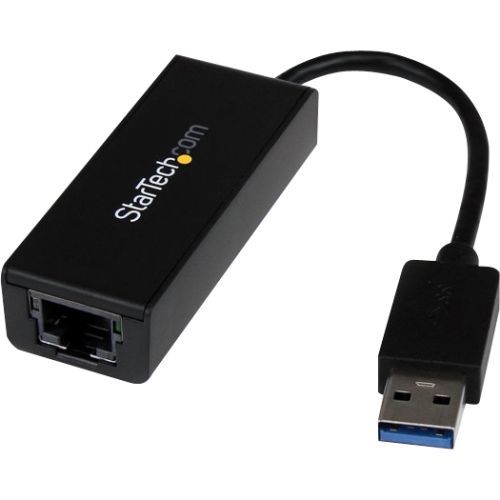
StarTech.com USB31000S network card Ethernet 5000 Mbit/s
Add Gigabit Ethernet network connectivity to a Laptop or Desktop through a USB 3.0 portThe USB31000S USB 3.0 to Gigabit Ethernet Adapter adds a single RJ45 Ethernet port to a USB-enabled computer system, with support for Gigabit network connections at full bandwidth, unlike USB 2.0 adapters.This compact USB 3.0 network adapter is backward compatible with older USB 2.0/1.x computer systems (speed limited by USB bus), making it the ideal portable replacement network adapter or laptop accessory. Plus, with support for features such as Jumbo Frames, VLAN tagging and Wake on LAN (WOL), the adapter offers a versatile Gigabit network solution for home and business users alike.The USB31000S USB 3.0 Gigabit adapter is backed by a StarTech.com 2-year warranty and free lifetime technical support.The StarTech.com Advantage
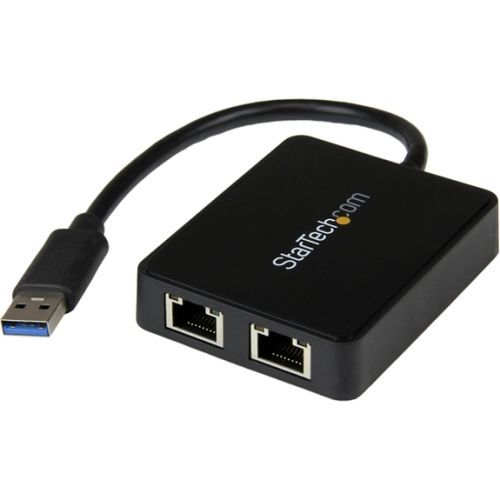
StarTech.com USB32000SPT network card Ethernet 5000 Mbit/s
Add two Gigabit Ethernet ports and a USB 3.0 pass-through port to your laptop through a single USB 3.0 portThe USB32000SPT USB 3.0 to Dual Port Gigabit Ethernet Adapter lets you add two Gigabit Ethernet ports to your laptop or Ultrabook™ computer through a single USB 3.0 port, and features an integrated USB 3.0 pass-through port that keeps your USB port available for use with external storage or other peripherals. Each RJ45 port supports 10/100/1000 Mbps Ethernet and is fully compatible with IEEE 802.3i/u/ab standards.This 2-port USB LAN adapter is a versatile solution for connecting to two separate physical networks simultaneously, leveraging the 5 Gbps speed of USB 3.0 to provide dedicated gigabit bandwidth to each port. The dual USB NIC is also ideal for providing dedicated physical network interfaces to virtual machine configurations. Great for IT administrators that require dual-homed or multi-homed host systems.The USB 3.0 NIC supports IPv4/IPv6 packet Checksum Offload Engine (COE) and TCP large send offload to reduce the load on your CPU, as well as Jumbo Frames, full-duplex operation with 802.3x flow control, and VLAN tagging for an efficient and full-featured USB network adapter.Backed by a StarTech.com 2-year warranty and free lifetime technical support.The StarTech.com Advantage
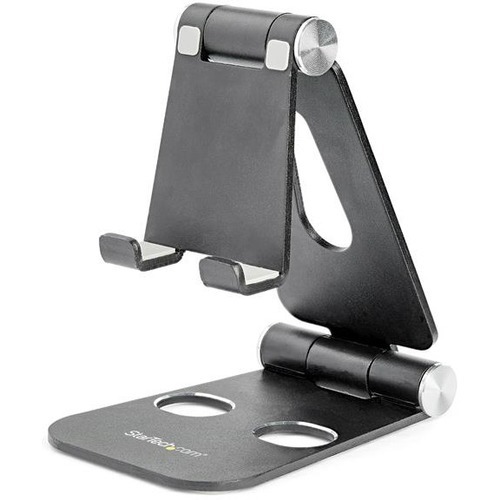
StarTech.com USPTLSTNDB holder Passive holder Mobile phone/Smartphone, Tablet/UMPC Black
Portable Multi-Device Stand | Aluminum | BlackWork in greater comfort, with this portable cell phone and tablet stand. It holds your mobile device, so you don't have to.Sleek and Solid SupportMade of durable aluminum, the universal phone and tablet holder provides a stable platform for most smartphones and 4" to 13" tablets (maximum 11 mm depth) such as the iPad (including the 10.2" iPad and 11" and 12.9" iPad Pro) and Samsung Galaxy tablet. The highly adjustable black multi-device stand, ensures you can type and swipe without having to support the tablet with your hand or set the device down on your desktop.Change your Viewing Angle with EaseSimply move the smartphone and tablet holder up or down for comfortable viewing. The multi-angle tablet stand moves smoothly, so you can adjust your viewing angle while your device sits in the stand.Easy PortabilityCompact and lightweight, the foldable tablet and cellphone stand is perfect for mobile use or travel. It folds up into a flat form, so you can easily tuck it into your bag.The Choice of IT Pros Since 1985StarTech.com conducts thorough compatibility and performance testing on all our products to ensure we are meeting or exceeding industry standards and providing high-quality products to IT Professionals. Our local StarTech.com Technical Advisors have broad product expertise and work directly with our StarTech.com Engineers to provide support for our customers both pre and post-sales.The USPTLSTNDB is backed by a StarTech.com 3-year warranty and free lifetime technical support.The StarTech.com Advantage- ERGONOMIC VIEWING: The adjustable multi-angle phone and tablet stand offers hands-free access to your smartphone/tablet at any viewing angle; Durable aluminum w/ satin black finish & silver highlights- CONNECTIVITY: Cable management cut-out on the back of the smartphone stand allows you to organize cables when connected to a device for charging/data transfer w/ port access from portrait or landscape- COMPATIBILITY: Universal smartphone and tablet stand can hold mobile devices such as the iPhone, iPad Pro or Samsung Galaxy Tab S6 up to (800 g / 1.7 lb) and 0.4" (11 mm) thick
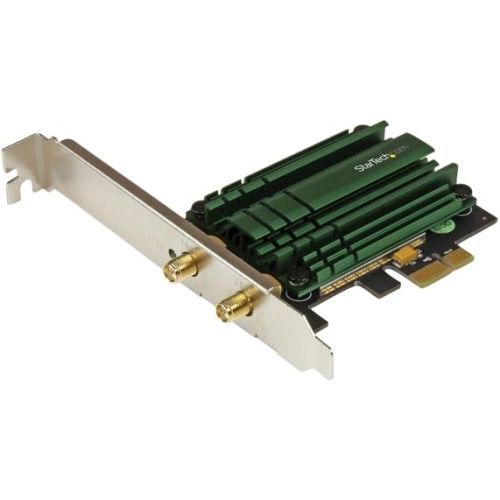
StarTech.com PEX867WAC22 network card Internal Ethernet / WLAN 867 Mbit/s
Add high speed 802.11ac WiFi connectivity to a desktop PC through a PCI Express slot with dual band 2.4/5 GHz frequencies and up to 867MbpsThe PEX867WAC22 PCI Express AC1200 Wireless Network Adapter lets you add dual-band Wireless-AC connectivity to a desktop computer through a PCIe slot.With increased demand on network resources, this Wireless-AC adapter gives you exceptional speed and range for your office or home wireless network when paired with an 802.11ac router. This dual-band WiFi adapter supports maximum data rates of up to 867 Mbps on the 5GHz band (3x the speed of Wireless-N), plus up to 300 Mbps on the 2.4GHz band, making it the perfect solution for applications like HD video streaming, online conferencing, file transfers and gaming.This versatile PCIe wireless card features a 2T2R (2 transmitter, 2 receiver) detachable antenna design, with an included magnetic antenna stand that can easily be mounted to the top or side of your PC case. Plus, the controller card is equipped with a standard profile bracket and includes a low-profile/half-height bracket for installation in small form-factor computers. To integrate with all of your networking devices, the adapter is also backward compatible with 802.11a/b/g/n networks.Backed by a StarTech.com 2-year warranty, with free lifetime technical support.The StarTech.com Advantage- Experience faster wireless speed and better coverage with 802.11ac compatibility- Ensure fast and dependable wireless networking, with less interference through dual band 2.4 GHz / 5 GHz operation- Connect to existing wireless networks with 802.11a/b/g/n backward compatibility
Item(s) added to cart
Netgear GS105E-200NAS ProSafe Plus Switch, 5-Port Gigabit Ethernet - 5 Ports - 2 Layer Supported - Wall Mountable - Lifetime Limited Warranty-None Listed Compliance
MFR: Netgear, Inc
Qty: 1
Part #: GS105NA