
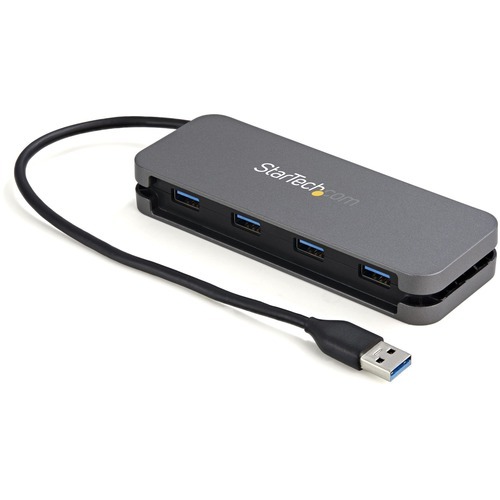
StarTech.com HB30AM4AB interface hub USB 3.2 Gen 1 (3.1 Gen 1) Type-A 5000 Mbit/s Black, Gray
USB A Hub | SuperSpeed USB 5Gbps (USB 3.2 Gen 1) | Built-in 11" Host CableThis 4 Port USB Hub enables you to connect four SuperSpeed USB 3.2 Gen 1 (5 Gbps) peripherals to your USB-A laptop or computer, an ideal solution for adding USB ports to a device that has limited USB ports available. It features a wrap-around cable manager, allowing you to tuck away the built-in cable for easy portability.Expands the Connectivity of Your ComputerWith this USB hub you can connect four USB-A devices to a single USB-A port on your host device. The USB Type-A hub shares up to 4.5W (5V/900mA) of power between connected devices, making it an ideal solution for connecting SSD/thumb drives, data storage, keyboards, mice, web cams and USB headsets. The USB hub is backward compatible with USB 2.0 (480 Mbps).Highly Portable and SleekFeaturing a durable plastic housing that's lightweight, and a sleek warp-around cable management system, this USB hub is the perfect travel companion for your laptop. Its small footprint ensures it will store easily in your laptop bag, and the wrap-around cable manager prevents tangles, ensuring easy accessibility. The USB hub is bus powered so there's no bulky external power adapter.Wide Device CompatibilityThe USB hub is OS independent ensuring support on a wide range of platforms including Windows, macOS, Linux, iPadOS, Chrome OS and Android. The built-in host cable is 11 in. (28 cm) long, providing enough length to easily integrate into any workstation, reaching your host device even when it's placed on a laptop riser or stand. The USB-A host connection works with any USB Type-A laptop, or 2-in-1, such as Surface Pro 7, Surface Book, MacBook, XPS or X1 Carbon.HB30AM4AB is backed by a StarTech.com 2-year warranty and free lifetime 24/5 multi-lingual North American based technical support. StarTech.com has been the IT professionals' choice for over 30 years.The StarTech.com Advantage
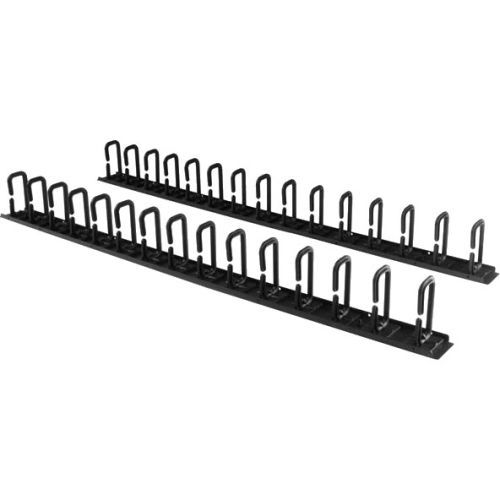
StarTech.com CMVER40UD rack accessory
This 6-foot vertical cable manager (2 x 3-foot panels) gives you a simple and space-efficient way to organize the cables in your server rack. You can attach the two-panel cable manager vertically into your rack, to neatly guide cables between equipment that’s mounted at different heights.The 0U cable manager offers versatile installation options and is compatible with most racks that are 40U or larger. The panels feature a 0U design that doesn’t take up any mounting space, and with simple tool-less installation they’re easy to attach or reposition as necessary.Improve the appearance and accessibility of your rackThe cable manager uses a D-ring method of cable management that neatly guides cables running through it. Having well organized and routed cables not only improves the appearance and accessibility of your rack, it also makes it easier for you to install, access and maintain rack components.Configurable installation options with two 3 ft. panelsThis versatile cable management system consists of two 3-foot panels, so you can configure each panel as needed to accommodate all of your equipment. You can install the individual panels end to end (top to bottom), so that they span the height of your rack, or on either side or the front and back of your rack to manage cables in multiple locations. The two-piece cable manager runs vertically along the side of your rack, to neatly guide cables between equipment that’s mounted at different heights. This provides a tidy and well-organized way to run cables from devices mounted toward the bottom of your rack to other devices mounted near the top, without leaving a mess of cables hanging in between.Hassle-free compatibility with your rackFor maximum compatibility with virtually any server rack, you can install the cable-management panels using mounting holes that are commonly found on most rack equipment. The tool-less mounting method attaches the cable management panel to the keyhole-shaped mounting holes that are built into your rack.The horizontal mounting rail method attaches the cable management panel to the horizontal mounting rails that run along the side of your rack.For racks that don't support these installation methods, you can also mount the cable management panels through other means, such as using the non-standardized holes found on your rack walls and enclosures, or the rack units on equipment mounting rails.Protect your equipmentRouting your cables through a panel reduces the tension that's often put on cables. This prevents cable damage or connection loss, and reduces strain on equipment ports, preventing damage to your expensive rack-mounted devices.Properly routing cables also improves airflow, which passively cools devices stored in your rack, helping to keep your equipment running at optimal temperatures to reduce the probability of damage caused by your rack overheating.The CMVER40UD is backed by a StarTech.com 2-year warranty and free lifetime technical support.
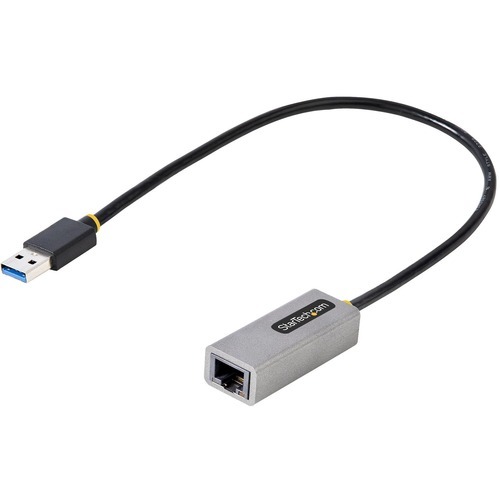
StarTech.com USB31000S2 network card Ethernet 5000 Mbit/s
USB Network Adapter | Gigabit | USB 3.0/3.2 Gen 1 | RJ45Easily add a Gigabit network port to your computer through a USB 3.0/3.2 Gen 1 Type-A port. The RJ45 port supports multiple speeds (10/100/1000 Mbps) and is fully compatible with Cat5, Cat5e, Cat6, and Cat6a cabling. This is an ideal peripheral for newer laptops that don't have an Ethernet port anymore. With backward compatibility, add network capabilities to older computers or replace a non-working Ethernet port.Access Gigabit NetworksThe USB LAN adapter supports up to Gigabit speeds (1000 Mbps) when using a USB 3.2 Gen 1 or higher port. You can share and receive files over a network at a higher speed and stream content while reducing wait times and slowdowns.Native Driver SupportPlug-and-play compatible, simply connect the network adapter into the USB Type-A port on your computer. The adapter's Realtek RTL8153 chipset provides native driver support in Windows, macOS, and Linux. Other features include VLAN tagging, Auto-MDIX, 9K jumbo frames, and full-duplex.Compact and Minimalist DesignThis portable USB Gigabit network adapter is the ideal accessory for laptops: light, portable, and with an unintrusive design. It's powered directly from the USB port making it easy to use when you're on the go. The cable is long enough (11.8 inches / 30 cm) to help with additional reach and flexibility.Enhance Productivity and Device Management with the StarTech.com Connectivity Tools ApplicationDeveloped to improve performance and security, StarTech.com Connectivity Tools is the only software suite on the market that works with a wide range of IT connectivity accessories. The software suite includes:• Advanced Windows Layout Utility: To setup and save custom windows layouts.• Mac Address Pass-Through Utility: To improve network security.• USB Event Monitoring Utility: To track and log connected USB devices• Wi-Fi Auto Switch Utility: Enabling users to quickly access faster network speeds via wired LAN.For more information and to download the StarTech.com Connectivity Tools application, please visit: www.StarTech.com/Connectivity-ToolsThe USB31000S2 is backed for 2-years by StarTech.com, including free lifetime 24/5 multi-lingual technical assistance.The StarTech.com Advantage

StarTech.com CMDUCT1UX rack accessory Cable management panel
Organize cables in your server rack or cabinet with a horizontal, covered cable ductThe CMDUCT1UX 1U Finger Duct Cable Management Panel mounts to a standard 19" 2 or 4-post rack to help you organize horizontal cabling, through a covered cable duct.The cable organizer features a removable top cover that makes it easy to add or remove bundled cables quickly. The duct also offers a series of fingers on either side, as well as pass-through holes at the back to help you route your cables where you need them, and reduce cable strain in the process.Made of high-quality steel, the cable manager is a durable solution for your server room or wiring closet. For easy installation, this horizontal cable organizer comes complete a set of M6 screws.Backed by a StarTech.com 2-year warranty.The StarTech.com Advantage
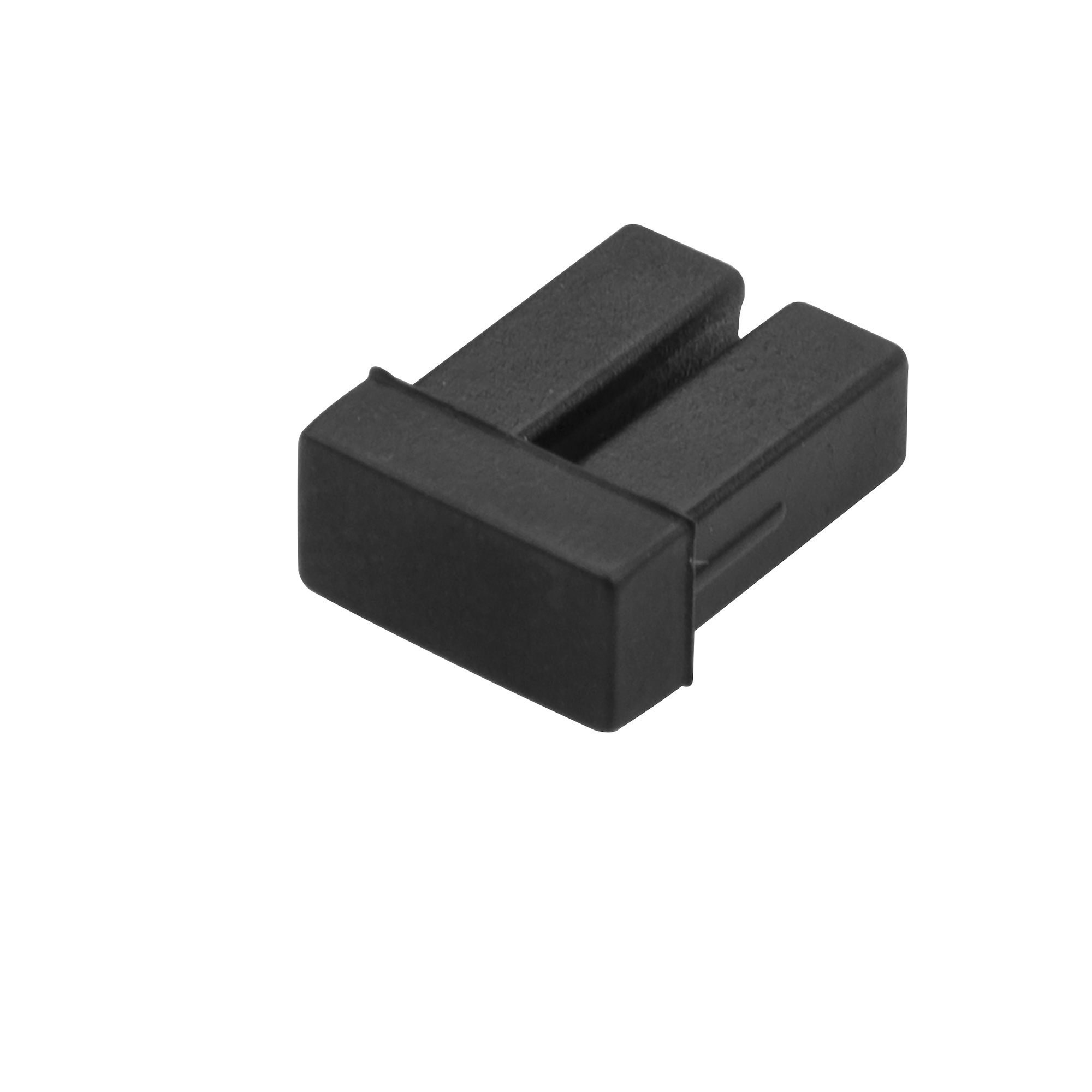
StarTech.com SFPLCCAP10 port dust cover 10 pc(s) LC
Protect your SFP/XFP/SFP+ modules from dust and contaminants, by covering up the duplex LC connector when it’s not in useThis 10-pack of SFP dust covers provides an inexpensive way to protect your network switches and fiber optic equipment from dust and contaminants, by covering the exposed and unused LC fiber optic ports.Protect your network equipment investmentSimply insert the dust covers into the LC port of any SFP/SFP+ transceiver in your network switches. Made of a durable rubber, the dust covers block dirt and dust particles that could cause connection issues from getting inside your equipment.The SFPLCCAP10 dust covers are backed by a StarTech.com 2-year warranty and free lifetime technical support.The StarTech.com Advantage
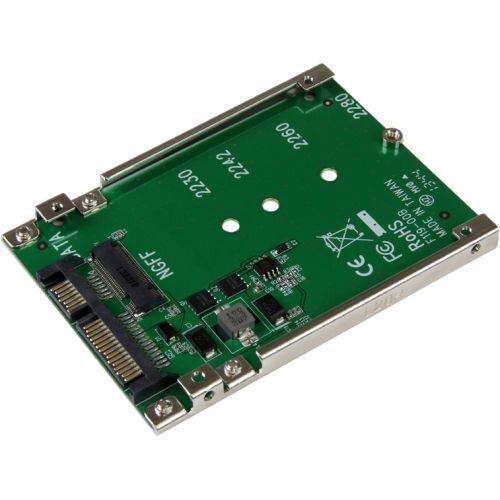
StarTech.com SAT32M225 interface cards/adapter Internal M.2
M.2 SATA NGFF to 2.5 in. SATA | 7mm High | SATA 6Gbps | Open FrameVastly increase the performance of your system by adding the speed of an M.2 SATA SSD in any 2.5" SATA application, with this M.2 SATA SSD to 2.5in SATA adapter.Boost System PerformanceUtilize the full potential of your SATA III controller, with an M.2 SATA SSD, reducing your data transfer bottleneck with file transfer speeds up to 6Gbps. This M.2 SATA NGFF to SATA adapter can also save you money by reducing your power consumption over regular platter drives.Hassle-Free SetupThis M.2 SATA to 2.5 in. SATA adapter offers a fast an easy setup with no drivers to install. The mounting hardware is also included with the M.2 SATA SSD to SATA adapter for a quick installation.Open-Frame DesignThe M.2 SATA SSD to 2.5 in. SATA converter helps protect the health of your drive with an open-frame design that maximizes heat dissipation.SAT32M225 is backed by a StarTech.com 2-year warranty, and lifetime technical support.The StarTech.com Advantage
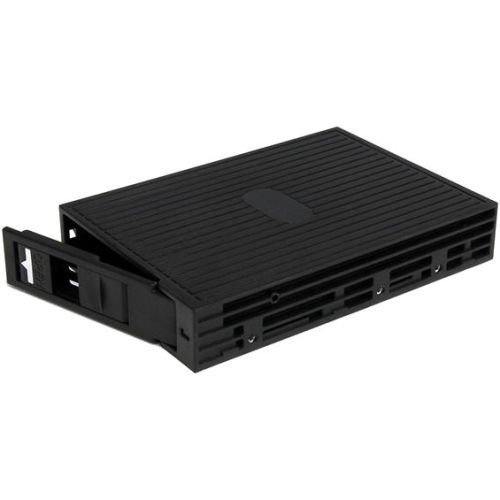
StarTech.com 25SATSAS35 drive bay panel Black
Turn Virtually any 2.5" SATA or SAS Hard Drive into a 3.5" SATA DriveThe 25SATSAS35 2.5-inch SATA/SAS to 3.5-inch SATA Hard Drive Converter converts a 2.5-inch SATA or SAS hard drive (HDD) or solid state drive (SSD) into a 3.5-inch form factor SATA Hard Drive.The converter provides a versatile solution for 2.5-inch drive installations, enabling you to install a 2.5-inch SATA/SAS drive in a 3.5-inch bay, drive drawer caddy/tray, or into a 3.5-inch drive enclosure.To maximize performance and utilize the full speed potential of your SATA III hard drives, this HDD Backplane supports SATA III for transfer speeds up to 6 Gbps when paired with compatible controller.Suitable for drives with a height of up to 15mm, virtually any 2.5-inch SATA or SAS hard drive can be made to look and function like a 3.5-inch hard drive - complete with standard mounting points along the sides and bottom (including 3 points along the sides for compatibility with some Dell systems).The Drive Converter features a trayless design for simple drive installation and removal, and is constructed of durable, yet lightweight plastics, with ventilation openings to aid air flow and help keep hard drives running cooler. The StarTech.com Advantage- A trayless design and support for 15mm drives enables quick and easy install/removal of drives, including newer high capacity drives- Uses standard 3.5" form factor mounting points, along with 3 mounting points on the sides, for compatibility with some OEM branded systems, such as Dell- Can be mounted into a 3.5" front bay as a 2.5" HDD Mobile Rack or treated as a regular 3.5" hard drive- Maximize performance, with file transfer speeds up to 6Gbps when paired with SATA III HDD and controller
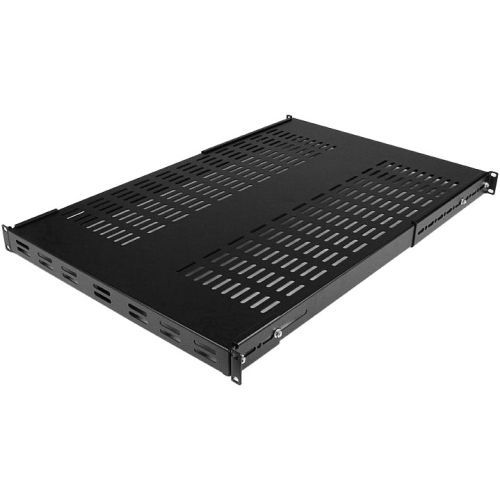
StarTech.com ADJSHELFHDV rack accessory Adjustable shelf
Add an adjustable depth vented shelf into almost any 4-Post server rack or cabinetThe ADJSHELFHDV 1U 4-Post Adjustable Heavy Duty Vented Rack Mount Shelf lets you add a high-capacity, adjustable 1U shelf to virtually any standard 19-inch 4-post server rack or cabinet.This heavy duty rackmount shelf can be adjusted from 19.5in to 38in (mounting depth) to fit your rack, while the vented design improves air flow and help to lower temperatures in the rack. Constructed using 1.2mm SPCC commercial grade cold-rolled steel, providing the ability to hold up to 150kg (330lbs) of equipment - a durable solution for storing large, non-rackmount pieces of equipment, heavy tools or peripherals in your rack or cabinet.The ADJSHELFHDV is backed for life, including free lifetime 24/5 multi-lingual technical assistance.The StarTech.com Advantage

StarTech.com 12S-CABLE-LACING-BAR rack accessory Cable lacing bar
Organize cables, reduce cable and connector strain, and improve airflow in racks and cabinetsOrganize network and power cables on a 19" rack or cabinet with this 1U horizontal cable lacing bar with variable depth. Organize cables and reduce cable and connector strain by mounting this lacing bar between rack-mounted patch panels, servers, and NAS devices. Tether cables to the cable management bar using cable ties or hook-and-loop fasteners to enhance the airflow to mission-critical equipment.Enhance Cable ManagementEnsure even distribution of cable weight throughout the rack to reduce stress on cables, connectors, and equipment ports. The improved cable organization facilitates a clear cable routing path, improving passive and active cooling for temperature control on fully enclosed racks. The evenly spaced lacing points simplify cable management. For a complete setup, combine with part numbers (sold separately) HKLP100, CBMZTRB5BK, or CBMZT4N. The included M6 Cage Nuts and Screws speed up the deployment process by having the necessary installation hardware on site.Adjustable InstallationThe reversible nature of the lace bar enables the installation either in front or behind the mounting posts. This feature offers various benefits, including better visibility and accessibility, space optimization, and cable protection, depending on the chosen configuration. The adjustable depth relative to the rack mounting posts ranges from 1.5 to 3.7in (40 to 96mm), enabling users to adjust the position of the lacing bar during installation.Sturdy and ReliableThis cable guide for racks is constructed of 5/64-inch (2mm) thick heavy-duty SPCC steel to endure the weight of multiple cables and cable bundles. The rack lacing bar is compatible with patch panels, servers, switches, NAS, PDUs, KVMs, and other equipment. The powder-coated finish guarantees longevity, and its smooth surface helps prevent snags, safeguarding the integrity of the cables.The StarTech.com Advantage
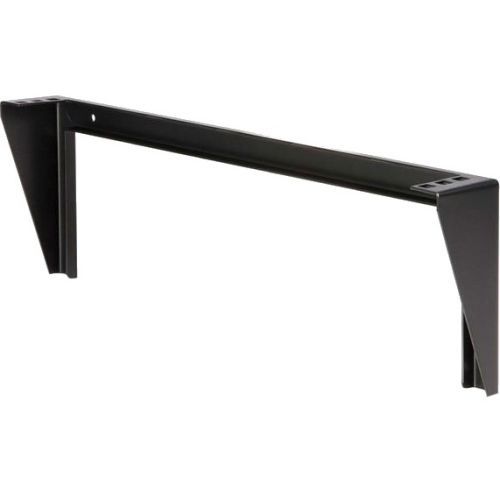
StarTech.com RK119WALLV rack accessory
Mount a server, network or telecommunications device vertically with this 1U wall-mountable rackThe RK119WALLV 1U 19in Steel Vertical Wall Mount Equipment Rack Bracket offers a versatile storage solution allowing rackmount equipment (Network devices, power strips, patch panels) to be mounted vertically (flush with wall) to save space. Alternatively, the 1U bracket can be installed horizontally under a desk, making it easy to access installed equipment directly from your workspace. This TAA compliant product adheres to the requirements of the US Federal Trade Agreements Act (TAA), allowing government GSA Schedule purchases.Perfect for SoHo (small office, home office) environments, the wallmount bracket features a sturdy steel design constructed to EIA-310 19in rack standards, and offers space-savings for environments lacking the footprint space for a full size server equipment rack. Suitable for mounting on virtually any wall/ceiling surface (e.g. drywall), the bracket mounting holes are positioned at exactly 16in apart, matching standard construction framework.Backed by a StarTech.com Lifetime Warranty.Need more storage space? StarTech.com also offers a 2U 19in Wallmount Bracket, a 3U 19in Wallmount Bracket and a 4U 19in Wallmount Bracket.The StarTech.com Advantage
Item(s) added to cart
Netgear GS105E-200NAS ProSafe Plus Switch, 5-Port Gigabit Ethernet - 5 Ports - 2 Layer Supported - Wall Mountable - Lifetime Limited Warranty-None Listed Compliance
MFR: Netgear, Inc
Qty: 1
Part #: GS105NA