
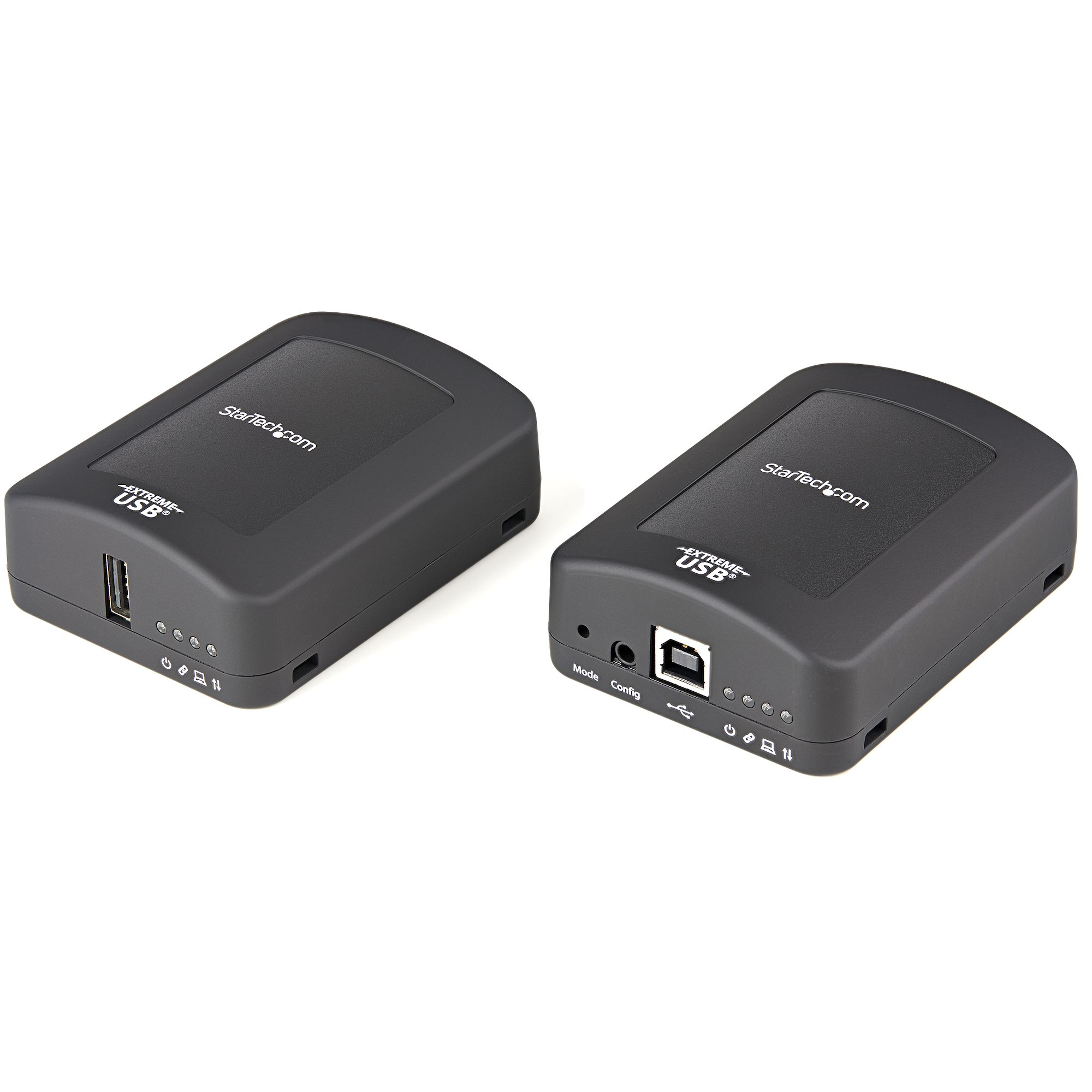
StarTech.com USB2001EXT2PNA console extender Console transmitter & receiver 480 Mbit/s
USB Extender Kit | Locally or Remotely Powered| 2-Year WarrantyThis USB 2.0 extender over ethernet lets you access and use your USB device up to 100 m (330 ft.) away over Cat5e, Cat6, or Cat7 cable. And, because it can be powered by either the local or the remote unit, you have more flexibility to place your USB device exactly where you need it. It’s the perfect USB extension solution for warehouses, factories, classrooms, boardrooms, homes, or offices.Flexible power input optionsMany USB-to-Ethernet extenders require that the remote unit has a power source connected for operation, which can make installation difficult. This versatile USB extender over Cat5e and Cat6 overcomes that restriction, letting you connect the power adapter to either the local (transmitter) unit or the remote (receiver) unit as needed. When the power adapter is connected to the local unit, the USB over LAN extender delivers power over your Cat5e, Cat6, or Cat7 cable, eliminating the need for a power adapter in the remote location. Now you have the added convenience to install your USB device even in a remote location where a power outlet is unavailable, up to 100 m away.Eliminates hassle and smashes distance limitationsThis USB to Cat5e converter overcomes the 16 ft. cable length limitations of traditional USB 2.0 cables, so you can create a more efficient, more flexible workspace. It’s perfect for connecting webcams, printers, flash drives, and virtually any USB peripheral.Plus, with the included power adapter, you can connect USB devices such as external hard drives. For added installation convenience, the USB extender kit features built-in cable-tie slots for mounting to a pole.Supports any operating system and older devicesThe 100m USB extender is multi-platform compatible, so it supports a variety of operating systems such as Windows, Mac, Linux and Chrome OS. Setup is easy with no additional drivers or software required, and the universal USB extender is backward compatible with USB 1.1 and 1.0 peripherals.The USB2001EXT2P is backed by a StarTech.com 2-year warranty and free lifetime technical support.The StarTech.com Advantage- USB 2.0 EXTENDER: Extend a USB device up to 100m/330ft over CAT5e/CAT6 RJ45 ethernet network cable w/ data transfer rates up to 480Mbps; LEDs monitor power, activity status, link & host connectivity.- CONNECT REMOTE USB DEVICES: The USB extender let's you remotely access USB devices like printers, cameras, plotters, keyboard/mouse, laser cutters, displays, or CCTV systems from a convenient location- INDUSTRIAL USB EXTENDER: Built w/ durable extruded aluminum construction for high wear & tear environments w/ mounting brackets incl; provides 8kV/16kV Contact/Air Electrostatic Discharge protection
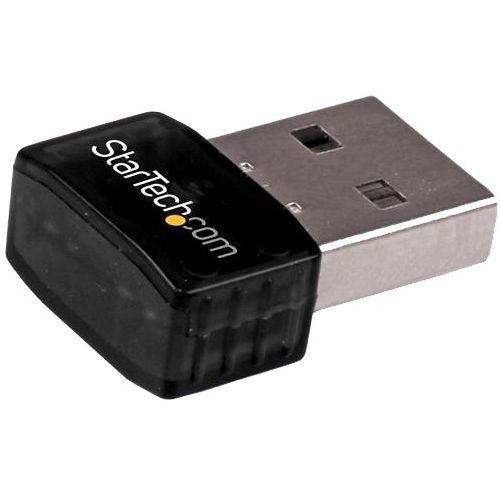
StarTech.com USB300WN2X2C network card Ethernet / WLAN 300 Mbit/s
Add high-speed Wireless-N connectivity to a desktop or laptop system through USB 2.0The USB300WN2X2C USB Wireless Network Adapter lets you add 300 Mbps Wireless-N connectivity to your desktop or laptop system through USB 2.0. With a compact, lightweight design, the adapter is extremely portable, and is unobtrusive when connected to your system - you can even leave it connected to your laptop when in a carrying bag, without worrying about damaging the adapter or the host port while on the move.The USB wireless adapter is capable of data transfer rates up to 300Mbps over a 2.4GHz 802.11n WiFi network (backward compatible with 802.11b/g), through a 2 Transmitter / 2 Receiver antenna design. The adapter also supports security options such as WEP, WPA or WPA2, as well as quick device connection through Wireless Protected Setup (WPS), for a reliable and secure connection.The StarTech.com Advantage- Leave the adapter plugged into your laptop without worry, with an ultra-compact adapter- Ensure fast, reliable network connectivity, with full Wireless-N compatibility- Connect to older wireless networks easily, with 802.11b/g backward compatibility
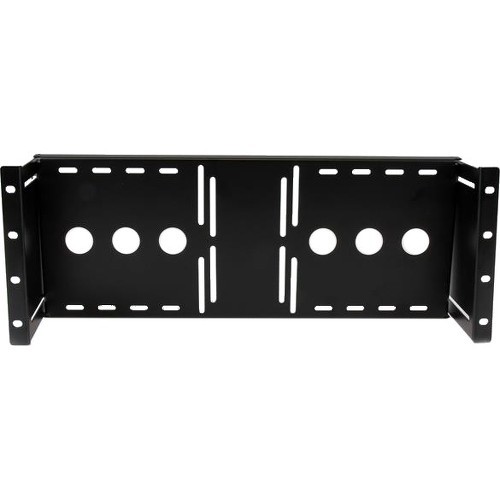
StarTech.com RKLCDBK rack accessory Mounting bracket
Mount a 17-19 inch LCD panel into a standard 19 inch rack/cabinetThe RKLCDBK Universal VESA LCD Monitor Mounting Bracket for 19in Rack or Cabinet lets you mount almost any retail LCD or Touch screen panel into a server/storage rack/cabinet. This TAA compliant product adheres to the requirements of the US Federal Trade Agreements Act (TAA), allowing government GSA Schedule purchases.The LCD mounting bracket is made of solid cold pressed steel (SPCC), is designed to support 100mm and 75mm VESA mounted LCD panels, and meets ANSI/EIA RS-310-D standards rack mounting. A unique adjustable design enables an LCD panel to be mounted into the cabinet at various depths - allowing the rack/cabinet door to be closed.The LCD mounting bracket also supports wall-mounted LCD installation, by inverting the adjustable bracket or by adding this bracket to a wall mount bracket or rack, such as the 6U (10 inch) Wallmount Bracket for 19" Rack Equipment (WALLMOUNT6) or 8U Open Frame Wall Mount Equipment Rack (RK812WALLO).Backed by a StarTech.com Lifetime warranty.The StarTech.com Advantage
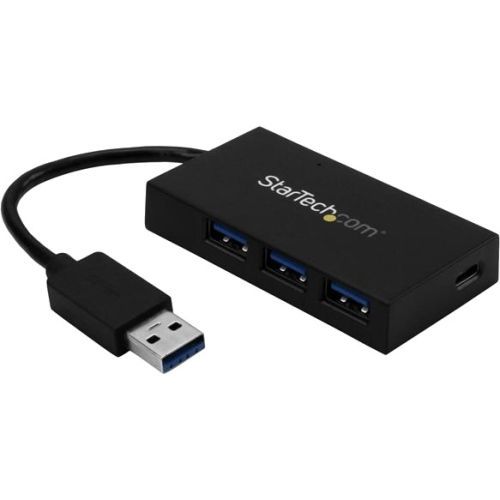
StarTech.com HB30A3A1CSFS interface hub USB 3.2 Gen 1 (3.1 Gen 1) Type-A 5000 Mbit/s Black
Add four USB 3.2 Gen 1 (5Gbps) ports to your laptop, including three USB Type-A charge-and-sync ports, and one USB Type-C portHere’s an easy way to connect a wider range of peripherals to your laptop. This TAA compliant 4-port USB 3.2 Gen 1 hub turns your laptop’s USB-A port into three USB-A charge-and-sync ports (5Gbps), and one USB-C™ port.Now, you can use your laptop’s traditional USB Type-A port to expand your connectivity, fast-charge your smartphone or tablet, and connect your newer USB Type-C™ device to your laptop.Expand your USB connectivityThis USB 3.2 Gen 1 hub lets you expand your USB connection options using the USB-A port on your computer. It offers three USB-A ports and one USB-C port, so you can still connect traditional USB devices now, and be ready to connect USB Type-C devices in the future.It’s the ideal way to connect your new USB-C equipped device to your laptop’s traditional USB-A port.Charge and sync your mobile devicesWith three fast-charge ports, this hub helps ensure that your tablets and smartphones are charged and ready to use when you need them. Each USB-A port supports USB Battery Charging Specification 1.2, so you can charge and sync up to three devices simultaneously. (The charge provided depends on the number of devices connected and the amount of power each device draws. The hub’s USB-C port does not support charging.)Designed for versatilityThis self-powered USB hub comes with an external power adapter to support power-hungry USB devices, such as larger external drives and enclosures, which require more power than USB power can provide on its own. You can install the versatile USB 3.2 Gen 1 hub virtually anywhere, because it takes up minimal space on a desk, and fits perfectly in hot-desk or BYOD environments.With its compact and lightweight design, the 4-port USB hub is also ideal for mobile use. You can simply tuck the hub and power adapter into your laptop bag to expand your connectivity when you’re traveling.Save time and moneyThis hub can help if you need a way to connect your newer USB-C peripherals to your existing laptop. Now you can access your USB-C device while avoiding the cost of purchasing a newer laptop that features a USB Type-C port.The self-powered USB 3.2 Gen 1 hub installs quickly with no additional drivers or software required, and it’s compatible with virtually all operating systems.The HB30A3A1CSFS is backed by a 2-year StarTech.com warranty and free lifetime technical support.The StarTech.com Advantage
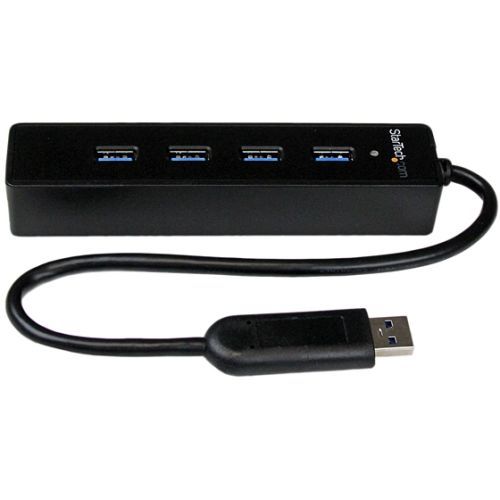
StarTech.com ST4300PBU3 interface hub USB 3.2 Gen 1 (3.1 Gen 1) Type-A 5000 Mbit/s Black
Add four USB 3.2 Gen 1 ports to your laptop or Ultrabook using this slim, portable hub with an extended-length cableThis 4-Port Portable USB 3.2 Gen 1 Hub with Built-in Cable turns a single USB 3.2 Gen 1 port into four, letting you connect more of your devices to your computer.The hub features a built-in, 25 cm (10 in) cable that is longer than what most traditional hubs offer. The extended-length cable gives you the flexibility to place the hub and your devices exactly where you want them, and it ensures the hub can connect to your laptop or tablet regardless of where the laptop’s USB 3.2 Gen 1 port is located.Expand the connectivity of your laptop when you travelThis portable USB 3.2 Gen 1 hub is great for adding extra ports to your laptop, tablet, Microsoft Surface Pro 4, Surface Book, and other Microsoft Surface products.With an integrated cable you have more flexibility to place the hub on your desk as desired. Plus, the hub is USB-powered for easy transport when you travel.Upright port-configuration saves desk spaceThis USB hub offers a block-style design with ports placed across the top surface of the hub. With upright port access your connected devices (for example, flash drives and mouse and keyboard wireless receivers) take up less desk space.Alternatively, you can lay the hub on its side for easy cable connections to devices like external hard drivers or printers.Designed for easy useWith its compact design, you can easily position the USB 3.2 Gen 1 (also known as USB 3.1 Gen 1, or USB 3.0) hub on your desk or workspace to make your USB devices more accessible. There’s also ample space between the USB 3.2 Gen 1 ports, so it’s easy to plug and unplug the devices you use the most.The USB 3.2 Gen 1 hub is natively supported in virtually all operating systems, which makes for an easy setup with no driver installation required. And because it’s backward compatible, you can connect both new and legacy USB devices (for example USB 2.0 peripherals).The ST4300PBU3 is backed by a StarTech.com 2-year warranty and free lifetime technical support.The StarTech.com Advantage
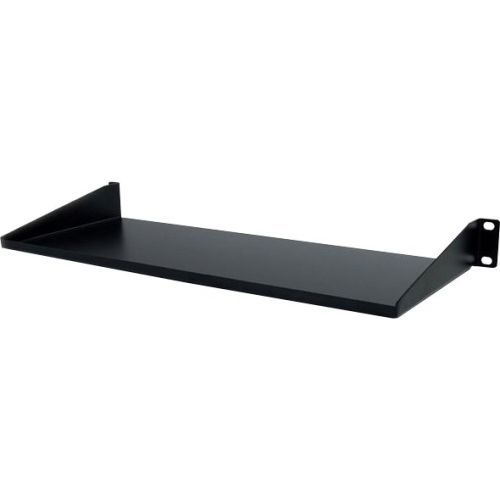
StarTech.com CABSHELF1U rack accessory Shelf
Add a 1U Compact Storage Shelf to any Standard 19" Server Rack or CabinetThe CABSHELF1U 1U (Black) Universal Fixed Server Rack Cabinet Shelf lets you add a compact fixed storage shelf to any standard 19-inch server rack or cabinet with front mount options.Constructed using SPCC commercial grade cold-rolled steel, this durable fixed rack shelf can hold up to 15kg (33lbs) of equipment - a perfect solution for storing small form non-rackmount equipment, tools, peripherals or accessories in your rack, to keep them readily accessible.The StarTech.com Advantage
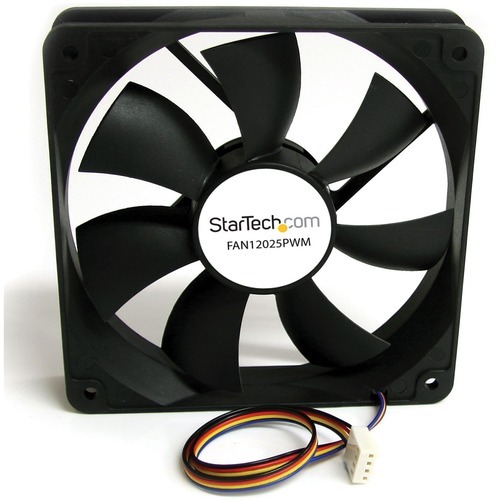
StarTech.com FAN12025PWM computer cooling system Computer case Fan 4.72" (12 cm) Black
Add a Variable Speed, PWM-controlled Cooling Fan to your Computer CaseThe FAN12025PWM 120mm PWM Case Fan adds an efficient air cooling solution to computer cases or other enclosures to help ensure optimal performance from internal components. With Pulse Width Modulation (PWM) technology, the fan speed can be dynamically controlled by the motherboard, so the fan runs at a speed that suits the operating conditions - lowering power consumption and fan noise when the system is idle, and delivering maximum cooling under full load conditions. Backed by a StarTech.com 2-year warranty and free lifetime technical support.The StarTech.com Advantage- PWM control enables the fan to be controlled by the motherboard according to current system requirements, ensuring optimal system performance- Ever Lubricate bearing design increases reliability and lifespan over fans with a traditional sleeve bearing design- Backed by a StarTech.com 2-year warranty and free lifetime technical support
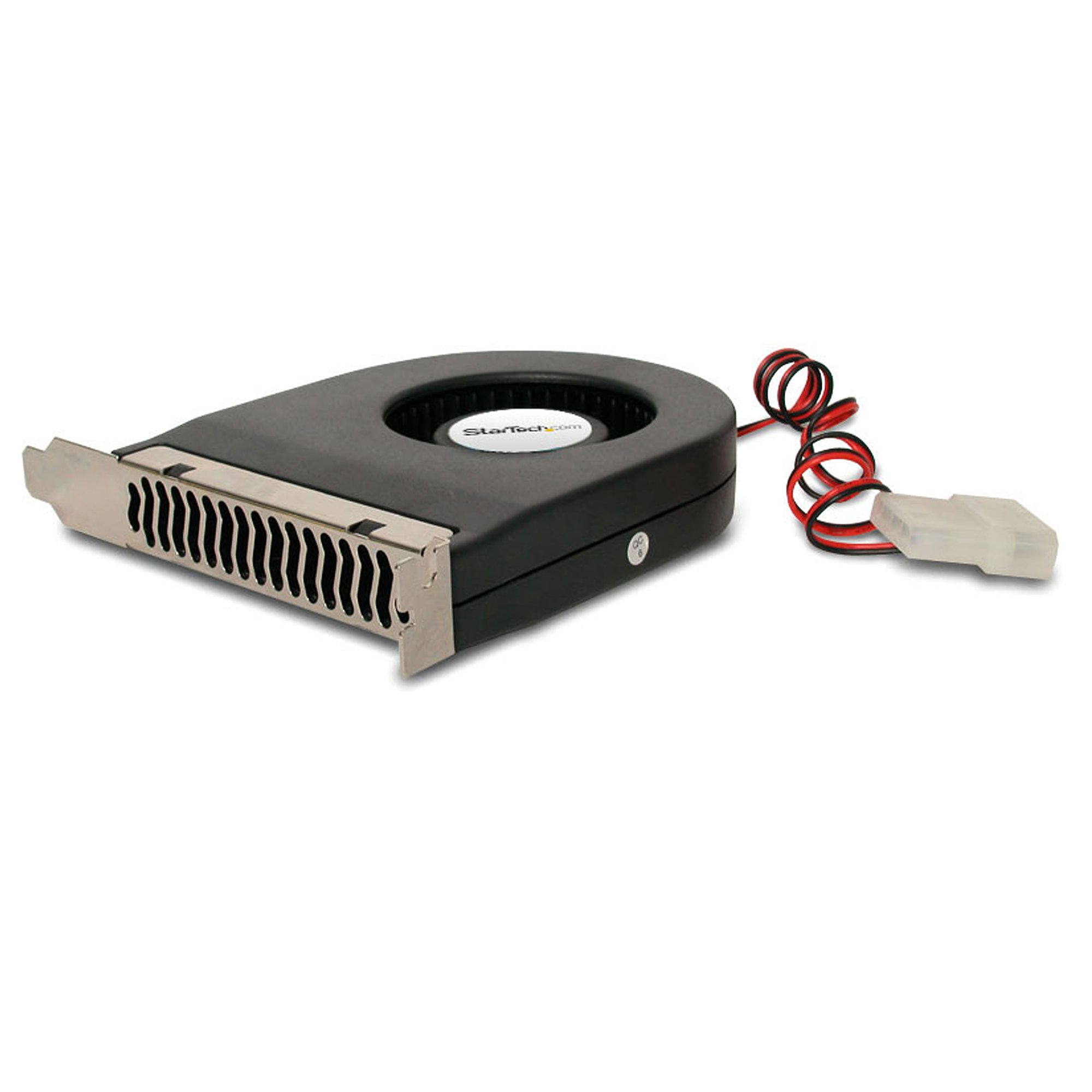
StarTech.com FANCASE computer cooling system Graphics card Cooler Black
Remove hot air from a computer case with a rear exhaust fanThis high quality PCI Fan is an add-in cooling fan designed to fit in the PCI, ISA or AGP expansion slots of any computer. The PCI fan helps improve expansion card (video card, etc.) performance, by preventing overheating, making it a great video card cooler for older, hot-running 3D graphics cards like the Voodoo, TNT2, GeForce256 and more. Powered through a simple LP4 connection to the computer power supply, the quiet-running PCI Fan utilizes a brushless DC motor that helps maintain expansion card temperatures while creating minimal noise levels. Compact enough to fit into almost any expansion slot such that airflow can be directed as needed most, StarTech.com's PCI Fan is backed by 2-year warranty and free lifetime technical support.The StarTech.com Advantage
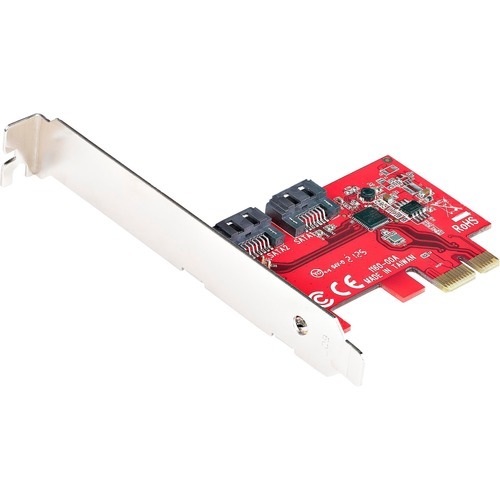
StarTech.com 2P6G-PCIE-SATA-CARD interface cards/adapter Internal
SATA III (6Gbps) | PCI Express 2.0 | PCIe x1 Slot | 2x SATA Connectors | Lifetime WarrantyThis 2-port SATA III (6Gbps) controller enables you to add two SATA 6Gbps Hard Drives (HDDs) or Solid State Drives (SSDs) to your computer system or server via an available PCIe x1 card slot. The card supports SATA III and PCI-Express 2.0 Specifications.ASM1061 to Deliver 2-Port SATA 6Gbps PerformanceFeaturing the ASM1061 controller, this SATA card enables the connection of two high-performance SATA 6Gbps drives with a combined total throughput of up to 4Gbps. The SATA drives are connected via two individual SATA ports located on the card (SATA cables sold separately).Wide CompatibilityThe controller card is widely supported across all popular operating system platforms including Windows (7, 8, 10, 11), macOS (10.6.8 and above) and Linux (2.6.32 and above). The card also supports port multiplier, giving you the ability to connect multiple drives to a single SATA port (additional hardware required, sold separately).To further improve motherboard compatibility the card does not have a built-in RAID controller, but fully supports the use of software RAID. Plus, with support for PCIe 2.0 and SATA III Specifications this card ensures backward compatibility with previous generations (SATA I/II, PCIe 1) at lower performance.Hassle-Free InstallationThe SATA controller card features plug-and-play installation and can be installed in a full-profile or low-profile computer systems with the full-profile bracket preinstalled, and an interchangeable low-profile (half-height) bracket included. The card also supports storage software data management systems such as Storage Spaces (Microsoft), RAID Assistant (MacOS) and mdraid/mdadm (Linux), for hassle-free setup, partitioning and software RAID array building.2P6G-PCIE-SATA-CARD is backed by a StarTech.com lifetime warranty and free lifetime 24/5 North American based, multi-lingual support.The StarTech.com Advantage
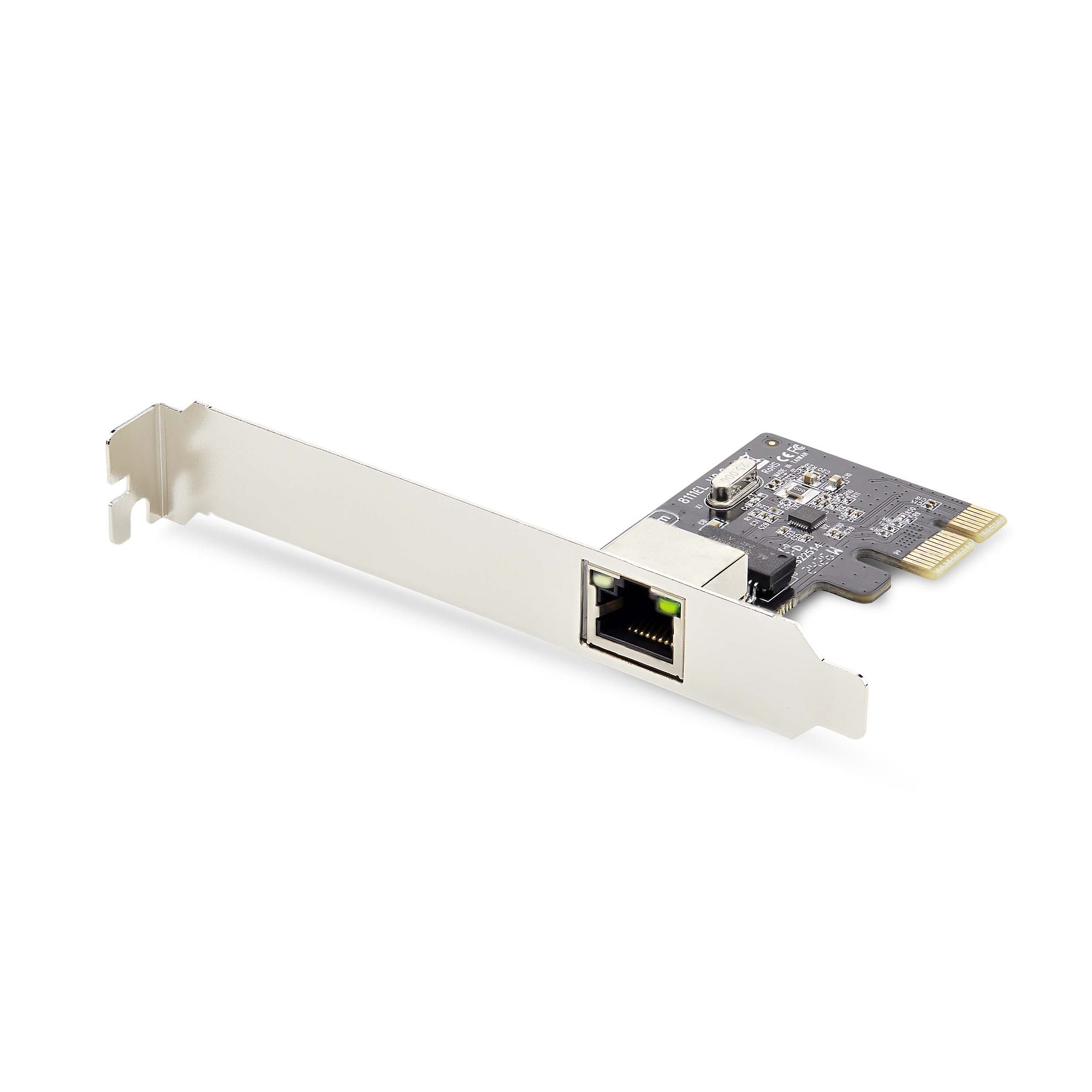
StarTech.com ST1000SPEX2T network card Internal Ethernet
Add a 10/100/1000Mbps Ethernet port to any PC through a PCI Express slotThis TAA-compliant Gigabit Ethernet card adds a gigabit Ethernet interface to a desktop or server.Plug And Play CompatibleThis 1-port network interface card is plug-and-play compatible, with drivers that auto-install on major operating systems such as Windows, Windows Server, and Linux. It is compatible with Intel and AMD hardware platforms equipped with PCI Express x1, x2, x4, x8, or x16 slots.Performance and ManagementThis network card features link speed and activity LED indicators for visual network speed verification and issue diagnosis.This PCIe network adapter supports 9K jumbo frames to minimize packet overhead, Wake-on-LAN (WoL) for remote system booting, auto-negotiation between 10/100/1000Mbps, and VLANs for streamlined network management.Universal FitThe PCI Express NIC includes a pre-installed standard-profile bracket for full-sized desktops and servers, as well as a low-profile bracket for compatibility with small form-factor computers.The StarTech.com Advantage
Item(s) added to cart
Netgear GS105E-200NAS ProSafe Plus Switch, 5-Port Gigabit Ethernet - 5 Ports - 2 Layer Supported - Wall Mountable - Lifetime Limited Warranty-None Listed Compliance
MFR: Netgear, Inc
Qty: 1
Part #: GS105NA