
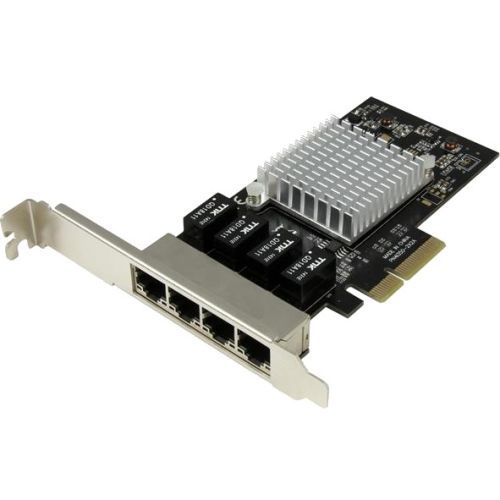
StarTech.com ST4000SPEXI network card Internal Ethernet 2000 Mbit/s
Add four Gigabit Ethernet ports to a client, server or workstation through a single PCI Express slotHere’s a dependable and cost-effective way to add four high-performance Gigabit Ethernet ports to your server or desktop computer, through one PCI Express slot.Reliable network connectivity with high performanceThis Gigabit Ethernet network card features the Intel® I350-AM4 chipset, designed to deliver the power, performance and enhanced capabilities you need for reliable network connections to your server or computer. The Intel chip provides a number of advanced driver options including IEEE 802.3ad link aggregation / teaming support, which enables you to add additional bandwidth to your system.Compliant with IEEE 802.3/u/ab standards, the network card provides full support for high-performance, four-channel networking and maximum throughput up to 1000Mbps in each direction (2000 Mbps total) - up to ten times faster than 10/100 Ethernet.Cost-effective access to multiple networksThe quad-port Gigabit network card makes it easy to access multiple networks. It offers a cost-effective solution for IT professionals in government, educational, corporate, health care, or business environments where access to multiple networks from numerous workstations is needed. The server adapter card gives you four redundant, independent Gigabit Ethernet ports and it supports advanced features such as Jumbo Frames and VLAN tagging.Enhanced versatility and efficiencyCompatible with a broad range of operating systems, this versatile PCIe Gigabit NIC is suitable for many business and enterprise applications - including virtualized environments with multiple operating systems, requiring multiple shared or dedicated NICs. The 4-port Gigabit network card is equipped with Intel® Virtualization Technology for Connectivity (Intel® VT-c) which reduces system latency and improves networking throughput. Four dedicated ports allow you to maximize your virtualized server’s networking efficiency and create a more agile data center.With a dual-profile design, the PCI Express network card installs easily into a wide range of computer/server chassis, regardless of form factor. The card is equipped with a full-sized bracket, and includes a low-profile/half-height installation bracket that you can use as needed.Enhance Productivity and Device Management with the StarTech.com Connectivity Tools ApplicationDeveloped to improve performance and security, StarTech.com Connectivity Tools is the only software suite on the market that works with a wide range of IT connectivity accessories. The software suite includes:•Mac Address Pass-Through Utility : To improve network security.•Wi-Fi Auto Switch Utility : Enabling users to quickly access faster network speeds via wired LAN.For more information and to download the StarTech.com Connectivity Tools application, please visit: www.StarTech.com/Connectivity-ToolsThe ST4000SPEXI is backed by a StarTech.com 2-year warranty and free lifetime technical support.The StarTech.com Advantage
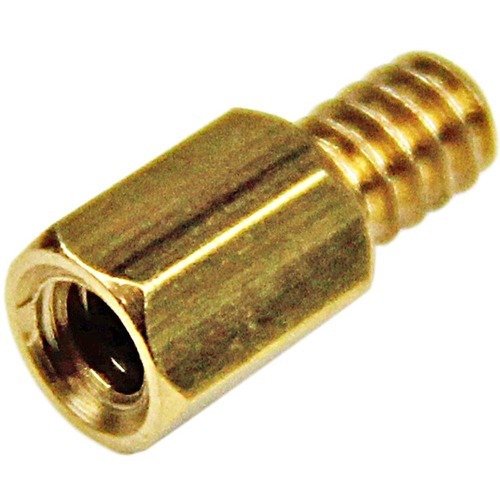
StarTech.com STANDOFF632 mounting kit
This pack of 15 6-32 Brass Motherboard Standoffs are great to have on hand for building ATX computer systems. - Keep handy #6-32 threaded standoffs commonly used in part to install motherboards into the computer chassis
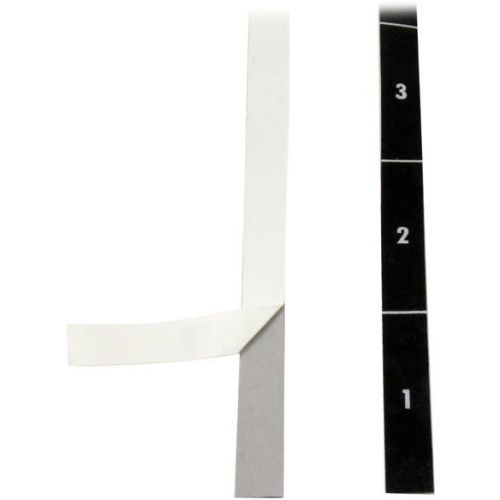
StarTech.com RKUNITAPE rack accessory
Ensure perfect rail-to-rail alignment, when mounting equipment in your server rack with these rack unit labeling stripsThese labels help you install equipment in your server rack more easily. You can add up to 49 unit markings on either side of any rack. This is perfect for adding unit measurements to server racks that don't have unit markings, or to older racks that have had their markings worn off over time.This TAA compliant product adheres to the requirements of the US Federal Trade Agreements Act (TAA), allowing government GSA Schedule purchases.Avoid hassle when installing rackmount equipmentWhen rack unit measurements are not visible, it can make installing large equipment a hassle. You typically have to align the equipment by eye, which can lead to installing the device in different unit holes on each side of your rack, but that could cause the annoying and time-consuming task of repositioning the device after it's been installed. Using these rack labels is an inexpensive solution that ensures proper alignment and hassle-free installation.Fast and simple application on any rack, up to 49U in sizeThe label strips are self-adhesive, easily attaching to the side of your rack for a simple installation. Each label in the kit contains markings for up to 49 units. This ensures that you can easily cut the label down to a smaller size and fit any rack, up to 49U in size.The labels included in the RKUNITAPE are backed by a 2-year StarTech.com warranty and free lifetime technical support.The StarTech.com Advantage
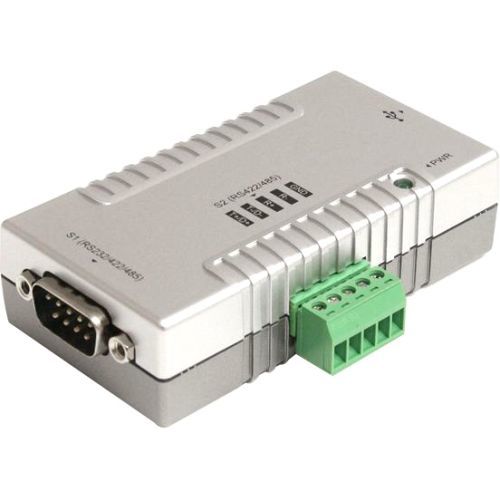
StarTech.com ICUSB2324852 interface cards/adapter Serial
Add RS232, RS422 and RS485 support to your laptop or desktop computer via USBThe ICUSB2324852 2 Port USB to RS232 RS422 RS485 Serial Adapter with COM Retention lets you connect every type of serial device to your USB-enabled computer, whether it be for RS232, RS422, or RS485 communication. The adapter features a 9-pin (DB9) male and a 5-pin terminal block serial connector as well as dip-switch controls for easy port configuration with minimal software requirements. The adapter also supports using 2 ports simultaneously, including with mixed protocols; for example RS-232 on port 1, and RS-485 on port 2, or a number of other combinations. For a convenient, and clean installation in office or industrial settings, the RS232/RS422/RS485 USB Adapter is wall-mountable and fully powered via the host USB connection, providing power to the attached serial device without requiring an external power adapter. Backed by a StarTech.com 2-year warranty and free lifetime technical support.The StarTech.com Advantage
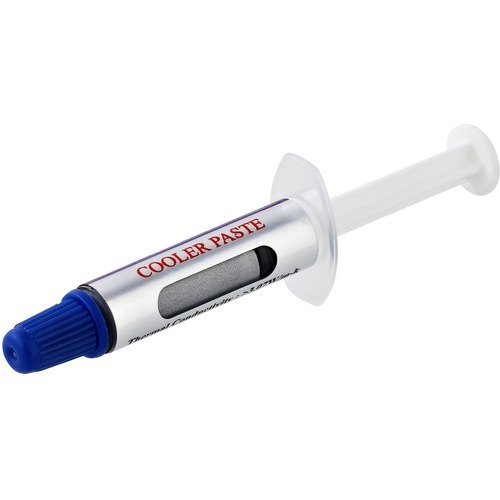
StarTech.com SILV5-THERMAL-PASTE heat sink compound Thermal paste 3.07 W/m·K 0.141 oz (4 g)
5-Pack | Re-sealable Syringes | Thermal Conductivity: 3.195 W/m-K at 25 °C or greaterThis 5-Pack of thermal paste works with a heat sink to improve heat dissipation from integrated computer chips such as CPUs. The thermal paste features CE and RoHS certifications so you can rest assured it's safe for its intended use.Reliable PerformanceThis thermal paste, also known as silver grease, is a metal-based compound that contains 60% metal oxide to offer better thermal conductivity than standard heat transfer pastes. SILV5-THERMAL-PASTE performs reliability in temperatures of -22°F to 365°F (-30°C to 180°C) with thermal conductivity of 3.195 W/m-K at 25 °C or greater. This performance makes the compound ideal for servicing & maintaining workstations, desktop computers and servers, and is best suited for CPUs with TDP of up to 65WResealable 1.5g Syringe TubesEach tube included in this five pack contains 1.5g of paste, sufficient for 4 to 6 applications, for 20 to 30 applications in total. Each unit is packaged in a syringe for easy application, that's re-sealable to prevent the product from drying between use. Plus, five included units make it ideal for distribution to different workstations throughout the work place.SILV5-THERMAL-PASTE is backed by a StarTech.com 2-year warranty, including free lifetime 24/5 multi-lingual, North American based, technical assistance.The StarTech.com Advantage
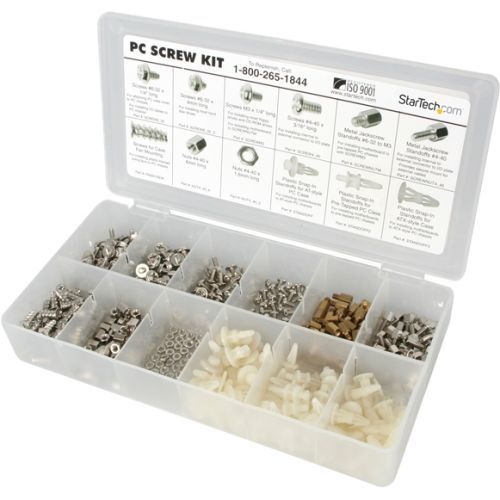
StarTech.com PCSCREWKIT computer case part
Install computer hardware with an assortment of screws, nuts and standoffsStarTech.com's PC Screw Kit offers a handy assortment of common PC fasteners for building, reparing, and maintaining computer systems. The PC screw kit includes 12 different fasteners all in a plastic carrying case with divided compartments.The PC screw kit offers 50 screws in each of 7 category types, for a total of 350 screws, as well as an assortment of standoffs.The StarTech.com Advantage- Convenient and organized carrying case for a wide assortment of screws and standoffs- Keep a variety of common computer case screws in one location
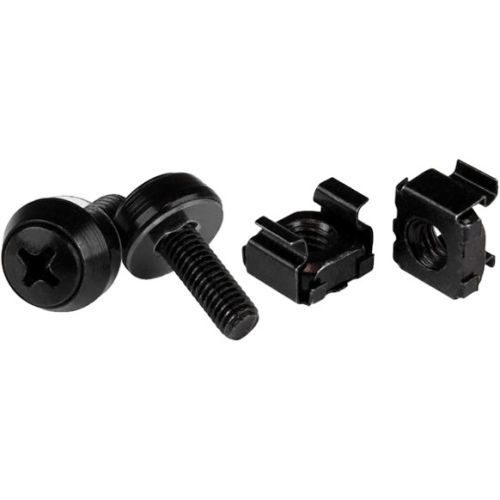
StarTech.com CABSCREWM52B rack accessory Screw
Install your rack-mountable hardware securely with these high-quality screws and nutsThis 100-pack of M5 mounting screws and cage nuts is convenient to have on hand for installing rack-mountable equipment, such as your server, network or audio/video equipment. Each pack includes a cage nut installation tool to ensure a fast and simple installation of each cage nut. This TAA compliant product adheres to the requirements of the US Federal Trade Agreements Act (TAA), allowing government GSA Schedule purchases.They are also suitable for new server rack and cabinet setups - perfect for those times when you drop or misplace a nut or two. The bulk package ensures that you have enough available for all of your installations, when you need them.Both the server rack screws and the nuts come in an all-black finish for a seamless look.The CABSCREWM52B is backed by a StarTech.com 2-year warranty.The StarTech.com Advantage
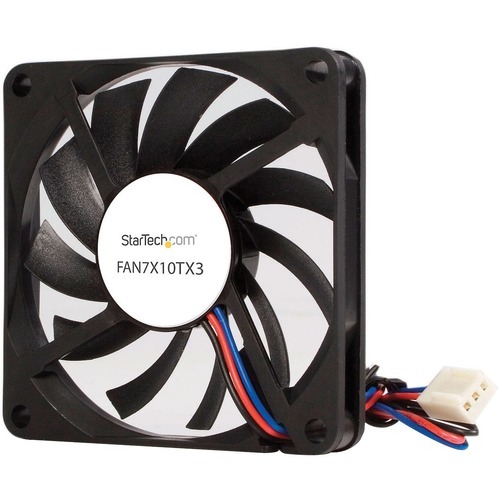
StarTech.com FAN7X10TX3 computer cooling system Computer case Fan 2.76" (7 cm) Black
Keep a system running cooler with a 70mm ball bearing case fanThis 70mm TX3 Dual Ball Bearing CPU Cooler Fan is a cost-effective replacement fan for standard CPUs as well as many different types of 1U or low profile CPU coolers that use a 70mm fan.For peace of mind, the CPU cooling fan features a Tachometer pin on the TX3 motherboard connector that provides the host system with fan operating status, while a dual ball bearing design helps provide smooth operation and longer (fan) lifespan.The StarTech.com Advantage- A dual ball bearing design ensures reliability and longer life- Backed by a StarTech.com 2-year warranty and free lifetime technical support
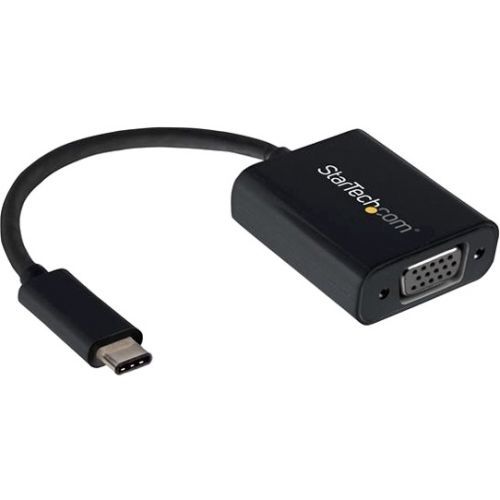
StarTech.com CDP2VGA USB graphics adapter 1920 x 1200 pixels Black
Connect your MacBook, Chromebook or laptop with USB Type-C to a VGA monitor or projectorThis USB-C™ to VGA video adapter lets you output high-definition VGA video from your USB Type-C™ device.USB Type-C is a universal connectivity standard that combines all of your essential functions into one dynamic port. The connector is featured on ultra-portable devices with USB 3.1 Gen 1. This adapter works with USB-C devices that pass a DisplayPort video signal, such as the MacBook and Chromebook Pixel™. It's also compatible with Thunderbolt™ 3 ports.Portable convenienceThis USB Type-C video adapter maximizes portability with a lightweight, small-footprint design, which makes it the perfect accessory to carry with your MacBook or Chromebook, fitting easily into your laptop bag or carrying case. This ultra-portable design makes this adapter perfect for BYOD (Bring Your Own Device) applications at the office.Hassle-free connection with USB Type-CThis adapter lets you utilize the versatile USB Type-C port on your portable device. USB Type-C is a reversible connector, so no matter how you plug it in, the adapter will always work, saving you the hassle and embarrassment of struggling with your device when you're trying to present.Crystal clear picture qualityThe adapter supports video resolutions up to 1920x1200 or 1080p. You’ll be surprised at the picture quality the adapter provides, even when connected to a legacy VGA monitor, projector or television. The adapter harnesses the video capabilities built into your USB Type-C connection to deliver every detail in stunning high-definition.The CDP2VGA is backed by a 3-year StarTech.com warranty and free lifetime technical support.Note: Your USB-C equipped device must support video to work with this adapter. The adapter will not output digitally encrypted content.The StarTech.com Advantage
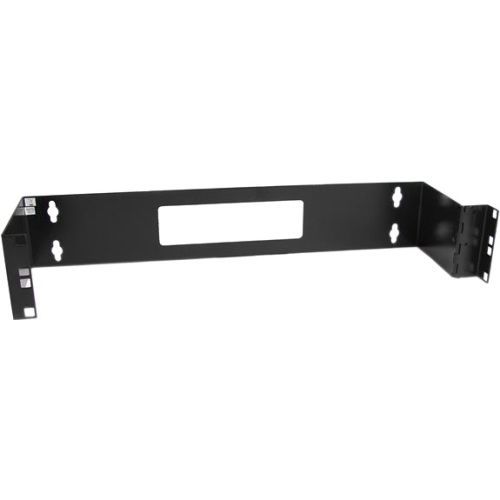
StarTech.com WALLMOUNTH2 rack cabinet 2U Wall mounted rack Black
Wall mount a patch panel or network switch while providing hinged access to the back of the device(s)The WALLMOUNTH2 2U 19in Hinged Wall Mounting Bracket for Patch Panels is 6in deep and sturdily designed to provide a dependable solution for mounting a patch panel, or other slim 19in networking equipment to a wall.The patch panel wall mount features a hinged design for easy access to configuration buttons, ports and cables. The wall mounting holes are spaced 16 in. apart, making it suitable for mounting on almost any wall, based on common wall-frame stud spacing.Backed by a StarTech.com 2-year warranty.The StarTech.com Advantage
Item(s) added to cart
Netgear GS105E-200NAS ProSafe Plus Switch, 5-Port Gigabit Ethernet - 5 Ports - 2 Layer Supported - Wall Mountable - Lifetime Limited Warranty-None Listed Compliance
MFR: Netgear, Inc
Qty: 1
Part #: GS105NA