
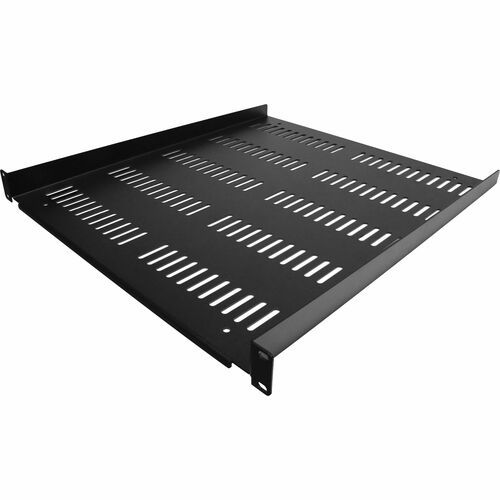
StarTech.com SHELF-1U-20-FIXED-V rack accessory Rack shelf
Add a sturdy, 1U server rack shelf into almost any rack or cabinetThe SHELF-1U-20-FIXED-V lets you add 1U 20 inches (50.8 cm) deep shelf to any EIA-310 compliant 19-inch rack or cabinet. The shelf is vented to improve airflow and help lower temperatures in your rack.Quality constructionThe fixed-rack shelf can hold up to 55 lbs (25 kg) of equipment and is constructed using 2.0 mm SPCC commercial-grade cold-rolled steel for long-term durability and sturdiness. Accommodate your accessories or non-mountable devices for ease of access or connectivity to your equipment.Maximize ventilationThe vented shelf plate improves the airflow helping to dissipate heat away from your equipment for extended and cooler operation.Hardware includedConveniently includes M6 square cage nuts and M6 screws to set it up in no time.The SHELF-1U-20-FIXED-V is backed by a StarTech.com lifetime warranty and free lifetime technical support.The StarTech.com Advantage
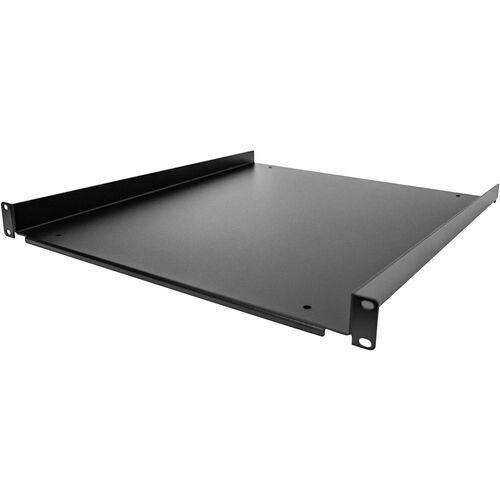
StarTech.com SHELF-1U-20-FIXED-S rack accessory Rack shelf
Add a sturdy, fixed shelf into almost any server rack or cabinetThe SHELF-1U-20-FIXED-S lets you add a 1U 20 inches (50.8 cm) deep shelf to any EIA-310 compliant 19-inch rack or cabinet.Quality constructionThe fixed-rack shelf can hold up to 55 lbs (25 kg) of equipment and is constructed using 2.0 mm SPCC commercial-grade cold-rolled steel for long-term durability and sturdiness. Accommodate your accessories or non-mountable devices for ease of access or connectivity to your equipment.Two installation optionsYou can install the 1U rack shelf using one of two different orientations for mounting. The standard, with the lip facing downwards or inversed with the lip facing upwards that prevents your equipment from sliding off.Hardware includedConveniently includes M6 square cage nuts and M6 screws to setup your equipment in no time.The SHELF-1U-20-FIXED-S is backed by a StarTech.com lifetime warranty and free lifetime technical support.The StarTech.com Advantage
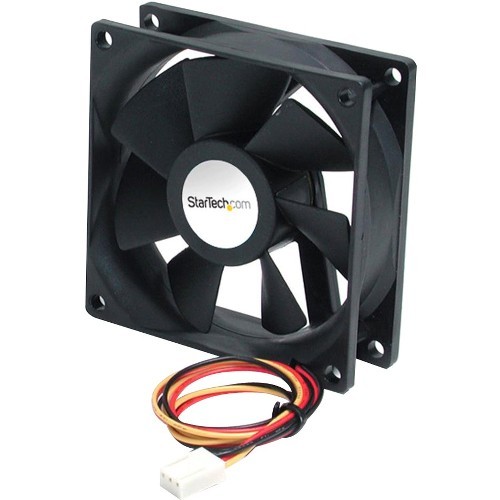
StarTech.com FAN6X25TX3H computer cooling system Computer case Fan 2.36" (6 cm) Black 1 pc(s)
Add additional chassis cooling with a 60mm high flow case fanThis 6cm x 2.5cm (5000 RPM) Computer Case Fan helps prevent computer systems from overheating, thereby increasing efficiency and stability.The fan features a TX3 connection and a built-in tachometer that sends RPM signals to your motherboard - a high-performance solution that can help avoid overheating and system failure.The StarTech.com Advantage- A dual ball bearing design ensures reliability and longer life- A built-in tachometer allows for easy monitoring of the fan performance- Higher performance fan with Increased air flow for warmer environments or higher performance components
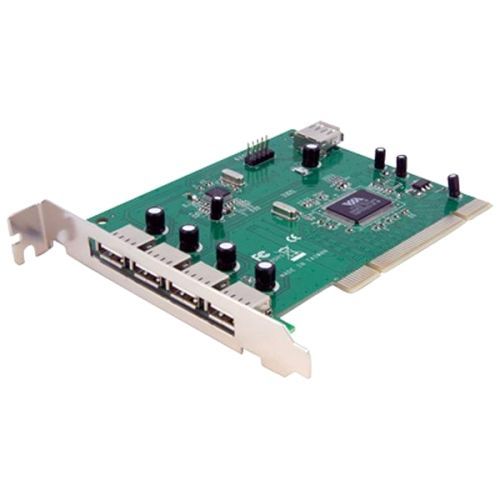
StarTech.com PCIUSB7 interface cards/adapter Internal USB 2.0
Add 7 USB 2.0 Ports to your PC through a PCI slotThis PCI USB card adds seven USB 2.0 ports (1 internal USB A Female, 2 internal USB motherboard header, and 4 external USB A Female) to your PCI-capable PC.The PCI USB 2.0 card is a versatile solution that lets you add USB 2.0 connections without having to upgrade the system motherboard.An all-in-one solution, the PCI USB card supports USB 2.0 device connections for full data transfer speeds of up to 480Mbps, and is backward compatible with USB 1.1 devices (max. transfer rate 12Mbps), allowing you to connect any USB device to the computer without having to worry about compatibility issues.Designed and constructed to provide long-lasting USB capability, the adapter card is backed by StarTech.com's free lifetime technical support.The StarTech.com Advantage
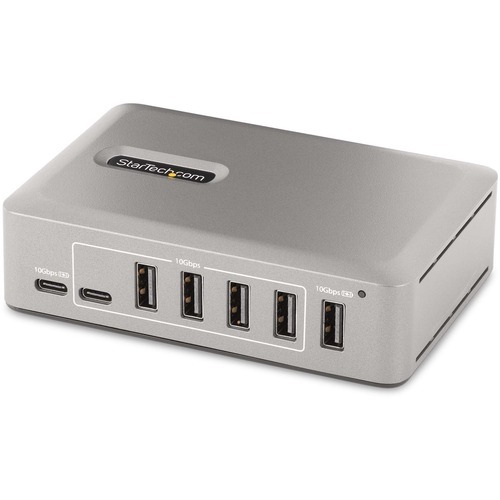
StarTech.com 10G8A2CS-USB-C-HUB interface hub USB 3.2 Gen 2 (3.1 Gen 2) Type-C 10000 Mbit/s Gray
Add 8x USB-A and 2x USB-C ports to a USB-C enabled Desktop/LaptopAdd ten USB 3.2 Gen 2 (10Gbps) ports (8x USB-A, 2x USB-C) to a USB-C computer using this 10-Port USB-C Hub. The USB Hub is self-powered with an included power adapter. The USB Hub features Overcurrent Protection (OCP). OCP aids in preventing peripherals from overdrawing power, avoiding USB device dropouts and computers from shutting down unexpectedly. Support for Wake On USB enables USB communications, from devices connected to the hub, to take the computer out of standby or other power saving/sleep modes.High Performance USB 3.2 Gen 2 (10Gbps) HubThe USB Hub shares 10Gbps of bandwidth from the USB host device, enabling high-speed data transfers for high-performance applications. The USB hub is backward compatible with previous USB versions, including USB 3.2 Gen 1 (5Gpbs), USB 2.0 (480Mbps), and USB 1.1 (12Mbps). It features eight USB-A ports and two USB-C ports. This combination of ports enables support for a wide range of modern and legacy USB devices, such as external storage devices (e.g., thumb drives, HDDs/SSDs), HD Cameras (e.g., webcams), mice, keyboards, and USB headsets.Power and Charge USB DevicesThe USB hub is self-powered, using the 65W power adapter. The hub features two USB BC 1.2 ports (1x USB-A, 1x USB-C), each providing 2.4A (12W) of power simultaneously, making it ideal to charge battery powered USB devices like smartphones, and tablets, while also providing a data connection. These ports will provide power with or without a host computer connected, with support for both CDP (Charging Downstream Port) & DCP (Dedicated Charging Port) applications. The hub features seven USB-A, and one USB-C port that each provide the USB 3.2 standard of 0.9A (4.5W) of power. The included power adapter ensures that all ports will always provide specified power regardless of how many devices are connected.USB-IF Certified Host CableA high-quality USB-IF certified USB-C host cable is included. The cable features a screw-locking, connector to ensure a secure and reliable connection to the USB hub. The Thermoplastic Elastomer (TPE) cable jacket is softer and more flexible than PVC jacketed cables.Plug-and-Play InstallationThe 10-Port USB Hub is OS independent supporting all operating systems, including Windows, macOS, ChromeOS, iPadOS and Android. Installation is automatic upon connection to a host computer.Mount the USB Hub to a wall, desk, or VESA mount, using StarTech.com hub mounts: SSPMSVESA or SSPMSUDWM.Enhance Productivity and Device Management with the StarTech.com Connectivity Tools ApplicationDeveloped to improve performance and security, StarTech.com Connectivity Tools is the only software suite on the market that is compatible with a wide variety of IT connectivity accessories. The applicable software for this product is the USB Event Monitoring Utility. Use this utility to track and log any connected USB devices.For more information and to download the StarTech.com Connectivity Tools application, please visit: www.StarTech.com/connectivity-toolsThis product is backed for 2-years by StarTech.com, including free lifetime 24/5 multi-lingual technical assistance.The StarTech.com Advantage
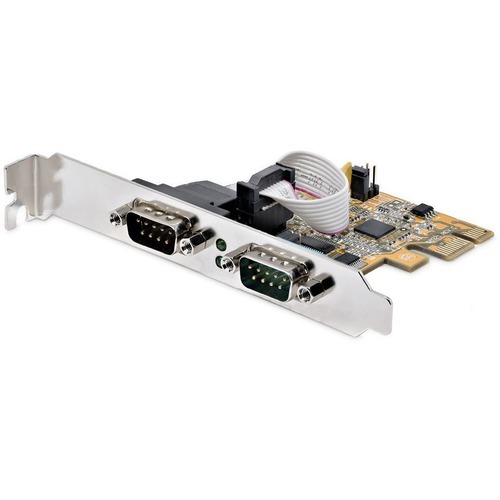
StarTech.com 21050-PC-SERIAL-LP interface cards/adapter Internal
Baud Rate 921.6 Kbps per Port | 256-byte FIFO | PCIe 2.0 x1Add serial communication support to a Small Form Factor (SFF) or full-size system, using this two-port serial card. RS-232 (DB9) support enables control and communication with serial peripheral devices.Legacy ConnectivityInstall this card to enable the continued use of legacy serial devices, preventing down time and avoiding costly upgrades. The 2-port PCIe serial card is ideal for system upgrades in a wide range of applications for logistics, manufacturing, and freight sectors, and the IT industry, such as POS equipment, security systems, A/V installations, and more.Connect with EaseThe RS-232 card features dual ports with 16C1050 UART support, 256-byte FIFO (transmit/receive), bi-directional speeds up to 921.6 Kbps per port, low-profile brackets are included for SFF systems, and serial port LED status lights. In addition, it supports Windows and Linux systems for maximum compatibility.21050-PC-SERIAL-LP is backed for 2-years by StarTech.com, including free lifetime 24/5 multi-lingual technical assistance.The StarTech.com Advantage
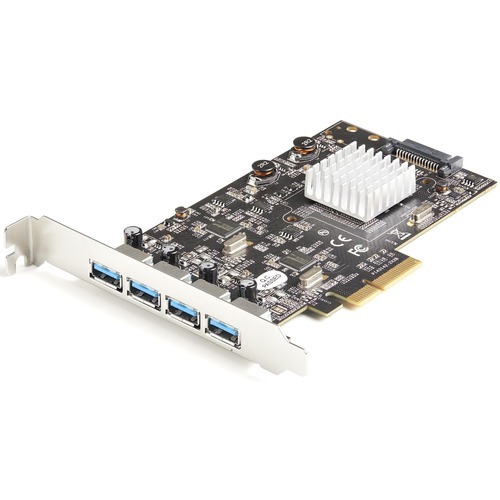
StarTech.com PEXUSB314A2V2 interface cards/adapter Internal USB 3.2 Gen 2 (3.1 Gen 2)
USB 3.2 Gen 2 (10 Gbps) | PCI-Express 3.0 | PCIe x4 Slot | USB Type-AThis PCIe USB 3.2 Gen 2 controller card installs into an available PCI-Express x4 slot in your computer and enables you to upgrade your current system by adding four SuperSpeed USB-A (10Gbps) ports. The card features dual ASM3142 controllers with up to 20 Gbps of total bandwidth shared across all 4 ports.Add Four 10 Gbps USB Type-A Ports to Your Desktop ComputerThe controller card enables you to connect four USB-A Gen 2 (10 Gbps) devices to your desktop computer. The USB-A ports are ideal for connecting USB devices such as external hard drives and solid state drives or powering and syncing your mobile devices. The USB-A ports provides up to 4.5W (5V/0.9A) of power per USB port, and are backward compatible with USB 3.2 Gen 1 (5 Gbps), and USB 2.0 (480 Mbsp) devices.Note: USB 3.2 Gen 2 (10 Gbps) is also know as USB 3.1 Gen 2 (10 Gbps), and USB 3.2 Gen 1 (5 Gbps) is also know as USB 3.1 Gen 1 and USB 3.0 (5 Gbps).SuperSpeed USB 3.2 Gen 2 (10 Gbps) PerformanceThe USB 3.2 Gen 2 card features dual ASMedia ASM3142 host controllers that utilizes x4 lanes of the PCIe 2.0 bus, making the card capable of speeds up to 10 Gbps on each port, and enabling fast access to high-performance devices like NVMe drives and SSDs. The controller cards support Multiple INs to reduce bandwidth loss when multiple devices are connected, even when connected through a USB Hub (Note: The USB hub must also support this feature). The card also supports UASP for improved performance with storage devices.Wide Installation CompatibilityThis add-on card includes a full-profile installation bracket ensuring you can install it into full-profile PCIe 2.0 x4 slots. For wide platform support the card is compatible with Windows, Linux and macOS. For hassle-free installation the drivers install automatically on computers running Windows 8 or higher. Works w/USB 3.2/3.0/2.0 devicesPEXUSB314A2V2 is backed by a StarTech.com lifetime warranty and free 24/5 multi-lingual North American based technical support. StarTech.com has been the IT professionals' choice for over 30 years.The StarTech.com Advantage
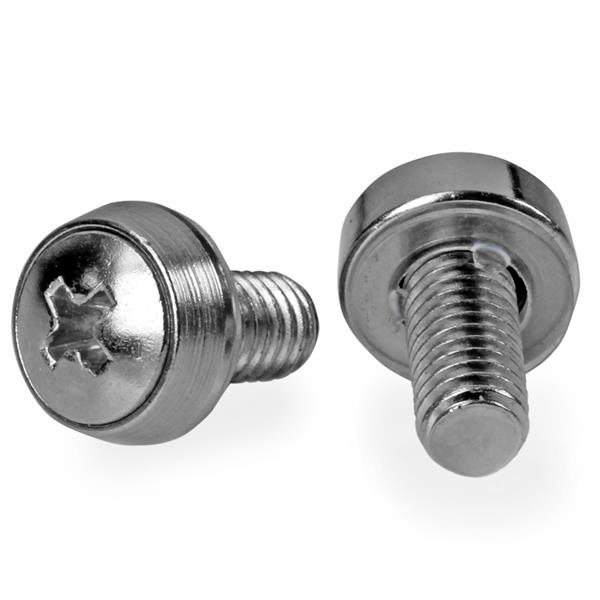
StarTech.com CABSCREWSM62 rack accessory Screw
Install your rack-mountable hardware securely with these high-quality screwsThis 100-pack of M6 mounting screws is convenient to have on hand for installing rack-mountable equipment, such as your server, network or audio/video equipment. This TAA compliant product adheres to the requirements of the US Federal Trade Agreements Act (TAA), allowing government GSA Schedule purchases.They are also suitable for new server rack and cabinet setups - perfect for those times when you drop or misplace a screw or two. The bulk package ensures that you have enough screws available for all of your installations, when you need them.The CABSCREWSM62 is backed by a StarTech.com 2-year warranty.The StarTech.com Advantage
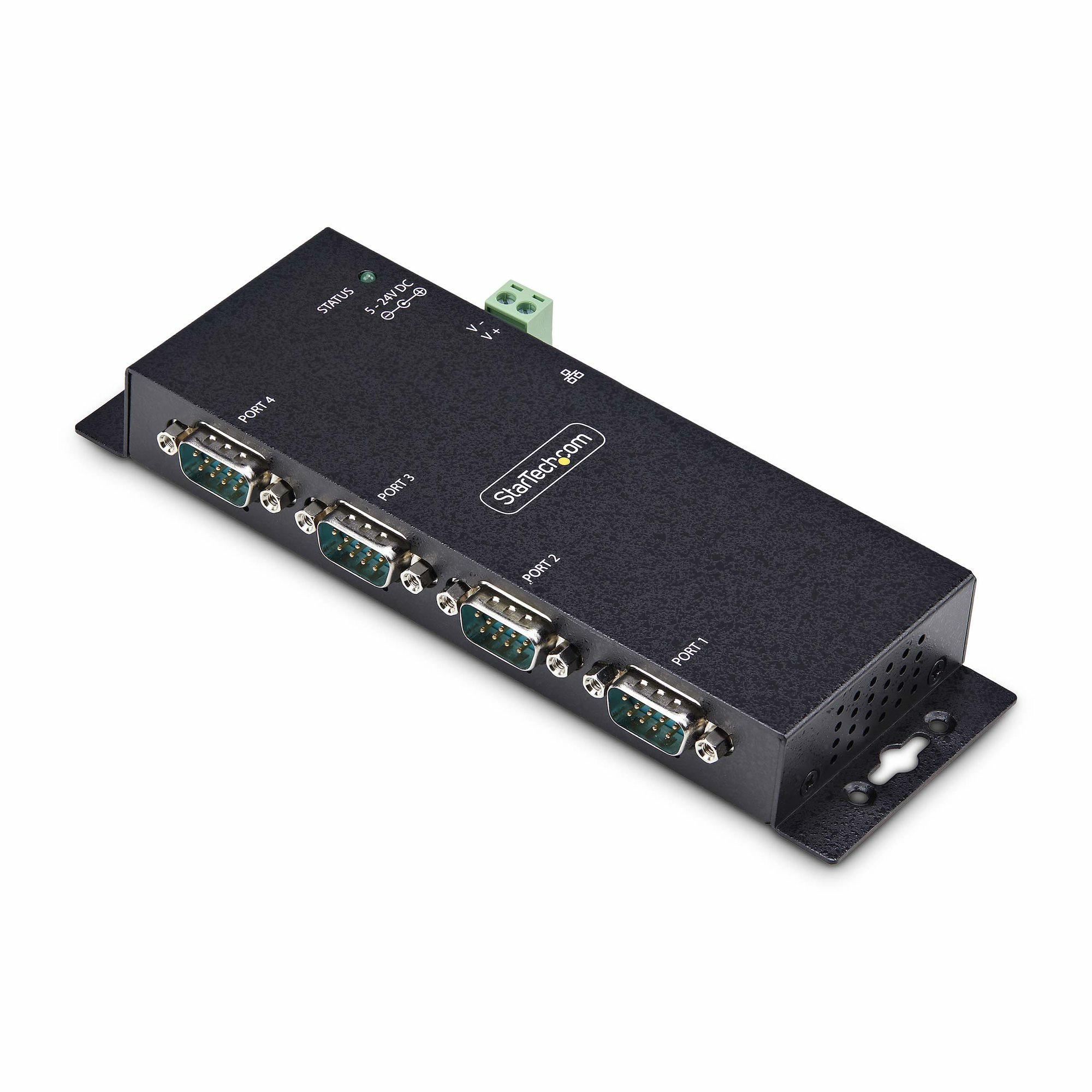
StarTech.com I43-SERIAL-ETHERNET serial converter/repeater/isolator RS-232 RJ-45 Black
Streamline RS-232 connectivity for serial device management over IPThis 4-port serial to IP converter is an efficient solution for remotely connecting and controlling a variety of RS232 serial devices over an IP-based network.Configuration and ManagementThe DB9 to Ethernet Adapter family shares the same Windows Virtual COM Port software and Web User Interface (WebUI) for a unified experience. Users can employ the Windows software to view and manage all device servers within a network and to set up virtual COM ports. Alternatively, the WebUI provides a platform-independent method, allowing users to access and configure these device servers from any operating system. This flexibility ensures that administrators can manage their network of device servers efficiently, regardless of the operating system they are using.The product family includes the following options:• 1-Port Serial to Ethernet Adapter with PoE (I13P-SERIAL-ETHERNET)• 1-Port Serial to Ethernet Adapter (I13-SERIAL-ETHERNET)• 2-Port Serial to Ethernet Adapter (I23-SERIAL-ETHERNET)• 4-Port Serial to Ethernet Adapter (I43-SERIAL-ETHERNET)Flexible Installation and Rugged ChassisDual power options, DC jack and terminal block, provide installation flexibility and convenience. The converter is housed in a full metal enclosure for durability in harsh environments. The DB9 over IP converter includes all necessary wall and DIN rail mounting hardware. Multiple mounting holes along the chassis allow it to be installed in the most useful orientation for any application. Dimensions of 7x2.3x0.9in (178x59.4x23mm).Ethernet and Power OptionsThe TAA-compliant IP-to-serial converter features a single RJ45 10/100 Mbps Ethernet port and supports Telnet Server (RFC2217), TCP Server, TCP Client, and UDP protocols for versatile network connectivity. It also includes a universal power adapter, supports ESD level 4 surge protection, and can supply 5VDC over pin 9 if required.The StarTech.com Advantage
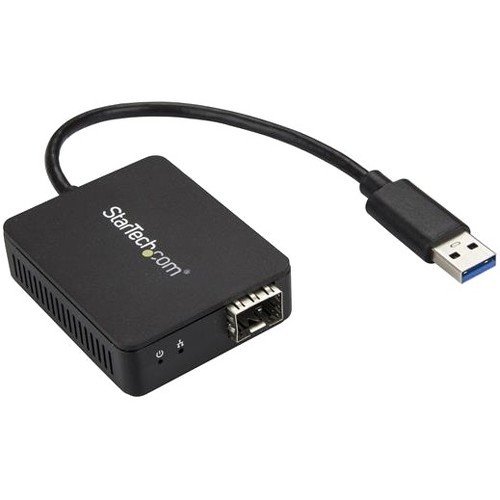
StarTech.com US1GA30SFP network card Fiber 1000 Mbit/s
Connect to a Gigabit Ethernet network through your laptop’s USB-A port using the Gigabit SFP of your choiceThis USB 3.0 to fiber-optic converter lets you utilize the USB 3.0 (Type-A) port on your laptop or tablet to provide a secure fiber network connection. Windows® and Mac compatible, the network adapter provides a Gigabit Ethernet (1000Mbps) optical network connection for portable laptops or tablets, or systems without expansion slots.A flexible solution with an open SFP slotThe open SFP slot enables you to use your preferred SFP transceiver module to meet your networking needs - use an SFP with your desired wavelength, distance, and connection type to achieve an efficient network solution. (SFP sold separately.)Secure fiber-to-the-desk connectivityThis USB to fiber-optic converter provides reliable fiber connectivity while protecting your network from problems with electronic interference - a common issue with copper Ethernet networks. Fiber-to-the-desk connectivity (FTTD) maximizes network security, reducing the risk of data leaks for sensitive information, without compromising network speed and reliability.Easy portabilityCompact and portable, this USB 3.0 to fiber-optic converter is powered directly from the USB port.Plug and playGet up and running quickly. The USB to fiber-optic converter supports certified drivers for Windows, Mac and Linux®. Once the adapter is plugged into a USB port, you simply install the drivers and the adapter is ready to transmit over a fiber network.Enhance Productivity and Device Management with the StarTech.com Connectivity Tools ApplicationDeveloped to improve performance and security, StarTech.com Connectivity Tools is the only software suite on the market that works with a wide range of IT connectivity accessories. The software suite includes:•Mac Address Pass-Through Utility : To improve network security.•Wi-Fi Auto Switch Utility : Enabling users to quickly access faster network speeds via wired LAN.For more information and to download the StarTech.com Connectivity Tools application, please visit: www.StarTech.com/Connectivity-ToolsThe US1GA30SFP is backed by a StarTech.com 2-year warranty and free lifetime technical support.The StarTech.com Advantage
Item(s) added to cart
Netgear GS105E-200NAS ProSafe Plus Switch, 5-Port Gigabit Ethernet - 5 Ports - 2 Layer Supported - Wall Mountable - Lifetime Limited Warranty-None Listed Compliance
MFR: Netgear, Inc
Qty: 1
Part #: GS105NA