

StarTech.com HSB4SATSASBA drive bay panel Black
Connect and hot swap four 3.5in SATA III or SAS II hard drives to your computer system in three 5.25” bays, with support for transfer speeds up to 6 GbpsThe HSB4SATSASBA Removable 4-drive Backplane makes inserting and removing drives fast and easy, by turning three 5.25" bays into a hot-swappable interface for up to four 3.5” SATA or SAS hard drives (HDD).For added versatility, the hot swap bay can interface with SATA I/II/III and SAS I/II hard drives -- an ideal solution for enterprise system applications.For a quick and secure method of installing and removing drives, the backplane features ejection levers and a key-lock design. To help prevent drive failure, the bay provides drive cooling with a built-in fan and excellent heat dissipation with a vented aluminum enclosure.The HSB4SATSASBA is backed by a StarTech.com 2-year warranty and free lifetime technical support.The StarTech.com Advantage
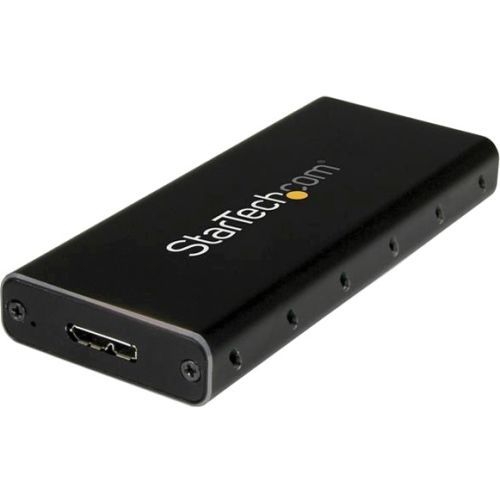
StarTech.com SM21BMU31C3 storage drive enclosure SSD enclosure Black, Silver M.2
Turn your M.2 SATA drive into an ultra-fast, ultra-portable storage solution for USB-C enabled devicesThis compact M.2 SATA SSD enclosure lets you add highly portable data storage to any laptop or computer with a USB-C port - such as MacBook, Chromebook Pixel, Dell XPS laptops, and many others. It turns your SATA M.2 drive into a high-speed storage solution over a USB 3.1 Gen 2 connection, at up to 10Gbps throughput.A truly portable solutionThis slim, pocket-sized enclosure for M.2 NGFF SATA SSDs has been specially designed for mobility, with a small form factor design that fits easily into your laptop bag. Its lightweight yet durable aluminum housing helps to ensure your drive won’t be damaged while you’re on the move.Ventilation holes help to dissipate heat and help ensure an optimum operating temperature.Maximize the performance of your M.2 SATA SSDLeverage the speed of your M.2 NGFF SATA drive with this external enclosure. It delivers USB 3.1 Gen 2 data transfer speeds up to 10Gbps as well as UASP support, so you can achieve higher transfer speeds when you connect it to a UASP-enabled host computer.The enclosure works with tablets, laptops and desktop computers and is compatible with hosts equipped with Thunderbolt 3 USB-C ports.Broad compatibilityThe enclosure is compatible with all of the common M.2 SATA SSDs, and enables you to mount multiple drive lengths, including: 30mm (2230), 42mm (2242), 60mm (2260), and 80mm (2280).The SM21BMU31C3 is backed by a 2-year StarTech.com warranty and free lifetime technical support.The StarTech.com Advantage- Leverage your SATA M.2 SSD to add fast external storage to your USB-C enabled host (USB-C cable included)- Supports USB 3.1 Gen 2 (10Gbps)- Compatible with Thunderbolt 3 USB-C port
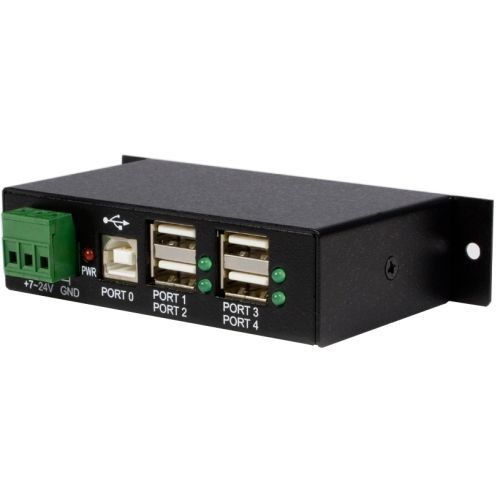
StarTech.com ST4200USBM interface hub USB 2.0 Type-B 480 Mbit/s Black
Industrial-grade | 8kV Air | 4kV Contact | Metal | Mountable | DIN Rail | 480 MbpsThis TAA compliant 4-port industrial USB 2.0 hub gives you the scalability you need in harsh industrial environments, product and repair labs, conference rooms or office workstations. With its rugged industrial grade metal housing, it is designed to meet the advanced requirements of connecting a high number of devices in factories and office environments.Perfect for Harsh EnvironmentsThis industrial USB hub delivers reliable performance with a metal, heavy-duty housing. It supports wide-range 7-24V DC terminal block input, giving you the flexibility to power the hub as required, based on your own power input capabilities.Perfect for factory environments, the rugged hub also supports a wide operating temperature range (0°C to 55°C) and offers ESD protection to each USB port, which can help prevent damage to your connected devices.Connect More USB DevicesDesigned for a high volume of connections, this robust USB 2.0 hub offers four connection ports, for connecting more USB devices and peripherals.Locate the Hub Where You Need It MostWith versatile installation options, you can install the hub where it’s best suited for your environment. With built-in mounting brackets, included DIN mount rails, and an included 2-meter USB host cable, you can securely mount the USB 2.0 hub to most surfaces such as a wall, under a desk or rack.StarTech.com offers an external power adapter, ITB20D3250, sold separately. The universal DC power adapter can be used as an alternative, back up or replacement power supply for StarTech.com’s line of industrial USB hubs.Works with Older USB DevicesThe rugged USB hub supports the full 480 Mbps bandwidth of USB 2.0 and is backward compatible with previous USB devices.The ST4200USBM is backed by a StarTech.com 2-year warranty and free lifetime technical support.The StarTech.com Advantage
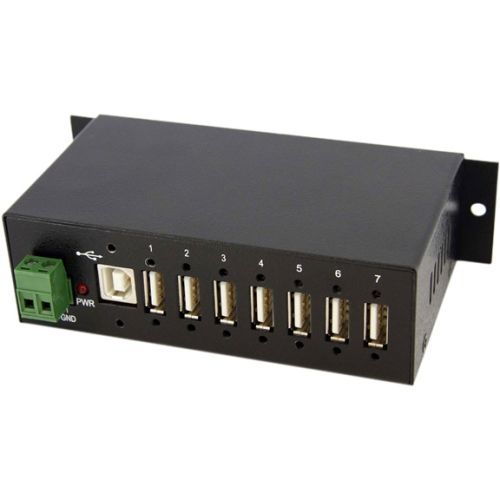
StarTech.com ST7200USBM interface hub USB 2.0 Type-B 480 Mbit/s Black
StarTech.com ST7200USBM. Host interface: USB 2.0 Type-B, Hub interfaces: USB 2.0. Data transfer rate: 480 Mbit/s, Product color: Black, Housing material: Steel. Input voltage: 7 - 24 V. Width: 2.42" (61.5 mm), Depth: 5.24" (133 mm), Height: 1.43" (36.3 mm). Package width: 8.5" (216 mm), Package depth: 5.94" (151 mm), Package height: 2.01" (51 mm)
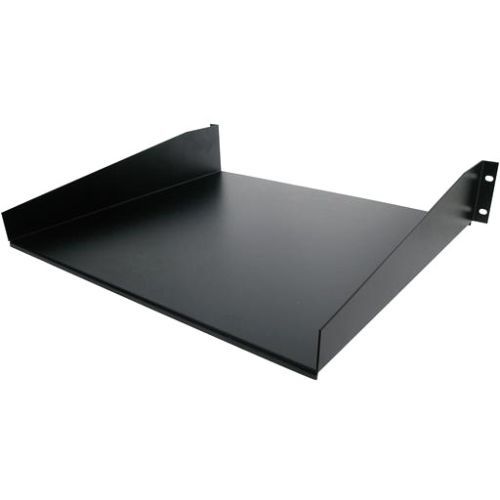
StarTech.com CABSHELF rack accessory Shelf
Add a sturdy, fixed shelf into almost any server rack or cabinetThe Black CABSHELF Standard Universal Server Rack Cabinet Shelf helps to efficiently organize your mission critical computer hardware and accessories by adding a fixed shelf with the capacity to hold up to 20 kg (44 lbs).Universally mountable in any standard front mount 19” server rack or cabinet, the rack shelf is constructed of sturdy, cold-rolled steel for long-term durability.Backed by a StarTech.com Lifetime warranty.The StarTech.com Advantage

StarTech.com PR12GIP-NETWORK-CARD network card Internal Ethernet 2500 Mbit/s
Add a Power-over-Ethernet (PoE) 2.5Gbps Port to a PCI Express-enabled ComputerThis 2.5 GbE network interface card (NIC) features an Intel I225-V chipset with Intel vPro technology, to enhance performance and data integrity. The variable multispeed options (2.5/1Gbps and 100/10Mbps) enable support for both new and legacy network hardware. Utilize existing Cat5e or CAT6 cabling infrastructure while adding NBASE-T (802.3bz) compatibility for seamless integration.Power Over EthernetThe PCIe Ethernet card supports the IEEE 802.3af and IEEE 802.3at (Type 1 and Type 2) standards for Power Sourcing Equipment (PSE) and can deliver up to 48V DC and 25.5W of power to compliant Powered Devices (PD). This flexibility eliminates the need for a separate power supply or Power Over Ethernet injector for remote networked devices such as IP cameras, access control devices, remote kiosks, and wireless access points.Increased Network SpeedThe PCIe network card leverages Intel vPro technology for remote management and troubleshooting capabilities. Improve bandwidth for data-intensive applications, network sharing, FTPs, online or local storage/backup, and the streaming of online content - while reducing network slowdowns. Access up to 2.5GBASE-T speeds using Cat5e (or better) cabling, to maximize existing networks and equipment.Enhance Existing HardwareThe network interface card connects via an available x1 PCI Express 2.0 (or higher) expansion slot. The card ships in a standard-profile bracket and includes a low-profile bracket for installation into small form factor systems and servers. This ethernet NIC card is compatible with Windows, Windows Server, and Linux.This card supports the following advanced features: PXE Boot, WoL, VLAN tagging, 9 K jumbo frame, full-duplex, and Intel vPro technology.The StarTech.com Advantage
StarTech.com Floating Wall-Mounted Shelves
- Floating wall-mount AV shelves are 5mm thick black tempered glass with an unobstructed surface - Shelves are height adjustable along the 13.6in wall bracket - Steel brackets support 15.4lbs per shelf; Aluminum wall bracket is sturdy and lightweight; Tempered glass is more resisitant to scratches/shattering - Mounts to a single wall stud/concrete wall (wood screws/concrete anchors are included) - Cable management cutouts along the wall mount bracket; Pre-scored knockouts on the top/bottom caps
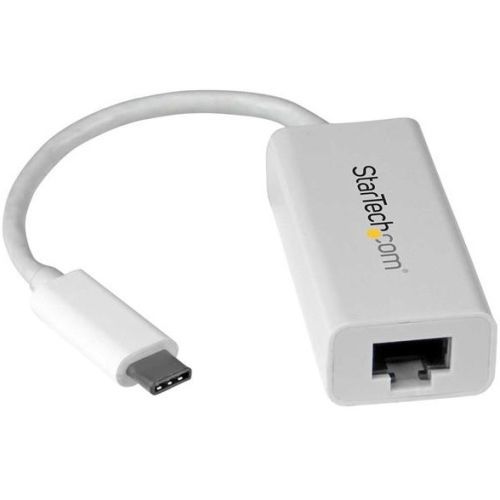
StarTech.com US1GC30W network card Ethernet 5000 Mbit/s
Add a Gigabit Ethernet port to your MacBook, Chromebook or laptop with USB Type-CNow you can easily connect to a Gigabit network through the USB-C™ or Thunderbolt™ 3 port on your laptop or desktop computer. This Gigabit Ethernet (GbE) network adapter provides a reliable network connection without even having to install drivers. It’s ready to go, with native driver support to ensure a quick setup.Powerful Gigabit network connectionsThe USB Type-C™ network adapter supports full Gigabit bandwidth by harnessing the performance of USB 3.2 Gen 1 (5 Gbps). You can access very large files over the network at Gigabit speeds.Native driver support makes installation easyGet up and running quickly. Simply plug the adapter into the USB-C port on your laptop and connect to your network. The network adapter chipset provides native driver support, so you don't have to worry about installing additional software.Trouble-free connections through USB-CThe USB Type-C connector is smaller and easier to use than previous USB connectors. It’s a reversible plug so you can connect to your devices with either side facing up. You can insert the cable the right way every time - without frustration or the risk of port damage.Compact and lightweight for perfect portabilityCompact and portable, this USB Gigabit network adapter is the ideal desktop network adapter or laptop accessory. It’s powered directly from the USB port making it easy to connect when you’re on the go. Plus, its lightweight design makes the adapter the perfect travel accessory for your Chromebook Pixel™ or MacBook.The US1GC30W features a white design that looks great with your Apple Mac and is backed by a StarTech.com 2-year warranty and free lifetime technical support.The StarTech.com Advantage
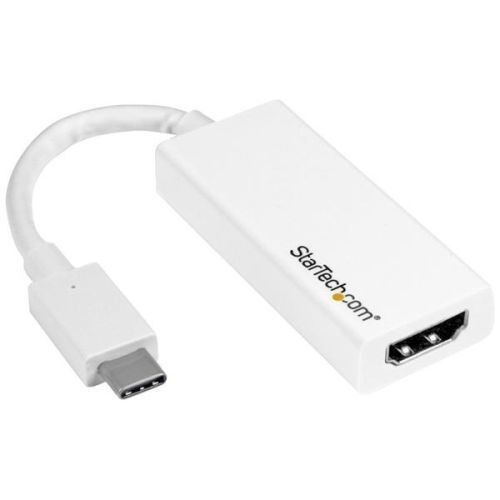
StarTech.com CDP2HD4K60W USB graphics adapter 3840 x 2160 pixels White
Connect your USB Type-C laptop to an Ultra HD 60Hz display or projectorThis USB-C™ to HDMI® adapter lets you output HDMI video and audio from a USB Type-C™ device, with support for Ultra HD 4K at 60Hz. The adapter works with USB-C devices that pass a DisplayPort video signal, and it's also compatible with Thunderbolt™ 3 ports. The USB-C video adapter features a sleek white design that looks great with your USB Type-C enabled MacBook or HP® ENVY 13.Astonishing Picture QualityThe adapter lets you harness the video capabilities that are built into your USB Type-C connection, to deliver the astonishing quality of UHD to your 4K 60Hz display. This makes it easier for you to multitask, while working on the most resource-demanding applications imaginable. With this adapter, you can achieve an output resolution of up to 3840 x 2160p at 60Hz, which is perfect for performing high-resolution tasks such as viewing and editing 4K video.The adapter is backward compatible with 1080p displays, which makes it a great accessory for home, office or other workspace applications.The Perfect Travel CompanionWith its all-white design, this USB-C video adapter is the perfect accessory for your MacBook with USB-C. The adapter is compact and lightweight so it fits easily into your MacBook bag or carrying case, which is great for BYOD (Bring Your Own Device) applications at the office. While the adapter looks great next your Mac and HP ENVY, it also works with any USB-C computer that supports DisplayPort ALT mode, such as your Windows® laptop.Hassle-Free Connection with USB Type-CThis adapter lets you utilize the versatile USB Type-C port on your portable device. USB Type-C is a reversible connector, so it doesn't matter which way you plug it in. The reversible connector means you will always plug it in correctly on your first try. It saves you the hassle and distraction of repeatedly attempting to connect your laptop to a display or projector, while you're delivering a presentation or speaking to a group.The CDP2HD4K60W is backed by a 3-year StarTech.com warranty and free lifetime technical support.Note:• Your USB-C equipped device must support video to work with this adapter.• This product may experience display detection issues with certain models of Mac. If you’re experiencing issues please contact our technical support. For hassle-free compatibility with Mac we recommend CDP2HD4K60H.The StarTech.com Advantage
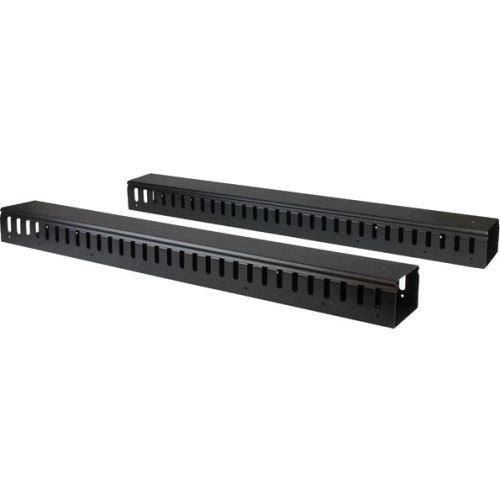
StarTech.com CMVER40UF rack accessory Cable management panel
Organize your cables in any rack or cabinet that’s 40U or larger, using this vertical cable management panelThis 6-foot vertical cable manager (2 x 3-foot panels) gives you a simple and space-efficient way to organize the cables in your server rack. You can attach the two-panel cable manager vertically into your rack, to neatly guide cables between equipment that’s mounted at different heights.The 0U cable manager offers versatile installation options and is compatible with most racks that are 40U or larger. The panels feature a 0U design that doesn’t take up any mounting space, and with simple tool-less installation, they’re easy to attach or reposition as necessary.Improve the appearance and accessibility of your rackThe vertical cable manager uses a finger-duct method of cable management, which includes a cover panel that neatly conceals the cables that are running through it.Having well organized and routed cables not only improves the appearance and accessibility of your rack, it also makes it easier for you to install, access and maintain rack components.Configurable installation optionsThis versatile cable management system consists of two 3-foot panels, so you can configure each panel as needed to accommodate all of your equipment. You can install the individual panels end to end (top to bottom) so that they span the height of your rack, or on either side or the front and back of your rack to manage cables in multiple locations. The two-piece cable manager runs vertically along the side of your rack, to neatly guide cables between equipment that’s mounted at different heights. This provides a tidy and well-organized way to run cables from devices mounted toward the bottom of your rack to other devices mounted near the top, without leaving a mess of cables hanging in between.Hassle-free compatibility with your rackFor maximum compatibility with virtually any server rack, you can install the cable-management panels using mounting holes that are commonly found on most rack equipment. The tool-less mounting method attaches the cable management panel to the keyhole-shaped mounting holes that are built into your rack.The horizontal mounting rail method attaches the cable management panel to the horizontal mounting rails that run along the side of your rack.For racks that don't support these installation methods, you can also mount the cable management panels through other means, such as using the non-standardized holes found on your rack walls and enclosures, or the rack units on equipment mounting rails.Protect your equipmentRouting your cables through a panel reduces the tension that's often put on cables. This prevents cable damage or connection loss, and reduces strain on equipment ports, preventing damage to your expensive rack-mounted devices.Properly routing cables also improves airflow, which passively cools devices stored in your rack, helping to keep your equipment running at optimal temperatures to reduce the probability of damage caused by your rack overheating.The CMVER40UF is backed by a StarTech.com 2-year warranty and free lifetime technical support.The StarTech.com Advantage- Improve the appearance of your rack using a vertical cable manager with finger ducts- Promote passive cooling in your rack by organizing cables to improve airflow- Make your rack more accessible by organizing your cables for hassle-free maintenance and scalability
Item(s) added to cart
Netgear GS105E-200NAS ProSafe Plus Switch, 5-Port Gigabit Ethernet - 5 Ports - 2 Layer Supported - Wall Mountable - Lifetime Limited Warranty-None Listed Compliance
MFR: Netgear, Inc
Qty: 1
Part #: GS105NA