
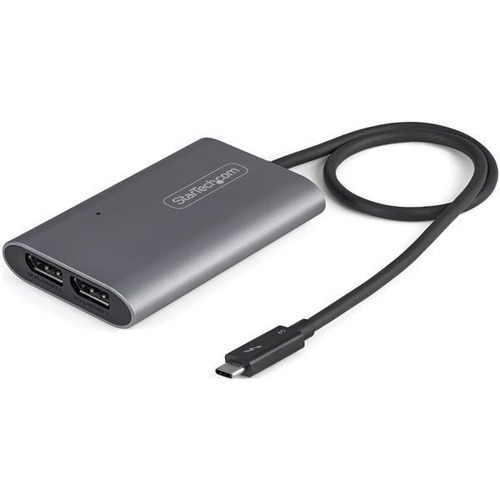
StarTech.com TB32DP14 USB graphics adapter 7680 x 4320 pixels Silver
DisplayPort™ 1.4 Video Splitter | HBR3 Adapter | HDR | 2 x 4K 60Hz | Mac & Windows®This high-performance Thunderbolt™ 3 to dual DisplayPort™ adapter lets you add two 4K 60Hz DP monitors to your Windows or MacBook computer through a single Thunderbolt 3 port, or it can be used to connect your TB3 port to an 8K display. The adapter features a built-in extended 18 inch (46 cm) cable that provides you with more flexibility when setting up your workstation.Incredible 8K Picture QualitySupporting four times the resolution of 4K, this 8K DisplayPort 1.4 adapter delivers the stunning quality of UHD at resolutions up to 7680×4320 on a single monitor and supports multi-display applications at lower resolutions and refresh rates (2 x 4K 60Hz), making it a great addition to your home, office or other work environments, while future-proofing for 8K implementation.The adapter also features HBR3 functionality and with HDR support, you can enjoy lifelike images with increased contrast, brightness and colors.Won't Drain Your ResourcesThis DP 1.4 multi-display adapter helps to keep your system running at peak performance. Unlike USB external video solutions, Thunderbolt 3 lets you run Ultra HD resolutions on both displays without draining system resources.Ideal for On-the-Go UseThis lightweight video adapter is highly portable, with a small-footprint design. It fits perfectly in your carrying case, making it a great accessory for your MacBook or other Thunderbolt 3 device, especially when you're working away from the office.The StarTech.com Advantage
Belkin F4U058TT interface hub 5000 Mbit/s Black
The USB 3.0 4-Port Hub offers transfer speeds 10 times faster than USB 2.0. USB 3.0 ports also facilitate faster mobile-device charging than USB 2.0.
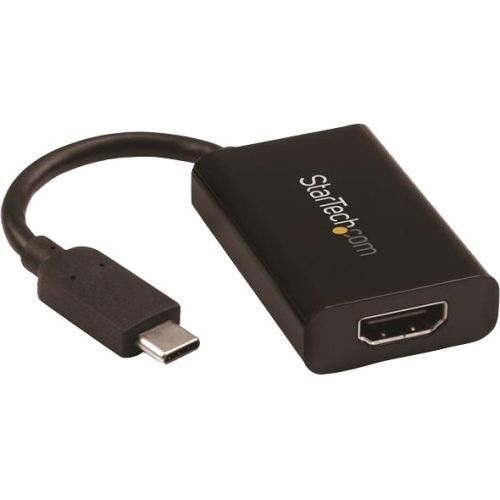
StarTech.com CDP2HDUCP USB graphics adapter 3840 x 2160 pixels Black
USB Type C to HDMI Adapter | Thunderbolt 3 Compatible | 4K 60 HzThis USB-C to 4K HDMI adapter connects an HDMI display to your laptop or MacBook with USB Type-C. The USB C to HDMI adapter features USB Power Delivery, so you can power your laptop while outputting video, using the same USB-C port. The adapter is also available in white (CDP2HDUCPW), so you can choose an adapter that matches the style of your laptop.Power and Video in One Port with USB Power DeliverySmaller and lighter laptops are great for portability but you’re left with fewer connectivity ports. This USB-C video adapter supports USB Power Delivery up to 60 watts and features an additional USB-C port, so you can charge your laptop using its USB-C power adapter, even while you output video. Many laptops like Dell XPS and MacBook Pro support charging through your USB-C port with USB Power Delivery, check your specifications to confirm compatibility.Enjoy Astonishing Picture Quality with Video Resolutions up to 4K 60HzTo ensure the UHD quality of your video signal is maintained the USB Type C to HDMI adapter supports HDMI resolutions up to 3840 x 2160 60Hz, including popular high-definition resolutions like 1080p and 720p.Stylish Connectivity for Your Ultrabook or Any LaptopThis USB C to HDMI converter has an all-black housing and built-in USB-C cable designed to match your Ultrabook or laptop. The adapter is compatible with any device that supports USB-C DP Alt Mode.The CDP2HDUCP is backed by a 3-year StarTech.com warranty and free lifetime technical support.The StarTech.com Advantage- HIGH PERFORMANCE: USB-C (DP 1.2 Alt Mode) to HDMI 2.0 active adapter lets you connect a single HDMI display supporting 4K 60Hz UHD (4096x2160/3840x2160); compatible w/ HDCP 2.2/1.4 & Thunderbolt 3- 60W PD PASS THROUGH CHARGING: This black USB-C video converter with PD allows up to 60W Power Delivery to power & charge your laptop while displaying video on an HDMI display using a single USB-C port- COMPATIBILITY: Works w/ DisplayPort over USB Type-C (TB3 compatible) laptops like Lenovo ThinkPad X1 Carbon, Dell XPS 13, HP EliteBook, TB3 MacBook Pro 13 / Air, Surface Book 3/Laptop 3, Chromebook
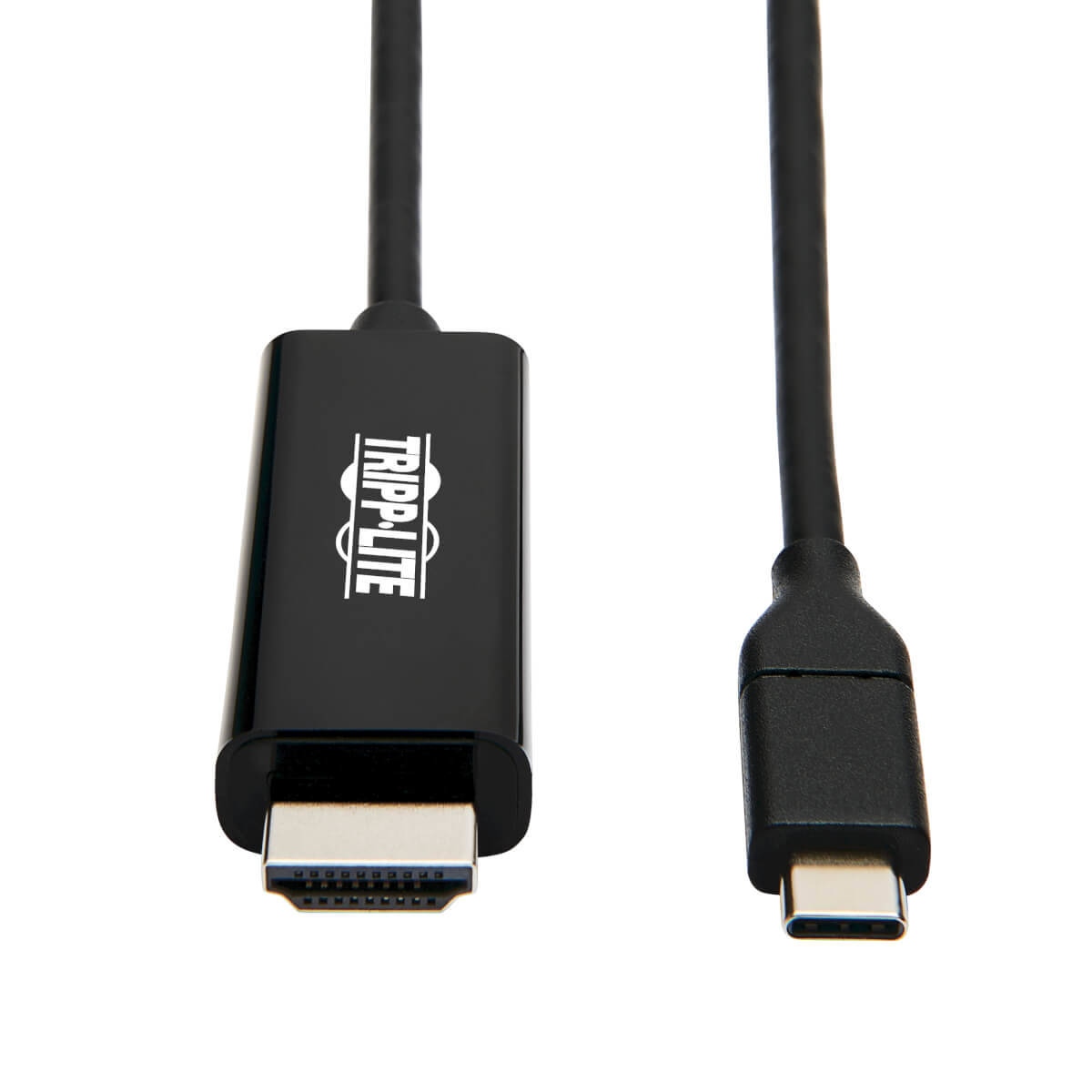
Tripp Lite U444-009-H4K6BE USB graphics adapter 4096 x 2160 pixels Black
USB-C to HDMI Adapter Connects to Your Computer’s USB-C or Thunderbolt 3 PortThis USB Type-C to HDMI adapter (M/M) connects an HDMI monitor, projector or television to the USB-C or Thunderbolt 3 port on your desktop computer, tablet, laptop, notebook, MacBook, Chromebook or smartphone. It’s an ideal connector for multitasking, presenting video at trade shows and conferences, editing documents, playing online games and watching movies on a larger 4K screen. No other adapter or cable is needed to complete your 4K connection.Supports USB-C DisplayPort Alternate Mode for Converting Audio/Video SignalsBy connecting the USB-C cable to a source device that supports USB DisplayPort Alt Mode, you can output 4K video and digital audio to an HDMI monitor, television or projector without installing special software drivers.Enjoy the Clarity of True 4K HDMI Video with Multi-Channel Audio and 4:4:4 ColorThis 4K HDMI cable supports Ultra HD video resolutions up to 4K x 2K (4096 x 2160) at 60 Hz for crystal-clear picture and sound, as specified in HDMI 2.0. It’s compatible with HDCP 2.2 as well as backwards compatible with HDCP 1.4. It also supports 4:4:4 chroma subsampling for top-level PC gaming or using your HDTV as a PC monitor, as well as 36-bit Deep Color (12 bits per channel).Reversible USB-C Connector Attaches in Either DirectionUnlike traditional USB cables that connect in only one direction, the reversible USB-C male connector plugs into a USB-C or Thunderbolt 3 port in either direction for a fumble-free connection every time.Ready to Use Right from the Package, So You Can Plug and Play ImmediatelyThe plug-and-play USB Type-C to HDMI cable requires no software or external power. Just connect the USB-C plug to the USB-C or Thunderbolt 3 port on a source device that supports USB DisplayPort Alternate Mode, and connect the HDMI plug to your display. The nine-foot USB 3.1 Gen 1 cable is backward compatible with previous USB generations, so you can use it with legacy equipment.
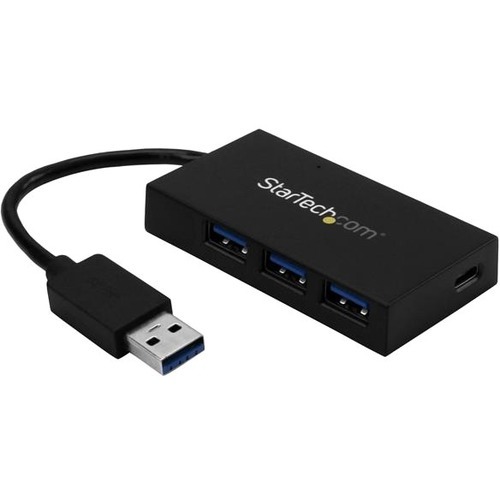
StarTech.com HB30A3A1CFB interface hub USB 3.2 Gen 1 (3.1 Gen 1) Type-A 5000 Mbit/s Black
Add four USB 3.2 Gen 1 (5Gbps) ports to your laptop, including three USB Type-A ports, and one USB Type-C portHere’s an easy way to connect a wider range of peripherals to your laptop. This TAA compliant 4-port USB 3.2 Gen 1 hub turns your laptop’s USB-A port into three USB-A ports (5Gbps), and one USB-C™ port. The hub is USB powered, so you can connect devices virtually anywhere you work or go.Now, you can use your laptop’s traditional USB Type-A port to expand your connectivity, and connect your newer USB Type-C™ devices to your laptop.Expand your USB connectivityThis USB 3.2 Gen 1 hub lets you expand your USB connection options using the USB-A port on your computer. It offers three USB-A ports and one USB-C port, so you can connect traditional USB devices now, while still being able to connect USB Type-C devices in the future.It’s the ideal way to connect your new USB-C equipped device to your laptop’s traditional USB-A port.Add USB ports to your laptop, anywhere you goWith a compact and lightweight design, the USB-powered hub is tailored for mobility. It easily tucks into your carrying case and expands your connectivity when traveling.This versatile USB hub takes up minimal space on a desk, so you can use it in hot-desk or BYOD (Bring Your Own Device) environments.Save time and moneyThe 4-port USB 3.2 Gen 1 hub can help if you need a way to connect your newer USB-C peripherals to your existing laptop. Now you can access your USB-C device while avoiding the cost of purchasing a newer laptop that features a USB Type-C port.The bus-powered hub installs quickly with no additional drivers or software required, and it’s compatible with virtually all operating systems.The HB30A3A1CFB is backed by a 2-year StarTech.com warranty and free lifetime technical support.The StarTech.com Advantage
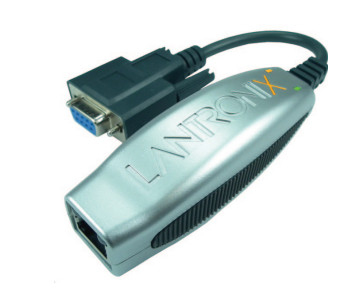

C2G C2G54463 USB 2.0 480 Mbit/s Black
The 4-Port USB-A Hub with 5V 2A Power Supply expands the USB capabilities of a computer by providing four powered USB-A ports, so you can connect more peripherals and transfer data up to 480Mbps – ideal for supporting keyboards, mice, flash storage drives, and other low-powered USB devices. With a slim form factor, the hub can easily fit on your desktop to reduce clutter and keep those connected cables organized. This hub is a perfect accessory for the Microsoft® Surface® Book 2, Chromebooks, and other leading laptops and tablets.The 5V 2A power supply provides power to your connected devices, so your computer doesn't have to. With a transfer rate of up to 480Mbps, it is fully backward compatible with older USB 1.1 devices. No need to worry about software or drivers to install, the plug-and-play feature makes it simple to just connect and start using right away.
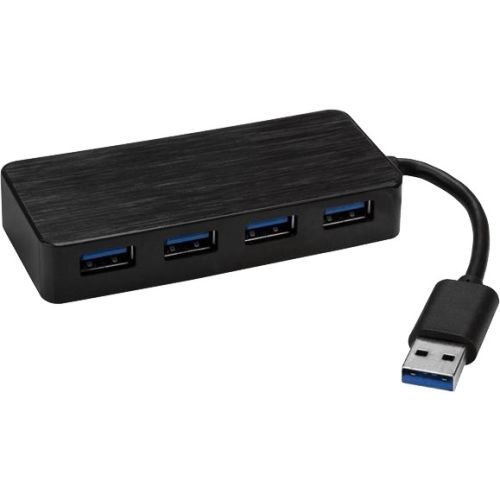
StarTech.com ST4300MINI interface hub USB 3.2 Gen 1 (3.1 Gen 1) Type-A 5000 Mbit/s Black
Add four external USB 3.2 Gen 1 ports and phone charging capability to your laptop with this portable hubThis 4-port USB 3.2 Gen 1 hub turns a single USB port on your laptop into four USB-A ports and features a compact, USB-powered design that makes it perfect for travel. For devices that demand extra power, the hub also comes with an external power adapter.Add USB ports, virtually anywhere you goWith its compact and lightweight design, this 4-port USB hub is tailored for mobility. You can easily tuck it into your laptop bag when traveling, which makes it easy to expand your connection options almost anywhere you need to. It’s perfect for connecting common USB devices such as a mouse, keyboard, or flash drive, right when you need them.You can install the versatile USB 3.2 Gen 1 hub virtually anywhere, because it takes up minimal space on a desk, and fits perfectly in hot-desk or BYOD environments.Provide more power when neededThis self-powered USB hub comes with an external power adapter to support power-hungry USB devices, such as larger external drives and enclosures, which require more power than USB power can provide on its own.With the power adapter, you can also charge your smartphone on one of the available ports. Each USB-A port supports USB Battery Charging Specification 1.2. It’s recommended to only charge one device at a time.Universally supported, for easy installationThis USB 3.2 Gen 1 hub will work with a wide range of computers because it requires no additional software or drivers. It installs automatically when you connect it to your laptop or desktop, so you can be up and running quickly. It also works with a range of operating systems such as Windows®, macOS, Linux® and Chrome OS™, so it’s multi-platform compatible.The ST4300MINI is backed by a StarTech.com 2-year warranty and free lifetime technical support.The StarTech.com Advantage

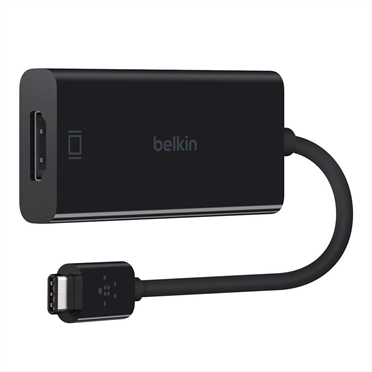
Item(s) added to cart
Netgear GS105E-200NAS ProSafe Plus Switch, 5-Port Gigabit Ethernet - 5 Ports - 2 Layer Supported - Wall Mountable - Lifetime Limited Warranty-None Listed Compliance
MFR: Netgear, Inc
Qty: 1
Part #: GS105NA