
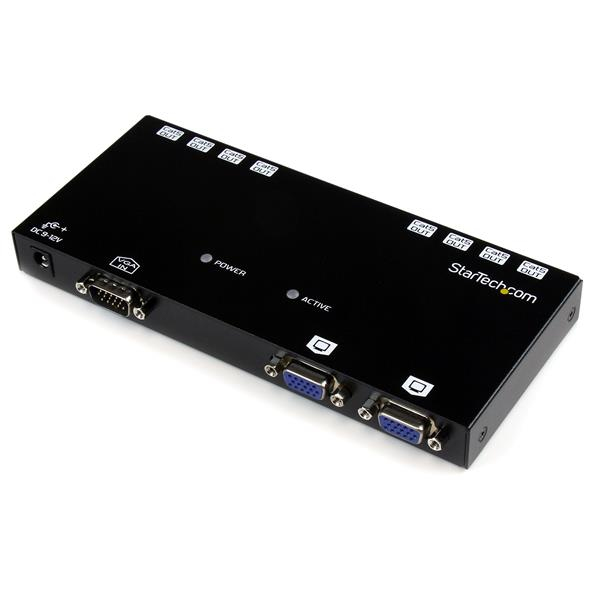
StarTech.com ST1218T AV extender AV receiver Black
Extend and distribute a VGA signal to up to 8 displays over Cat5 cableThe ST1218T 8 Port VGA Video Extender over Cat 5 is designed for use with our ST121 VGA over Cat 5 extension series, offering convenient VGA video distribution at distances of up to 492 feet (150 meters) using standard Cat 5 (or better) cabling. Comprised of the transmitter unit only, the ST1218T requires one ST121R" text="Receiver Unit (ST121R) per display that you are connecting. For added versatility, the ST121EXT" text=" VGA over Cat 5 Repeater (ST121EXT) can be used to extend the distance between the transmitter and receiver by an additional 492-feet (150 meters), for a total distance of 984-feet (300 meters). Similarly, up to 3 repeater units can be used between transmitter and receiver, enabling you to connect monitors at each repeater, while still extending the total distance. Backed by a StarTech.com 2-year warranty and free lifetime technical support.The StarTech.com Advantage- Cat 5 extension enables you to make use of existing Ethernet infrastructure wiring to extend VGA video- A pure hardware design provides an easy installation and setup, with no software or drivers required- Support for cascading multiple transmitter units, and the use of repeaters for additional distance, providing a scalable system for VGA distribution
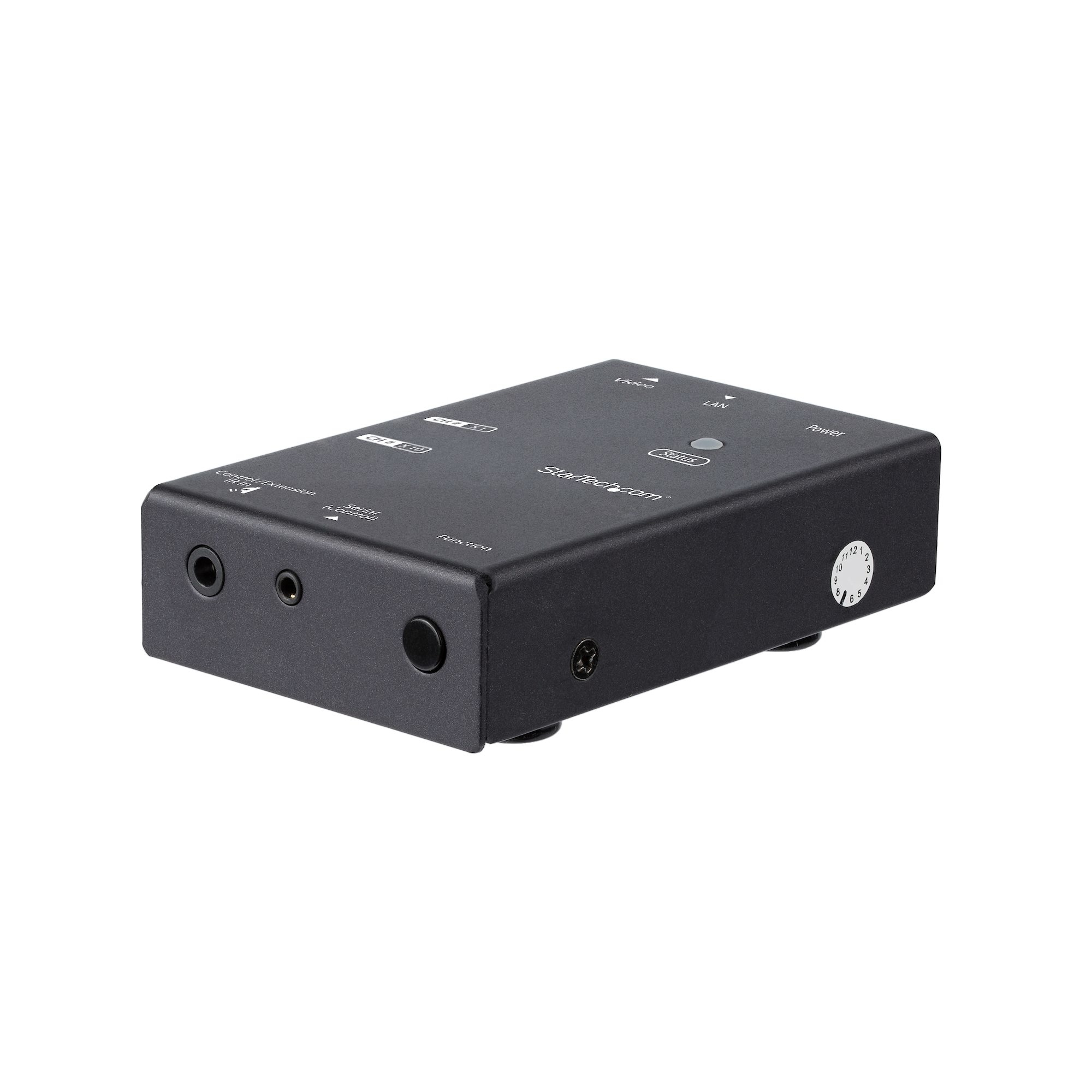
StarTech.com ST12MHDLNHR AV extender AV receiver Black
Broadcast your HDMI signal to multiple locations throughout your site, using your existing network infrastructureThe HDMI® over IP receiver works with the HDMI over IP Extender (ST12MHDLNHK) to distribute HDMI to an additional remote display. You can add multiple receivers (each sold separately) to easily distribute HDMI to multiple locations.Customize your video distribution with a scalable solutionWith additional receivers, you can scale your HDMI over IP kit installation to suit your needs. In a point-to-multipoint setup, you can route HDMI over IP to as many receivers as you need. For additional scalability, you can combine up to 99 different kits (ST12MHDLNHK) to create a multipoint-to-multipoint setup, where you can route different HDMI source signals to different displays. Mounting hardware and IR extenders are included for each transmitter and receiver to ensure tidy, professional installation and hassle-free remote operation.Get brilliant video at HD 1080pThe receiver maintains your HD video signal, supporting resolutions up to 1080p. Maintaining your HD quality over IP makes it easy to distribute dynamic digital signage throughout your site to attract and engage customers.Save your network bandwidth with video compressionUnlike some video-over-IP solutions that consume your bandwidth, this HDMI over IP solution uses video compression to distribute high-quality HDMI over your local area network, with minimal bandwidth requirements. Extending your HDMI using compression saves your network resources, avoiding the hassle of a separate video network.The ST12MHDLNHR is backed by a 2-year StarTech.com warranty and free lifetime technical support.The StarTech.com Advantage

StarTech.com DPBOOST AV extender AV repeater Black
Amplify the strength of your DisplayPort signal to extend your video source up to 65 ft. over standard DP cablingThis DisplayPort signal booster lets you increase the signal strength of your DP video source using standard DisplayPort cables. You can achieve resolutions up to 4K at 60Hz, and depending on your desired resolution, the booster supports varying distances up to 65 ft. (20 m) away at 1080p 60Hz resolution. For inline installations, you can place the booster between two DisplayPort cables, up to 50 ft. in length at the video input, and up to 15 ft. in length at the video output.Maintains Ultra HD 4K video signalsWhen extending DisplayPort over long distances using standard video cabling, higher resolutions can become unavailable. Using the DP signal booster ensures that you can depend on UHD resolutions up to 4K at 60Hz at up to 22 ft. (7 m). You can achieve even greater distances with lower resolution support -- up to 4K at 30Hz, at up to 42 ft. (13 m), and 1080p at 60Hz at up to 65 ft. (20 m).Easy and discreet installationWith its small form factor, the DisplayPort booster is easy to hide, for a discreet installation. By extending your video signal using standard DP cables, the DisplayPort booster is a cost-effective alternative to more expensive extension systems that require the installation of a CAT5 or CAT6 cabling infrastructure.Compatible with varying distancesThe booster makes it easy to adjust your DisplayPort signal strength based on the distance of your cables, with equalization adjustment buttons. This means that you can adjust the amplification of your DisplayPort signal, to ensure your DisplayPort signal will be flawless even at distances up to 65 ft. (20 m). Support for varying distances makes the booster perfect for multi-device deployment across large institutions, such as boardrooms in corporate offices, classrooms in schools, or waiting rooms in hospitals, as these applications may require varied distances in different rooms.The DPBOOST is TAA compliant and backed by a 2-year StarTech.com warranty with free lifetime technical support.The StarTech.com Advantage
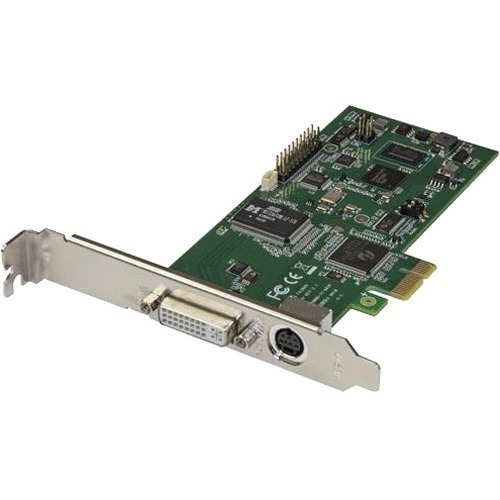
StarTech.com PEXHDCAP60L2 video capturing device Internal PCIe
Use this dual-profile internal capture card to record 1080p video at 60 frames per secondThis PCIe video capture card lets you record 1080p HD video and 2-channel stereo audio (HDMI/RCA) to your computer system. With multiple video inputs, including HDMI, DVI, VGA and component, this all-in-one capture card can record original content from virtually any device.You can install the card into any low-profile or full-profile PCIe slot, including fixed workstations such as 2U or 4U rack-mounted servers or media centers. Installing your capture device internally through PCIe ensures a secure and reliable way to capture video.Seamless picture quality at 60 frames per secondWith frame rates up to 60fps (frames per second) and H.264 encoding, this card is perfect for capturing high-definition video for editing, compiling, and archiving. The capture card supports 16:9 and 4:3 aspect ratios and lets you record lossless video at 60fps. This ensures that every frame of content is saved, unlike 30fps capture devices that only capture half the action.60fps exactly matches the output of most computer video cards, which makes this capture card great for recording the output from your PC, server, or point-of-sale station, when creating software training and tutorial videos.H.264 encoding for wide device compatibilityThe included software encodes captured video in H.264 -- the most widely adopted video compression standard in the world. This ensures your video captures are compatible with most device platforms such as PC, Mac, iOS and Android™.The software not only lets you capture and export videos, but it also lets you take screenshots, schedule recordings and instantly stream your video source over the internet using online services such as Twitch, and others.This HD capture card can record lossless raw video, which makes it compatible with Microsoft® DirectShow. This means you can record video using your preferred third-party DirectShow software, such as Open Broadcaster Software (OBS).Flexible input solutions for convenient compatibilityThis adapter card features DVI-I signaling and multiple adapters to support many video input types. With multiple A/V input options, you can capture video from a wide variety of sources including HDMI, DVI, VGA, and component. You can also expand the capabilities of this capture card by using A/V adapters to record from other video sources such as SDI, using our SDI to HDMI converter (SDI2HD) (sold separately). Support for a variety of A/V devices and signals is ideal for archiving analog video footage into a digital database.The capture device also includes easy-to-use software that’s compatible with NTSC and PAL systems - a must-have for professional video archiving applications where source media can change from project to project.Notes:This capture device will not record digitally encrypted content.Computer System Requirements:Expansion slot: PCI-Express 2CPU: i5-3330 or higherRAM: 4GB or higherOperating system: Microsoft® Windows® 11, 10, 8.1, 8The StarTech.com Advantage
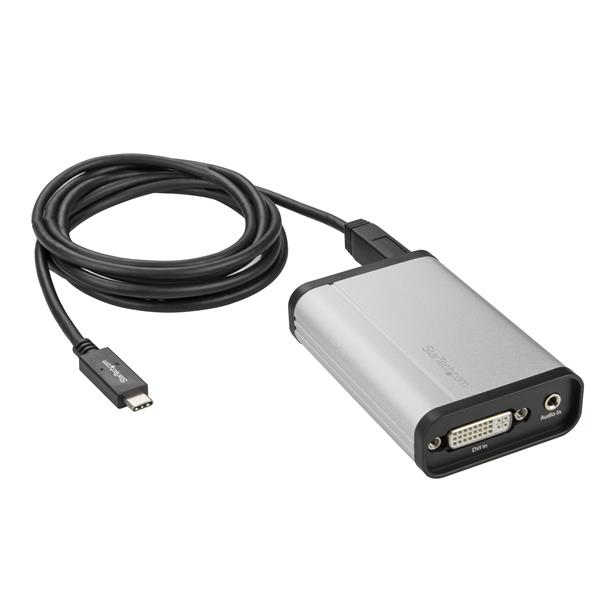
StarTech.com USBC2DVCAPRO video capturing device USB 3.2 Gen 1 (3.1 Gen 1)
DVI Recorder | USB 3.0 | USB-A Cable Included | For Windows® and MacThis DVI to USB-C™ video capture device works as an external USB capture card to record high-definition DVI video to your USB-C, USB-A or Thunderbolt 3 computer. With an aluminum enclosure, this device is built strong for fixed-location or on-the-go capture. It offers a separate 3.5 mm audio input for accompanying audio or voice-overs, and a DVI} pass-through port for connecting a monitor to review the video as it’s captured.Easy Video Recording on Windows and MacThe included software makes USB-C DVI capture easy by turning your computer into a DVI recorder. Using a widely adopted codec, videos saved in StreamCatcher™ work with almost any video player and require no converting or editing.On Windows, you can live broadcast your video over the internet, using Twitch™ or other third-party video streaming platforms, with the included software.Capture HD Video at 1080p 60fpsWith this DVI to USB video capture device, you can record meetings, presentations, conference calls and security footage, saving 1080p HD video at 60fps directly to your computer for easy editing and sharing.DirectShow Compatibility on WindowsWith this DVI to USB 3.0 video capture device, you can record raw/lossless video using any third-party DirectShow™ compatible software, such as Open Broadcaster Software (OBS).The StarTech.com Advantage
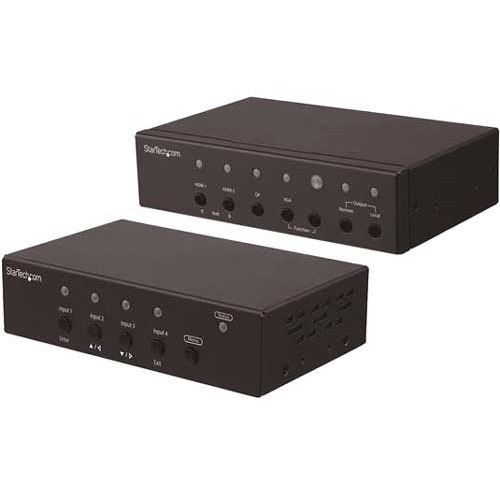
StarTech.com ST121HDBTSC AV extender AV transmitter & receiver Black
Connect four video sources to a remote HDMI display over CAT5e/CAT6 cabling, and easily scale and switch between HDMI, DP or VGA video sourcesThis multi-input HDBaseT™ extender kit extends your A/V signals to a remote location up to 230 ft. (70 m) away. It features a built-in switch and scaler, so you can choose which video source is output from four independent video sources (2 x HDMI, 1 x VGA and 1 x DisplayPort).Seamless Integration and OperationThe HDBaseT extender’s built-in converter switch lets you connect two HDMI sources, a VGA source, and a DP source to the same remote and local HDMI display. You don’t need adapters or scalers, or a video switch.Along with manually switching your video source with easy-to-use buttons, the video extender ensures hassle-free operation with two auto-switching modes: auto-detect switching, which detects and selects a newly connected device, and priority selection, which lets you choose which port is activated by default, for automatic switching.Built-In Video ScalingThis HDBaseT extender features a built-in scaler that scales the image to 1080p, so you can rest assured your HDMI display will intuitively work with any source that’s connected through it. Scaling is easy to do, with an intuitive OSD that's accessible using buttons on the remote receiver. Newer HDMI displays no longer support legacy resolution video signals. Without support for these common VGA resolutions, your source may not work with your new HDMI display.High-Definition 1080p Video at 230 Feet (70 Meters)The extender kit maintains your HD picture quality, even at 230 ft. (70 m) away from your video source, ensuring you can provide the best possible viewing experience.The ST121HDBTSC is backed by a 2-year StarTech.com warranty and free lifetime technical support.The StarTech.com Advantage
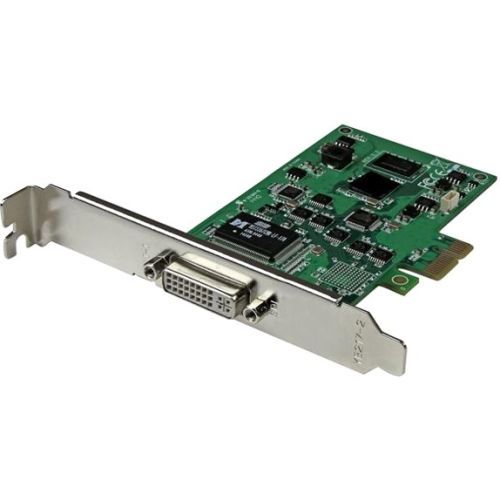
StarTech.com PEXHDCAP2 video capturing device Internal PCIe
Capture an HD audio-video source, through a low-profile or full-profile PCI Express slotThis all-in-one PCI Express capture card lets you record 1080p HD video and stereo audio to your computer system. With multiple video inputs including HDMI, DVI, VGA and component, the capture card can record original content from various sources such as computers, camcorders, security systems, POS terminals, and servers. With H.264 encoding, this is the perfect solution for capturing high-definition video for editing, compiling, and archiving.You can install the card into any low-profile or full-profile PCIe slot, including fixed workstations such as 2U or 4U rack-mounted servers or media centers. Installing your capture device internally through PCIe ensures a secure and reliable way to capture video.Capture video in 1080p HDYou can capture the same quality delivered by your video source, by recording video in high-definition 1080p at 30 frames per second. Unlike some capture devices that can only record at low-resolution 480p, this capture card matches the output of most consumer A/V equipment.Now, you can capture the output from your computer, server, or POS station when creating software training and tutorial videos, without having to put up with inferior video quality.H.264 encoding for wide device compatibilityThe software that's included with the capture card encodes in H.264 -- the most widely adopted video codec in the world. Although the card is designed specifically for Windows® computers, H.264 encoding ensures the video files you save will be compatible with almost any video player such as such the media software on your PC, Mac, iOS and Android™ devices, with no editing or converting required.H.264 is also widely supported by most software titles including Adobe Premiere® and Windows Media® Encoder. Plus, the software not only lets you capture and export videos, but it also lets you take screenshots, schedule recordings and instantly stream your video source over the Internet using online services such as Twitch®.Flexible input solutions for convenient compatibilityWith multiple A/V input options, the capture card lets you record video from a wide variety of sources including HDMI, DVI, VGA, and component. You can also use this capture card with A/V adapters to record other video sources such as SDI using our SDI to HDMI converter(SDI2HD). Support for a variety of A/V devices is ideal for archiving analog video footage into a digital database.The device also includes easy-to-use software that’s compatible with NTSC and PAL systems, making it a must for professional video archiving applications where source media can change from project to project.Note: This capture card will not record digitally encrypted content.Computer System Requirements:• Operating system: Microsoft® Windows® 8 and up• CPU: i3 dual core 2.8GHz or higher• Memory: 2 GB• An available PCI Express slotThe StarTech.com Advantage
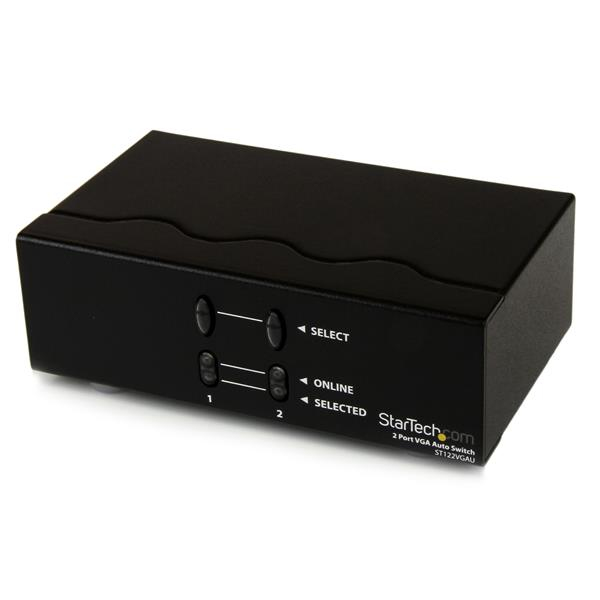
StarTech.com ST122VGAU video splitter VGA
Switch between 2 VGA signals on a single display; features automatic, prioritized switchingThe ST122VGAU VGA Auto Switcher lets you share a display between two computers and prioritize your VGA signals. The VGA switch features a primary and secondary VGA input port, and automatically outputs the signal from the primary input. When the signal feed connected to the primary input port is cut, the switcher automatically defaults to the video signal on the secondary VGA input port.Designed for maximum control and versatility, the VGA Auto switcher also offers manual control of connected signals with easy-to-use front panel buttons that allow you to toggle between video sources.The StarTech.com Advantage
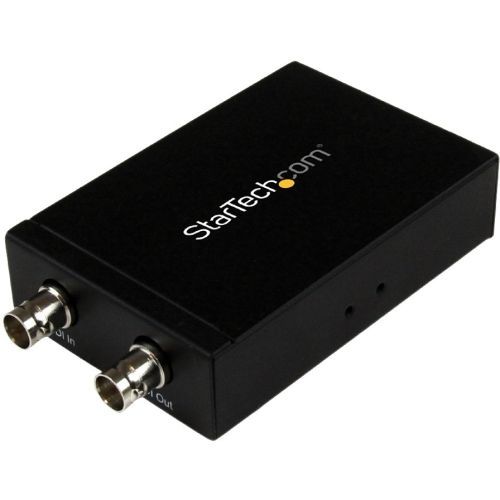
StarTech.com SDI2HD video signal converter
Connect your HDMI Display to an SDI Video SourceThe SDI2HD 3G SDI to HDMI converter enables you to turn a 3G SDI video signal into an HDMI video output. The adapter features a built-in 3G SDI daisy chain port, giving you the ability to further extend the SDI source to up to 755ft (230m) over standard coaxial cable, for large scale HD-SDI video broadcasting distribution.To ensure you maintain perfect high-definition video quality the SDI-HDMI converter features supports resolutions up to 1080p, allowing you to convert SDI to HDMI without sacrificing video quality.For hassle-free installation, the SDI to HDMI converter offers a plug-and-play solution that includes pre-installed mounting brackets and requires no software or driver installation.The SDI2HD is backed by a StarTech.com 2-year warranty and free lifetime technical support.The StarTech.com Advantage- Increase scalability, with built-in 3G SDI daisy chain port- Maintain High-definition video quality while converting from 3G SDI to HDMI, with support for resolutions up to 1080p- Hassle-free installation, with pre-installed mounting brackets and no software or drivers required
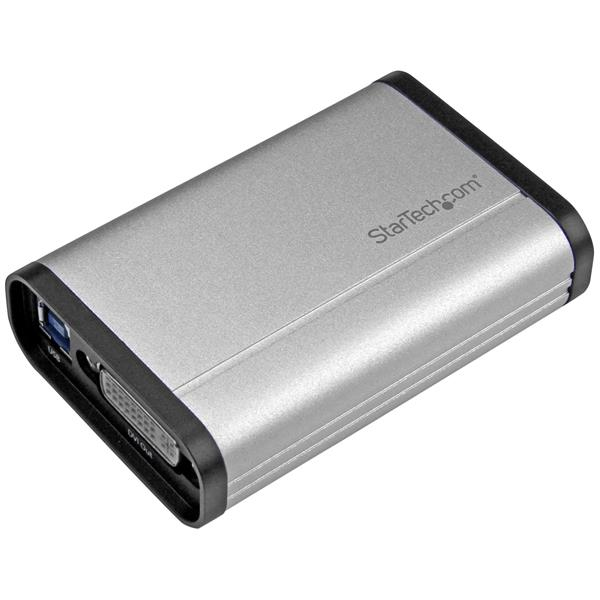
StarTech.com USB32DVCAPRO video capturing device USB 3.2 Gen 1 (3.1 Gen 1)
Record DVI video to your computer, and embed a 3.5mm audio source, at 1080p 60fps resolutionThis DVI to USB 3.0 video capture device records high-definition DVI video to your computer. With an aluminum enclosure, this device is built strong for fixed-location or on-the-go capture. It offers a separate 3.5 mm audio input for accompanying audio or voice-overs, and a DVI pass-through port for connecting a monitor to review the video as it’s captured.Capture HD video at 1080p 60fpsRecord 1080p video at 60fps (frames per second), to save your content so it can be shared, stored, or edited. Capture from security equipment, control rooms, medical, or other industrial DVI devices, directly to your computer.Easy video recording on Windows and MacThe included software makes recording easy. Using a widely adopted codec, videos saved in StreamCatcher™ work with almost any video player and require no converting or editing.Live stream on WindowsOn Windows, you can live broadcast your video over the internet, using Twitch™ or other third-party video streaming platforms, with the included software.DirectShow compatibility on WindowsWith this capture device, you’re not tied to the included software. You can record raw/lossless video using any third-party DirectShow™ compatible software, such as Open Broadcaster Software (OBS).Capture video from HDMI®, VGA or DVI devicesThis versatile DVI capture device works with HDMI to DVI and VGA to DVI adapters, so you can record video from an HDMI or VGA source.The StarTech.com Advantage
Item(s) added to cart
Netgear GS105E-200NAS ProSafe Plus Switch, 5-Port Gigabit Ethernet - 5 Ports - 2 Layer Supported - Wall Mountable - Lifetime Limited Warranty-None Listed Compliance
MFR: Netgear, Inc
Qty: 1
Part #: GS105NA