
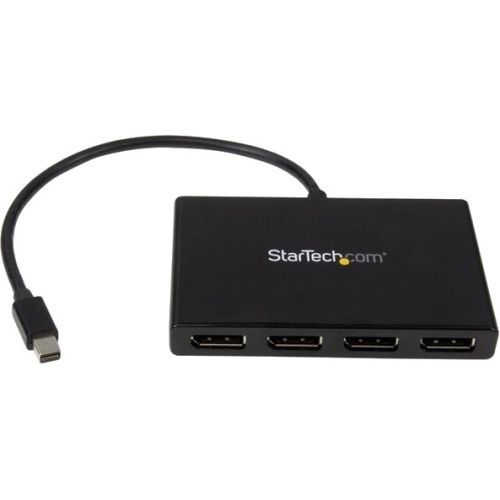
StarTech.com MSTMDP124DP video splitter Mini DisplayPort 4x DisplayPort
Use this adapter to connect four independent displays to a single mDP 1.2 portThis MST hub lets you connect four monitors to your Mini DisplayPort™ (mDP) 1.2 equipped Windows® tablet, laptop or desktop.Increase productivity with multiple screensThe newest generations of computers are more portable than ever, which often means that you're left with fewer video outputs and smaller integrated screens. This MST hub solves both of these problems by letting you connect four additional displays to your computer, which makes multitasking much easier.Connect to any displayWith the MST hub, you can use Mini DisplayPort video adapters and cable adapters that enable you to connect HDMI, VGA or DVI displays. This ensures that your MST hub will be compatible with virtually any television, monitor or projector. The hub is VESA and DisplayPort certified to support DP 1.2 enabled systems, for seamless integration with your existing video equipment.Configure your displays for any environmentUsing the MST hub, you can extend your desktop onto additional monitors and stream independent content to each display, giving you the freedom to multitask and increase your productivity. You can also mirror the same image onto multiple displays for remote viewing applications such as digital signage.Enjoy amazing video quality, without draining system resourcesMST technology uses your existing video card to minimize the use of system resources while delivering Ultra HD 4K resolutions. This unprecedented performance makes MST perfect for high-resolution applications such as graphic design, gaming and medical imaging.Note: When using a DisplayPort 1.1 video card the MSTMDP124DP will act as a splitter, automatically mirroring your video source across all displays. Resolution limitations apply.The MSTMDP124DP supports plug-and-play installation for a hassle-free setup, and is backed by a StarTech.com 3-year warranty and free lifetime technical support.Notes: MST shares 21.6 Gbps across all attached displays. Higher resolutions can restrict the available bandwidth with the remaining ports, please see our guideline below for determining an ideal resolution for your setup. Certain graphics adapters have limited MST support and will only output to three displays in total. If more than three monitors are attached, the fourth will be disabled.The Surface Pro 3, Surface Pro 4, and Surface Book only support the use of three displays in total. If this device is used with the Surface Pro 3, and three external monitors, the built-in touch screen on your Surface will be disabled.Average resolution bandwidth allocation1920x1080 (High-definition 1080p) @60hz - 22%1920x1200 @60hz - 30%2560x1440 @60hz - 35%2560x1600 @60hz - 38%3840 x 2160 (Ultra HD 4K) @30hz - 38%Note: Exceeding 100% will reduce functionality.Examples of supported resolution configurationsScreen 1 ResolutionScreen 2 ResolutionScreen 3 ResolutionScreen 4 ResolutionTotal % of Bandwidth1920x1080 @60hz (22%)1920x1080 @60hz (22%)1920x1080 @60hz (22%)1920x1080 @60hz (22%)88%1920x1200 @60hz (30%)1920x1080 @60hz (22%)1920x1080 @60hz (22%)1920x1080 @60hz (22%)96%3840x2160 @30hz (38%)1920x1080 @60hz (22%)1920x1080 @60hz (22%)off82%3840x2160 @30hz (38%)1920x1200 @60hz (30%)1920x1080 @60hz (22%)off90%Examples of unsupported resolution configurationsScreen 1 ResolutionScreen 2 ResolutionScreen 3 ResolutionScreen 4 ResolutionTotal % of Bandwidth2560x1600 @60hz (38%)2560x1600 @60hz (38%)1920x1200 @60hz (30%)1920x1200 @60hz (30%)136%3840x2160 @30hz (38%)2560x1600 @60hz (38%)1920x1200 @60hz (30%)1920x1200 @60hz (30%)136%3840x2160 @30hz (38%)2560x1600 @60hz (38%)2560x1440 @60hz (35%)1920x1200 @60hz (30%)141%3840x2160 @30hz (38%)3840x2160 @30hz (38%)3840x2160 @30hz (38%)off114%The StarTech.com Advantage
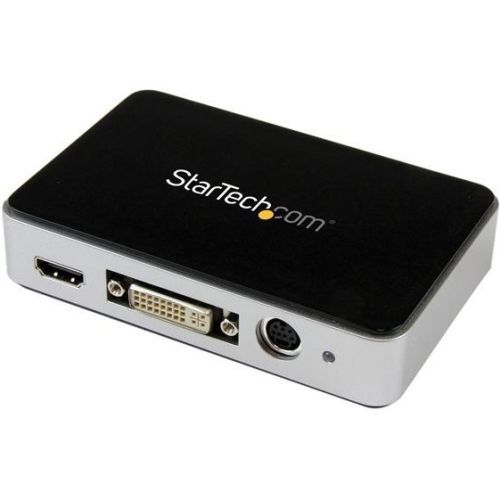
StarTech.com USB3HDCAP video capturing device USB 3.2 Gen 1 (3.1 Gen 1)
Capture a High-Definition HDMI, DVI, VGA, or Component Video source to your PCThis USB 3.0 external video capture device lets you record 1080p HD video and stereo audio to your computer system. With multiple video inputs including HDMI, DVI, VGA and component, the capture card can record original content from various sources such as computers, camcorders, security systems, POS terminals, and servers. With a framerate of 60 FPS (frames per second) and H.264 encoding, this is the perfect solution for capturing high-definition video for editing, compiling, and archiving.Seamless picture quality at 60 FPSRecord lossless video at 60 FPS ensuring every frame of content is saved, unlike 30-frame-per-second capture devices that only catch half the action. 60 FPS exactly matches the output of most computer video cards, which is great for recording the output from your PC, server, or POS station when creating software training and tutorial videos.H.264 encoding for wide device compatibilityThe included software encodes in H.264, the most widely adopted video codec in the world, ensuring your video captures will be compatible with almost any device platform such as PC, Mac®; iOS® and Android™ with no editing or converting required. H.264 is also widely supported by most software titles including Adobe Premiere® and Windows Media® Encoder. Plus, the software not only lets you capture and export videos, but it also lets you take screenshots, schedule recordings and instantly stream your video source over the Internet using online services such as Twitch.This USB capture card is capable of capturing lossless raw video making it compatible with Microsoft® DirectShow. With raw video capture you can record video using your preferred third party DirectShow software such as Open Broadcaster Software (OBS).Flexible Input Solutions for Convenient CompatibilityWith multiple A/V input options you can capture from a wide variety of sources including HDMI, DVI, VGA, and component. You can also use this capture card with A/V adapters to record other video sources such as SDI using our SDI to HDMI converter (SDI2HD). Support for a variety of A/V devices is ideal for archiving analog video footage into a digital database.The device also includes easy-to-use software that's compatible with NTSC and PAL systems, making it a must for professional video archiving applications where source media can change from project to project.Notes:• A computer that supports USB 3.0 or higher is required. This product will not work with USB 2.0 or 1.1 controllers.• Will not record digitally encrypted content.• Not compatible with ASmedia, or Etron USB 3.0 host controllers. If your system has one of these non-supported controllers you can alternatively add a PCI-express USB 3.0 controller card such as the StarTech.com PEXUSB3S4V, PEXUSB3S400 or PEXUSB3S4.Computer System Requirements:• Operating System: Microsoft® Windows® and up• CPU: i3 Dual Core 2.8GHz or higher• Memory: 2 GB• USB 3.0 host controller (Confirmed support with: Intel, Renesas (NEC), VIA, AMD, Fresco FL1100)The StarTech.com Advantage
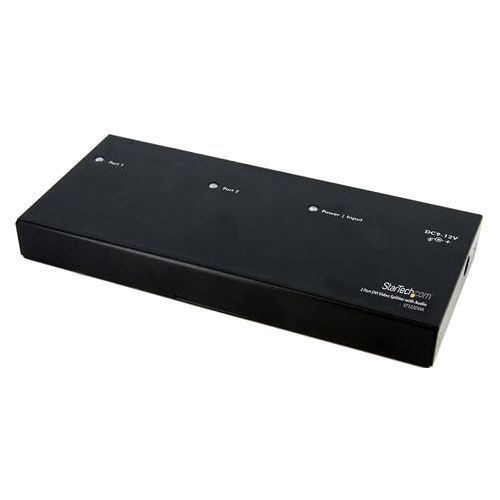
StarTech.com ST122DVIA video splitter DVI 2x DVI
The ST122DVIA DVI splitter lets you share one DVI video and audio source on two displays and acts as a signal amplifier that allows you to locate your DVI monitors up to 33ft (10 m) away from your computer or DVI signal source.With support for high definition resolutions up to 1080p (HDTV)/1920x1200 (PC), the DVI splitter delivers a simple and convenient DVI video solution that suits virtually any application or operating environment (classroom, healthcare, professional A/V, control centres, retail POS environments).The DVI video splitter/distribution amplifier is easy to install, providing you with flawless digital video that will help you get the most from your DVI-enabled monitors, projectors, or plasma screens.Designed to provide dependable performance, the DVI splitter/signal distribution amplifier is backed by StarTech.com’s 2-year warranty and FREE lifetime tech support. The StarTech.com Advantage- Doubles as an extender up to 33 feet (10 meters) from your DVI source.- Splits a DVI signal to display sharp digital images on two monitors with support for HD resolutions and stereo audio.
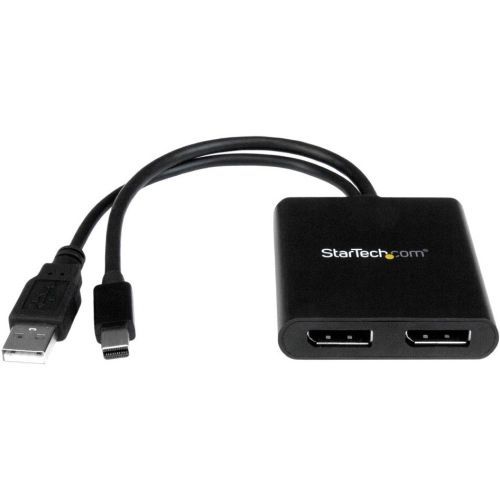
StarTech.com MSTMDP122DP video splitter Mini DisplayPort 2x DisplayPort
Use this adapter to connect two independent displays to a single mDP 1.2 portThis MST hub lets you connect two DisplayPort monitors to your Mini DisplayPort computer. MST works on any Windows® device that supports DisplayPort 1.2, such as models of the Lenovo™ Think Pad® and Microsoft® Surface™. When connected to earlier revisions of DisplayPort, such as DP 1.1 the MST hub acts as a video splitter. The MST hub is USB powered, so the only thing you'll need to operate the hub is your computer.Increase your productivity with multiple monitorsThe newest generations of laptops are more portable than ever, unfortunately this means you’re left with fewer video outputs and a small integrated screen. The MST hub solves these problems by letting you connect two independent displays to a single mDP port on your computer, which makes multitasking much easier. Using the MST hub, you can extend your desktop onto additional monitors and stream independent content to each display, which makes it easier to multitask and increase your productivity - perfect for creating an easy-to-dock hot desk solution with a wireless keyboard and mouse peripheral set. You can also mirror the same image onto multiple displays for remote viewing applications such as digital signage.Astonishing picture quality that won’t drain your system resourcesMST technology uses your existing video card to minimize the use of system resources while delivering Ultra HD 4K resolutions. 4K is supported by the latest A/V devices and delivers four times the resolution of 1080p. Plus, because the MST hub can output high-definition 1080p, the MST hub is perfect for all high-resolution applications such as graphic design and medical imaging.Works with any monitor, television or projectorWith this MST hub, you can use separate mDP video adapters to connect HDMI, VGA or DVI displays, for compatibility with all of your existing monitors. The hub is VESA and DisplayPort certified to support DP 1.2 enabled systems, for seamless integration with your existing video equipment.The MSTMDP122DP has been certified by Microsoft and tested for compatibility with your Microsoft Surface Pro 3, Surface Pro 4 and Surface Book and is backed by a 3-year StarTech.com warranty and free lifetime technical support.The StarTech.com Advantage
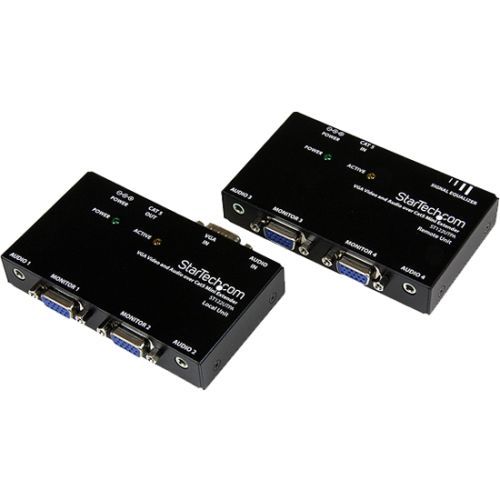
StarTech.com VGA and Audio over Cat5 Extender AV transmitter & receiver Black
StarTech.com VGA and Audio over Cat5 Extender. Type: AV transmitter & receiver, Cable types supported: Cat5e, Cat6, Maximum transfer distance: 5905.5" (150 m). Audio input: 2 x 3.5 mm, Audio output: 2 x 3.5 mm. Operating voltage: 12 V, Output current: 0.5 A, Power consumption (typical): 6 W. Receiver dimensions (WxDxH): 3.27 x 2.36 x 0.787" (83 x 60 x 20 mm), Receiver weight: 6.38 oz (181 g), Transmitter dimensions (WxDxH): 3.27 x 2.36 x 0.787" (83 x 60 x 20 mm). Package dimensions (WxDxH): 3.62 x 9.53 x 7.4" (92 x 242 x 188 mm), Package weight: 2.65 lbs (1.2 kg)
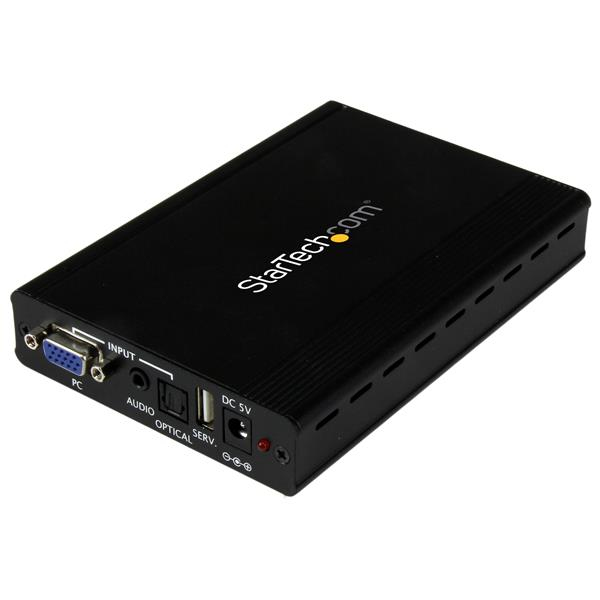
StarTech.com VGA2HDPRO2 video signal converter Scaler video converter 1920 x 1200 pixels
This VGA to HDMI® converter and scaler lets you connect your analog VGA video signal to a digital HDMI display. It features a built-in video scaler that adjusts the output signal to suit virtually any HDMI display. It scales the signal to your choice of resolutions, up to 1080p.The converter and scaler features 3.5mm and optical audio inputs, which let you combine audio into the HDMI output. The scaler creates a digital signal at high resolutions that's perfect for updating legacy VGA video equipment to work with newer HDMI televisions or projectors.Ensure compatibility between your VGA source and HDMI displayNew HDMI displays are phasing out support for lower resolution video signals such as 480i, 480p, and 720p. Without support for these common VGA resolutions, you may not be able to use a standard adapter to connect your legacy video output to your new display.This converter lets you continue using your current VGA source equipment by scaling your video signal to a resolution that’s compatible with your new HDMI display. Scaling your source enables you to upgrade to a sleek new HDMI display while keeping your tried-and-true source material on display at trade shows and storefronts.Continue using your reliable VGA sourceUpgrading every component in your A/V setup can be costly and time consuming. Retaining your source can save you the cost and hassle of buying and configuring new equipment. With the VGA to HDMI converter, you can bridge the gap between old and new technologies by converting your dependable VGA source to high-resolution HDMI.Enjoy hassle-free operationThis converter features automatic resolution detection that minimizes your setup time by avoiding tedious programming. Plus, it features an intuitive on-screen menu that lets you customize the parameters of your input to quickly select and compare different output options, ensuring you get the best video solution possible in a very short time period.Notes: This converter does not output digitally-encrypted content. This converter is the direct replacement for VGA2HDMIPRO.The VGA2HDPRO2 and is backed by a 2-year warranty and free lifetime technical support.
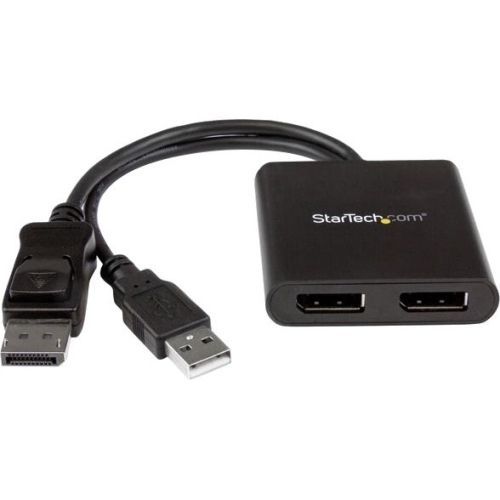
StarTech.com MSTDP122DP video splitter DisplayPort 2x DisplayPort
Use this adapter to connect two independent displays to a single DP 1.2 portThis MST hub lets you connect two monitors to your DisplayPort™ (DP) 1.2 equipped Windows® laptop or desktop. It’s USB powered, so the only thing you'll need to operate the hub is your computer.Increase productivity with multiple screensThe newest generations of computers are more portable than ever, which often means that you’re left with fewer video outputs and smaller integrated screens. This MST hub solves both of these problems by letting you connect two additional displays to your computer, which makes multitasking much easier.Connect to any displayWith the MST hub, you can use DisplayPort video adapters and cable adapters that enable you to connect HDMI, VGA or DVI displays. This ensures your MST hub will be compatible with virtually any television, monitor or projector. The hub is VESA and DisplayPort certified to support DP 1.2 enabled systems, for seamless integration with your existing video equipment.Configure your displays for any environmentUsing the MST hub, you can extend your desktop onto additional monitors and stream independent content to each display, giving you the freedom to multitask and increase your productivity. You can also mirror the same image onto multiple displays for remote viewing applications such as digital signage.Enjoy amazing video quality, without draining system resourcesMST technology uses your existing video card to minimize the use of system resources while delivering Ultra HD 4K resolutions. This unprecedented performance makes MST perfect for high-resolution applications such as graphic design, gaming and medical imaging.Note: When using a DisplayPort 1.1 video card the MST hub will act as a splitter, automatically mirroring your video source across all displays. Resolution limitations apply.The MSTDP122DP supports plug-and-play installation for a hassle-free setup, and is backed by a StarTech.com 3-year warranty and free lifetime technical support.Average resolution bandwidth allocation1920x1080 (High-definition 1080p) @60hz - 22%1920x1200 @60hz - 30%2560x1440 @60hz - 35%2560x1600 @60hz - 38%3840 x 2160 (Ultra HD 4K) @30hz - 38%Note: Exceeding 100% will reduce functionality.The StarTech.com Advantage
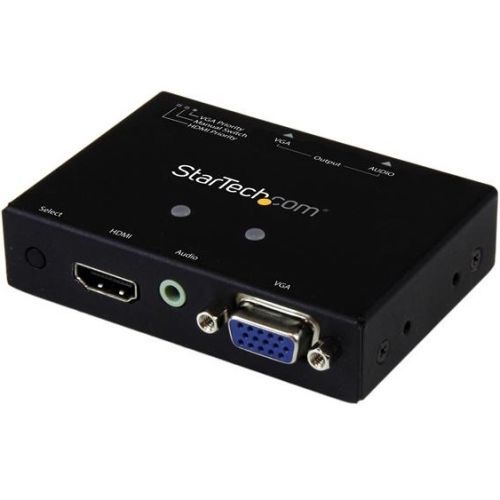
StarTech.com VS221HD2VGA video switch HDMI/VGA
Share a VGA display/projector between a VGA and HDMI audio/video source, with priority switchingThe VS221HD2VGA VGA & HDMI Auto Switch lets you connect two distinct A/V sources -- one VGA and one HDMI to the same VGA monitor or projector, and automatically or manually switch between which video source is displayed. This multi-input switch supports video resolution up to 1920x1200 (1080p) and includes mounting hardware for a tidy, professional installation.One Switch for HDMI and VGAThe A/V switch features built-in HDMI conversion, enabling you to connect an HDMI as well as a VGA video source to the same VGA display, without the use of additional adapters or scalers. The switch also supports EDID pass-through, EDID copy, and EDID emulation to ensure your HDMI and VGA native resolutions will be maintained between both source connections.Effortless ControlThe VS221HD2VGA ensures hassle-free operation with support for priority port selection, enabling you to choose which port should be selected first by sequence. Once the device connected to your specific port is activated, the switch will then automatically select that port.Focus on Your Presentation not Boardroom ConnectionsThis A/V switch has been designed with the boardroom and classroom in mind. The VS221HD2VGA features VGA and HDMI inputs to support a wide range of devices, and the built-in converter makes it easy to connect to a display without the use of additional adapters. Plus, priority switching encourages on-the-fly collaboration among students or co-workers, by making it easy to share your projector between multiple source devices.Please note: Digitally encrypted content from the HDMI video source will not be displayed on the VGA display. If you are looking for a similar device with VS221VGA2HD" text="HDMI output, please see our VS221VGA2HD" text="VS221VGA2HD.If you are looking for a similar device with HDMI output, please see our VS221VGA2HD" text="VS221VGA2HDThe VS221VGA2HD is backed by a StarTech.com 2-year warranty, and free lifetime technical support.The StarTech.com Advantage- EDID emulation ensures optimal video output, for seamless switching- Effortless priority switching- Allow your presenters / guests to focus on the content of their presentation or lesson without the worry of connecting to an available display or projector

StarTech.com 33FT-8K-HDMI-BOOSTER AV extender AV repeater Black
Amplify and extend an 8K 60Hz HDMI® signal, connecting two DSC-enabled devices, using two Ultra High Speed HDMI cablesCombine two HDMI 2.1 cables into one extra-long 33ft (10m) cable, using this HDMI Signal Booster. Connect a DSC-enabled source and display for resolutions of up to 8K at 60Hz.Maintain 8K 60Hz VideoExtend an 8K 60Hz HDMI signal over existing HDMI cabling at up to 33ft (10m). It supports lower resolutions at longer distances, such as 4K 60Hz at 83ft (25m). This HDMI 2.1 compliant device supports CEC, HDR10, HDCP, DSC, and 7.1ch audio.Cable Lengthfrom SourceCable Lengthto DisplayTotal Cable LengthMaximumResolution13ft (4m)20ft (6m)33ft (10m)8K 60Hz33ft (10m)50ft (15m)83ft (25m)4K 60Hz65ft (20m)82ft (25m)150ft (45m)1080pHassle-Free InstallationThe TAA-Compliant HDMI signal amplifier requires no drivers or software. Its compact form factor and metal enclosure make it suitable for installation in a variety of environments. An included 5ft (1.5m) USB Type-A power cable is provided to connect to an available USB port or USB wall charger, if required.The StarTech.com Advantage
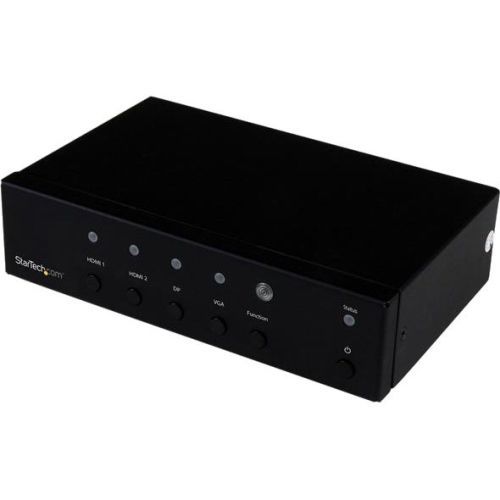
StarTech.com HDVGADP2HD video switch HDMI/VGA/DisplayPort
This multi-input converter switch lets you connect your DisplayPort (DP), HDMI® and VGA audio/video sources to one HDMI display or projector. The switch enables you to automatically or manually switch between your video sources and features built-in signal conversion, which eliminates the cost and hassle of using additional adapters for the sake of compatibility.This versatile A/V switch supports video resolutions up to 1920x1200 (1080p) on your VGA source and up to 4K at 30 Hz on your DisplayPort and HDMI video sources. For a tidy, professional installation, the converter switch includes mounting hardware.Save time with a single switch for DisplayPort, HDMI and VGAThe A/V switch features built-in HDMI conversion, so you can connect two HDMI sources as well as a VGA and a DisplayPort video source to the same HDMI display, without having to use additional adapters or scalers.Effortless control with automatic or priority switchingThe converter switch ensures hassle-free operation, with two different auto-switching modes: auto-detect switching, which detects and selects a newly connected device, or priority selection, which lets you choose which port should be activated by default for automatic switching. The converter switch is perfect for digital signage applications where an automatic switch can replace a failed source with a secondary input to avoid embarrassing video outages.Focus on your presentation, not boardroom connectionsThis versatile A/V switch has been designed with the boardroom and classroom in mind, with HDMI, VGA and DisplayPort inputs to support a wide range of devices, and a built-in converter that makes it easy to connect to the room’s display without having to connect additional adapters. Plus, automatic switching encourages on-the-fly collaboration among students or co-workers, by making it so easy to share a projector or other display device between multiple sources.Impressive DisplayPort and HDMI image quality with 4K supportThe video switch maintains Ultra HD 4K picture quality while switching between content from HDMI and DisplayPort source devices, including Blu-ray™ players and DVD players, computer systems, video game consoles, digital cable and satellite boxes and A/V receivers.4K video support ensures a higher level of image clarity and visibility, delivering four times the resolution of 1080p -- 8.29 million pixels versus 2.07 million pixels. It offers a more engaging visual experience for audiences in a wide range of venues, including conference centers, boardrooms, educational facilities, and commercial settings.When connecting a VGA source, the switch supports high-definition resolutions up to 1920 x 1200. With its exceptional resolution and image quality, this switch is ideal for bringing your digital signage to life.The HDVGADP2HD is backed by a 2-year StarTech.com warranty and free lifetime support.
Item(s) added to cart
Netgear GS105E-200NAS ProSafe Plus Switch, 5-Port Gigabit Ethernet - 5 Ports - 2 Layer Supported - Wall Mountable - Lifetime Limited Warranty-None Listed Compliance
MFR: Netgear, Inc
Qty: 1
Part #: GS105NA