
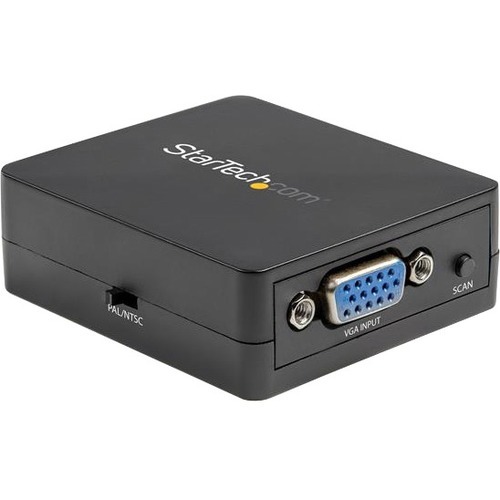
StarTech.com VGA2VID2 video signal converter Active video converter 1920 x 1080 pixels
Computer to TV Converter | 1080p to 480i Scaler |Composite & S-Video | 2-Year WarrantyThis VGA to RCA/S-Video converter box provides a simple way to convert and scale a 1080p VGA video input signal to a 480i composite (CVBS) or S-Video output signal. Perfect for use with legacy projectors or TV sets.Hassle-Free Setup and Easy to UseEquipped with a NTSC/PAL toggle switch and a scan button for simple configuration and selection of your video output settings, this compact VGA to Composite and S-Video adapter installs quickly and easily, for a true plug-and-play experience.Save on Upgrade CostsBy using this VGA to AV adapter you can connect a PCs VGA connector to legacy TVs and projectors, ultimately saving the costs of upgrading your equipment. It's ideal for boardroom settings, medical imaging and watching videos on your S-Video or Composite display.Crystal-Clear Picture QualityThe PC to television converter features an integrated video scaler circuit that dynamically converts VGA video input signals with resolutions up to 1920x1200 @ 60Hz. To ensure compatibility with your display or projector the computer to TV converter outputs high quality 640 x 480 video, the highest supported by S-Video or Composite.VGA2VID2 is backed by a StarTech.com 2-year warranty and free lifetime technical support.The StarTech.com Advantage
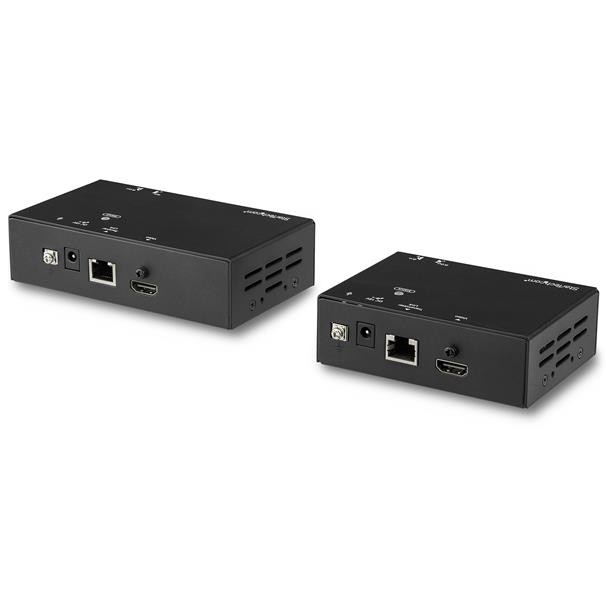
StarTech.com ST121HDBT20L AV extender AV transmitter & receiver Black
Extend HDMI over CAT5e/CAT6 cabling to a remote location, with support for 4K 60Hz at 70 m (230 ft.) and 1080p 60Hz at 100 m (328 ft.)This HDMI Over CAT6 extender transmits your HDMI audio/video signal to a remote location up to 100 m (328 ft.) away.Get 4K at 60Hz from 70 m (230 ft.) awayThis HDMI over CAT6 extender maintains your Ultra HD 4K picture quality, even at 70 m (230 ft.) away from your video source. If you're not running 4K video, this extender supports High-Definition 1080p 60Hz and lower resolutions at even greater distances, up to 100 m (328 ft.) from your HDMI source.With full support for your HDMI 2.0 equipment, including 4K resolution at 60Hz, this extender can transmit at a bandwidth of up to 18Gbps, making it the ideal solution for high-resolution tasks requiring the highest color detail. For smoother video and color transitions, the extender offers 4:4:4 chroma subsampling via visually lossless compression, meaning every pixel gets its own unique color.Simplify your setupThe HDMI Extender Over CAT6 offers a hassle-free solution for your digital signage project. The extender only requires a single CAT5e or CAT6 cable, so you extend an HDMI signal using existing infrastructure that’s already in your building. Plus, this HDMI extender supports Power Over Cable (POC), which means you’ll only need one power adapter connected to either your transmitter or receiver. Mounting hardware is also included for discreet, professional installation.The ST121HDBT20L is TAA compliant and backed by a 2-year StarTech.com warranty with free lifetime technical support.The StarTech.com Advantage
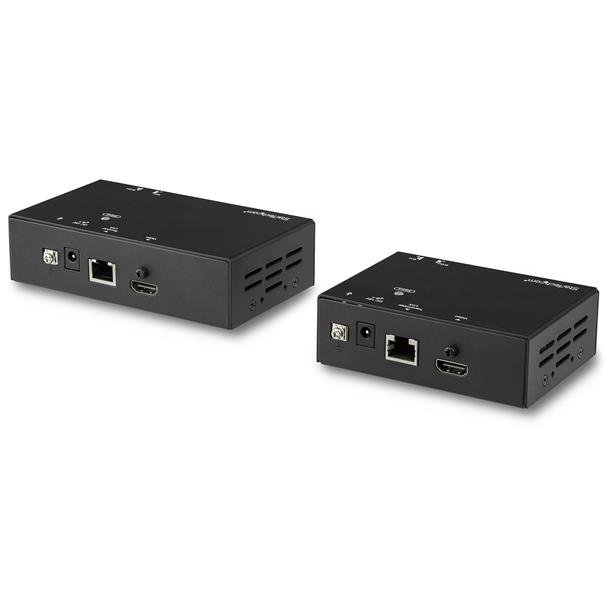
StarTech.com ST121HDBT20S AV extender AV transmitter & receiver Black
Extend HDMI over CAT5e/CAT6 cabling to a remote location, with support for 4K 60Hz at 35 m (115 ft.) and 1080p 60Hz at 70 m (230 ft.)This HDMI® over CAT6 extender transmits your HDMI audio/video signal to a remote location up to 70 m (230 ft.) away.Get 4K at 60Hz from 35 m (115 ft.) awayThis HDMI over CAT6 extender maintains your Ultra HD 4K picture quality, even at 35 m (115 ft.) away from your video source. If you're not running 4K video, this extender supports High-Definition 1080p 60Hz and lower resolutions at even greater distances, up to 70 m (230 ft.) from your HDMI source.With full support for your HDMI 2.0 equipment, including 4K resolution at 60Hz, this extender can transmit at a bandwidth of up to 18Gbps, making it the ideal solution for high-resolution tasks requiring the highest color detail. For smoother video and color transitions, the extender offers 4:4:4 chroma subsampling via visually lossless compression, meaning every pixel gets its own unique color.With HDR support, you can enjoy lifelike images with increased contrast, brightness and colors and greater luminosity than standard digital imaging.Simplify your setupThe HDMI Extender Over CAT6 offers a hassle-free solution for your digital signage project. The extender only requires a single CAT5e or CAT6 cable, so you can extend an HDMI signal using your building's existing infrastructure. Plus, this HDMI extender supports Power Over Cable (POC), which means you'll only need one power adapter connected to either your transmitter or receiver. Mounting hardware is also included for discreet, professional installation.The ST121HDBT20S is TAA compliant and backed by a 2-year StarTech.com warranty with free lifetime technical support.The StarTech.com Advantage
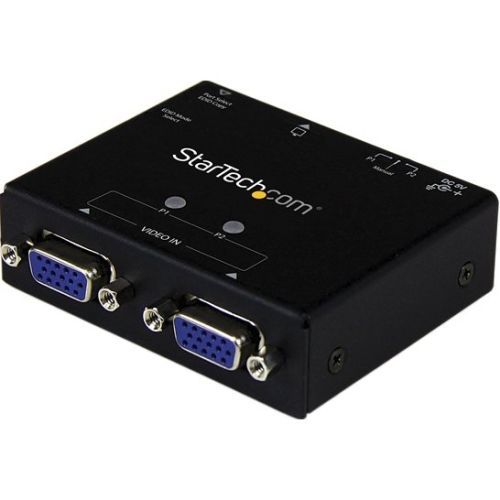
StarTech.com ST122VGA video switch VGA
Share a VGA monitor/projector between 2 VGA sources, with automatic/priority switching and EDID EmulationThe ST122VGA 2-Port VGA Auto Switcher lets you share a display between two computers and automatically switch to the active source device using configurable priority switching. When the port you have selected as the primary input is turned off, the device automatically switches to the secondary input.For maximum control and versatility, the ST122VGA also offers manual switch control with an easy-to-use button that allows you to toggle between video sources. For a convenient setup the switcher can be powered using the included power adapter or the USB power cable, and features built-in EDID emulation ensuring maximum compatibility with your display or projector and support for resolutions up to 1920x1200/1080p.The ST122VGA includes mounting hardware for a tidy and professional installation, and is backed by a 2-year StarTech.com warranty, and free lifetime technical support.The StarTech.com Advantage- Hassle-free operation, with automatic switching- Tidy and professional installation, with included mounting hardware

StarTech.com VS221HD4K video switch HDMI
Switch between two HDMI sources on a single HDMI display, with support for MHL and video resolutions up to 4KThe VS221HD4K 2-port HDMI 4K switch lets you share a display or projector with two HDMI-enabled audio / video source devices. The switch features two independent inputs that each support 4K resolution and 7.1 surround sound audio.The 2-port switch also features MHL support on input port 1, enabling video output video from MHL-enabled mobile devices such as Samsung Galaxy tablets and smartphones.Astonishing Picture Quality with 4K SupportYou’ll be amazed at how this video switch maintains Ultra HD picture quality. 4K is supported by the latest A/V devices and delivers four times the resolution of 1080p. Plus, because the switch is backward compatible with high-definition 1080p, you can rest assured any video source will look great in your digital signage application.Solid Aluminum Housing Ensures Fixed PositioningConstructed of solid aluminum, the HDMI switch is durable and heavy enough to prevent the unit from lifting or sliding around if the attached HDMI cables are bumped or shifted. Plus, its small footprint makes it easy to integrate the switch into any boardroom, classroom, home theater, or digital signage application.Hassle-free Operation with Auto Switching & EDIDThis switch ensures effortless operation with automatic switching that detects and selects a newly connected device. Automatic switching encourages on-the-fly collaboration among colleagues, by making it easy to share your projector between multiple source devices in a boardroom or classroom environment. The VS221HD4K also supports manual operation using the included IR remote control, or the built-in front panel toggle switch directly on the device.The switch also saves time during setup with EDID emulation ensuring all of your native settings such as resolution and refresh rate are communicated between your display and video source devices. EDID emulation maximizes compatibility with your 4K display, ensuring a convenient plug-and-play installation.The VS221HD4K is backed by a 2-year StarTech.com warranty and free lifetime technical support.The StarTech.com Advantage- Take advantage of 4K (Ultra HD) video with HDMI 4K splitter enabling you to handle the latest devices and displays- Ensure your switch stays where you put it. Unlike plastic splitters that get dragged out of place by attached HDMI cables, the VS221HD4K features a solid aluminum housing that will stay put.- Hassle-free setup and operation with EDID emulation and automatic switching
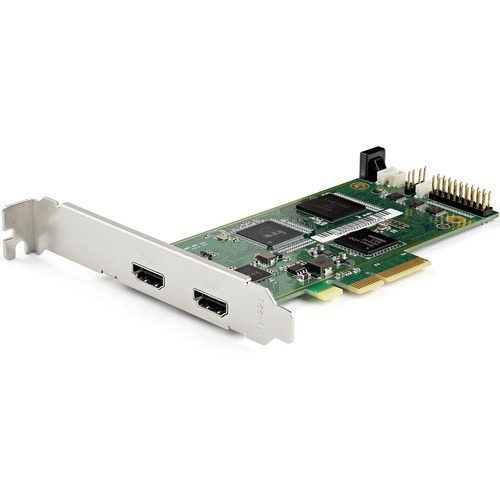
StarTech.com PEXHDCAP4K video capturing device Internal PCIe
PCI Express HDMI Recorder | HDR | 4K @ 60Hz | For Windows®You can install the HDMI capture card into any low-profile or full-profile PCIe slot, including fixed workstations such as 2U or 4U rack-mounted servers or media centers.Astonishing Picture Quality at 60 Frames Per SecondWith frame rates up to 60fps (frames per second) and H.264 encoding, this PCIe HDMI capture card is perfect for capturing ultra high-definition video for editing, compiling, and archiving. HDR10 is available through HDMI 2.0a support.H.264 Encoding for Wide Device CompatibilityThe software included with the 4K60 capture card encodes captured video in H.264 - the most widely adopted video compression standard in the world. This video recording card ensures your captures are compatible with most device platforms such as PC, Mac, iOS and Android™.Pass-through PortThe UHD capture card features an HDMI output port so you can watch the video source on a separate HDMI display while recording on your computer.The Choice of IT Pros Since 1985StarTech.com conducts thorough compatibility and performance testing on all our products to ensure we are meeting or exceeding industry standards and providing high-quality products to IT Professionals. Our local StarTech.com Technical Advisors have broad product expertise and work directly with our StarTech.com Engineers to provide support for our customers both pre and post-sales.PEXHDCAP4K is backed by a StarTech.com 2-year warranty and free, lifetime technical support.Note:This capture device will not record digitally encrypted contentThe StarTech.com Advantage
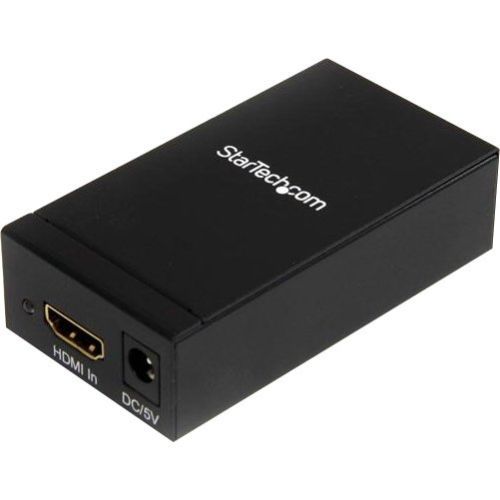
StarTech.com HDMI2DP video signal converter Active video converter 1920 x 1200 pixels
Connect a DisplayPort monitor to an HDMI equipped computerThe HDMI2DP DVI or HDMI to DisplayPort Converter converts an HDMI, DVI or Mini DVI input signal into a DisplayPort (or Mini DisplayPort) output, eliminating the cost of upgrading your source device hardware or purchasing a new display. With support for full HD resolutions up to 1920x1200, the HDMI2DP converter is the perfect solution for connecting devices that have an HDMI, DVI single-link or mini DVI output, such as video cards (desktop or laptop), video game consoles or home theater receivers, to your DisplayPort-capable display. Backed by a StarTech.com 2-year warranty and free lifetime technical support.The StarTech.com Advantage- Stores EDID information on the converter to ensure better compatibility between the source and display- Supports HDMI or DVI (see accessories for DVI) to DisplayPort conversions, providing an ideal solution for connecting to your new DisplayPort monitor- Simple plug-and-play installation - no software or drivers required

StarTech.com MSTMDP123DP video splitter Mini DisplayPort 3x DisplayPort
Use this adapter to connect three independent displays to a single mDP 1.2 portThis MST hub lets you connect three DisplayPort monitors to your Mini DisplayPort computer. MST works on any Windows® device that supports DisplayPort 1.2, such as models of the Lenovo™ Think Pad® and Microsoft® Surface™. When connected to earlier revisions of DisplayPort, such as DP 1.1 the MST hub acts as a video splitter.Increase your productivity with multiple monitorsThe newest generations of laptops are more portable than ever, unfortunately this means you’re left with fewer video outputs and a small integrated screen. The MST hub solves these problems by letting you connect three independent displays to a single mDP port on your computer, which makes multitasking much easier. Using the MST hub, you can extend your desktop onto additional monitors and stream independent content to each display, which makes it easier to multitask and increase your productivity - perfect for creating an easy-to-dock hot desk solution with a wireless keyboard and mouse peripheral set. You can also mirror the same image onto multiple displays for remote viewing applications such as digital signage.Astonishing picture quality that won’t drain your system resourcesMST technology uses your existing video card to minimize the use of system resources while delivering Ultra HD 4K resolutions. 4K is supported by the latest A/V devices and delivers four times the resolution of 1080p. Plus, because the MST hub can output high-definition 1080p, the MST hub is perfect for all high-resolution applications such as graphic design and medical imaging.Works with any monitor, television or projectorWith this MST hub, you can use separate mDP video adapters to connect HDMI, VGA or DVI displays, for compatibility with all of your existing monitors. The hub is VESA and DisplayPort certified to support DP 1.2 enabled systems, for seamless integration with your existing video equipment.The MSTMDP123DP has been certified by Microsoft and tested for compatibility with your Microsoft Surface Pro 3, Surface Pro 4 and Surface Book and is backed by a 3-year StarTech.com warranty and free lifetime technical support.The StarTech.com Advantage
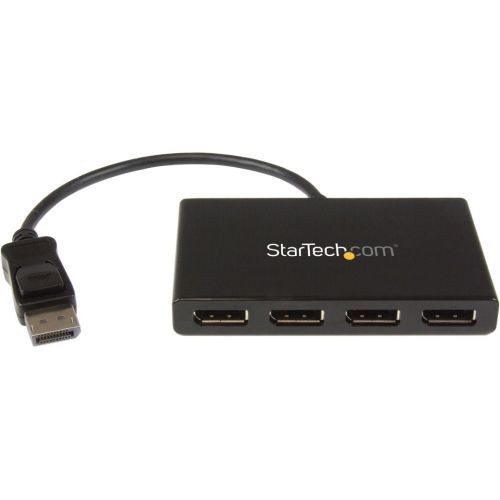
StarTech.com MSTDP124DP video splitter DisplayPort 4x DisplayPort
Use this adapter to connect four independent displays to a single DP 1.2 portThis MST hub lets you connect four monitors to your DisplayPort™ (DP) 1.2 equipped Windows® laptop or desktop.Increase productivity with multiple screensThe newest generations of computers are more portable than ever, which often means that you're left with fewer video outputs and smaller integrated screens. This MST hub solves both of these problems by letting you connect four additional displays to your computer, which makes multitasking much easier.Connect to any displayWith the MST hub, you can use DisplayPort video adapters and cable adapters that enable you to connect HDMI, VGA or DVI displays. This ensures your MST hub will be compatible with virtually any television, monitor or projector. This MST hub is VESA and DisplayPort certified to support DP 1.2 enabled systems, for seamless integration with your existing video equipment.Configure your displays for any environmentUsing the MST hub, you can extend your desktop onto additional monitors and stream independent content to each display giving you the freedom to multitask and increase your productivity. You can also mirror the same image onto multiple displays for remote viewing applications such as digital signage.Enjoy amazing video quality, without draining system resourcesMST technology uses your existing video card to minimize the use of system resources while delivering Ultra HD 4K resolutions. This unprecedented performance makes MST perfect for high-resolution applications such as graphic design, gaming and medical imaging.Note: When using a DisplayPort 1.1 video card the MST hub will act as a splitter, automatically mirroring your video source across all displays. Resolution limitations apply.The MSTDP124DP supports plug-and-play installation for a hassle-free setup, and is backed by a StarTech.com 3-year warranty and free lifetime technical support.Note: MST shares 21.6 Gbps across all attached displays. Higher resolutions can restrict the available bandwidth with the remaining ports, please see our guideline below for determining an ideal resolution for your setup. Certain graphics adapters have limited MST support and will only output to three displays in total. If more than three monitors are attached the fourth will be disabled.Average resolution bandwidth allocation:1920x1080 (High-definition 1080p) @60hz - 22%1920x1200 @60hz - 30%2560x1440 @60hz - 35%2560x1600 @60hz - 38%3840 x 2160 (Ultra HD 4K) @30hz - 38%Note: Exceeding 100% will reduce functionality.Examples of supported resolution configurations:Screen 1 ResolutionScreen 2 ResolutionScreen 3 ResolutionScreen 4 ResolutionTotal % of Bandwidth1920x1080 @60hz (22%)1920x1080 @60hz (22%)1920x1080 @60hz (22%)1920x1080 @60hz (22%)88%1920x1200 @60hz (30%)1920x1080 @60hz (22%)1920x1080 @60hz (22%)1920x1080 @60hz (22%)96%3840x2160 @30hz (38%)1920x1080 @60hz (22%)1920x1080 @60hz (22%)off82%3840x2160 @30hz (38%)1920x1200 @30hz (30%)1920x1080 @60hz (22%)off90%Examples of unsupported resolution configurationsScreen 1 ResolutionScreen 2 ResolutionScreen 3 ResolutionScreen 4 ResolutionTotal % of Bandwidth2560x1600 @60hz (38%)2560x1600 @60hz (38%)1920x1200 @60hz (30%)1920x1200 @60hz (30%)136%3840x2160 @30hz (38%)2560x1600 @60hz (38%)1920x1200 @60hz (30%)1920x1200 @60hz (30%)136%3840x2160 @30hz (38%)2560x1600 @60hz (38%)2560x1440 @60hz (35%)1920x1200 @60hz (30%)141%3840x2160 @30hz (38%)3840x2160 @30hz (38%)3840x2160 @30hz (38%)off114%The StarTech.com Advantage
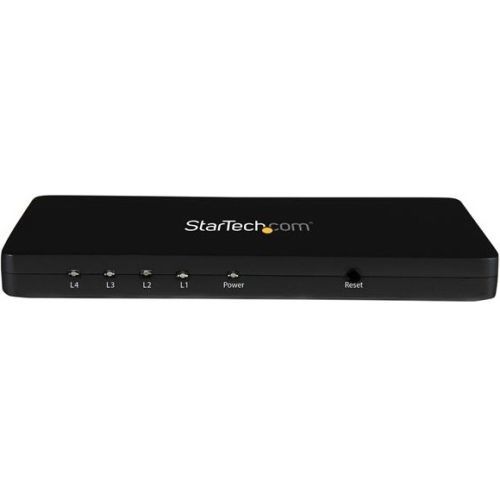
StarTech.com ST124HD4K video splitter HDMI 4x HDMI
Split an HDMI audio/video source on four separate HDMI displays simultaneously, with support for resolutions up to 4KThe ST124HD4K 4-port 4K HDMI splitter lets you share four HDMI displays or projectors with an HDMI-enabled audio / video source devices, such as a computer, Blu-ray player or cable TV set-top box.With support for Ultra HD (4K) the HDMI splitter ensures astonishing picture quality, four times the resolution of high-definition 1080p at 30 Hz. The 4K splitter is also backward compatible with previous HDMI revisions, supporting 1080p / 720p HDMI video resolution devices. Even if you don't require 4K video today, the ST124HD4K ensures you'll be ready to take advantage of tomorrow's display technology.Save time while setting up your splitter with EDID emulation ensuring all of your native settings such as resolution and refresh rate are communicated between your video source and displays. EDID emulation maximizes compatibility with your 4K display, ensuring a convenient plug-and-play installation.Constructed of solid aluminum, the HDMI splitter casing is heavy enough to prevent the unit from shifting or sliding around when you move the attached HDMI cables. Plus, the small footprint allows for seamless integration into any digital signage application.The ST124HD4K is backed by a StarTech.com 2-year warranty, and free lifetime technical support.The StarTech.com Advantage
Item(s) added to cart
Netgear GS105E-200NAS ProSafe Plus Switch, 5-Port Gigabit Ethernet - 5 Ports - 2 Layer Supported - Wall Mountable - Lifetime Limited Warranty-None Listed Compliance
MFR: Netgear, Inc
Qty: 1
Part #: GS105NA