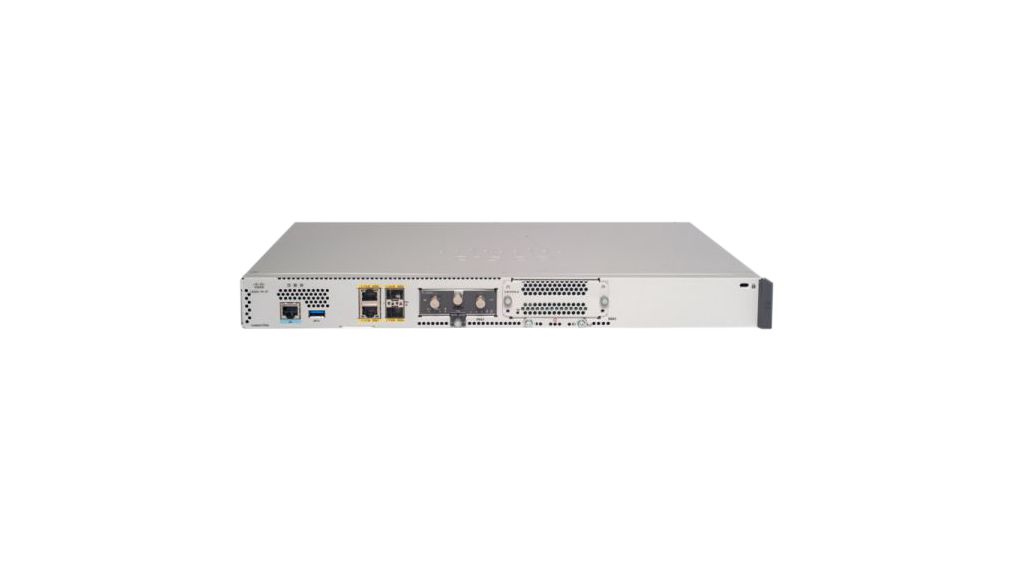
The DGS-1510 Series Gigabit Stackable Smart Managed Switches consists of:- DGS-1510-20: 20-Port Gigabit Stackable Smart Managed Switch including 2 10G SFP+ and 2 SFP ports (smart fans)- DGS-1510-28: 28-Port Gigabit Stackable Smart Managed Switch including 2 10G SFP+ and 2 SFP ports (smart fans)- DGS-1510-28X: 28-Port Gigabit Stackable Smart Managed Switch including 4 10G SFP+ (smart fans)- DGS-1510-28P: 28-Port Gigabit Stackable PoE Smart Managed Switch including 2 10G SFP+ and 2 SFP ports (24 x PoE ports, smart fans)- DGS-1510-52: 52-Port Gigabit Stackable Smart Managed Switch including 2 10G SFP+ and 2 SFP ports (smart fans)The DGS-1510 Series is D-Link’s latest generation of Smart Managed switches with 10G port connectivity, making them ideal for deployment in SME/SMB aggregation environments. The DGS-1510 Series provides a reliable and scalable interconnection between core switches and edge switches with rich capabilities and simplified flexibility. Available in 16, 24 or 48 10/100/1000 Mbps port models, with additional fibre ports for physical stacking and / or uplinks.The DGS-1510 Series PoE-enabled switches are ideal for businesses looking to power VoIP phones, wireless access points or network cameras. The DGS-1510-28P 24-port PoE Switch supports up to 30W of power output giving you flexibility in power allocation for a variety of powered devices. This enables you to scale your operations to meet business growth and incorporate new technologies all with affordable installation costs.10G SFP+ Stacking/Uplink PortsDepending on whether linear or fault-tolerant ring stacking is implemented, users can use one or two 10-Gigabit SFP+ ports to create a physical stack. 6 units or 288 Gigabit ports can be configured as a stack using optional direct attach cables to provide high bandwidth on the DGS-1510 Series with cost efficiency. Users can mix from any of the DGS-1510 Series in a single stack to allow simultaneous and easy configuration, management and troubleshooting. With 20Gbps full duplex, the DGS-1510 Series offers 10G connectivity to core networks as well as servers with 10G capability while maintaining high performance and minimal impact to the data transfer rates.Layer 3 Traffic ManagementThe DGS-1510 Series provides static route, allowing you to segment your network into workgroups and communicate across VLANs without degrading application performance. With these capabilities, you can boost the efficiency of your network by offloading internal traffic-handling tasks from your router and allowing it to manage external traffic and security.Extensive Layer 2 FeaturesThe DGS-1510 Series switches are equipped with a complete lineup of Layer 2 features including IGMP Snooping, Port Mirroring, Spanning Tree, and Link Layer Discovery Protocol (LLDP). The IEEE 802.3x Flow Control function allows servers to directly connect to the switch for fast, reliable data transfer. Network maintenance features include Loopback Detection and Cable Diagnostics. Loopback Detection is used to detect loops created by a specific port or VLAN and automatically shuts down the affected port or VLAN. The Cable Diagnostics feature, designed primarily for administrators and customer service representatives, can quickly discover the type of error on cables as well as determine cable quality.Traffic Classification & QoSThe DGS-1510 Series supports Auto Surveillance VLAN (ASV) and Auto Voice VLAN, which are best suited for VoIP and video surveillance deployments. Auto Surveillance VLAN is a new, industry-leading technology built into D-Link Smart Switches. This technology consolidates data and surveillance video transmission through a single Smart Managed switch, sparing businesses the expense of maintaining expensive dedicated hardware and facilities. ASV also ensures the quality of real-time video for monitoring and control without compromising the transmission of conventional network data. The Auto Voice VLAN technology enhances VoIP service by automatically placing voice traffic from an IP phone to an assigned VLAN. With higher priority and an individual VLAN, these features guarantee the quality and security of VoIP traffic. Furthermore, the DSCP markings on Ethernet packets enable different levels of service to be assigned to network traffic. As a result, these voice and video packets take precedence over other packets. In addition, with per flow Bandwidth Control, network administrators can reserve bandwidth for important functions that require more bandwidth or might require high priority.Securing Your NetworkD-Link’s innovative Safeguard Engine protects the switches against traffic flooding caused by malicious attacks. The switches also support 802.1X port-based authentication, allowing the network to be authenticated through external RADIUS servers.The DGS-1510 Series has both MAC & Web-based Access Control supported, these provide a user friendly way to alleviate deployment time, giving customers an effective and efficient authentication choice without the complexity in securing their networks.Additionally, the Access Control List (ACL) feature enhances network security and helps to protect the internal IT network by screening ingress traffic based on any user defined content. The DGS-1510 Series includes ARP Spoofing Prevention, which protects from attacks on the Ethernet network that may allow an intruder to sniff data frames, modify traffic, or bring traffic to a halt altogether by sending fake ARP messages to the network. For added security, the DHCP Server Screening feature screens rogue DHCP server packets from user ports to prevent unauthorized IP assignment.
Extend a USB 1.1 device up to 40m (131ft) away from a computer, over a Cat5/Cat6 cableThe USB110EXT2 USB 1.1 Extender enables you to extend a USB 1.1 connection over distances of up to 40-meters (131-feet) using standard Cat5 or Cat6 UTP cabling, bypassing the normal limitation of 5m (15ft) for USB 1.1 devices and allows for the host computer system to be safely stored in a remote location.The USB Extender features a compact design with no external power requirements, making it the ideal solution for remote USB cameras, keyboards, mice or other input devices for environments where install space or access to electrical outlets is limited.Able to deliver up to 300mA of power (when supplied with 500mA from the host computer), the extender is fully compliant with the USB 1.1 specification, with support for up to 12Mbps of data bandwidth.Backed by a StarTech.com 3-year warranty and free lifetime technical support.The StarTech.com Advantage- USB 1.1 extender supports any full-speed (12 Mbps) or low-speed (1.5 Mbps) USB peripheral at up to 131 feet (40 meters) - a cost-effective solution for extending USB devices that don't require the higher bandwidth offered by USB 2.0+- Provides more power at the remote end (up to 300mA), without external power, than most other similar USB Ethernet extenders, for more versatile device connection options- USB over Cat5/Cat6 eliminates the need to cascade expensive, inflexible and space consuming USB hubs or repeaters for extending the range of a USB device
Extend Dual Band Wi-Fi across Your HomeKeep the Whole Home ConnectedRE300 wirelessly connects to your Wi-Fi router, strengthening and expanding its signal into areas it can’t reach on its own. With speeds of up to 300 Mbps on 2.4 GHz and 867 Mbps on 5 GHz, put strong, fast Wi-Fi in every room and say goodbye to dead zones.TP-Link OneMeshOneMesh is a simple way to form a Mesh network with a single Wi-Fi name for seamless whole-home coverage. Just connect a OneMesh range extender to a OneMesh router. No more searching around for a stable connection.Enjoy a Mesh Network with Your Existing RouterWant a Mesh network? Hesitate on whether to replace your existing router and buy a Mesh set?TP-Link OneMesh resolves your dilemma.High-Speed Dual Band Wi-Fi without Bandwidth DropFaster AC1200 Dual Band Wi-FiThe RE300 lets you keep more devices connected simultaneously with its 2.4 GHz 300 Mbps and 5 GHz 867 Mbps dual bands.Keeps Itself FastAdaptive Path Selection keeps your network running at top-speed by automatically choosing the fastest connection path to the router.High Speed ModeUse both Wi-Fi bands to establish one super-high-speed connection, ideal for HD streaming & gaming.Secure One-Touch Connection for Easy SetupStep 1: Simply press the WPS button on your router and, within 2 minutes, the WPS button on RE300 to connect to the network.Step 2: Once connected, place RE300 to the best location—without reconfiguration.Find the Best Location with the Smart Signal IndicatorThe smart signal indicator lets you see signal strength from the existing router at a glance. Easily to find the best place to position your range extender to extend your Wi-Fi.Feature-Rich App for Control in Your HandsSet up and manage your Wi-Fi through the TP-Link Tether app from your smartphone (Android, iOS), including TP-Link routers and range extenders.
Boost Whole Home Wi-Fi with Your Existing RouterA single router has limited Wi-Fi coverage and always causes Wi-Fi dead zones. RE550 wirelessly connects to your existing router and expands its Wi-Fi signal into areas it can’t reach on its own. Enjoy your stable network experience wherever you are at home.Wi-Fi keeps Strongest for Unlimited MovingWith TP-Link Mesh Technology, it’s easy to form a Mesh network with a single Wi-Fi name for seamless whole home coverage. Just connect RE550 to a OneMeshTM router. Always enjoy the strongest Wi-Fi when you’re walking around with no need to search around for a stable connection.Smart RoamingUninterrupted streaming when moving around your home. One Wi-Fi NameNo more switching Wi-Fi network names. Easy CreationOneMesh™ Router + OneMesh™ Range Extender. Unified ManagementManage the whole unified network all in one Tether app.Enjoy a Mesh Network with Your Existing RouterWant a Mesh network? Hesitate on whether to replace your existing router and buy a Mesh set?TP-Link OneMesh™ resolves your dilemma.1 Update your existing TP-Link router’s firmware to OneMesh version—no need to replace it. 2 Connect the RE550 to the router. 3 Enjoy the Mesh networkFaster Dual Band Wi-Fi up to 1900 MbpsRE550 delivers dual band (2.4 GHz and 5 GHz) to transmit Wi-Fi signals, doubling the performance of each band. It enables you to keep more devices connected at the same time with its 600 Mbps 2.4 GHz and 1300 Mbps 5 GHz dual bands. Use the 2.4 GHz band to send email and browse the web and the 5 GHz band for gaming and HD streaming.Adaptive Path Selection: Keeps Itself Working at Top SpeedAdaptive Path Selection keeps your network running at optimal speeds by automatically choosing the fastest connection path to the router. Always keep your devices fast and stable—ideal for network environments crowded with many devices and applications.High Speed Mode: Maximized Speed with Dedicated BackhaulUses one dedicated Wi-Fi band as backhaul and another dedicated Wi-Fi band as an access point to maximize the bandwidth on the extended Wi-Fi.Built-In Access Point ModeRE550 is more than a wireless range extender. Simply plug an Ethernet cable into its Ethernet port and easily turn your wired internet connection into a 3×3 MIMO dual band wireless access point.Secure One-Touch Connection for Easy SetupStep 1: Simply press the WPS button on your router and, within 2 minutes, the WPS button on RE550 will connect to the network.Control at Your FingertipsSet up and manage your Wi-Fi through the TP-Link Tether app from your smartphone (Android, iOS), including TP-Link routers and range extenders.Step 2: Once connected, place RE550 at the best location—without reconfiguration.Maximum wireless signal rates are the physical rates derived from IEEE Standard 802.11 specifications. Actual wireless data throughput and wireless coverage are not guaranteed and will vary as a result of 1) environmental factors, including building materials, physical objects, and obstacles, 2) network conditions, including local interference, volume and density of traffic, product location, network complexity, and network overhead, and 3) client limitations, including rated performance, location, connection quality, and client condition.The product may not be compatible with routers or gateways with firmware that has been altered, is based on open source programs, or is non-standard or outdated.
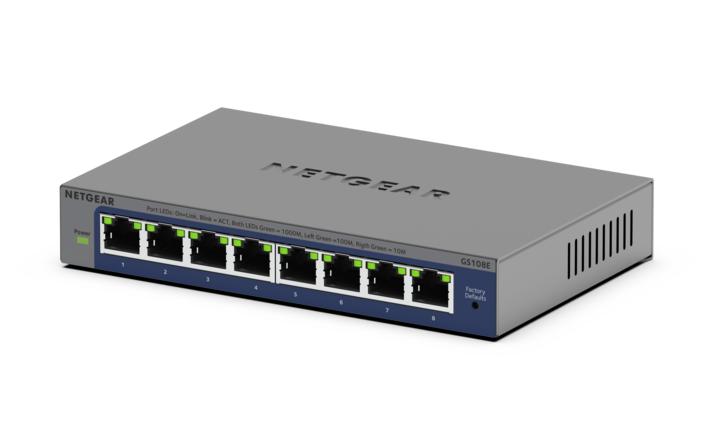
MFR: Netgear, Inc
Qty: 1
Part #: GS105NA