
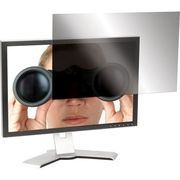
Targus ASF215W9USZ Laptop screen protector
The Targus 21.5” Widescreen LCD Monitor Privacy Screen is designed to fit 21.5” widescreen LCD monitors. To protect your information, tiny vertical blinds on the surface of the screen narrow the viewing angle so data is only visible directly in front of the monitor up to 45 degrees away from the center of the screen. Onlookers will only see a dark unclear screen when attempting to view the information from a side angle. In addition to providing security, the privacy screen also blocks the glare to help reduce eye strain. The Targus LCD Monitor Privacy Screen can be easily attached by using clear adhesive strips designed for LCD screens or with the included tab guides that stick to the edge of the LCD screen to hold the screen in place. Users can position the tabs so the screen easily slides on and off. Highly portable and easy to use, the Targus privacy screen protects valuable information on a laptop and LCD monitor from onlookers.Designed to fit 21.5" widescreen notebooksProtects valuable information by narrowing the viewing angle; onlookers see only a dark screen instead of sensitive informationUse included adhesive strips to stick the screen to your LCD or use the included tabs that stick to the outsize frame of the LCD screen
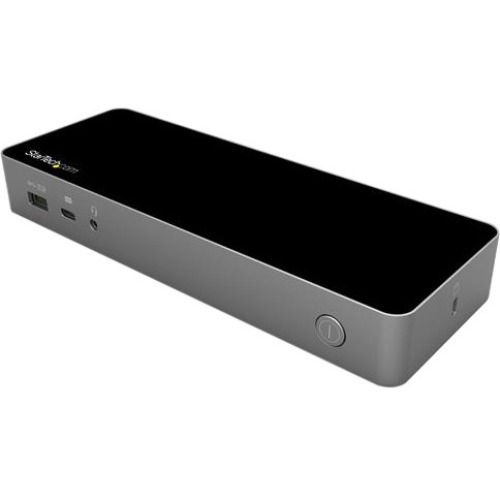
StarTech.com DK30C2DPEP laptop dock/port replicator Wired USB 3.2 Gen 1 (3.1 Gen 1) Type-C Black, Gray
Dual 4K60 | DisplayPort and/or HDMI | USB-IF Certified | 3x USB-A | 1x USB-C | Mac, Windows® & Chrome OS™ | Lock SlotTransition from the legacy USB-A (USB 3.0) to the new USB-C with this certified universal laptop docking station for USB-C and USB-A laptops. The USB-C dock features 100W Power Delivery 3.0, dual HDMI and/or DisplayPort monitors, fast-charge, and both USB-C and USB-A peripheral ports.The Uniquely Universal Host CableThe USB-C dock comes with a universal host cable that is designed with an attached USB-C to USB-A adapter to accommodate USB-A laptops. The cable also features an extended length of 1 meter (3.3 ft.) to support a wide variety of workstation setups.Replacement or extra cables can be purchased separately here.100W Power DeliveryFor high performance laptops that require more charging power, the dock powers and charges your laptop as you work with 100W PD for faster charging, using the 150W power adapter - all through a single cable.Flexible Monitor ConnectionsThis is a dual 4K60Hz video docking station with support for both Ultra HD DisplayPort and/or HDMI monitors that lets you configure your video connections to best suit your needs.•Dual 4K DisplayPort | Up to 4096 x 2160p @ 60Hz•Dual 4K HDMI | Up to 4096 x 2160p @ 60Hz•Single 4K DisplayPort + Single 4K HDMI | Up to 4096 x 2160p @ 60Hz•Single 5K DisplayPort * | Up to 5120 × 2880*Requires monitor support for 5K using two DP portsCertified for Universal Compatibility & ReliabilityThis docking station is fully certified to meet top industry standards for USB-IF (USB 3.1 Gen 1, USB Type-C and Power Delivery), VESA DisplayPort and DisplayLink (video connections) certification to guarantee the highest quality, reliability, and compatibility.Easy and Convenient SetupFor fast setup right out of the box, the combo cable (USB-C with attached USB-A adapter) lets you connect any laptop. The dock has mounting holes for workstation mounting (bracket not included).The Connections You NeedConnect your devices with four USB 3.1 ports: 1x USB-C and 3x USB-A. Fast-charge your USB-C or USB-A smartphone. The dock provides a GbE port (PXE Boot support & Wake-on-LAN) and 3.5 mm 4-position headset audio jack. It also includes a security lock slot (K-slot) to protect against theft.For more installation flexibility, you can use StarTech.com mounting brackets (SSPMSUDWM & SSPMSVESA) that are specifically designed for our docks and hubs, to mount your dock to a desk, wall, or other surfaces to give you the customized setup you need.Enhance Productivity and Device Management with the StarTech.com Connectivity Tools ApplicationDeveloped to improve performance and security, StarTech.com Connectivity Tools is the only software suite on the market that works with a wide range of IT connectivity accessories. The software suite includes:•Advanced Windows Layout Utility : To setup and save custom windows layouts.•Mac Address Pass-Through Utility : To improve network security.•USB Event Monitoring Utility : To track and log connected USB devices•Wi-Fi Auto Switch Utility : Enabling users to quickly access faster network speeds via wired LAN.For more information and to download the StarTech.com Connectivity Tools application, please visit: www.StarTech.com/Connectivity-ToolsThe IT Pro's Choice Since 1985StarTech.com conducts thorough compatibility and performance testing on all our products to ensure we are meeting or exceeding industry standards and providing high-quality products to IT Professionals. Our local StarTech.com Technical Advisors have broad product expertise and work directly with our StarTech.com Engineers to provide support for our customers both pre and post-sales.DK30C2DPEP is backed by a StarTech.com 3-year warranty and free lifetime technical support.The StarTech.com Advantage
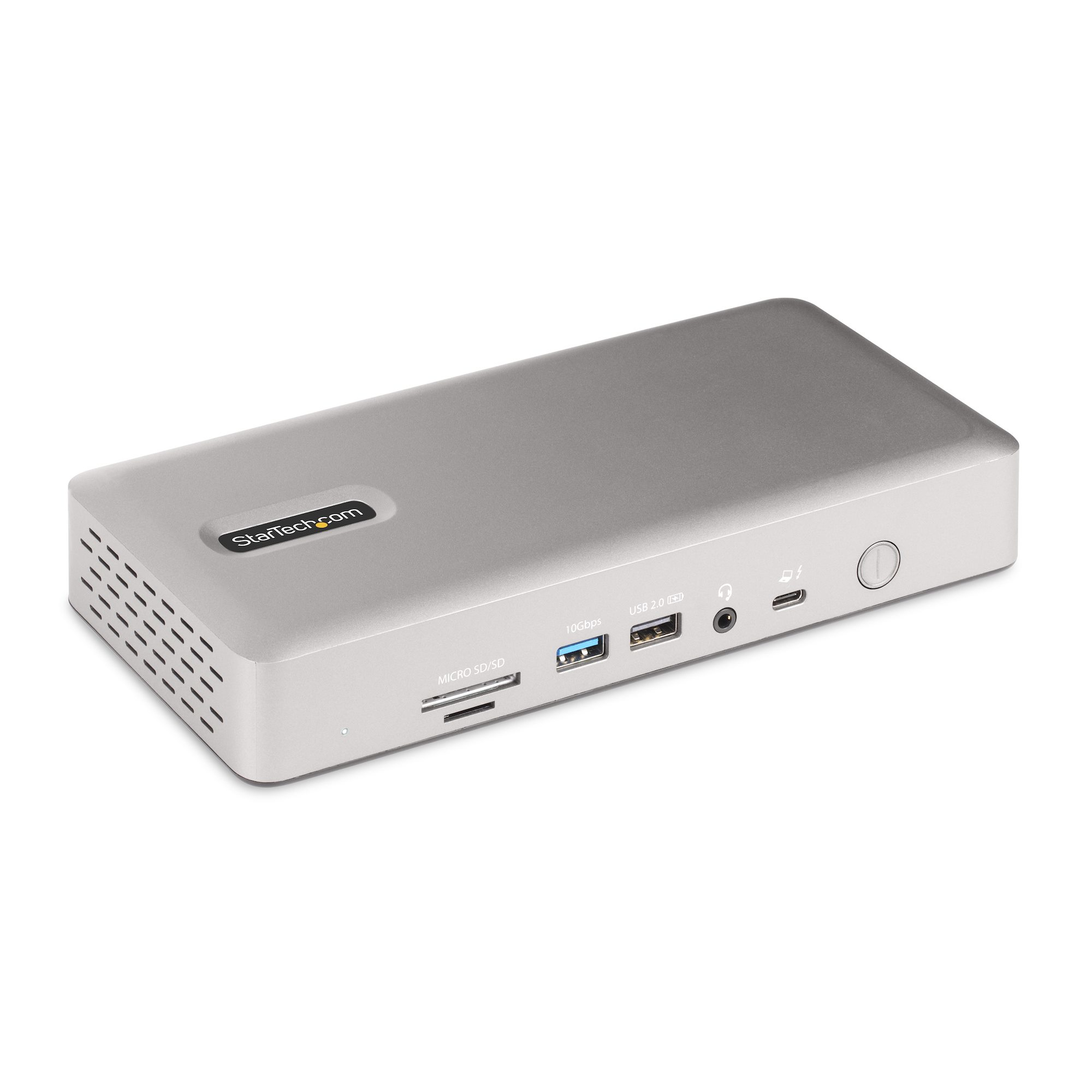
StarTech.com 132N-TB4USB4DOCK laptop dock/port replicator Wired Thunderbolt 4 Gray
Transform a Thunderbolt 4 laptop into a high-resolution multi-monitor workstation with 7x USB ports, 2.5 Gigabit Ethernet port, 3.5mm audio, plus USB Power Delivery and downstream device chargingThis Thunderbolt 4 Certified docking station uses a single Thunderbolt 4/3 or USB4, port on a host computer to add high-performance connectivity while charging the laptop.Flexible High-Performance Video Supporting up to Quad-Monitor 4K 60HzThe dock is equipped with 2x HDMI and 2x DisplayPort video outputs for connecting multiple monitors to the host computer. The dock offers video flexibility, supporting single, dual, triple, or quad monitor configurations. With an Intel 12th Gen processor or higher that supports DP 1.4 with DSC, the docking station can support a quad-monitor configuration with resolutions up to 4K 60Hz. Quad displays are also available at lower resolutions or refresh rates on computers without DSC or with earlier Intel revisions. In addition, the dock supports a single 8K 60Hz display on either of the HDMI output ports.Apple computers equipped with M1, M2, M3 or M4 Max/Pro processors support dual displays. For Apple computers featuring the M-series base processor a single display is supported.Port ConnectivityThe docking station utilizes the high 40Gbps throughput available from a Thunderbolt 4/3, or USB4 port to provide a wide range of port connectivity to suit a variety of applications.The dock features:• 2x HDMI ports to connect displays• 2x DisplayPort ports to connect displays• 6x USB 3.2 ports (3x 10Gbps Type-A, 1x 10Gbps Type-C, 2x 5Gbps Type-A) to connect USB peripheral devices• 1x USB 2.0 (480Mbps) Type-A port that supports BC 1.2 with 7.5W (1.5A) for charging battery powered USB devices• 1x 2.5 Gigabit Ethernet port with PXE boot and WoL to connect to a wired Local Area Network (LAN)• 1x Secure Digital (SD) 4.0/UHS-II card reader to externally access SD, SDHC and SDXC memory cards• 1x Micro Secure Digital (microSD) 4.0/UHS-II card reader to externally access mSD, mSDHC and mSDXC memory cards• 1x 3.5mm 4-position TRRS Audio Jack to connect a 3.5mm headset98W USB Power Delivery CertifiedIncludes a 180W power adapter and supports 98W USB power delivery. This enables the dock to charge the laptop, with enough additional power for the downstream USB 2.0 port to support BC 1.2 with 7W (1.5A) for charging tablets, smartphones or other battery-powered USB devices.Enhance Productivity and Device Management with the StarTech.com Connectivity Tools AppDeveloped to improve performance and security, Connectivity Tools is the only software suite on the market that works with a wide range of IT connectivity accessories. The software includes:•Advanced Windows Layout Utility : To setup and save custom windows layouts.•Mac Address Pass-Through Utility : To improve network security.•USB Event Monitoring Utility : To track and log connected USB devices•Wi-Fi Auto Switch Utility : Enabling users to quickly access faster network speeds via wired LAN.For more information and to download the StarTech.com Connectivity Tools application, please visit: www.StarTech.com/Connectivity-ToolsThe StarTech.com Advantage

StarTech.com A-LAPTOP-DESK-MOUNT laptop stand Laptop arm Black 34"
Laptop Desk Mount | Displays up to 34in (8kg/17.6lb) & Laptops (4.5kg/9.9lb) | VentedIncrease your desk space and add versatility and ergonomics to your work/home setup with this laptop desk mount. The tray (11.8 x 11 in / 300 x 280 mm) is large enough to hold a laptop between 9.4 - 16.5 inches (240 - 420 mm) wide, 1 inch (25.4 mm) thick, and of up to 10 lbs (4.5 kg).Ergonomic and adaptableThe arm offers a high number of adjustments such as tilt +45/-45° tilt, swivel +90/-90°; rotation 360°; and height adjustment along the (17.7 in / 449 mm) pole. The arms can extend a maximum of 16.85 inches / 423 mm from the pole. The mechanical height adjustment provides a sturdy laptop tray to reduce bounce when typing. The multiple adjustment options allow the laptop to be positioned at eye level improving posture, comfort, and to be aligned with any existing monitors improving productivity.Ventilated Laptop TrayThe laptop tray is well ventilated and includes optional rubber pads to prevent scuffs and scratches. In addition, the laptop tray features two independent adjustable padded arms that serve as a cradle to secure the laptop and can be independently positioned and secured along the sides of the tray to prevent blocking any port configuration on a laptop.Mounting optionsUsing the interchangeable desk clamp (c-clamp) you can easily attach and secure the mount to a desk or grommet hole (0.39in - 3.46in / 10mm - 88mm thick) by hand. You can optionally remove the laptop tray and use the arm to mount a VESA compatible 75x75mm or 100x100mm 27" display or 34" (21:9) ultrawide display with a maximum weight of 17.6 lbs (8 kg).A-LAPTOP-DESK-MOUNT is backed for 5-years by StarTech.com, including free lifetime 24/5 multi-lingual technical assistance.The StarTech.com Advantage
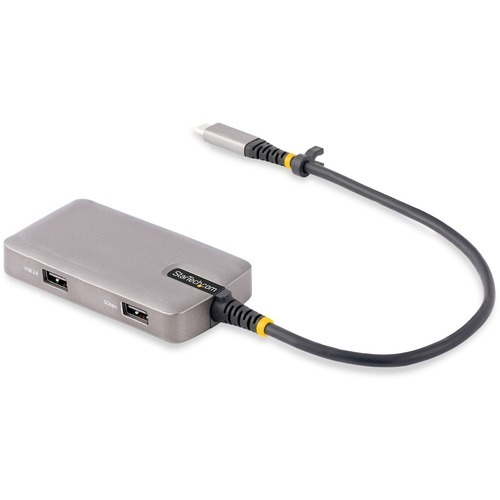
StarTech.com 104B-USBC-MULTIPORT laptop dock/port replicator Wired USB 3.2 Gen 1 (3.1 Gen 1) Type-C Black, Silver
Built-in 1ft (30cm) USB-C Host Cable | 3-Port USB Type-A Hub (1x USB 3.2 Gen 1 5Gbps, 2x USB 2.0 480Mbps) | HDMI 2.0b (HDR) 4K 60HzThis Works With Chromebook (WWCB) certified USB-C Multiport Adapter supports up to 4K 60Hz HDMI 2.0b (HDR10) via DP Alt Mode. The USB-C dock converts a USB-C laptop or tablet, such as a Chromebook, Dell XPS, or a MacBook, into a workstation. The adapter connects to your host computer's USB-C, USB4, or Thunderbolt™ 3/4 port. It features one HDMI video output, and a 3-Port USB Hub (1x USB 3.2 Gen 1 5Gpbs, 2x USB 2.0 480Mbps). Connect a laptop USB-C power supply to the dedicated USB Power Delivery (PD) 3.0 port, located on the Multiport Adapter, to charge the laptop. The Multiport Adapter features an extra-long built-in 12-inch (30 cm) USB-C host cable.Works With Chromebook (WWCB) certifiedThis USB-C Multiport Adapter is tested and certified to meet Google's compatibility standards ensuring seamless operation with Chromebook devices. The Multiport Adapter is ideal for setup and deployment in business and education environments. Automatic firmware updates are available through ChromeOS for maximum security, compatibility, and performance.Connect USB PeripheralsThe USB-C to USB-A hub features three USB Type-A ports, including one USB 3.2 Gen 1 (5Gbps) port, and two USB 2.0 (480Mbps) ports for connecting USB peripherals.Multiple Use CasesA versatile dock solution for use at your office, home office, hotel, or in the boardroom. It's portable enough to be carried in a bag or backpack. This lightweight USB-C Adapter can operate with bus-power alone, or use the dedicated USB-C Power Delivery port to connect a USB-C power adapter (not included with Multiport Adapter) for laptop charging.Charge Your LaptopConnect a USB-C power source (not included), such as the power adapter included with a laptop, to the USB-C Power Delivery pass-through port. With support for USB Power Delivery 3.0 pass-through (up to 100W), the USB Type-C Multiport Adapter allows you to power and charge your laptop. USB PD 3.0 features Fast Role Swap (FRS) to prevent USB data disruption when disconnecting the power source.Enhance Productivity and Device Management with the StarTech.com Connectivity Tools ApplicationDeveloped to improve performance and security, StarTech.com Connectivity Tools is the only software suite on the market that is compatible with a wide variety of IT connectivity accessories. The software suite includes:•Advanced Windows Layout Utility : Setup and save custom windows layouts.•USB Event Monitoring Utility : Track and log connected USB devices.For more information and to download the StarTech.com Connectivity Tools application, please visit: www.startech.com/connectivity-toolsThis product is backed for 3-years by StarTech.com, including free lifetime 24/5 multi-lingual technical assistance.This product works with devices capable of running the latest version of ChromeOS and has been certified to meet Google's compatibility standards. Google is not responsible for the operation of this product or its compliance with safety requirements. Android, Chromebook and the Works With Chromebook badge are trademarks of Google LLC. Thunderbolt is a trademark of Intel Corporation.The StarTech.com Advantage
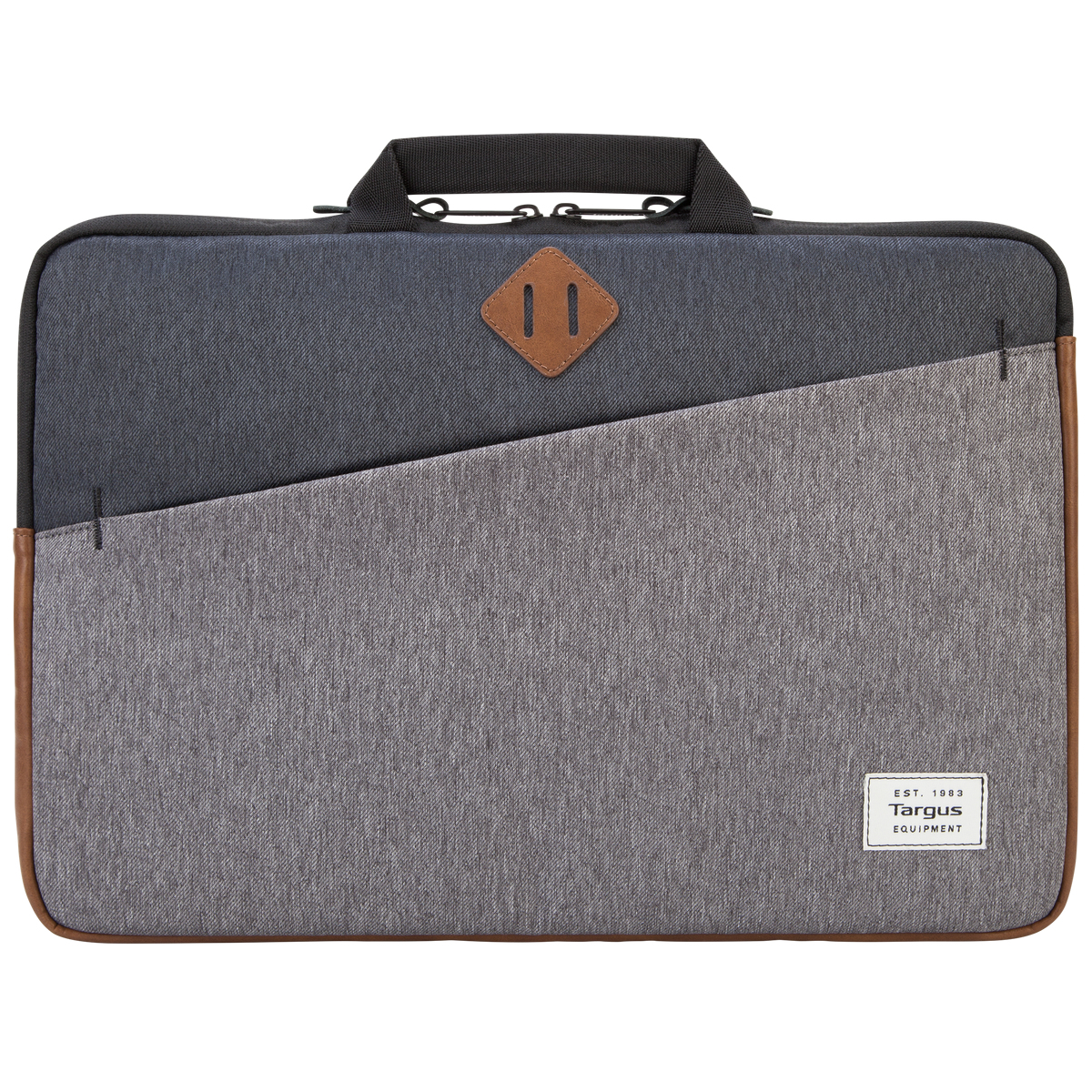
Targus Strata II 15.6" Sleeve case Charcoal
Always on the go? Carry your laptop in the 15.6” Strata II Sleeve with Handles. It has a slim design, but plenty of room for essentials in its front zippered pocket. It’s also easy to carry with convenient handles or slip it into another bag.Inside, your device will be cradled within a plush interior which will help protect it from scuffs and scratches, which is great for 2-in-1 devices where the screen is exposed. Crafted with lightweight materials and soft-touch leatherette accents, the Strata II Sleeve has a modern design that’ll take you from subway to boardroom.
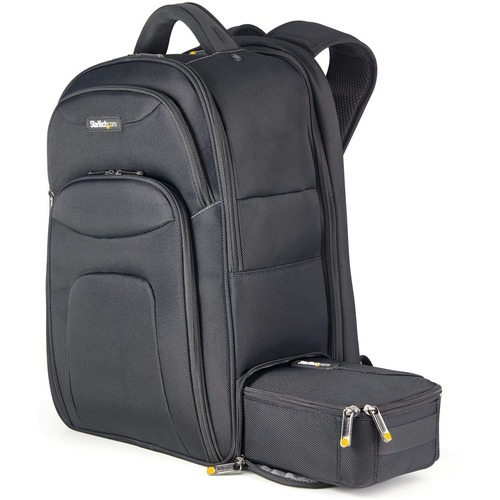
StarTech.com NTBKBAG173 laptop case 17.3" Backpack Black
Professional IT Backpack for Work/Travel/Commute | Tablet Pocket & Laptop Sleeve | Removable Accessory Case17.3" Laptop BackpackThis laptop backpack is designed and built with IT Professionals & Technicians in mind. For short or long-distance commutes, this travel-friendly IT backpack can carry your 17.3" laptop and tablet with you wherever you go. Equipped with an accessories case that can be easily removed and fits all of your IT accessories, including your laptop charger, display adapters, wireless mouse, tools, measurement instruments, and more. The laptop bag and accessory case are constructed of heavy-duty ballistic nylon to keep your items secure.Removable Case for IT AccessoriesThe removable travel accessories pouch (10.5in x 5.25in x 3in) is stored in its own compartment and was designed to be easily accessed using the lower side pocket of the backpack to avoid searching through or displacing other items. The hook and loop dividers can be adjusted or removed to suit your needs, and the bungee grid is perfect for storing smaller IT accessories and cables. With the case removed, the main compartment can be expanded to offer more room for any other essentials required for a short or long-term trip.Ergonomic and Travel FriendlyThe computer bag features breathable ergonomic padding to help relieve strain and maximize comfort. It is designed for short distance (ie. daily commuting) and long-distance travel (ie. tradeshows and customer visits). The laptop bag features adjustable shoulder straps and a handle that is easy to grip. The laptop backpack meets most airline and TSA carry-on requirements and allows you to bundle your travel bags and rolling luggage using the integrated trolley sleeve.Thoughtful DesignThere are a variety of practical pockets, including a velvet-lined pocket to store sensitive items, a pocket for water bottles, and a pocket on the shoulder strap (to keep your phone, passport, or work badge easily accessible), among others.This notebook backpack is backed by a StarTech.com limited lifetime warranty, and free lifetime technical support.The StarTech.com Advantage
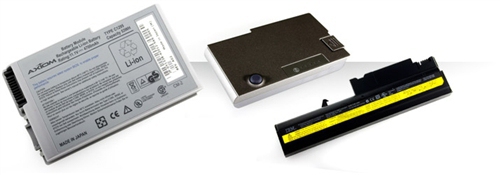
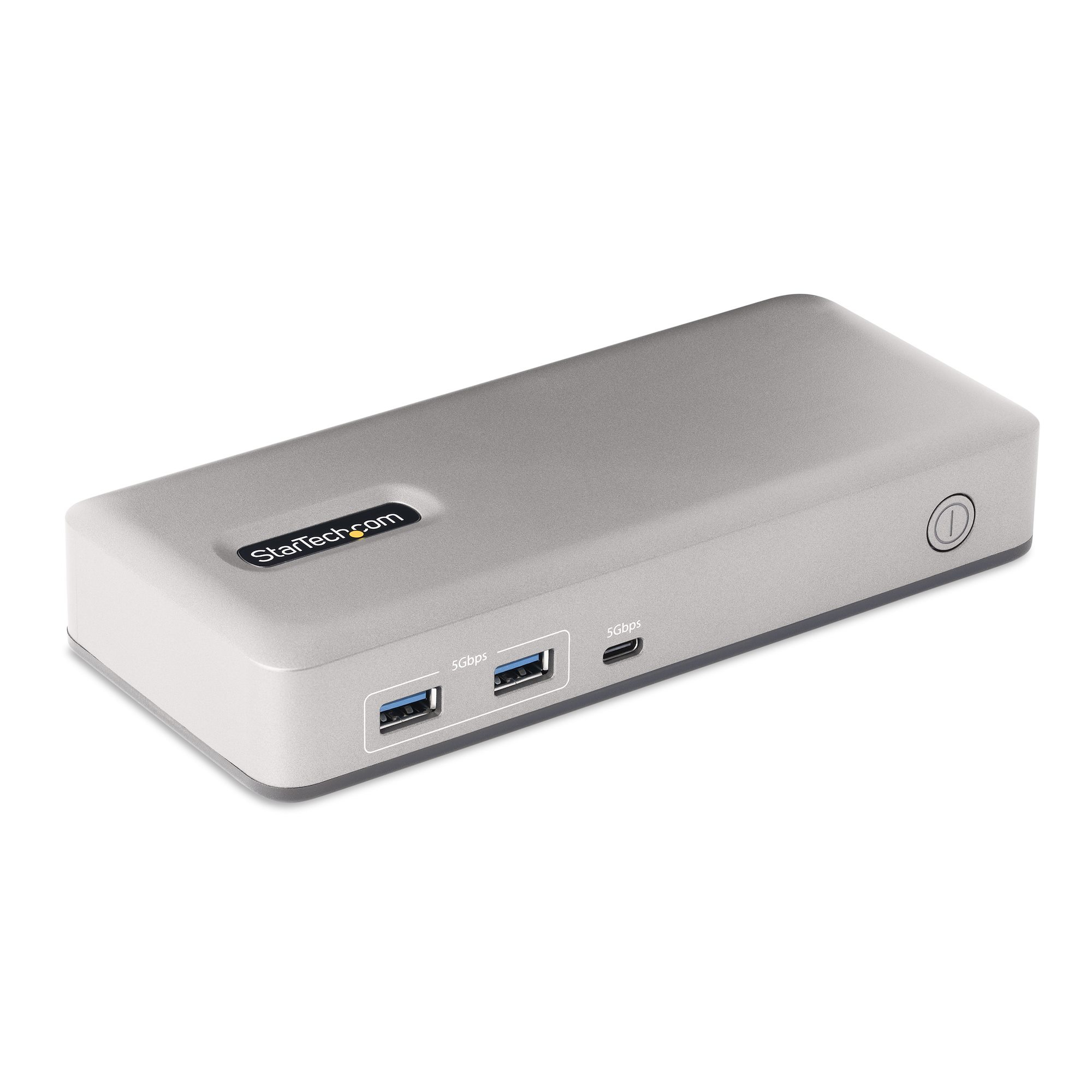
StarTech.com 101N-USBC-DOCK laptop dock/port replicator Wired USB 3.2 Gen 1 (3.1 Gen 1) Type-C Gray
Turn a USB Type-C enabled laptop into a dual-monitor DisplayPort and HDMI or VGA workstation with 6 USB-A and 1 USB-C peripheral portsThis USB Type-C Docking Station expands the connectivity of a USB-C laptop, enabling support for dual monitors and adding seven downstream USB ports. The USB-C Dock features driverless installation. It's compatible with USB-C and Thunderbolt 3/4 computers and works with Windows and ChromeOS computers. The Dock features a locking USB-C host port and includes a USB-IF Certified 3.3ft (1m) locking host cable.High-Performance Dual Video via MSTThe docking station provides DisplayPort 1.4, HDMI 2.0b and VGA video outputs with support for dual or single video output configurations, creating a powerful workstation. It supports DP 1.4 Alt Mode with MST allowing for uncompressed video performance up to dual 2560x1440 at 60Hz, or single-4K 60Hz on the DisplayPort and HDMI video outputs. Connect a DisplayPort monitor and choose between HDMI or VGA for the second display. This provides users with the flexibility to enjoy dual-monitor functionality with different connectivity options, based on preference or available monitors.Video performance, such as resolution and refresh rate across both monitors, is dependent upon the host computer and it's video controller. A source device with support for DisplayPort 1.4 and MST is required to achieve maximum performance. Please review the below chart and the specifications of your computer and displays to determine the expected video performance.PlatformSingle MonitorResolutionDual MonitorResolutionDisplayPort 1.4(Intel 11th Generation and Higher)1x 4K 60Hz2x 2560 x 1440p 60HzDisplayPort 1.2(Intel 10th Generation and Below)1x 4K 30Hz2x 1920x1200/1080p 60HzNotes:• All specified resolutions support RGB color representation (4:4:4)• Computers with discrete graphics controllers may achieve higher performance• Chart assumes combination of DisplayPort and HDMI video outputs, maximum VGA resolution is 1920x1200 in any configurationFull-Featured Docking Station with Built-in 7-Port USB HubConnect the docking station to the host computer's USB 3.2 Gen 1 (5Gbps) Type-C port to access a wide range of port connectivity and features, including seven downstream USB ports with a variety of speeds and connector types. The docking station features:• 1x DisplayPort 1.4 port for connecting an Ultra-High Definition monitor with support for resolutions up to 4K 60Hz.• 1x HDMI 2.0b port with HDR for connecting an Ultra-High Definition monitor with support for resolutions up to 4K 60Hz.• 1x VGA port for connecting a Full High-Definition monitor with support for resolutions up to 1080p/1920x1200.• 2x USB-A (USB 3.2 Gen 1 5Gbps) ports for connecting high speed USB peripherals, such as SSD storage.• 4x USB-A (USB 2.0 480Mbps) ports for USB HID devices, such as a keyboard and mouse.• 1x USB-C (USB 3.2 Gen 1 5Gbps) ports for connecting high speed USB peripherals, such as SSD storage.• 2x K-Slots (regular/nano) to tether the dock with a cable lock (sold separately) for security.• Front facing Power Button to turn the dock on/off.This dock is designed with a mounting pattern that enables it to be mounted when paired with StarTech.com mounting accessories (sold separately). With our mounting accessories, the dock can easily be attached to the VESA pattern on the back of a monitor, or to any flat surface, providing a clutter-free workspace. The mounting pattern ensures a secure fit, and the accessories are easy to install. The following mounts are compatible with this product:• SSPMSUDWM - Docking Station Surface Mount• SSPMSVESA - Docking Station VESA Mount85W Power Delivery 3.0The USB-C docking station supports 85W power delivery, facilitated by the included power adapter. With power delivery, users can confidently charge their devices while using the docking station. The provided power adapter ensures a consistent and stable power supply, allowing for uninterrupted productivity and device functionality.Enhance Productivity and Device Management with the StarTech.com Connectivity Tools ApplicationDeveloped to improve performance and security, StarTech.com Connectivity Tools is the only software suite on the market that works with a wide range of IT connectivity accessories. The software suite includes:•Advanced Windows Layout Utility : Setup and save custom windows layouts.•USB Event Monitoring Utility : Track and log connected USB devices.For more information and to download the StarTech.com Connectivity Tools application, please visit: www.StarTech.com/Connectivity-ToolsThe StarTech.com Advantage
Item(s) added to cart
Netgear GS105E-200NAS ProSafe Plus Switch, 5-Port Gigabit Ethernet - 5 Ports - 2 Layer Supported - Wall Mountable - Lifetime Limited Warranty-None Listed Compliance
MFR: Netgear, Inc
Qty: 1
Part #: GS105NA