
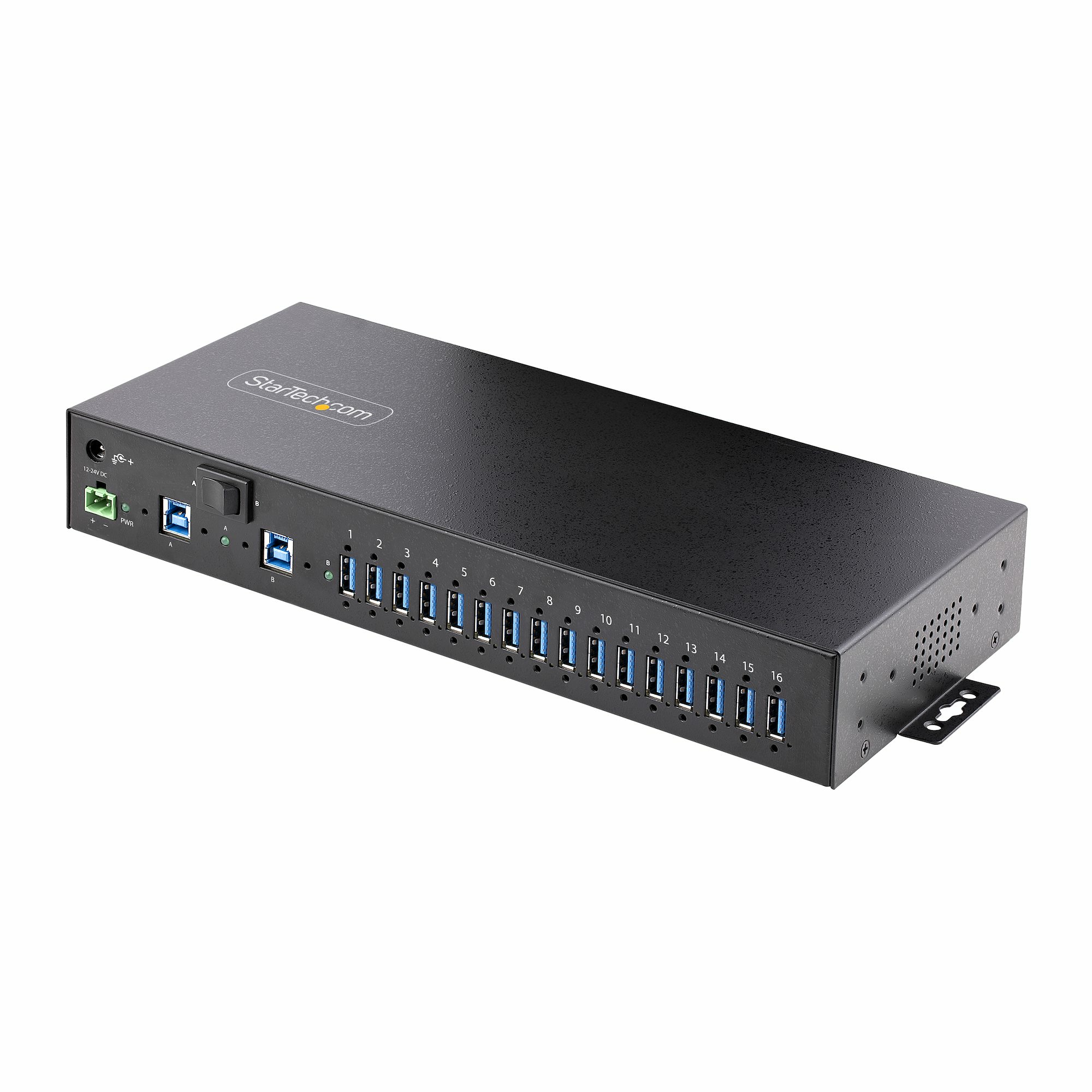
StarTech.com S5G16AINDS-USB-A-HUB interface hub 2 x USB 3.2 Gen 1 (3.1 Gen 1) Type-B 5000 Mbit/s Black
Add 16x USB 3.2 Gen 1 (5 Gbps) ports to two host computers, using this DIN-rail/Surface/Rack-mountable industrial hubThe 16-Port Industrial USB 5Gbps Hub with Power Adapter features 16 downstream USB-A ports. The rugged all-metal construction is suitable for use in industrial rackmount applications. Level-4 Electrostatic Discharge (ESD) protection safeguards against 15kV Air / 8kV Contact discharges. The hub features a 2-port host switch, enabling users to switch between two host devices.Engineered for Use in Industrial EnvironmentsThis USB hub is built to withstand harsh industrial environments. It features a rugged steel housing that protects against physical hazards such as drops and impacts. It is equipped with Level-4 ESD protection, with 15kV air and 8kV contact discharge ratings, to safeguard against damage caused by static electricity.Three Mounting OptionsThe 16-Port USB hub can be attached to a surface (e.g., atop/underneath a desk or wall mounted), rack mounted, or DIN-rail mounted. The 19" rackmount rails are compliant with EIA-310-D standards, ensuring compatibility with standard racks. These rails can be used to install the USB hub into 1U of rack space for applications in data centers and server rooms. Mount industrial automation and control equipment in an electrical enclosure or cabinet, using the standard DIN-rail (Top Hat/TH) mounting hardware.Power Adapter IncludedThis USB hub includes a 160W power adapter that connects to the 2-wire terminal block connector. When connected to the power adapter, the USB hub supports USB Battery Charging Specification 1.2 (BC 1.2) with 120W shared across all ports. Ports are grouped in 8 pairs (1&2, 3&4, 5&6, 7&8, 9&10, 11&12, 13&14, 15&16) and each pair supports a maximum of 3.0A/15W combined (1.5A/7.5W per port), or max 2.0A/10W per port when only one of both ports is used.For optional power redundancy, the USB hub features a secondary power input where a barrel-power adapter (not included) can be connected. The barrel-power input supports a 12-to-24-volt input range, and can be ideal for mission critical applications.Dual-Host SwitchThe USB Hub connects to two desktop or laptop computers, and features a dual-host switch enables easy toggling between the host devices.Enhance Productivity and Device Management with the StarTech.com Connectivity Tools ApplicationDeveloped to improve performance and security, StarTech.com Connectivity Tools is the only software suite on the market that is compatible with a wide variety of IT connectivity accessories. This product utilizes the USB Event Monitoring utility. Use this utility to track and log connected USB devices.For more information and to download the StarTech.com Connectivity Tools application, please visit: www.StarTech.com/Connectivity-ToolsThe StarTech.com Advantage

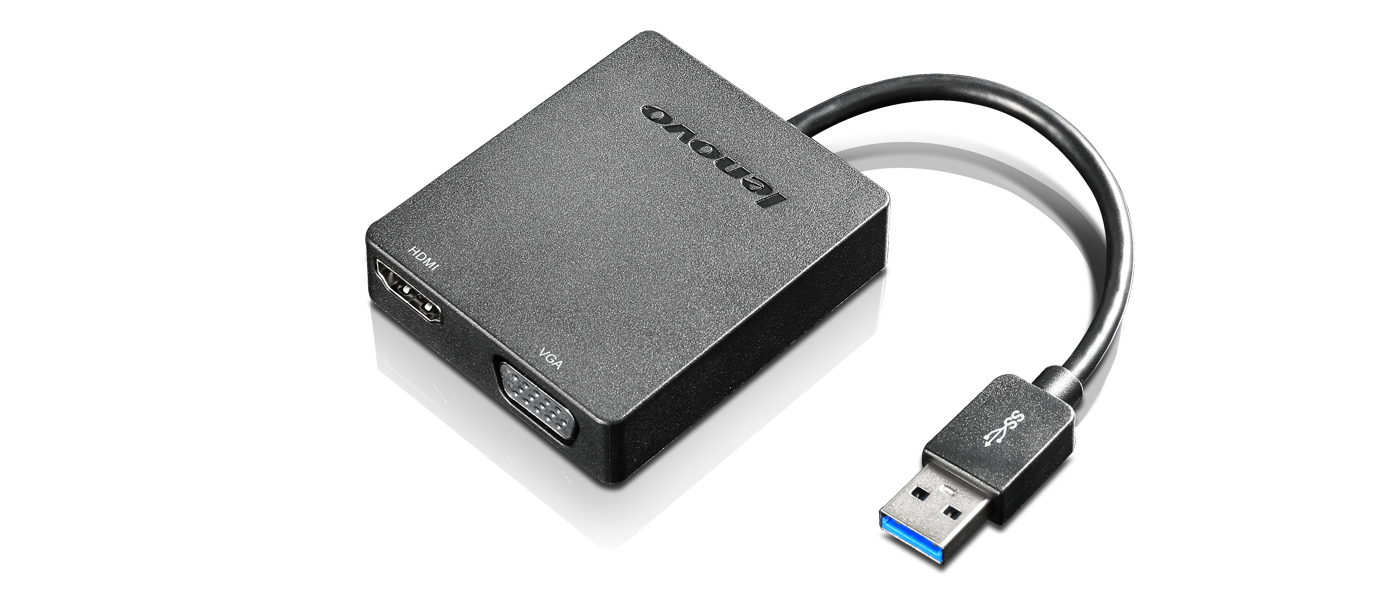
Lenovo Universal USB 3.0 to VGA/HDMI USB graphics adapter Black
The Lenovo Universal USB 3.0 to VGA/HDMI Adapter turns an available USB 3.0 port into a display port offering either VGA or HDMI output with support for high-definition 1080p and with audio (from HDMI port only).

Item(s) added to cart
Netgear GS105E-200NAS ProSafe Plus Switch, 5-Port Gigabit Ethernet - 5 Ports - 2 Layer Supported - Wall Mountable - Lifetime Limited Warranty-None Listed Compliance
MFR: Netgear, Inc
Qty: 1
Part #: GS105NA