
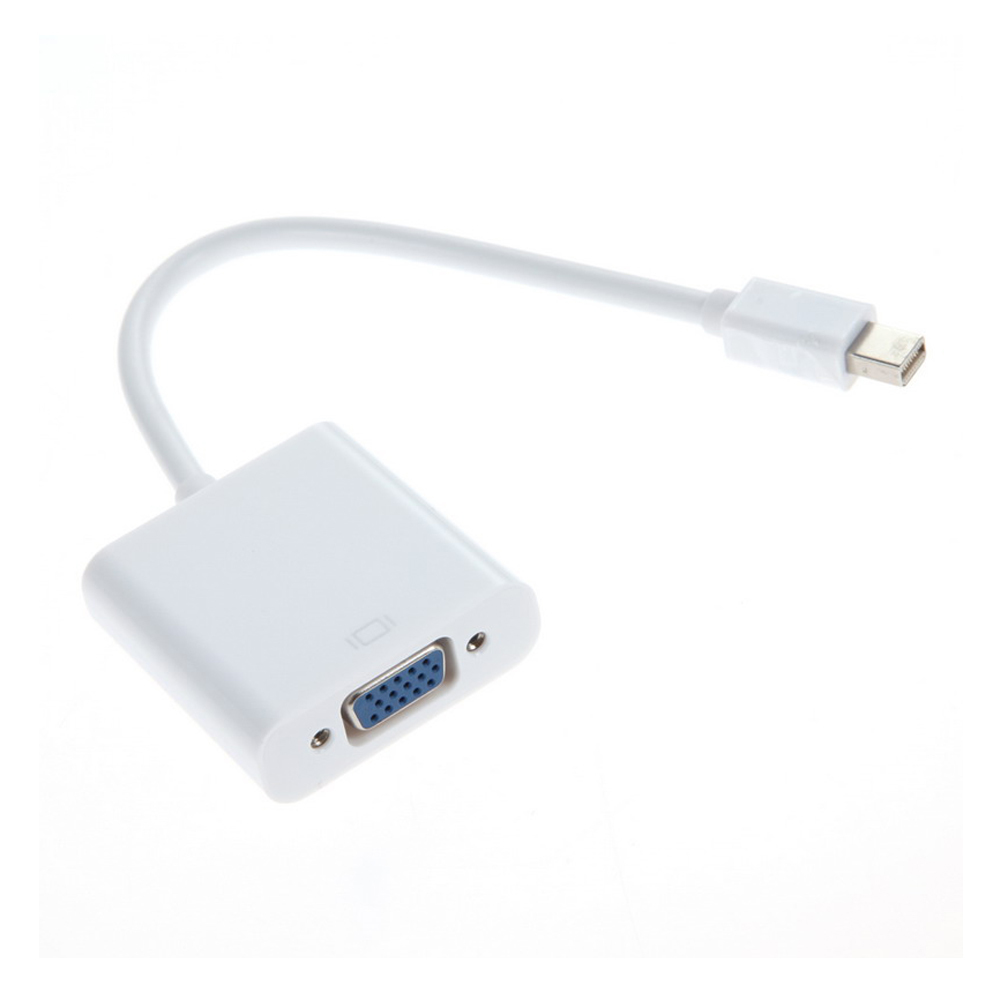
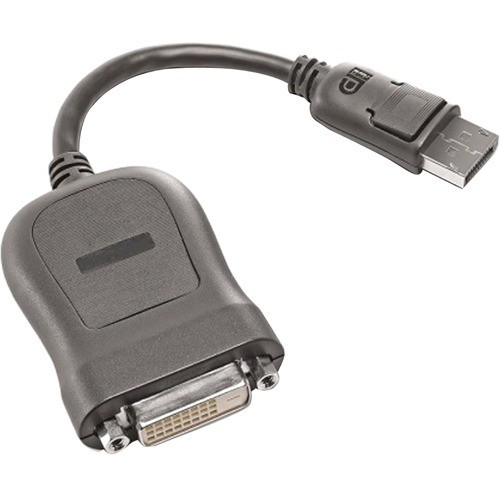
Lenovo 45J7915 video cable adapter 7.87" (0.2 m) DVI-D DisplayPort Black
The DisplayPort to Single-Link DVI-D Monitor Cable lets you easily connect a DVI-D digital monitor to a DisplayPort source device.
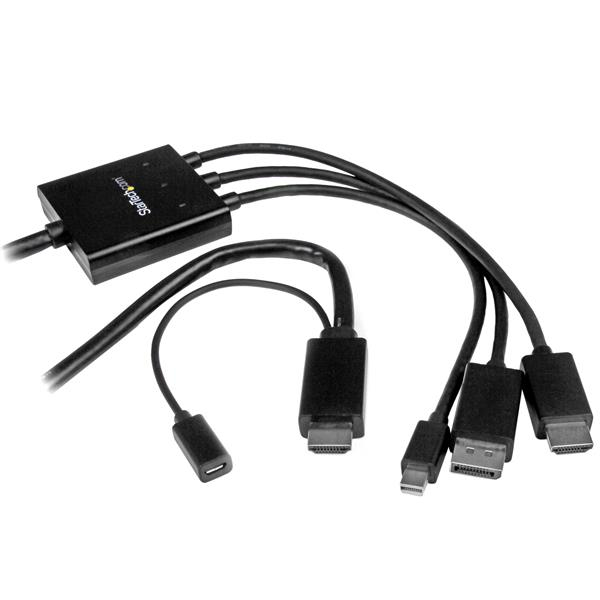
StarTech.com DPMDPHD2HD video cable adapter 78.7" (2 m) DisplayPort + Mini DisplayPort + HDMI HDMI + USB Black
This unique adapter cable lets you connect almost any laptop or desktop computer to an HDMI® display or projector. It supports the HDMI, DisplayPort™ and Mini DisplayPort output from your computer and video resolutions up to Ultra HD 4K.This versatile adapter cable is also Thunderbolt™ compatible, when connected directly to a supporting DisplayPort over a Thunderbolt I/O port.Simple boardroom setupsThis adapter cable is ideal for your boardroom’s HDMI display or projector. You can reduce clutter and eliminate the need for multiple adapters on your boardroom table by providing a single adapter cable that can support a variety of signals.One adapter for multiple usersThe adapter cable supports multiple input signal types, so you’ll be able to accommodate a variety of user needs. Employees and guests can plug in their HDMI, DP or mDP laptops and deliver their presentations using your boardroom’s HDMI display, without having to carry their own adapters.Astonishing picture qualityThis adapter cable ensures you can maintain an astonishing picture quality with four times the resolution of 1080p. The adapter is also backward compatible with lower resolution displays and video sources. With support for high-definition resolutions of 1080p and 720p, you can future-proof your existing setup for 4K video.USB-poweredThe adapter can be powered through the provided Micro-USB cable by connecting the cable from the adapter to a USB port on the user’s laptop or to a USB port on the HDMI display. The user can then connect their laptop to either input on the adapter cable and share their presentations.The DPMDPHD2HD is backed by a 2-year StarTech.com warranty and free lifetime technical support.
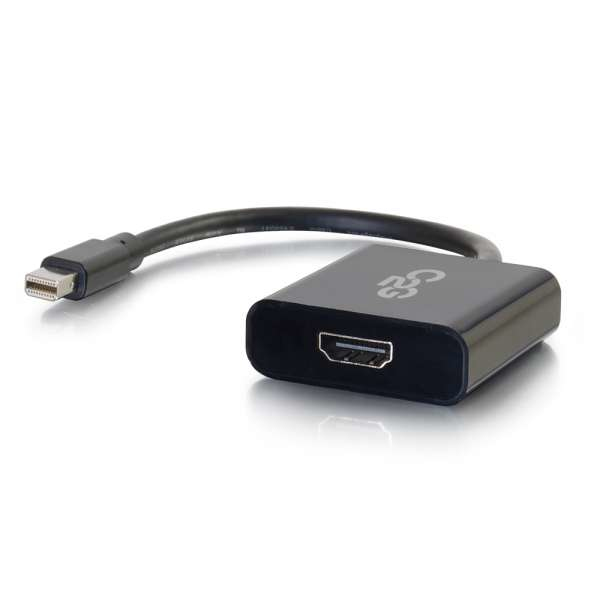
C2G 54307 video cable adapter Mini DisplayPort HDMI Type A (Standard) Black
This adapter allows the Mini DisplayPort™ video output of a laptop to connect to the HDMI® input of a display and is perfect for applications including displaying video on an HDTV, projector, or monitor in a classroom, on a desktop, or in a meeting room. This Mini DisplayPort to HDMI active adapter can be used in either DisplayPort single-mode or dual-mode outputs , providing the conversion for a Mini DisplayPort source even when that source does not support DP++. Active Mini DisplayPort conversion is excellent for applications where multiple Mini DisplayPort adapters are required to connect to a single graphics card. This allows every active adapter to interface with a corresponding display. On The Go Enhanced Be prepared for any meeting, presentation, or event with the full confidence that you have the right connection in an ultra-compact design. The Mini DisplayPort to HDMI adapter can connect a Mini DisplayPort equipped laptop or tablet to a projector, monitor, or HDTV with a HDMI input port. The compact design of this adapter converter makes it a perfect fit for BYOD (Bring Your Own Device) applications in education or corporate environments. Straightforward Install This simple plug and play adapter converter does not require drivers for install and the device is powered through Mini DisplayPort bus power, so no additional power adapters are needed. Port Protection The dongle-style adapter converter reduces strain on the video port. The cable between the Mini DisplayPort connection and the adapter converter provides strain relief that protects the port from strain damage as cords are moved. Note: When this device is connected to a Mini DisplayPort source device that supports audio and an DVI-D to HDMI Cable with the HDMI connector plugged into a HDMI display device that supports audio both audio and video signal will be transmitted from the source device to the display device. However connecting to a DVI-D display will not allow audio to pass to the display.
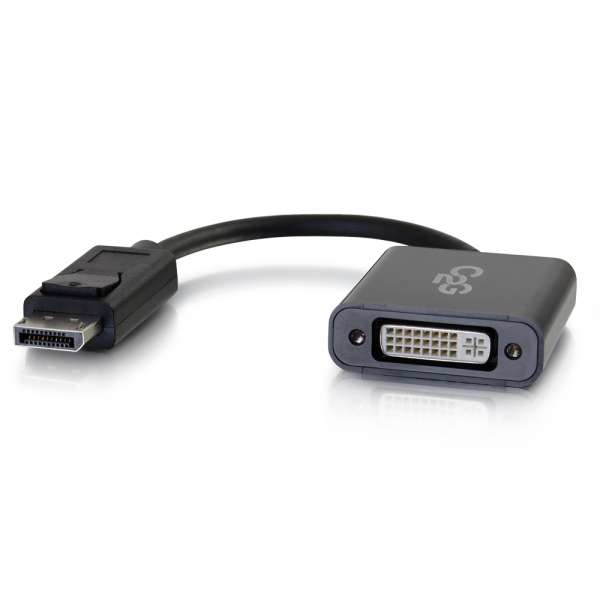
C2G 54317 video cable adapter DisplayPort DVI-D Black
This adapter allows the DisplayPort™ video output of a laptop to connect to the DVI-D® input of a display and is perfect for applications including displaying video on an HDTV, projector, or monitor in a classroom, on a desktop, or in a meeting room. This active DisplayPort to DVI-D active adapter can be used in either DisplayPort single-mode or dual-mode outputs , providing the conversion for a DisplayPort source even when that source does not support DP++. Active DisplayPort conversion is excellent for applications where multiple DisplayPort adapters are required to connect to a single graphics card. This allows every active adapter to interface with a corresponding display.On The Go EnhancedBe prepared for any meeting, presentation, or event with the full confidence that you have the right connection in an ultra-compact design. The DisplayPort to DVI-D adapter can connect a DisplayPort equipped laptop or tablet to a projector, monitor, or HDTV with a DVI-D input port. The compact design of this adapter converter makes it a perfect fit for BYOD (Bring Your Own Device) applications in education or corporate environments.Straightforward InstallThis simple plug and play adapter converter does not require drivers for install and the device is powered through DisplayPort bus power, so no additional power adapters are needed.Port ProtectionThe dongle-style adapter converter reduces strain on the video port. The cable between the DisplayPort connection and the adapter converter provides strain relief that protects the port from strain damage as cords are moved.Note: When this device is connected to a DisplayPort source device that supports audio and an DVI-D to HDMI Cable with the HDMI connector plugged into a HDMI display device that supports audio both audio and video signal will be transmitted from the source device to the display device. However connecting to a DVI-D display will not allow audio to pass to the display.Note: When this device is connected to a DisplayPort source device that supports 4K signal and an DVI-D to HDMI Cable that supports 4K with the HDMI connector plugged into a HDMI display device that supports 4K video signal full 4K video signal will be transmitted from the source device to the display device.
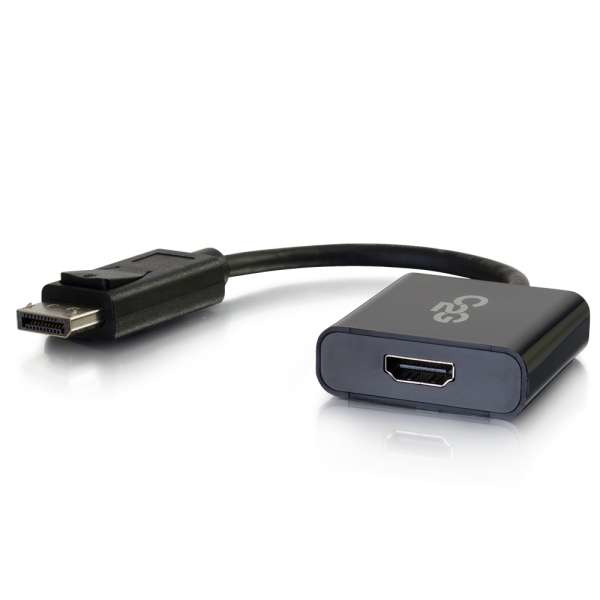
C2G 54306 video cable adapter DisplayPort HDMI Black
This adapter allows the DisplayPort™ video output of a laptop to connect to the HDMI® input of a display and is perfect for applications including displaying video on an HDTV, projector, or monitor in a classroom, on a desktop, or in a meeting room. This active DisplayPort to HDMI active adapter can be used in either DisplayPort single-mode or dual-mode outputs , providing the conversion for a DisplayPort source even when that source does not support DP++. Active DisplayPort conversion is excellent for applications where multiple DisplayPort adapters are required to connect to a single graphics card. This allows every active adapter to interface with a corresponding display.On The Go EnhancedBe prepared for any meeting, presentation, or event with the full confidence that you have the right connection in an ultra-compact design. The DisplayPort to HDMI adapter can connect a DisplayPort equipped laptop or tablet to a projector, monitor, or HDTV with a HDMI input port. The compact design of this adapter converter makes it a perfect fit for BYOD (Bring Your Own Device) applications in education or corporate environments.Straightforward InstallThis simple plug and play adapter converter does not require drivers for install and the device is powered through DisplayPort bus power, so no additional power adapters are needed.Port ProtectionThe dongle-style adapter converter reduces strain on the video port. The cable between the DisplayPort connection and the adapter converter provides strain relief that protects the port from strain damage as cords are moved.
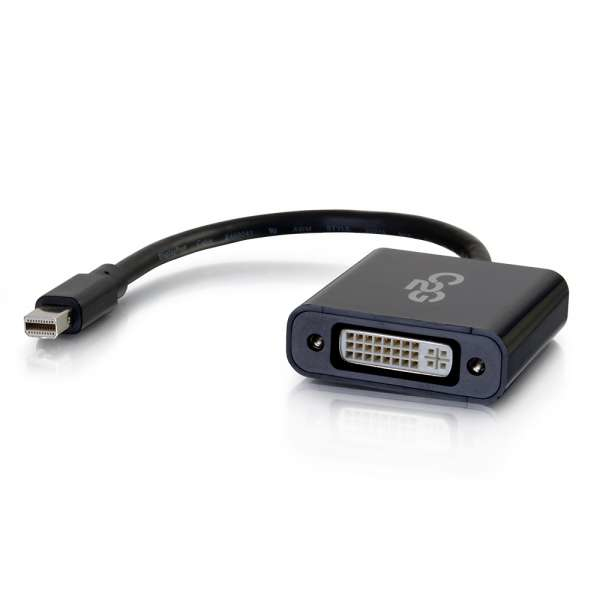
C2G 54318 video cable adapter Mini DisplayPort DVI-D Black
This adapter allows the Mini DisplayPort™ video output of a laptop to connect to the DVI-D® input of a display and is perfect for applications including displaying video on an HDTV, projector, or monitor in a classroom, on a desktop, or in a meeting room. This Mini DisplayPort to DVI-D active adapter can be used in either DisplayPort single-mode or dual-mode outputs , providing the conversion for a Mini DisplayPort source even when that source does not support DP++. Active Mini DisplayPort conversion is excellent for applications where multiple Mini DisplayPort adapters are required to connect to a single graphics card. This allows every active adapter to interface with a corresponding display. On The Go Enhanced Be prepared for any meeting, presentation, or event with the full confidence that you have the right connection in an ultra-compact design. The Mini DisplayPort to DVI-D adapter can connect a Mini DisplayPort equipped laptop or tablet to a projector, monitor, or HDTV with a DVI-D input port. The compact design of this adapter converter makes it a perfect fit for BYOD (Bring Your Own Device) applications in education or corporate environments. Straightforward Install This simple plug and play adapter converter does not require drivers for install and the device is powered through Mini DisplayPort bus power, so no additional power adapters are needed. Port Protection The dongle-style adapter converter reduces strain on the video port. The cable between the Mini DisplayPort connection and the adapter converter provides strain relief that protects the port from strain damage as cords are moved. Note: When this device is connected to a Mini DisplayPort source device that supports audio and an DVI-D to HDMI Cable with the HDMI connector plugged into a HDMI display device that supports audio both audio and video signal will be transmitted from the source device to the display device. However connecting to a DVI-D display will not allow audio to pass to the display. Note: When this device is connected to a Mini DisplayPort source device that supports 4K signal and an DVI-D to HDMI Cable that supports 4K with the HDMI connector plugged into a HDMI display device that supports 4K video signal full 4K video signal will be transmitted from the source device to the display device. However connecting to a DVI-D display will not allow 4K resolution to pass to the display.
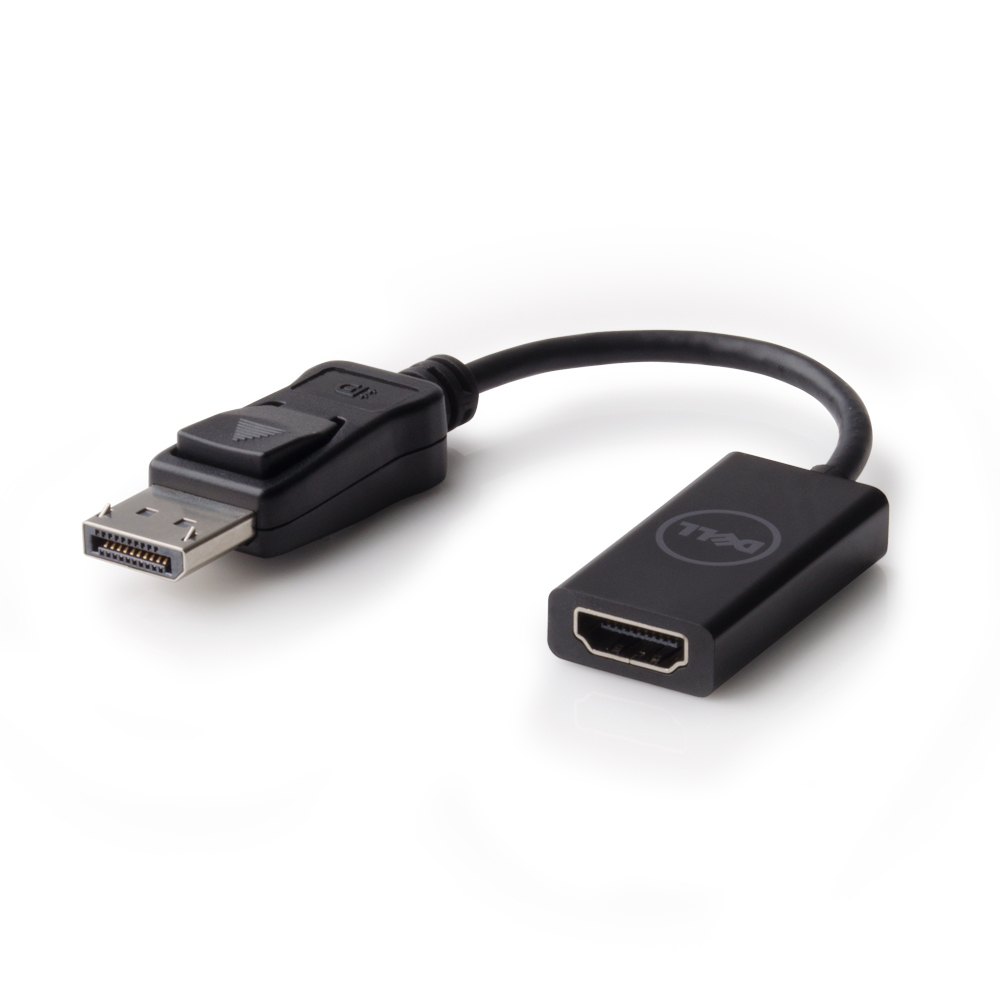
DELL DANAUBC087 video cable adapter 7.87" (0.2 m) DisplayPort HDMI Black
Connect with up to 4K resolution displaysWith the Dell Adapter - DisplayPort to HDMI 2.0 (4K) you can connect your PC's DisplayPort to 4K displays with an HDMI input without compromising on picture quality. Enjoy a seamless connection between PCs with DisplayPorts and with multiple versions of HDMI (versions 1.2, 1.4 and 2.0) -compliant monitors, projectors and HDTVs.Uncompromising view on the big screen with Ultra HD (4K) supportThe adapter supports up to Ultra HD (4K) at 60 Hz, so you can experience incredible screen clarity while viewing your favorite 4K videos, playing games or making presentations on a large display.Highly portable with a compact and lightweight designBring the adapter with you wherever your busy day takes you. Its compact and lightweight design makes it easy to carry around. Just throw it in your bag and head off to your next destination.Get started right away with plug & playWith the added convenience of plug & play, you won't have to waste time trying to get your display set up. Simply connect the adapter from the DisplayPort on your PC to the HDMI input on your monitor, projector or HDTV, and get started right away.CompatibilityCompatible with Dell Platforms and backward compatible with all older versions of HDMI compliant monitors, projectors and HDTVs.Connect your PC with DisplayPort to high resolution displays with the Dell™ Adapter - DisplayPort to HDMI 2.0 (4K). Enjoy uncompromised 4K content at 60 Hz with the adapter’s seamless connection between PCs with DisplayPort and HDMI-compliant monitors, projectors, and HDTVs. With the convenience of plug & play, you can get started right away without having to install drivers.

Tripp Lite P137-GHDV-V2-K video cable adapter 7.87" (0.2 m) Mini DisplayPort, USB 3.0 DVI/VGA/HDMI, RJ-45 Black
The P137-GHDV-V2-K 4K Video and Ethernet 2-in-1 Accessory Kit expands the capabilities of your Microsoft® Surface® or Surface Pro by adding Gigabit Ethernet access and an external DVI, VGA or 4K HDMI monitor. These two lightweight, low-profile adapters fit neatly into your backpack or laptop bag, so you can use this Microsoft Surface accessory kit anywhere you go.For displaying videos, spreadsheets, documents and presentations on a larger screen, the Mini DisplayPort™ to DVI/VGA/HDMI adapter has separate DVI-D, HD15 and HDMI female ports for connecting your Surface’s Mini DisplayPort to a DVI, VGA or HDMI monitor, television or projector. It supports video resolutions up to 1920 x 1080 (DVI-D); 1920 x 1200, including 1080p (HD15); and 4K x 2K Ultra High Definition up to 3840 x 2160 (HDMI) at 24/30 Hz. It also supports 36-bit Deep Color (12 bits per channel). Only one display can be connected at a time.The USB 3.0 SuperSpeed to Gigabit Ethernet adapter allows your Surface to access a 10/100/1000 Mbps wired network without an internal Ethernet card. It achieves USB 3.0 data transfer speeds up to 5 Gbps without compromising signal quality. It complies with IEEE 802.3 (10Base-T) and 802.3u (100Base-TX) standards and supports IEEE 802.3az Energy Efficient Ethernet, as well as full- and half-duplex operations, suspend mode and remote wakeup via link-up, and magic packet.
Item(s) added to cart
Netgear GS105E-200NAS ProSafe Plus Switch, 5-Port Gigabit Ethernet - 5 Ports - 2 Layer Supported - Wall Mountable - Lifetime Limited Warranty-None Listed Compliance
MFR: Netgear, Inc
Qty: 1
Part #: GS105NA