
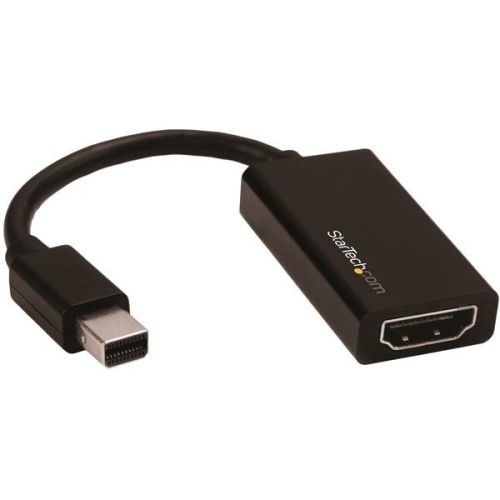
StarTech.com MDP2HD4K60S video cable adapter 5.83" (0.148 m) Mini DisplayPort HDMI Black
Connect your mDP computer to an HDMI display using this converter, which supports UHD resolutions up to 4K at 60HzThis Mini DisplayPort to HDMI® adapter lets you output HDMI video and audio from an mDP device, with support for Ultra HD 4K at 60Hz. The Mini DisplayPort adapter is the perfect accessory for any of your Microsoft® Surface™ Pro devices with mDP.Astonishing picture quality with support for Ultra HD 4K at 60 HzThe adapter lets you harness the video capabilities that are built into your Mini DisplayPort connection, to deliver the astonishing quality of UHD to your 4K 60Hz display. This makes it easier for you to multitask while using multiple monitors to work on resource-demanding applications.Unlike many 4K Mini DisplayPort to HDMI adapters that only support a 30Hz refresh rate, this adapter works with HDMI 2.0 displays that can deliver output resolutions of up to 3840 x 2160p at 60Hz. Support for HDMI 2.0 means this adapter can support bandwidth up to 18Gbps, making it an ideal solution for performing high-resolution tasks such as editing 4K video.The adapter is backward compatible with 1080p displays, which ensures compatibility with lower resolution displays such as TVs or projectors around your home or office.Ultimate portability with a compact, lightweight designThe compact video adapter is highly portable and lightweight. It’s the perfect accessory for your portable mDP devices, fitting easily into your laptop bag or carrying case.The portable adapter is the perfect accessory for deployment with company computers, enabling your employees to interface with BYOD (Bring Your Own Device) HDMI applications around the office, such as working at a hot-desk with an HDMI display or sharing your laptop’s screen on a boardroom projector.Hassle-free setup with an active adapter that features plug-and-play installationTo ensure compatibility with any Mini DisplayPort output, the mDP adapter offers active conversion. Active video conversion is required to maintain 4K resolutions when converting Mini DisplayPort to HDMI. An active mDP adapter is also ideal for outputting 1080p resolutions by ensuring compatibility with graphics cards that are not capable of outputting multi-mode DP++ signals, such as ATI Eyefinity™ cards.For a hassle-free setup, the Mini DisplayPort to HDMI adapter allows for plug-and-play installation without any additional software or drivers.Note: To achieve 4K resolution at 60 Hz a DisplayPort 1.2 output and an HDMI 2.0 display are required.The MDP2HD4K60S is backed by a 3-year StarTech.com warranty and free lifetime technical support.The StarTech.com Advantage
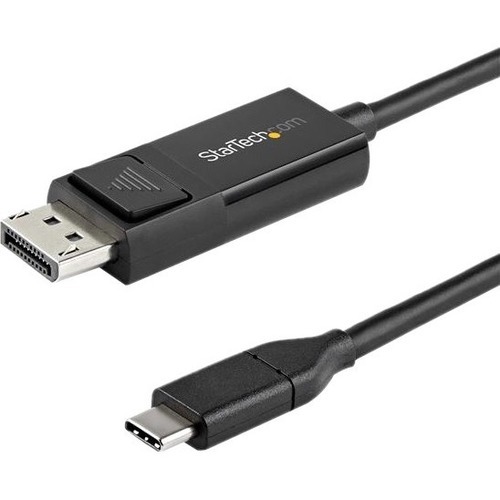
StarTech.com CDP2DP2MBD video cable adapter 78.7" (2 m) USB Type-C DisplayPort Black
USB Type-C™ Adapter Cable | 4K 60Hz | Thunderbolt 3™This USB-C™ to DisplayPort™ 1.2 cable lets you connect your USB Type-C™ (or Thunderbolt 3™) device to a DisplayPort display, or a DP device to a USB-C display with just one cable.Easy & Clutter-Free InstallationAt 6.6 ft. (2 m) in length, this bidirectional adapter cable delivers a direct connection that eliminates excess adapters and cabling, ensuring a tidy, professional installation. For shorter installations, we also offer a 3.3 ft. (1 m) USB-C to DP cable, enabling you to choose the right cable length for your custom installation needs.As well, the cable works with both Mac and Windows devices and allows for plug-and-play installation, removing the need for any additional software or drivers.Convenient, Bi-Directional SupportUse this USB-C to DisplayPort adapter cable to output 4K video and audio to a DP display from the USB Type-C (or Thunderbolt 3) port on your laptop or mobile device. With bi-directional capabilities, this cable can also connect your DisplayPort-enabled devices to a display featuring USB-C input.Ultra HD 4K Resolution at 60HzThis USB-C to DP 1.2 adapter cable lets you harness the video capabilities that are built into your computer's USB Type-C (or DisplayPort) connection, to deliver the astonishing quality of UHD to your 4K display. For even higher resolution and bandwidth support, we offer a USB-C to DP 1.4 cable, which is the perfect accessory for early adopters of 8K.CDP2DP2MBD is backed by a StarTech.com 3-year warranty and free lifetime technical support.Note: Your USB 3.1 Type-C device must support DP Alt Mode to work with this cable.The StarTech.com Advantage
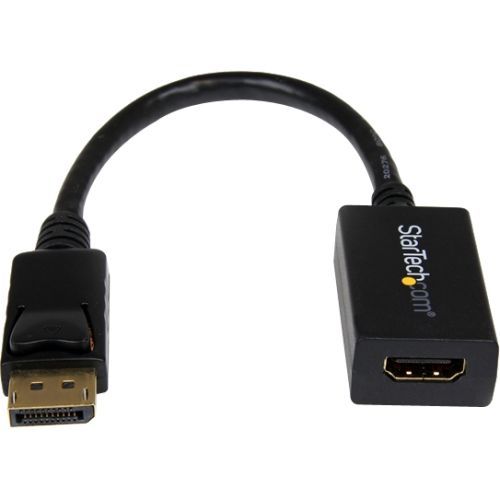
StarTech.com DP2HDMI2 video cable adapter 8.27" (0.21 m) DisplayPort HDMI Black
Connect your HDMI® monitor or HDTV to a DisplayPort® equipped computerThe StarTech.com DP2HDMI2 DisplayPort® to HDMI® Adapter lets you connect an HDMI-enabled display or projector to a DisplayPort out port from a computer (desktop or laptop), eliminating the expense of having to upgrade your display for DisplayPort compatibility.The adapter supports display resolutions of up to 1920x1200, allowing you to take full advantage of HDMI video capability.DP2HDMI2 is a passive adapter cable that requires a DP++ port (DisplayPort++), meaning that DVI and HDMI signals can also be passed through the port.This adapter allows for audio pass-through if supported by the video source. Please review the video source manual to confirm support.Backed by a StarTech.com 3-year warranty and free lifetime technical support.The StarTech.com Advantage
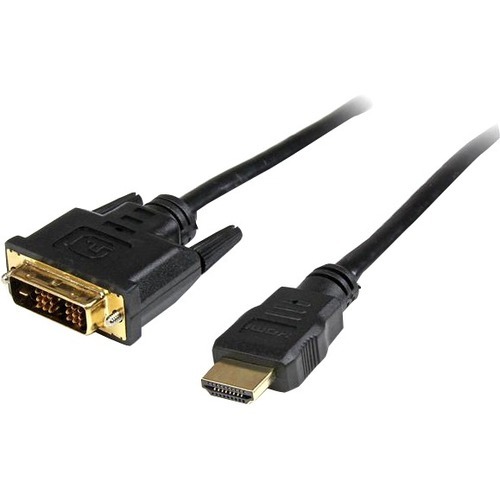
StarTech.com 15ft HDMI - DVI-D 181.1" (4.6 m) Black
Connect an HDMI-enabled output device to a DVI-D display, or a DVI-D output device to an HDMI-capable displayThe HDMIDVIMM15 15-foot HDMI to DVI-D cable enables you to connect a DVI-D video card (or other DVI-D output device) to a display that incorporates HDMI technology; the cable supports bi-directional operation that also allows the reverse configuration, delivering digital video from an HDMI-enabled output to a DVI-D capable display.A valuable addition to any digital signage, multimedia or home theater application, this high performance cable is designed to provide the best quality picture available through either HDMI technology or DVI digital connections.This durably constructed HDMI-DVI-D cable is backed by StarTech.com's Lifetime Warranty.The StarTech.com Advantage- Ensures compatibility between two distinct digital video interfaces- Eliminates the need for multiple cables and clutter- Guaranteed reliability
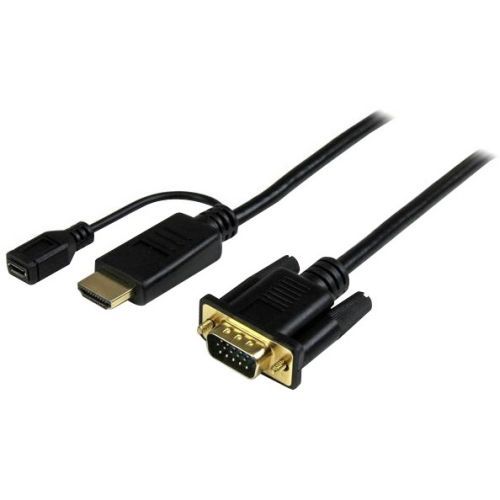
StarTech.com HD2VGAMM3 video cable adapter 35.4" (0.9 m) VGA (D-Sub) HDMI + Micro USB Black
Eliminate excess cable clutter and adapters, by connecting your HDMI source directly to a VGA monitor/projector using this short 3ft adapter cableThe HD2VGAMM3 3ft HDMI to VGA converter cable lets you connect your HDMI equipped Chromebook, laptop or desktop to a VGA monitor or projector, with no additional adapters or cables required.The converter cable saves you the hassle of combining an HDMI to VGA adapter with a bulky VGA cable by providing an end-to-end solution for connecting your digital HDMI computer to your VGA monitor or projector.Unlike most HDMI to VGA adapters which require a power outlet to convert the video signal, the HD2VGAMM3 doesn’t need external power in most installations. To work with Mac computers where extra power is needed, the HD2VGAMM3 features an optional integrated USB power source (USB cable not included), which makes connecting a display to your desktop or workstation that much easier, if additional power is required.In the past, converting digital HDMI to analog VGA was a difficult and expensive task. Now, you can avoid upgrade costs by connecting your HDMI video source to your existing VGA monitor or projector using the HD2VGAMM3. Plus, because the adapter cable supports video resolutions up to 1920x1200 or 1080p, you can rest assured you can use your existing VGA display while maintaining high-definition video quality.The HD2VGAMM3 converter cable delivers a precise 3ft connection that eliminates the clutter of excess cable length and ensures a tidy, professional installation. For longer installations, we also offer a 6 ft HDMI to VGA cable (HD2VGAMM6) and a 10 ft HDMI to VGA cable (HD2VGAMM10), enabling you to choose the right cable length for your installation needs.Please note: Digitally encrypted content from the HDMI video source will not be displayed.The HD2VGAMM3 is backed by a 3-year StarTech.com warranty and free lifetime technical support.The StarTech.com Advantage- Reduce clutter in your classroom or workstation with a precise-fitting 3-foot cable connecting your HDMI computer to your VGA display- Hassle-free installation with cable-style adapter enabling you to connect your HDMI source directly to a VGA display with no additional video cable required- Repurpose an existing or spare VGA display to work with your HDMI computer
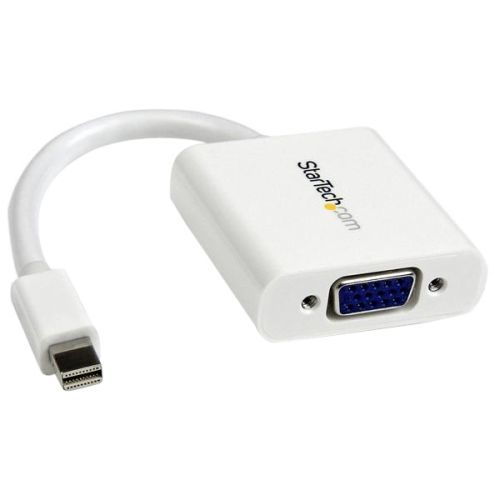
StarTech.com MDP2VGAW video cable adapter 5.12" (0.13 m) Mini DisplayPort VGA (D-Sub) White
Connect a VGA display to a Mini-DisplayPort®-equipped PC or Mac® computerThis Mini DisplayPort to VGA adapter lets you connect your mDP computer to a VGA monitor or projector. The adapter works with Mini DisplayPort computers like your Macbook® or any Microsoft® Surface™ Pro devices with mDP.Easily connect your Mini DisplayPort computer to a VGA displayThe mDP to VGA adapter lets you connect your Mini DisplayPort laptop, desktop or tablet to a VGA display. The adapter is compatible with mDP ports as well as Thunderbolt 1 and Thunderbolt 2 I/O ports, and supports plug-and-play connectivity ensuring a hassle-free setup.Works with legacy VGA monitorsThe Mini DisplayPort adapter makes your mDP computer fully compatible with existing VGA monitors or projectors in your home or around your office. The VGA connector features nuts that mate with the screws on standard VGA cables, to ensure your video cable won’t get disconnected.The perfect travel companion for your MacBook with Mini DisplayPortWith its all-white design, this Mini DisplayPort video adapter is the perfect travel accessory for your MacBook with mDP. The adapter is compact and lightweight so it fits easily into your MacBook bag or carrying case, which is great for BYOD (Bring Your Own Device) applications at the office. While the adapter looks great next your Mac it also works with any Mini DisplayPort computer, such as your Windows® laptop.Crystal-clear picture qualityWith support for video resolutions up to 1920x1200 or 1080p, you’ll be surprised at the picture quality the adapter provides, even when connected to a legacy VGA monitor, projector or television. The adapter harnesses the video capabilities built into your mDP connection to deliver every detail in stunning high-definition.The MDP2VGAW is backed by a 3-year StarTech.com warranty and free lifetime technical support.The StarTech.com Advantage
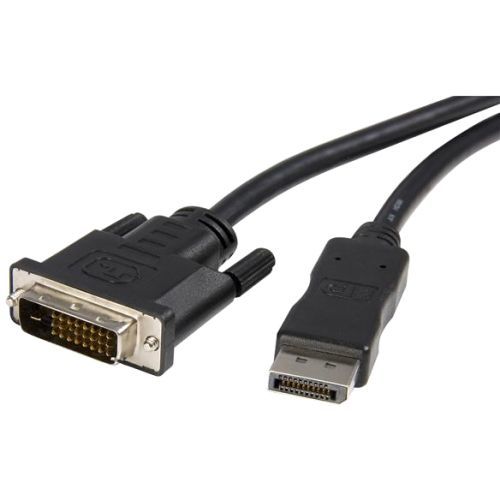
StarTech.com DP2DVIMM6 video cable adapter 70.9" (1.8 m) DisplayPort DVI-D Black
DVI Adapter Cable | Multi-Monitor Solution | Plug & Play ConnectivityThis DisplayPort to DVI cable lets you connect your DP enabled device to a DVI monitor, TV or projector with just one cable, for a convenient, clutter-free connection.Crystal-Clear Picture QualityThis DP to DVI cable provides high bandwidth video transmissions, supporting monitor resolutions up to 1920x1200 or HDTV resolutions up to 1080p. The adapter cable takes full advantage of your DVI capable display while harnessing the video capabilities built into your DisplayPort connection to deliver every detail in stunning high-definition.Simplified InstallationAt 6 ft. (1.8 m) in length, this DVI adapter cable delivers a direct connection that eliminates excess adapters and cabling, ensuring a tidy, professional installation. As well, the cable is easy to use, and requires no additional software or drivers, supporting a true plug-and-play set up.Works with Your Existing DVI DisplaysThis DisplayPort to DVI cable makes your DP computer fully compatible with existing DVI monitors or displays in your home or around the office. You can use the cable to either connect to a DVI display or add an additional monitor to your workstation, helping to boost your productivity.DP2DVIMM6 is backed by a StarTech.com 3-year warranty and free lifetime technical support.Note: This is a passive adapter cable that requires a DP++ port (DisplayPort++), meaning that DVI and HDMI signals can also be passed through the port.The StarTech.com Advantage

StarTech.com 135B-USBC-HDMI212M video cable adapter 78.7" (2 m) USB Type-C HDMI Type A (Standard) Gray
Connect a DP Alt Mode enabled USB-C source to an HDMI monitor, located up to 6.6ft (2m) away, with support for HDR video and resolutions up to 8K 60HzConnect an 8K 60Hz or a 4K 144Hz HDMI display to a DP Alt Mode-enabled USB Type-C source, at a distance of up to 6.6ft (2m), using this USB-C to HDMI Adapter Cable.High-Resolution HDR VideoThis USB-C to HDMI Cable enables resolutions of up to 8K 60Hz and is HDMI 2.1 FRL complaint. It supports HDR10, HDCP 1.x/2.2/2.3, and DSC 1.1/1.2a. The adapter cable supports 7.1 channel audio with Dolby Atmos and DTS:X.Hardware PlatformSingle MonitorDisplayPort Alt ModeIntel 11 th Gen & Later Processors8K 60Hz or 4K 144Hz*DisplayPort 1.4Nvidia RTX3000 and AMD RX6000 or later8K 60Hz or 4K 144HzDisplayPort 1.4Intel 10th Gen & Earlier4K 60HzDisplayPort 1.4Apple M1/M2/M3 + Pro & Max4K 60Hz**DisplayPort 1.4*DSC support required to reach maximum resolution capabilities on Intel 11th Gen or later**Apple MacBook's with M1/M2 silicon can only support up to 4K 60Hz through HDMIUniversal CompatibilityThe USB-C to HDMI Converter Cable is compatible with laptops and devices from various brands such as Dell, HP, Lenovo, Microsoft, and more. It works with all hardware platforms and any operating system. The USB Type-C to HDMI Cable requires no drivers or software and works with USB-C DP Alt Mode, USB4, Thunderbolt 3, and Thunderbolt 4 laptops and devices.Note: Apple M1/M2/M3 devices, including MacBook Pro, can only support up to 4K 60Hz over USB-C DP Alt Mode and cannot achieve 8K 60Hz.Thoughtfully DesignedCombining a video adapter and cable minimizes potential points of failure and signal loss. Adaptive receiver equalization optimizes the input signal and amplifies the output signal to ensure compatibility with high-resolution monitors. The cable is equipped with cage shielding to prevent Electromagnetic Interference (EMI).The StarTech.com Advantage

Kensington DisplayPort 1.2 (M) to HDMI (M) Passive Unidirectional Cable, 6ft
Kensington DisplayPort 1.2 (M) to HDMI (M) Passive Unidirectional Cable, 6ft. Cable length: 70.9" (1.8 m), Connector 1: DisplayPort, Connector 2: HDMI. Weight: 4.23 oz (120 g). Quantity per pack: 1 pc(s)
Item(s) added to cart
Netgear GS105E-200NAS ProSafe Plus Switch, 5-Port Gigabit Ethernet - 5 Ports - 2 Layer Supported - Wall Mountable - Lifetime Limited Warranty-None Listed Compliance
MFR: Netgear, Inc
Qty: 1
Part #: GS105NA