
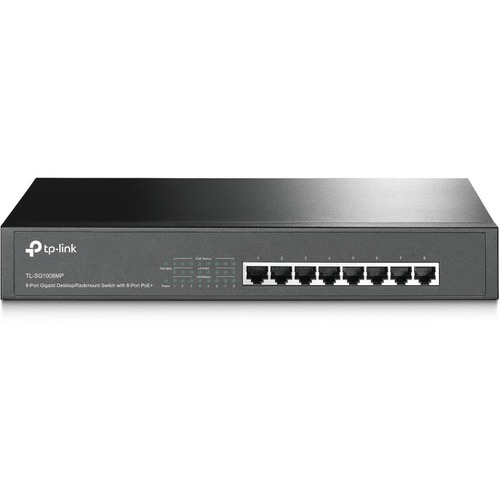
TP-Link TL-SG1008MP network switch Unmanaged Gigabit Ethernet (10/100/1000) Power over Ethernet (PoE) Black
What This Product DoesThe TL-SG1008MP is an 8-Port Gigabit Desktop/Rack mountable Switch with all 8 ports supporting the IEEE 802.3af/at, PoE+ standard. It provides a simple way to expand a wired network by transferring power and data over a single Ethernet Cable. With a total power budget of 126W, up to 30W per port, TL-SG1008MP can power more high-powered devices such as wireless Access Points (APs), IP Cameras or IP Phones. Moreover, with innovative energy-efficient technology, the TL-SG1008MP can save up to 75% of the power consumption, making it an eco-friendly solution for your business network.How This Product WorksAll 8 ports of TL-SG1008MP support Power over Ethernet (IEEE 802.3af/at, PoE+) standard which can automatically detect and supply power to any IEEE 802.3af/at compliant device(s). The electrical power is transmitted along with data in a single cable, allowing you to expand your network where there is no electrical outlet, and feed the devices such as wireless APs, cameras, and phones.Prioritized Power SupplyPriority (port 1 > port 2 > port 3 > port 4 > port 5 > port 6 > port 7 > port 8): This function helps protect the system if the power becomes overloaded. For example, if port 1, 2, 4 and 7 are using 30W (maximum power per port is 30W, the system power is 120W in total), and there is an additional device inserted into Port 3 at 25W, the system will cut off the power on Port 7 to protect the switch being overload. This means Port 1, 2 and 4 will use 30W, and Port 3 will use 25W, with no power will be supplied on Port 7 as it has the lowest priority among the ports in use.Easy To UseTL-SG1008MP is easy to install and use. It requires no configuration or installation. With its Desktop/Rack mountable design, outstanding performance and quality, the TP-Link TL-SG1008MP 8-Port Gigabit Desktop/Rack mountable Switch with 8-Port PoE is a great choice for expanding your home or office network.
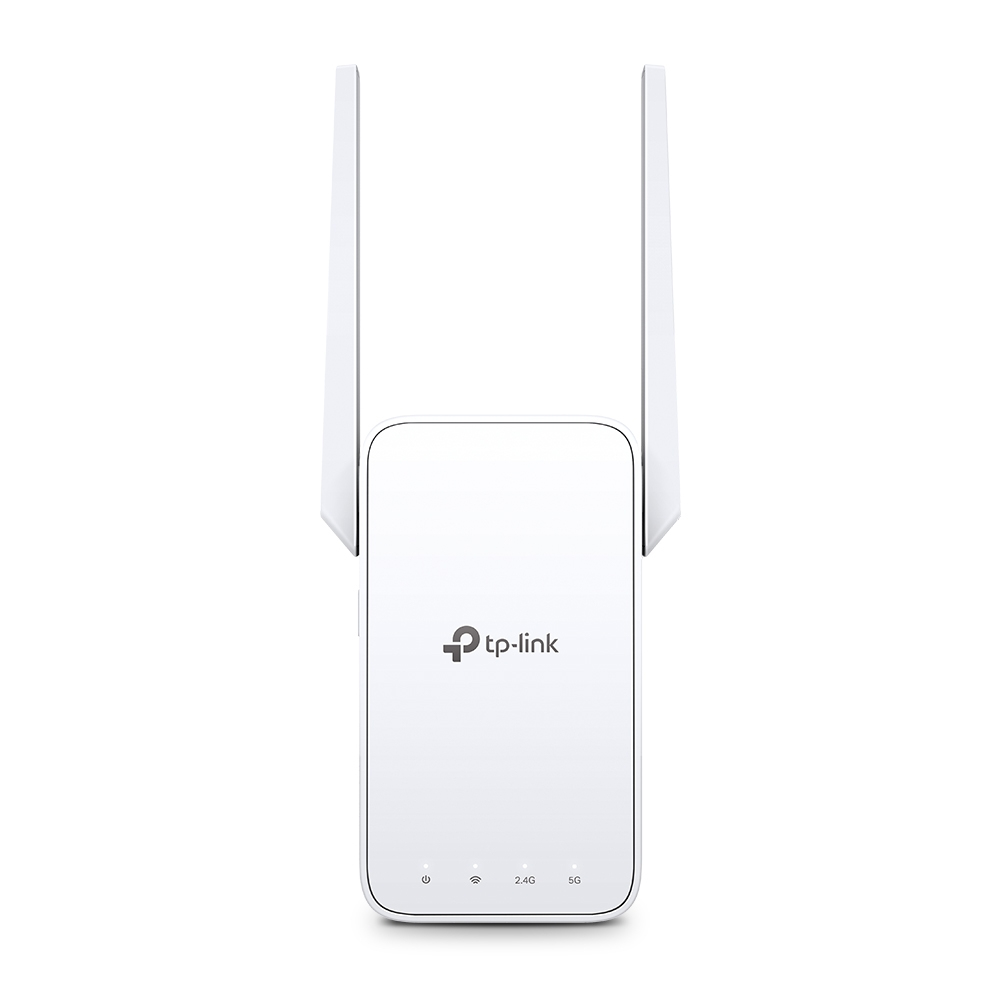
TP-Link RE315 network extender Network repeater White 10, 100 Mbit/s
Expand Dual Band WiFi EverywhereAC1200 Mesh WiFi ExtenderBoost Whole Home WiFi with Your Existing RouterA single router has limited WiFi coverage and always causes WiFi dead zones. RE315 wirelessly connects to your existing router and expands its WiFi signal into areas it can’t reach on its own. Enjoy your stable network experience wherever you are at home.WiFi keeps Strongest for Unlimited MovingWith TP-Link Mesh Technology, it’s easy to form a Mesh network with a single WiFi name for seamless whole home coverage. Just connect RE315 to a OneMeshTM router. Always enjoy the strongest WiFi when you’re walking around with no need to search around for a stable connection.Enjoy a Mesh Network with Your Existing RouterWant a Mesh network? Hesitate on whether to replace your existing router and buy a Mesh set?TP-Link OneMesh™ resolves your dilemma.Faster Dual Band WiFi up to 1200 MbpsRE315 delivers dual band (2.4 GHz and 5 GHz) to transmit WiFi signals, doubling the performance of each band. It enables you to keep more devices connected at the same time with its 300 Mbps 2.4 GHz and 867 Mbps 5 GHz dual bands. Use the 2.4 GHz band to send email and browse the web and the 5 GHz band for gaming and HD streaming.Adaptive Path Selection: Keeps Itself Working at Top SpeedAdaptive Path Selection keeps your network running at optimal speeds by automatically choosing the fastest connection path to the router. Always keep your devices fast and stable—ideal for network environments crowded with many devices and applications.High Speed Mode: Maximized Speed with Dedicated BackhaulUses one dedicated WiFi band as backhaul and another dedicated WiFi band as an access point to maximize the bandwidth on the extended WiFi.Built-In Access Point ModeRE315 is more than a wireless range extender. Simply plug an Ethernet cable into its Ethernet port and easily turn your wired internet connection into a 2×2 MIMO dual band wireless access point.Secure One-Touch Connection for Easy SetupStep 1: Simply press the WPS button on your router and, within 2 minutes, the WPS button on RE315 will connect to the network.Step 2: Once connected, place RE315 at the best location—without reconfiguration.Find the Best Location with the Smart Signal IndicatorThe smart signal indicator lets you see signal strength from the existing router at a glance. Easily to find the best place to position your range extender to extend your WiFi.Control at Your FingertipsSet up and manage your WiFi through the TP-Link Tether app from your smartphone (Android, iOS), including TP-Link routers and range extenders.


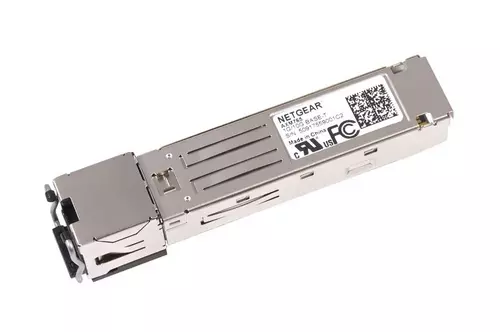
NETGEAR AXM765-20000S network transceiver module Fiber optic 10000 Mbit/s SFP+
10GBASE-T SFP+ Transceiver

Logitech Logi LG Rm TAP Rally+ MS Nuc
BUNDLE - TAPRAPMSTASU2 = TEAMSLOG13L3K5C + 939001950CDN + 952000097CDN + 960001225CDN + 939001644CDN + 939001647CDN + MSSETUPCA + NUC with Microsoft Teams + Logitech Tap with Cat5e Kit + Logitech Compute Mount + Rally Plus + Rally Mounting Kit + Rally Mic Pod Hub + Set-up sheet + Box Label + Bundle Insert
Item(s) added to cart
Netgear GS105E-200NAS ProSafe Plus Switch, 5-Port Gigabit Ethernet - 5 Ports - 2 Layer Supported - Wall Mountable - Lifetime Limited Warranty-None Listed Compliance
MFR: Netgear, Inc
Qty: 1
Part #: GS105NA