

StarTech.com 129N-USBC-KVM-DOCK laptop dock/port replicator Wired USB 3.2 Gen 2 (3.1 Gen 2) Type-C Silver
Share a dual 4K 60Hz workstation between two laptop computers through a USB Type-C connectionDock and Switch between two laptops to access your workstation peripherals including dual monitors, seamlessly switching between laptop computers with the push of a button. The downloadable Hot-Key software (available for Windows and macOS), enables users to switch between computers using key combinations from a keyboard.DisplayLink CertifiedThe Dock is DisplayLink Certified, for Plug and Display compatibility with Windows, ChromeOS, and macOS, enabling operation and switching between multiple computers with different operating systems. DisplayLink technology also supports extended dual displays on Apple M1/M2/M3 MacBook which are not natively capable of driving more than one external display. The DisplayLink Certification ensures support for resolutions up to 4K 60Hz on both external displays.Simultaneously Charge Two LaptopsThe KVM Dock supports Power Delivery (PD) 3.0 and charges both connected computers over USB-C. The Dock supplies 90W of power to the active host computer and 45W of power to the second PC, ensuring both laptops can charge simultaneously.Full-Featured Docking StationConnect two USB-C computers to this Dock to access a wide range of port connectivity, options and features. The Dock features:• 2x DisplayPort ports for dual display output with support for resolutions up to dual 4K 60Hz.• 2x USB-A (USB 2.0 480Mbps) HID ports for USB devices, such as a keyboard and mouse.• 2x USB-A and 1x USB-C (USB 3.2 Gen 2 10Gbps) ports for connecting high speed USB peripherals, such as SSD storage.• 1x Gigabit Ethernet port with WoL (Wake-on-LAN) for a wired Local Area Network (LAN) connection.• 1x 3.5mm 3-position TRRS jack for stereo audio output.• 1x 3.5mm 2-position microphone jack for mono audio input.• 2x K-Slots (regular/nano) to tether the Dock with a cable lock (sold separately) for security.The Dock features a mounting pattern so it can be mounted when paired with StarTech.com mounting accessories (sold separately). Our mounting accessories enable mounting to the VESA pattern on the back of a monitor or to any flat surface. The following mounts are compatible with this product:• SSPMSUDWM - Dock Surface Mount• SSPMSVESA - Dock VESA MountEnhance Productivity and Device Management with the StarTech.com Connectivity Tools ApplicationDeveloped to improve performance and security, StarTech.com Connectivity Tools is the only software suite on the market that works with a wide range of IT connectivity accessories. The software suite includes:•Advanced Windows Layout Utility : Setup and save custom windows layouts.•Mac Address Pass-Through Utility : Improve network security.•USB Event Monitoring Utility : Track and log connected USB devices.•Wi-Fi Auto Switch Utility : Enable users to quickly access faster network speeds via wired LAN.For more information and to download the StarTech.com Connectivity Tools application, please visit: www.StarTech.com/Connectivity-ToolsThe StarTech.com Advantage

StarTech.com HB31CM1A3CB laptop dock/port replicator Wired USB 3.2 Gen 2 (3.1 Gen 2) Type-C Gray
USB 3.2 Gen 2 (10Gbps) | 3x USB-C | 1x USB-A | Built-in 12.6 in. (32 cm) Wrap-Around CableThis 4-Port USB-C Hub expands the connectivity of a USB-C laptop. This hub features four USB 3.2 Gen 2 (10Gbps) enabled ports, three USB-C and one USB-A, that support high-bandwidth USB peripherals. Connect the attached USB-C cable to a USB Type-C™ or Thunderbolt™ 3/4 port, located on the host computer, to enable the quick connection of up to 4 peripherals.Convenient Portability and Easy SetupThis USB-C hub is a compact and lightweight portable laptop accessory. It draws up to 15 Watts of power from the host laptop. The hub is bus powered and provides up to 2A of power to each port.The attached cable measures 12in (32cm) in length. This cable can be stored when the hub is being transported in a laptop bag, facilitating tangle-free stow-away portability.USB-C & USB-A CompatibilityWith one Type-A and three Type-C ports, and backward compatibility with USB 3.2 Gen 1 (5Gbps) and USB 2.0 (480Mbps), this USB hub supports new and legacy USB devices. Connect flash drives, video capture devices and external hard drives, with data transfer speeds of up to 10Gbps. This USB Type-C hub enhances productivity, providing the connections needed for the efficient use of multiple peripherals.Hassle-Free Plug-and-Play InstallationThe 4-Port USB Hub is OS independent. It supports all operating systems including Windows, macOS, ChromeOS, iPad OS and Android. This adapter is plug-and-play, requiring no software or drivers.This product is backed for 3-years by StarTech.com, including free lifetime 24/5 multi-lingual technical assistance.The StarTech.com Advantage

StarTech.com 103B-USBC-MULTIPORT laptop dock/port replicator Wired USB 3.2 Gen 2 (3.1 Gen 2) Type-C Gray
Built-in 1ft (30cm) USB-C Host Cable | 2-Port USB Type-A 3.2 Gen 1 (5Gbps) Hub | HDMI 2.0b (HDR) 4K 60HzThis Works With Chromebook (WWCB) certified USB-C Multiport Adapter supports up to 4K 60Hz HDMI 2.0b (HDR10) via DP Alt Mode. The USB-C dock converts a USB-C laptop or tablet, such as a Chromebook, Dell XPS, or a MacBook, into a workstation. The adapter connects to a host computer's USB-C, USB4, or Thunderbolt™ 3/4 port. It features one HDMI video output, a 2-Port USB 3.2 Gen 1 (5 Gbps) Hub, and Gigabit Ethernet. Connect a laptop USB-C power supply to the dedicated USB Power Delivery (PD) 3.0 port, located on the Multiport Adapter, to charge the laptop. The Multiport Adapter features an extra-long built-in 12-inch (30 cm) USB-C host cable.Works With Chromebook (WWCB) certifiedThis USB-C Multiport Adapter is tested and certified to meet Google's compatibility standards ensuring seamless operation with Chromebook devices. The Multiport Adapter is ideal for setup and deployment in business and education environments. Automatic firmware updates are available through ChromeOS for maximum security, compatibility, and performance.Connect USB PeripheralsThe USB-C to USB 3.2 Gen 1 hub features two 5Gbps USB Type-A ports, for connecting USB peripherals.Multiple Use CasesA versatile dock solution for use at your office, home office, hotel, or in the boardroom. It's portable enough to be carried in a bag or backpack. This lightweight USB-C Adapter can operate with bus-power alone, or use the dedicated USB-C Power Delivery port to connect a USB-C power adapter (not included with Multiport Adapter) for laptop charging.Charge Your LaptopConnect a USB-C power source (not included), such as the power adapter included with a laptop, to the USB-C Power Delivery pass-through port. With support for USB Power Delivery 3.0 pass-through (up to 100W), the USB Type-C Multiport Adapter allows you to power and charge your laptop. USB PD 3.0 features Fast Role Swap (FRS) to prevent USB data disruption when disconnecting the power source.Wired Gigabit Network ConnectivityThe Gigabit Ethernet port ensures reliable wired network access, with support for PXE Boot and Wake-on-LAN (WoL).Enhance Productivity and Device Management with the StarTech.com Connectivity Tools ApplicationDeveloped to improve performance and security, StarTech.com Connectivity Tools is the only software suite on the market that is compatible with a wide variety of IT connectivity accessories. The software suite includes:•Advanced Windows Layout Utility : Setup and save custom windows layouts.•MAC Address Pass-Through Utility : Improve network security.•USB Event Monitoring Utility : Track and log connected USB devices.•Wi-Fi Auto Switch Utility : Enable quick access to wired LAN.For more information and to download the StarTech.com Connectivity Tools application, please visit: www.startech.com/connectivity-toolsThis product is backed for 3 years by StarTech.com, including free lifetime 24/5 multi-lingual technical assistance.This product works with devices capable of running the latest version of ChromeOS and has been certified to meet Google's compatibility standards. Google is not responsible for the operation of this product or its compliance with safety requirements. Android, Chromebook and the Works With Chromebook badge are trademarks of Google LLC. Thunderbolt is a trademark of Intel Corporation.The StarTech.com Advantage

PLUGABLE ALT MODE MONITOR ADAPTER USB-C
PLUGABLE ALT MODE MONITOR ADAPTER USB-C
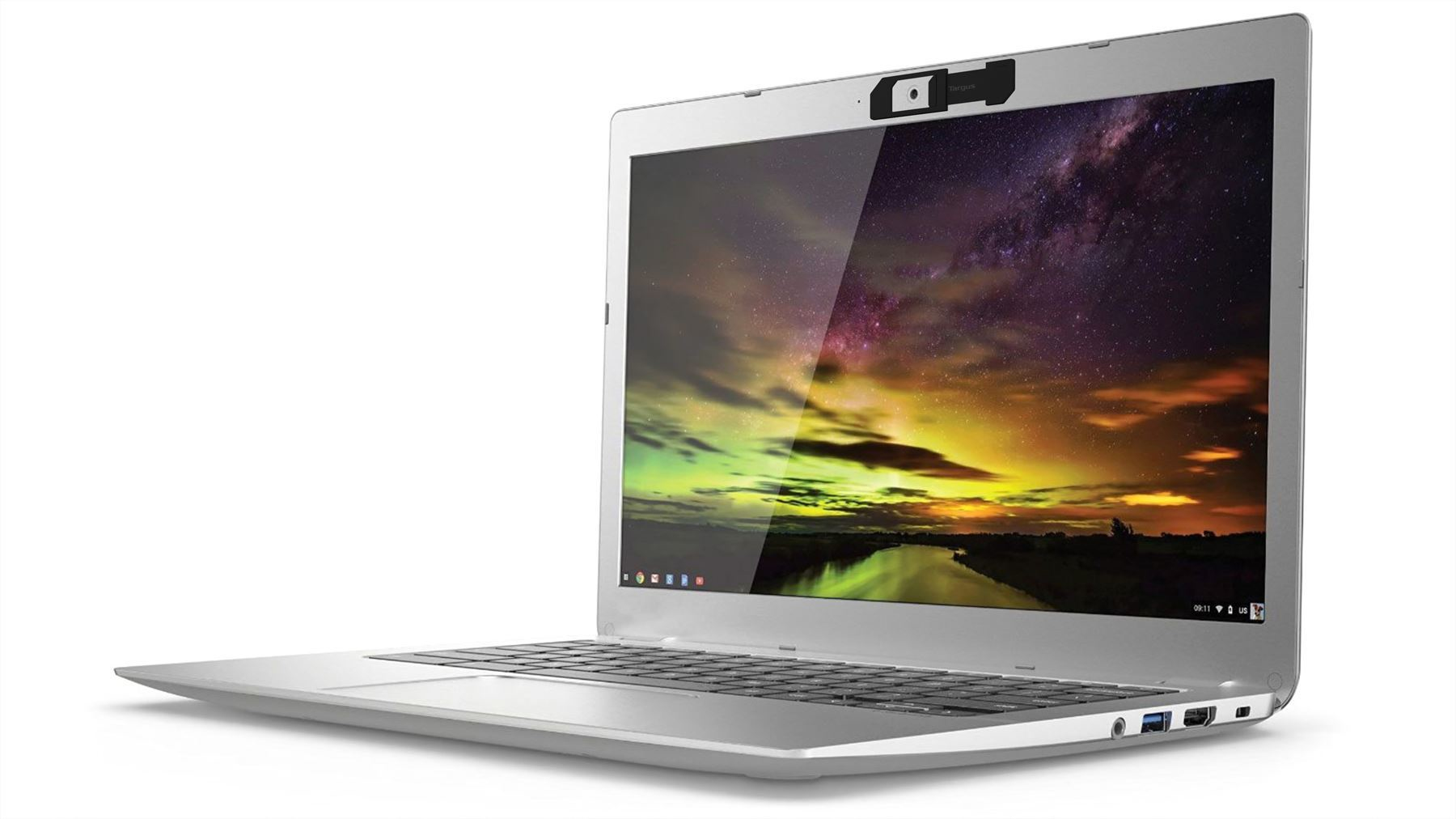
Targus AWH012BT laptop accessory Webcam cover
Webcam Cover 3 Pack (Black/ White/ Grey)

ALOGIC ULDUNIV2-SGR notebook dock/port replicator Wired USB 3.2 Gen 1 (3.1 Gen 1) Type-C Gray
6-in-1 Ultra Dock The alloy-encased UNI – which features USB 3.2 capability – has a mix of USB-A & USB-C ports for essential peripherals [including external keyboard, mouse, printer, and phone]. It includes SD and microSD card slots for speedy multimedia file transfers. Its HDMI port supports a stunning Ultra HD 4K@60Hz external display, and its 100W Power Delivery Passthrough technology means you can charge up your devices in a fraction of the time. 4K@60Hz Ultra HD Support In tune with the increasing popularity of high-performance 4K content, ALOGIC’s Dock UNI Gen 2 supports smooth Ultra HD experiences. The upgraded dock gifts video output up to 4K[60Hz]*, while also supporting legacy Full HD monitors. Screen multimedia content for work or entertainment in vivid detail. 100W Power Delivery For power-thirsty laptops, the Dock UNI Gen 2 is a ready solution. Supporting USB Power Delivery 3.0 standards, the Dock Uni charges your USB-C powered laptop with up to 100W power.

Targus TTL314CA notebook case 14" Briefcase Black
- Patented SafePORT Air Protection System - Integrated iPad, Tablet or eReader pocket - Additional compartment includes two divided file sections - Durable Nylon material with water reststant bottom - Ergonomic Equalizer II strap with shock absorbant shoulder pad - Removable mesh accessory pouch

Targus DOCK192USZ laptop dock/port replicator USB 3.2 Gen 2 (3.1 Gen 2) Type-C Black
Expand your workstation and connect to virtually any laptop with the Universal USB-C® DV4K Docking Station with 100W Power with Legacy Host Power Kit. Designed to support and power a wide variety of laptops and operating systems, including Windows®, macOS®, Android™, Chrome OS™, and Ubuntu®, this dock packs all of the ports and power you need, whether you have a USB-C or USB-A host device.Enjoy sharp 4K video while supporting a connection up to two monitors with its two HDMI and two DisplayPort™ connections. Plus connect all your favorite accessories – like a mouse, keyboard, hard drive, and more – with a combination of USB-A (4x USB 3.2 Gen 1 Type-A ports) and USB-C (1x 3.2 Gen 2 Type-C), plus Ethernet and audio ports.Designed for the modern workstation, the dock comes equipped with a VESA® bracket mounting provision, which allows for use of the Targus VESA Mount Bracket (ACX003GLZ – sold separately) to hold your dock behind your display for even greater space savings.Supports Dual DisplayPort™ and HDMI MonitorsThe USB-C® Universal DV4K Docking Station with 100W Power is Thunderbolt™ 3 compatible, but that’s only the beginning. Enjoy two DisplayPort™ or two HDMI ports (or a mix of the two) with your dual display and create a picture-perfect image at 4K Ultra HD. Compare photos, documents, spreadsheets for work, or browse email with ease from screen to screen. Enjoy unbeatable compatibility all in one place using a single docking station with power.Connects and Powers USB-A and USB-C Host DevicesTruly universal, the DOCK192 connects and powers both USB-A and USB-C laptops. With the included Legacy Host Power Kit, you’ll be able to power any USB-C host up to 100W or a USB-A host up to 90W. Power Kit includes 5 charging tips and a DC cable to connect to the charging tip, plus a convenient tip holder to easily store those extra tips.All About the PortsWith one USB 3.2 Gen 2 Type-C port and four USB 3.2 Gen 1 Type-A ports, it’s simple to connect the latest keyboards, exterior drives, and other peripherals to customize your workspace experience. The dock also includes a fast-charging port for charging your smartphone, tablet, or other devices.Innovative DesignCompact and sleek, this patented dock is a sure fit for shrinking desktops and tight spaces. The dock is also equipped with a VESA® bracket mounting provision, which allows for use of the Targus VESA Mount Bracket (ACX003GLZ – sold separately) to hold your dock behind your display for even greater space savings.Innovative DesignCompact and sleek, this patented dock is a sure fit for shrinking desktops and tight spaces. The dock is also equipped with a VESA® bracket mounting provision, which allows for use of the Targus VESA Mount Bracket (ACX003GLZ – sold separately) to hold your dock behind your display for even greater space savings.Enterprise Software Suite: A Targus ExclusiveEnhance security and improve user experience with the Targus Enterprise Software Suite for DOCK192USZ.- Wi-Fi Auto Switch: auto enables/disables Wi-Fi functionality when the dock’s Ethernet connection is active, reducing unnecessary network traffic and enabling faster connection speeds. - MAC Address Cloning: auto replaces the MAC address of the connected Targus Ethernet network adapter with any (Wired Ethernet, Wireless Ethernet, Bluetooth) MAC address of the local host, supporting device-based authentication methods. - Ghost Device Removal: purges older, latent Targus docking station devices from the local registry preventing registry bloat.- Targus A/V Configuration Utility: restores audio configuration, icon, and first-level application window’s positions to external monitors when re-connecting to a previously used Targus docking station.

C2G C2G54543 Wired USB 3.2 Gen 1 (3.1 Gen 1) Type-C Black
The USB-C 7-in-1 Dual Display MST Docking Station connects to USB-C enabled laptops and is the perfect dock for a dual display solution, when traveling for business or when working from home – making it ideal for inside and outside reps that need the essential connectivity while in the office, at home, or on the go.This USB-C Dual Display MST docking station supports connected devices, such as keyboards, mice, portable hard drives, and other peripherals, all while supporting up to 100W of power delivery to charge and power a laptop. The maximum power capacity depends on how much power the connected adapter can supply. The right amount of power is necessary to keep the laptop battery charged, for all connected devices to function, and for the dock to provide that connectivity.The MST feature allows for two different display configurations on dual monitors connected to a single source with a USB-C output. MST is great for multiple display desk setup — improving multitasking and productivity. The MST dual display feature supports resolutions up to 1920 x 1080 at 60Hz. The docking station will support 4K (3840 x 2160) at 60Hz resolution when using the DisplayPort or HDMI port independently. The USB-A ports support SuperSpeed USB 5Gbps data transfers allowing a full HD movie to be downloaded in under a minute. The USB-C port supports SuperSpeed USB 10Gbps allowing for twice the amount of data in the same amount of time as the USB-A ports. Optimize performance by connecting displays designed for 1080p or 4K signals and USB-C devices designed for 10Gbps transfer speeds. The Ethernet port allows for reliable internet connectivity with file transfer speeds up to 1G.This docking station has been tested with Windows and Mac operating systems. It is compatible with both operating systems – please note that the MST feature is not supported by MacOS and will only duplicate dual screens.

StarTech.com A-LAPTOP-DESK-MOUNT laptop stand Laptop arm Black 34"
Laptop Desk Mount | Displays up to 34in (8kg/17.6lb) & Laptops (4.5kg/9.9lb) | VentedIncrease your desk space and add versatility and ergonomics to your work/home setup with this laptop desk mount. The tray (11.8 x 11 in / 300 x 280 mm) is large enough to hold a laptop between 9.4 - 16.5 inches (240 - 420 mm) wide, 1 inch (25.4 mm) thick, and of up to 10 lbs (4.5 kg).Ergonomic and adaptableThe arm offers a high number of adjustments such as tilt +45/-45° tilt, swivel +90/-90°; rotation 360°; and height adjustment along the (17.7 in / 449 mm) pole. The arms can extend a maximum of 16.85 inches / 423 mm from the pole. The mechanical height adjustment provides a sturdy laptop tray to reduce bounce when typing. The multiple adjustment options allow the laptop to be positioned at eye level improving posture, comfort, and to be aligned with any existing monitors improving productivity.Ventilated Laptop TrayThe laptop tray is well ventilated and includes optional rubber pads to prevent scuffs and scratches. In addition, the laptop tray features two independent adjustable padded arms that serve as a cradle to secure the laptop and can be independently positioned and secured along the sides of the tray to prevent blocking any port configuration on a laptop.Mounting optionsUsing the interchangeable desk clamp (c-clamp) you can easily attach and secure the mount to a desk or grommet hole (0.39in - 3.46in / 10mm - 88mm thick) by hand. You can optionally remove the laptop tray and use the arm to mount a VESA compatible 75x75mm or 100x100mm 27" display or 34" (21:9) ultrawide display with a maximum weight of 17.6 lbs (8 kg).A-LAPTOP-DESK-MOUNT is backed for 5-years by StarTech.com, including free lifetime 24/5 multi-lingual technical assistance.The StarTech.com Advantage
Note: Search results and information may differ as they are provided by a third party.
In Stock*: Product stock is updated from the last business day and can change.
Item(s) added to cart
Netgear GS105E-200NAS ProSafe Plus Switch, 5-Port Gigabit Ethernet - 5 Ports - 2 Layer Supported - Wall Mountable - Lifetime Limited Warranty-None Listed Compliance
MFR: Netgear, Inc
Qty: 1
Part #: GS105NA