
StarTech.com Floating Wall-Mounted Shelves
- Floating wall-mount AV shelves are 5mm thick black tempered glass with an unobstructed surface - Shelves are height adjustable along the 13.6in wall bracket - Steel brackets support 15.4lbs per shelf; Aluminum wall bracket is sturdy and lightweight; Tempered glass is more resisitant to scratches/shattering - Mounts to a single wall stud/concrete wall (wood screws/concrete anchors are included) - Cable management cutouts along the wall mount bracket; Pre-scored knockouts on the top/bottom caps

StarTech.com PR12GIP-NETWORK-CARD network card Internal Ethernet 2500 Mbit/s
Add a Power-over-Ethernet (PoE) 2.5Gbps Port to a PCI Express-enabled ComputerThis 2.5 GbE network interface card (NIC) features an Intel I225-V chipset with Intel vPro technology, to enhance performance and data integrity. The variable multispeed options (2.5/1Gbps and 100/10Mbps) enable support for both new and legacy network hardware. Utilize existing Cat5e or CAT6 cabling infrastructure while adding NBASE-T (802.3bz) compatibility for seamless integration.Power Over EthernetThe PCIe Ethernet card supports the IEEE 802.3af and IEEE 802.3at (Type 1 and Type 2) standards for Power Sourcing Equipment (PSE) and can deliver up to 48V DC and 25.5W of power to compliant Powered Devices (PD). This flexibility eliminates the need for a separate power supply or Power Over Ethernet injector for remote networked devices such as IP cameras, access control devices, remote kiosks, and wireless access points.Increased Network SpeedThe PCIe network card leverages Intel vPro technology for remote management and troubleshooting capabilities. Improve bandwidth for data-intensive applications, network sharing, FTPs, online or local storage/backup, and the streaming of online content - while reducing network slowdowns. Access up to 2.5GBASE-T speeds using Cat5e (or better) cabling, to maximize existing networks and equipment.Enhance Existing HardwareThe network interface card connects via an available x1 PCI Express 2.0 (or higher) expansion slot. The card ships in a standard-profile bracket and includes a low-profile bracket for installation into small form factor systems and servers. This ethernet NIC card is compatible with Windows, Windows Server, and Linux.This card supports the following advanced features: PXE Boot, WoL, VLAN tagging, 9 K jumbo frame, full-duplex, and Intel vPro technology.The StarTech.com Advantage


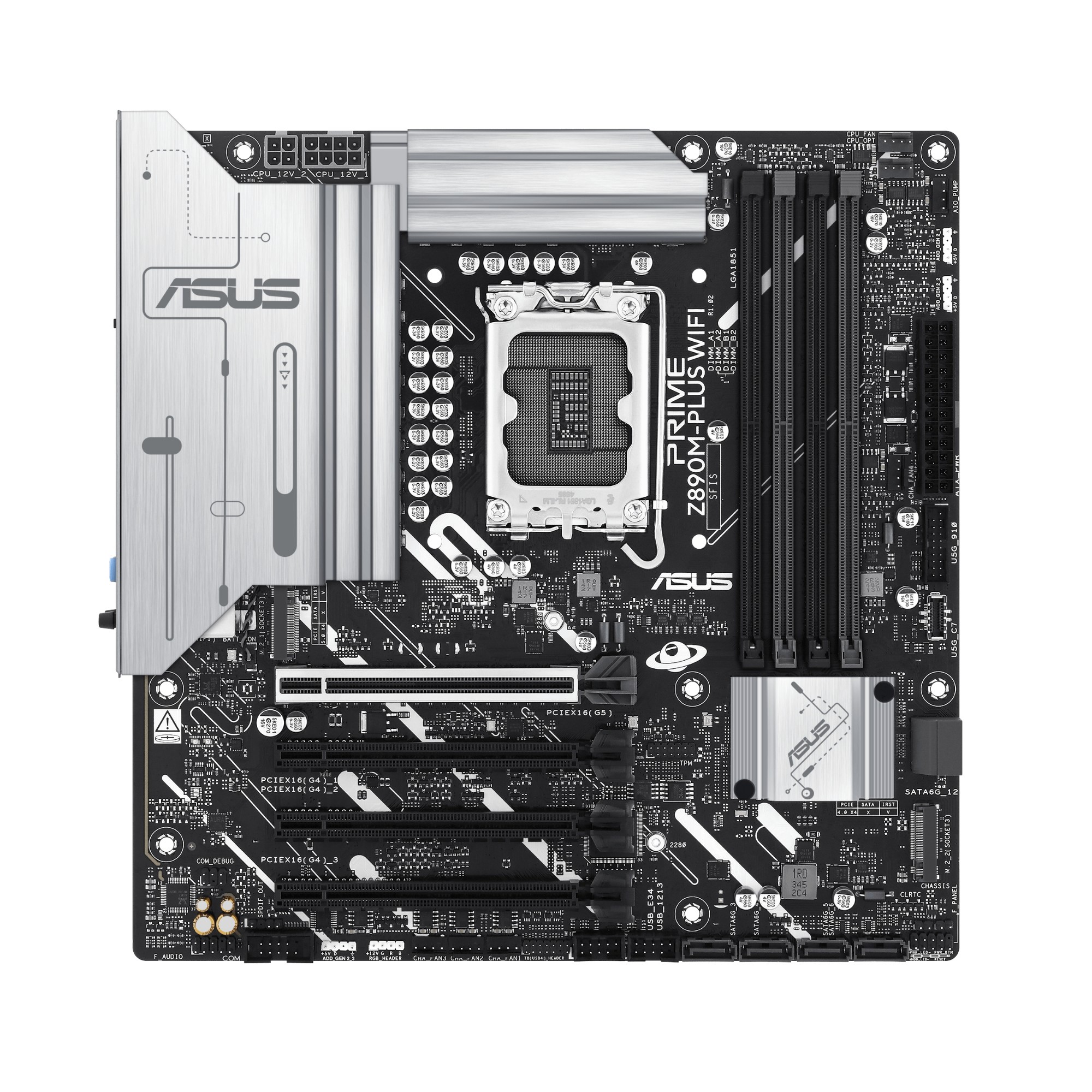
ASUS PRIME Z890M-PLUS WIFI Intel Z890 LGA 1851 (Socket V1) micro ATX
Z890M-PLUS WIFIASUS PRIME series motherboards are expertly engineered to unleash the full potential of the latest Intel® Core™ Ultra Processors (Series 2). Boasting a robust power design, comprehensive cooling solutions and intelligent tuning options, the PRIME Z890M-PLUS WIFI motherboard provides users and PC DIY builders with a range of performance optimizations via intuitive software and firmware features. It’s designed to be Advanced AI PC-ready, offering the power and connectivity needed for demanding AI applications.
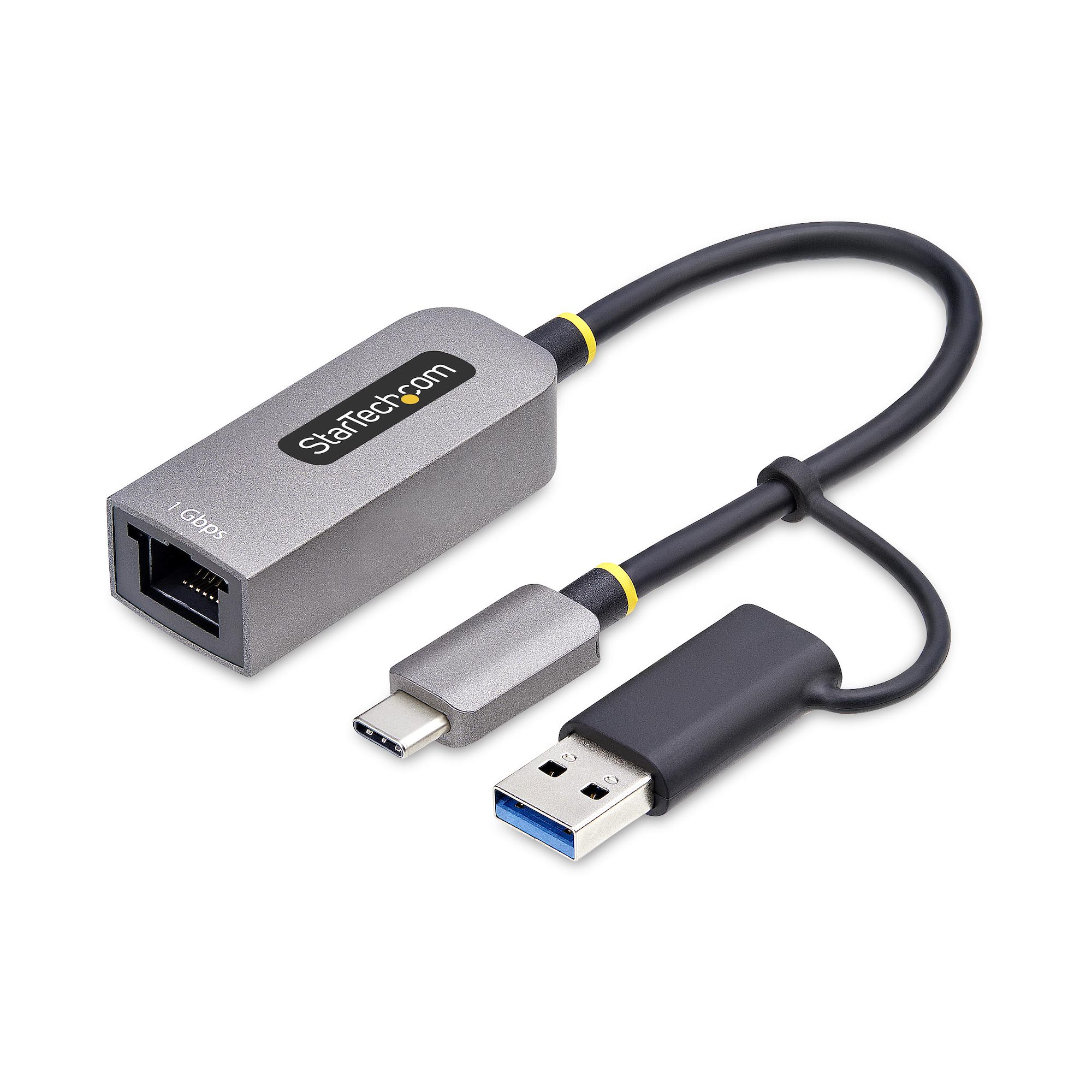
StarTech.com C21GA-USB-ETHERNET network card 5000 Mbit/s
Add Gigabit Ethernet network connectivity to a Laptop or Desktop through a USB Type-C or A portAdd a Gigabit network port to your computer, using a USB Type-C connection. The RJ45 port supports multiple speeds (10/100/1000 Mbps) and is fully compatible with Cat5 (and higher) cabling. Share or receive files over a network, access network storage/backup, and stream online content while reducing wait times and slowdowns.1 Gigabit Network ConnectionThis adapter supports both current and legacy Ethernet networks down to 10Mbps, making it ideal for providing a reliable network connection almost anywhere whether at home, work or while traveling. The USB-C host connector with attached USB-C to USB-A dongle offers compatibility with laptops, desktop computers, and 2-in-1's. The Realtek chipset is broadly supported on new and older laptops enabling PXE capabilities to aid IT departments with provisioning and maintaining systems along with Wake-on-LAN (WoL) support. The adapter provides a wired connection that is faster and more secure than wireless, making it ideal for IT professionals.Plug and Play Device ConfigurationSimply connect the network adapter to your computer's USB Type-C port. This USB-C to RJ45 adapter features VLAN tagging, 9K Jumbo Frames, Wake-on-LAN, Status LEDs and full-duplex Ethernet making it the perfect companion for on-the-go users who require a wired network connection.Compact and Versatile DesignThe USB Gigabit network adapter is light and compact. It features a built-in 6in (15cm) cable provides extended reach and improved flexibility, while reducing cable/connector strain. Additionally, USB bus power simplifies the setup and makes it a convenient accessory while on the move.The StarTech.com Advantage

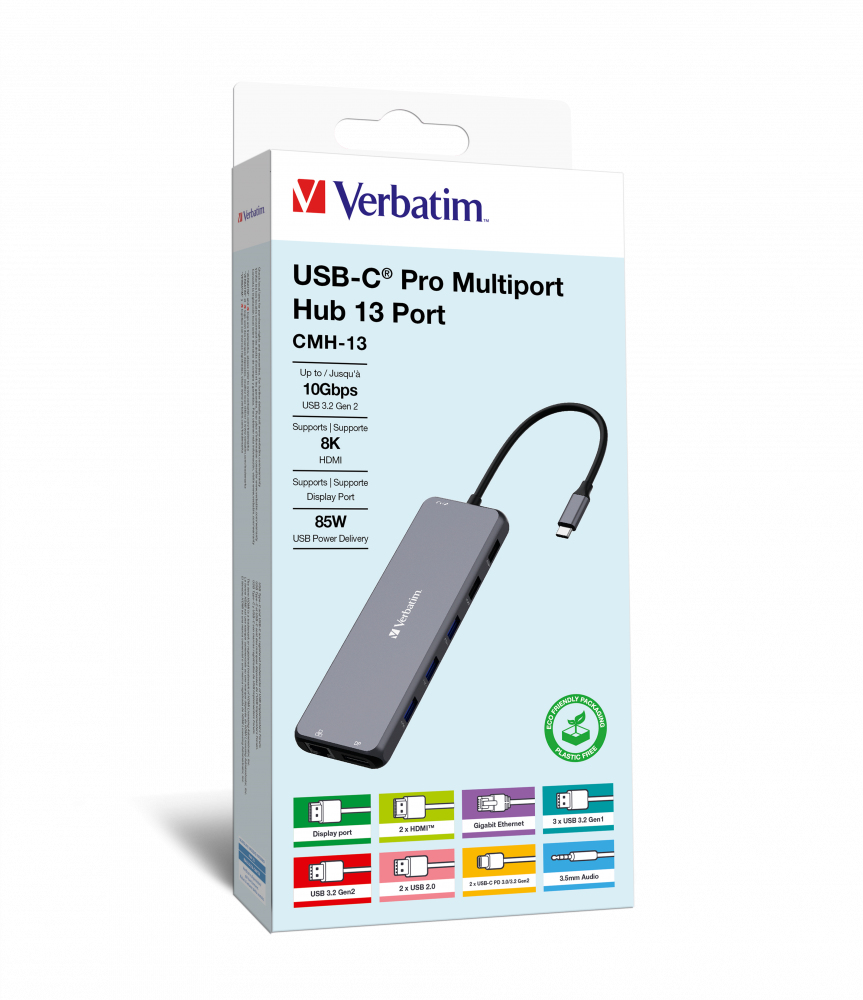
Verbatim CMH-13 USB Type-C 10000 Mbit/s Silver
Extensive Expansion: Thirteen ports for ultimate connectivity optionsThe Verbatim USB-C® Pro 13-Port Multiport Hub comes equipped with a huge thirteen options for connectivity, including dual HDMI ports and a DisplayPort for triple screen working. Ideal for editors and creators, the gigabit ethernet port provides the ability to benefit from the speeds of a wired internet connection and the audio port allows connection to speakers or a headset. There are a whopping six USB-A ports in different generations supporting devices of different speeds and two USB-C PD (Power Delivery) to ensure your devices stay charged.Dual 8K Ultra HD resolution or triple 4KThe two HDMI ports on the Pro Multiport Hub allows you to expand your display onto dual compatible TVs or monitors. It supports Ultra HD 8K razor-sharp resolutions, providing feature-rich content for the ultimate immersive experience. The DisplayPort also provides connection to a third monitor for wrap-around viewing in 4K Ultra HD resolution. Even at higher frame rates, the hub still provides smooth and continuous viewing without any loss or lag.Gigabit Ethernet connectionThe Pro Multiport Hub also features a Gigabit ethernet port (RJ45). Ideal for when the wireless connection is inconsistent or unstable, you can now connect your laptop to the wired network by plugging in a gigabit ethernet cable.Immersive SoundConnect some desktop speakers or a headset via the 3.5mm audio and microphone port. When laptops become streamlined, a headset jack is one of the first to be lost. No need to rely on other connections, just simply plug into the hub and experience uninterrupted sound.Six USB-A Ports for all your devicesGet the most out of your devices, no matter the connection. Three of the USB-A ports are USB 3.2 Gen1, supporting speeds of up to 5Gb/s whilst another is USB-A 3.2 Gen2 with speeds of up to 10Gb/s. For connection to some legacy devices, there are two USB-A 2.0 ports which offer speeds of up to 480Mb/s. Connect all your desktop accessories, old and new plus any external storage with ease.Dual Power ChargingThe two USB-C® PD (Power delivery) ports provide uninterrupted pass-through charging. Some laptops only come with one USB-C® port, so once you have added a hub, there is no extra port to plug in power. The USB-C® ports on the Pro Multiport hub allow pass through charging from the power source, allowing the laptop plus another device to be charged up to 85W (15W reserved for other ports) while using all the other ports on the hub.
Item(s) added to cart
Netgear GS105E-200NAS ProSafe Plus Switch, 5-Port Gigabit Ethernet - 5 Ports - 2 Layer Supported - Wall Mountable - Lifetime Limited Warranty-None Listed Compliance
MFR: Netgear, Inc
Qty: 1
Part #: GS105NA