
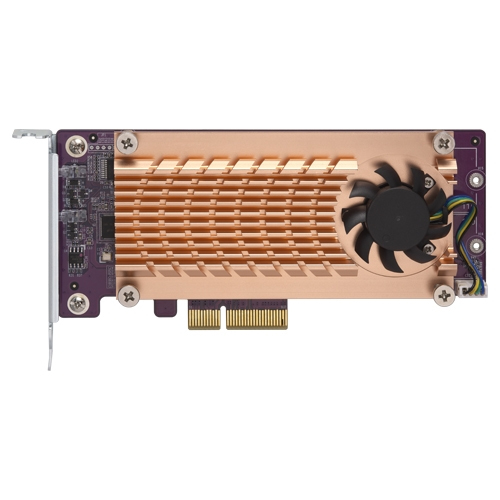
QNAP QM2-2S-220A interface cards/adapter Internal M.2
Enhanced performance for demanding applicationsThe QM2 expansion card allows for adding M.2 SSDs to increase the storage capacity of your Windows/Linux PC/workstation, while also boosting overall IOPS performance by offloading bandwidth-demanding tasks to the SSD to minimize application loading times. It is ideal for resource-demanding applications, such as inline video-editing, gaming and more.Tackle performance bottlenecksQM2 boosts performance by adding M.2 SSDs. It doesn’t occupy any 3.5-inch drive bays, allowing you to maximize both your storage capacity and performance.
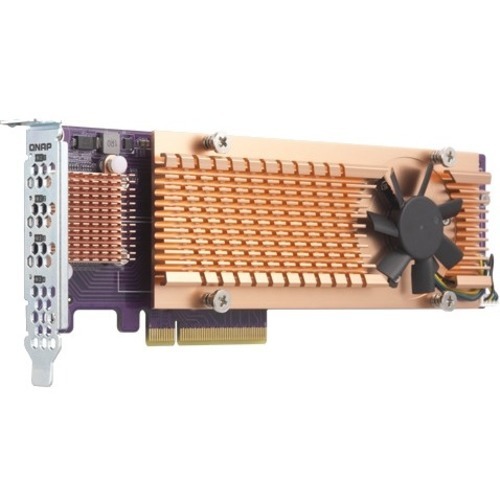
QNAP QM2-4P-384 interface cards/adapter Internal PCIe
The PCIe QM2 expansion card allows you to easily add M.2 SSDs to your PC/workstation. Compared with the SATA interface, the QM2's PCIe interface provides higher bandwidth to deliver faster computing speed and data access. No extra drivers are required to use this QM2 expansion card.Enhanced performance for demanding applicationsThe QM2 expansion card allows for adding M.2 SSDs to increase the storage capacity of your Windows/Linux PC/workstation, while also boosting overall IOPS performance by offloading bandwidth-demanding tasks to the SSD to minimize application loading times. It is ideal for resource-demanding applications, such as inline video-editing, gaming and more.Tackle performance bottlenecksQM2 boosts performance by adding M.2 SSDs. It doesn’t occupy any 3.5-inch drive bays, allowing you to maximize both your storage capacity and performance.
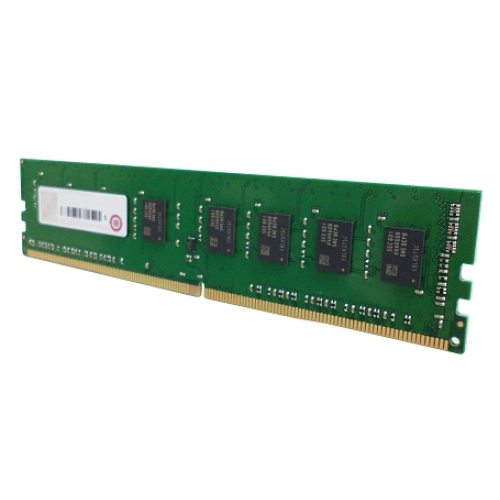
QNAP RAM-16GDR4A1-UD-2400 memory module 16 GB 1 x 16 GB DDR4 2400 MHz
QNAP RAM-16GDR4A1-UD-2400 memory module 16 GB 1 x 16 GB DDR4 2400 MHz
QNAP RAM-2GDR4A0-SO-2400 memory module 2 GB 1 x 2 GB DDR4 2400 MHz
QNAP RAM-2GDR4A0-SO-2400 memory module 2 GB 1 x 2 GB DDR4 2400 MHz
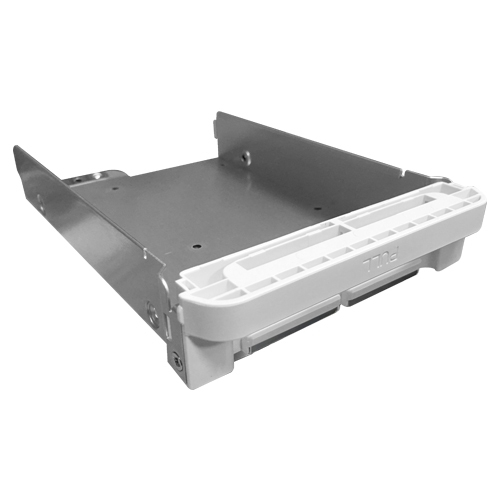
QNAP TRAY-35-NK-WHT01 mounting kit
QNAP TRAY-35-NK-WHT01 mounting kit
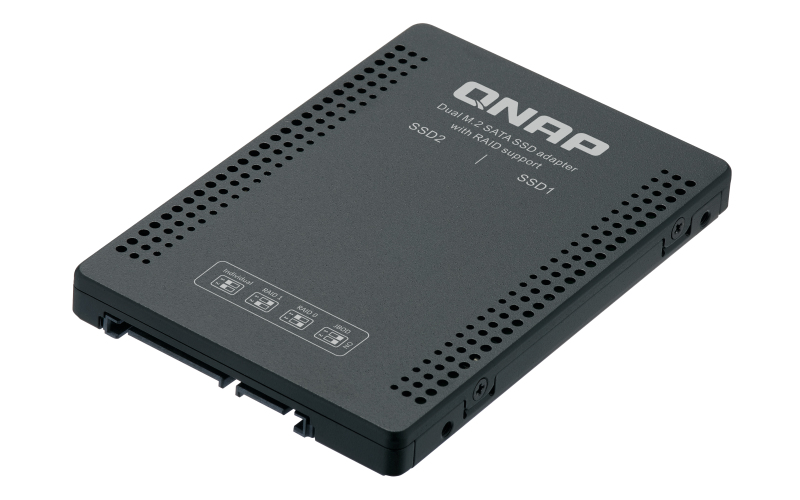
QNAP QDA-A2MAR storage drive enclosure SSD enclosure Black M.2
The QDA-A2MAR can accommodate two M.2 SATA SSDs within a single 2.5-inch SATA drive bay. No software driver is required for the QDA-A2MAR, and it can be installed in a PC/workstation (Windows®, Linux®) or QNAP NAS to flexibly add high-performance M.2 SATA SSDs with RAID configurations to meet various storage needs.Supports various RAID levelsThe QDA-A2MAR supports a variety of RAID configurations. Depending on your requirements, you can use the bundled metal pin as disk mode switch tool to select your ideal RAID mode: Individual, JBOD, RAID 0, or RAID 1. Windows® users can use the QNAP External RAID Manager utility to view the RAID group status and disk health information.Install in a PC/workstation for higher performance or data protectionWhen using two M.2 SSDs instead of a single 2.5-inch drive in a PC/workstation (Windows® or Linux®) you can create a RAID 0 for enhanced performance, or RAID 1 to add data redundancy for greater data protection. The M.2 SSDs also help achieve maximized performance and lower latency, ideal for on-the-fly video editing and server-grade applications.External RAID Manager for Windows usersThe QNAP External RAID Manager utility allows Windows® users to view the drive status and RAID information of the QDA-A2MAR. Firmware updates for the QDA-A2MAR can also be managed with the External RAID Manager utility.Install in QNAP NAS for efficient storage or SSD cachingThe QDA-A2MAR supports hardware RAID that will not consume CPU resources to help sustain optimal NAS performance. You can install one or more QDA-A2MAR in a NAS to maximize the storage utilization of available 2.5-inch drive bays. The QDA-A2MAR can accommodate two M.2 SSDs to create an SSD volume for performance-demanding workflows or work in an efficient tiered-storage environment with Qtier. It can also boost IOPS performance when configuring SSD caching. RAID information and disk health of the QDA-A2MAR can be monitored through the QTS Storage & Snapshots Manager.
QNAP QM2 interface cards/adapter Internal M.2
The PCIe QM2 expansion card allows you to easily add M.2 NVMe SSDs to your PC/workstation. Compared with the SATA interface, the QM2's PCIe interface provides higher bandwidth to deliver faster computing speed and data access. No extra drivers are required to use this QM2 expansion card.Enhanced performance for demanding applicationsThe QM2 expansion card allows for adding M.2 SSDs to increase the storage capacity of your Windows/Linux PC/workstation, while also boosting overall IOPS performance by offloading bandwidth-demanding tasks to the SSD to minimize application loading times. It is ideal for resource-demanding applications, such as inline video-editing, gaming and more.Tackle performance bottlenecksQM2 boosts performance by adding M.2 SSDs. It doesn’t occupy any 3.5-inch drive bays, allowing you to maximize both your storage capacity and performance.

QNAP QNA-T310G1T interface cards/adapter RJ-45
The QNAP QNA series is a cost-effective Thunderbolt 3 to 10GbE adapter that empowers your Mac® or Windows® computers with blazing-fast 10GbE network connectivity using a Thunderbolt 3 type-C port. With the portable QNA series adapter, a 10GbE network can be created between your Thunderbolt 3 computer and another 10GbE-capable device or NAS to facilitate high-speed data transfer for large files and help to streamline collaborative workflows to improve efficiency.Enable blazing-fast 10GbE connectivity for your MacWith the QNA series adapters, you can connect your Mac and Windows® computers to a 10GbE network to enjoy access speeds of up to 1069 MB/s. With both Thunderbolt™ 3 and 10GbE connectivity, your data transfers will be faster than ever!10GbE data transfer that media professionals needAs video resolutions move from 1080p, to 4K, 8K (and beyond) media creators are struggling with the storage and network requirements needed for editing huge multimedia files. The QNA series comes with two models. The QNA-T310G1T features a Thunderbolt 3 to 10GbE Multi-Gigabit (10G/5G/2.5G/1G/100M) port, and the QNA-T310G1S features one 10GbE SFP+ port, allowing you to easily add 10GbE connectivity to any Thunderbolt 3 device. Coupled with a QNAP 10GbE switch, a budget-friendly 10GbE environment can be created for creative studios to benefit from the incredible speed and bandwidth that 10GbE provides.Effortless setupSimply connect a QNA adapter to your Mac or Windows® computer using the included Thunderbolt 3 cable and connect the adapter to a 10GbE-capable switch, NAS, or other device using a 10GbE cable (RJ45 Cat 5e/Cat 6a cable or above or a SFP+ DAC).
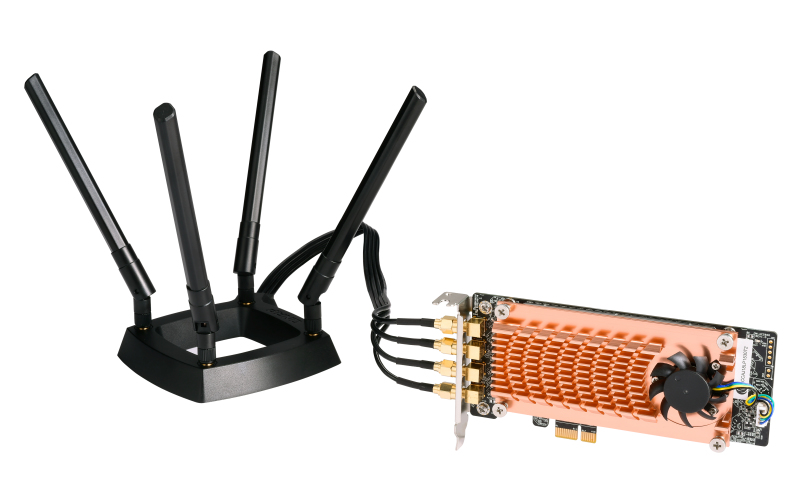
QNAP QWA-AC2600 network card Internal WLAN 1733 Mbit/s
The QWA-AC2600 is a 2.4/5 GHz Dual Band Dual Concurrent (DBDC), 4 x 4 Multi-user MIMO (MU-MIMO), low-profile PCI Express (PCIe) 2.0 x1 wireless adapter with two Qualcomm QCA9984 NICs that supports up to 2533 Mbps (800 Mbps for IEEE 802.11n (2.4 GHz) and 1733 Mbps for IEEE 802.11ac (5 GHz)). The QWA-AC2600 can be used as an access point or a base station with Ubuntu/Linux PCs or QNAP NAS. Combining the higher compatibility of 802.11n and faster connection of 802.11ac, the QWA-AC2600 enables versatile applications including wireless LANs in the workplace and Internet of Things (IoT) deployment in the field.A tailor-made private wireless network that meets your needsThe QWA-AC2600 is compatible with most PCIe-enabled QNAP NAS*. When used with the WirelessAP Station app your NAS will evolve into a high-performance wireless access point that can be connected to from multiple devices. The QWA-AC2600 can also be used to extend your wireless network coverage. Combined with useful features (including DHCP and NAT) provided by the Network and Virtual Switch app, the QWA-AC2600 can be used for a variety of applications, delivering private, fast, low-latency and secure connectivity across your home and/or workplace.Turn your Ubuntu/Linux PC or QNAP NAS into a wireless access point/base stationThe QWA-AC2600 can turn your Ubuntu/Linux PC or QNAP NAS into a wireless access point/base station for other wireless devices to directly access data stored on it. The QWA-AC2600's 2.4/5 GHz DBDC design can be configured to utilize two wireless networks for boosting performance. For a single Ubuntu/Linux PC or QNAP NAS, multiple sets of QWA-AC2600 can be installed to enable a more flexible deployment and expansion for wireless network applications which require security, privacy and high performance.
Item(s) added to cart
Netgear GS105E-200NAS ProSafe Plus Switch, 5-Port Gigabit Ethernet - 5 Ports - 2 Layer Supported - Wall Mountable - Lifetime Limited Warranty-None Listed Compliance
MFR: Netgear, Inc
Qty: 1
Part #: GS105NA