
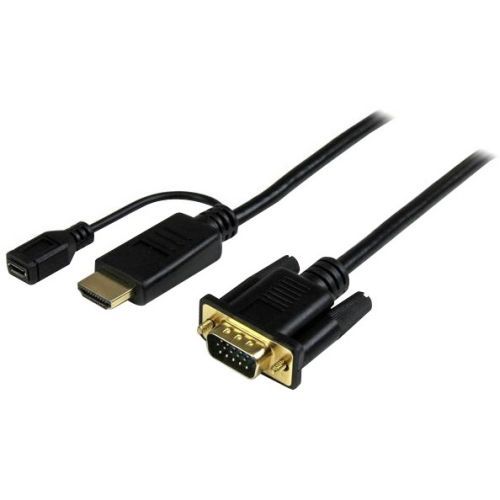
StarTech.com HD2VGAMM3 video cable adapter 35.4" (0.9 m) VGA (D-Sub) HDMI + Micro USB Black
Eliminate excess cable clutter and adapters, by connecting your HDMI source directly to a VGA monitor/projector using this short 3ft adapter cableThe HD2VGAMM3 3ft HDMI to VGA converter cable lets you connect your HDMI equipped Chromebook, laptop or desktop to a VGA monitor or projector, with no additional adapters or cables required.The converter cable saves you the hassle of combining an HDMI to VGA adapter with a bulky VGA cable by providing an end-to-end solution for connecting your digital HDMI computer to your VGA monitor or projector.Unlike most HDMI to VGA adapters which require a power outlet to convert the video signal, the HD2VGAMM3 doesn’t need external power in most installations. To work with Mac computers where extra power is needed, the HD2VGAMM3 features an optional integrated USB power source (USB cable not included), which makes connecting a display to your desktop or workstation that much easier, if additional power is required.In the past, converting digital HDMI to analog VGA was a difficult and expensive task. Now, you can avoid upgrade costs by connecting your HDMI video source to your existing VGA monitor or projector using the HD2VGAMM3. Plus, because the adapter cable supports video resolutions up to 1920x1200 or 1080p, you can rest assured you can use your existing VGA display while maintaining high-definition video quality.The HD2VGAMM3 converter cable delivers a precise 3ft connection that eliminates the clutter of excess cable length and ensures a tidy, professional installation. For longer installations, we also offer a 6 ft HDMI to VGA cable (HD2VGAMM6) and a 10 ft HDMI to VGA cable (HD2VGAMM10), enabling you to choose the right cable length for your installation needs.Please note: Digitally encrypted content from the HDMI video source will not be displayed.The HD2VGAMM3 is backed by a 3-year StarTech.com warranty and free lifetime technical support.The StarTech.com Advantage- Reduce clutter in your classroom or workstation with a precise-fitting 3-foot cable connecting your HDMI computer to your VGA display- Hassle-free installation with cable-style adapter enabling you to connect your HDMI source directly to a VGA display with no additional video cable required- Repurpose an existing or spare VGA display to work with your HDMI computer
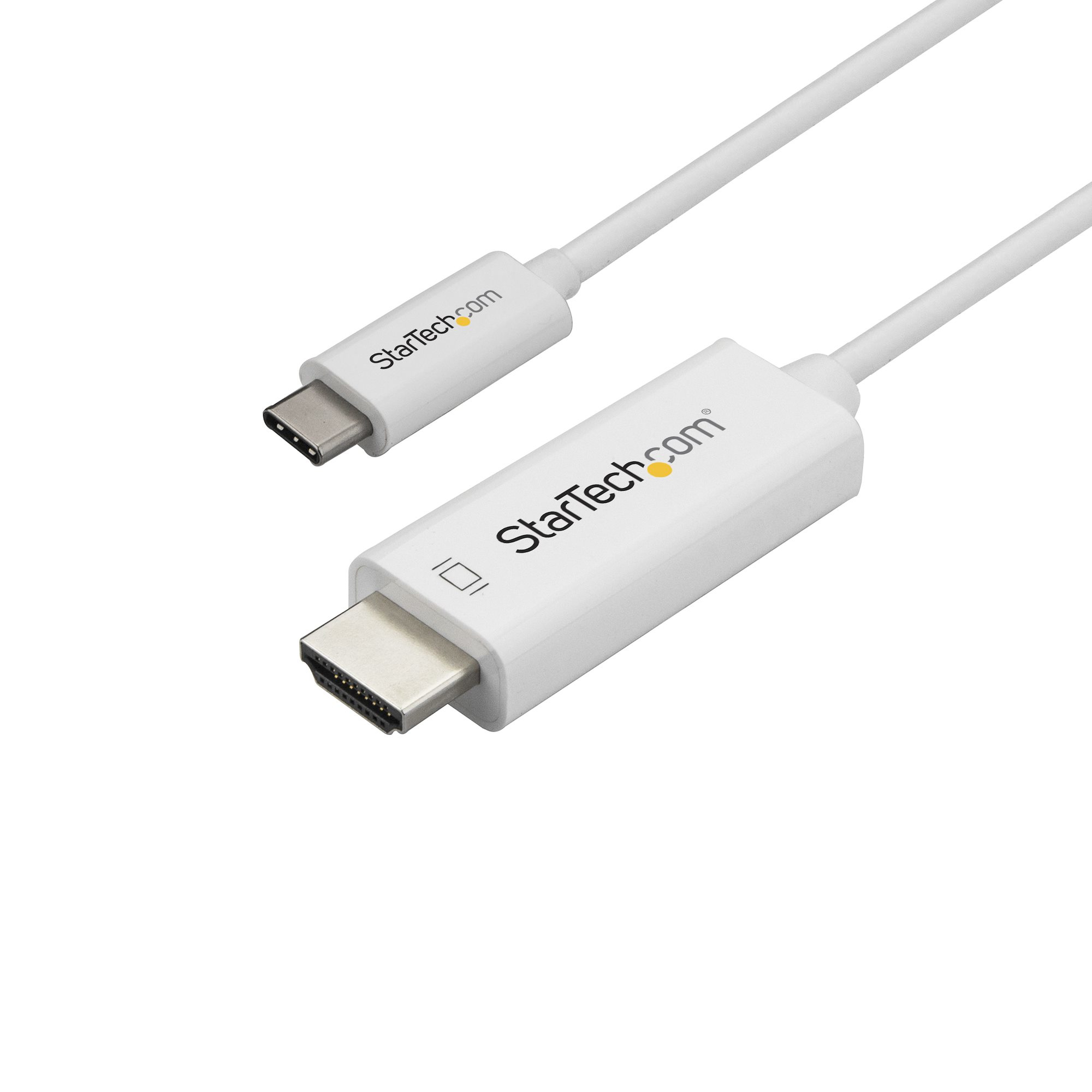
StarTech.com CDP2HD1MWNL video cable adapter 39.4" (1 m) USB Type-C HDMI Type A (Standard) White
Eliminate clutter by connecting your USB Type-C computer directly to an HDMI display, without additional adaptersThis USB-C™ to HDMI® adapter cable offers a convenient solution for directly connecting your DisplayPort over USB Type-C™ device to your HDMI monitor, television, or projector. The adapter offers a connection distance of up to 1 m (3 ft.) and works with USB-C devices that support DP Alt Mode, such as the MacBook, Chromebook Pixel™ and Dell™ XPS™ models 15 and 13. It's also compatible with Thunderbolt™ 3 ports.Clutter-free installationWhile this white adapter looks great next to computers that match the look and feel of laptops like your MacBook or HP® Envy, it works with any USB-C computer that supports HDMI. At 1 m (3 ft.) in length, this adapter cable delivers a direct connection that eliminates excess adapters and cabling, ensuring a tidy and professional installation.For longer installations, StarTech.com also offers a 2 m (6 ft.) USB-C to HDMI cable (CDP2HD2MWNL) and a 3 m (10 ft.) USB-C to HDMI cable (CDP2HD3MWNL), enabling you to choose the right cable length for your custom installation needs.Astonishing picture qualityAt four times the resolution of high-definition 1080p, you’ll be amazed at the picture quality of a 4K 60Hz monitor or television. This adapter cable lets you harness the video capabilities that are built into your USB Type-C connection, to deliver the astonishing quality of Ultra HD to your 4K display.Plus, the adapter is still compatible with lower display resolutions, such as 1080p, which makes it a great accessory for your current home, office or other HD work environment, while future-proofing for 4K 60Hz implementation.The CDP2HD1MWNL is backed by a 3-year StarTech.com warranty and free lifetime technical support.The StarTech.com Advantage
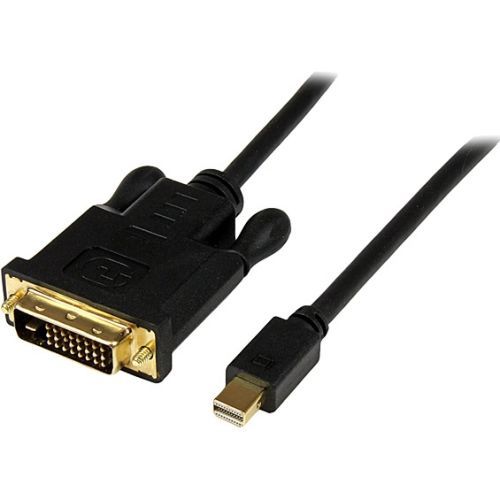
StarTech.com MDP2DVIMM6B video cable adapter 70.9" (1.8 m) mini DisplayPort DVI-D Black
Connect a DVI display to a Mini DisplayPort-equipped PC or MAC® over a 6 foot distance – BlackThe MDP2DVIMM6B Mini DisplayPort to DVI Adapter Cable lets you directly connect your Mini DP video source (such as any of your MacBook® or Microsoft® Surface™ Pro devices with mDP) to a DVI monitor or projector, eliminating the expense of having to upgrade to a Mini DisplayPort-capable monitor.The adapter cable is 6 feet (1.8 m) in length, and features male-to-male connectors, allowing you to connect your Mini DisplayPort source directly to a DVI display with no additional cabling required.Compatible with Intel® Thunderbolt™, when connected directly to a supporting DisplayPort over Thunderbolt I/O port, the adapter supports resolutions up to 1920x1200 (WUXGA).MDP2DVIMM6B is a passive adapter that requires a dual-mode DisplayPort port (DisplayPort++), meaning that DVI and HDMI signals can also be passed through the port.Backed by a StarTech.com 3-year warranty and free lifetime technical support.The StarTech.com Advantage
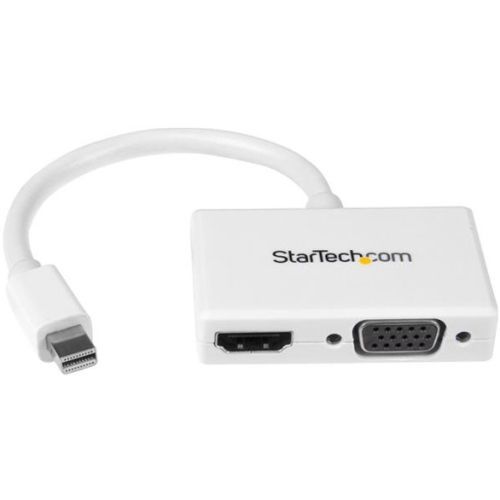
StarTech.com MDP2HDVGAW video cable adapter 5.91" (0.15 m) White
Connect your Mini DisplayPort equipped PC or Mac to an HDMI or VGA displayThe MDP2HDVGA Mini DisplayPort travel adapter lets you connect your mDP enabled Microsoft Surface Pro, Ultrabook or laptop computer to any VGA or HDMI display. The sleek adapter features an all-white design that looks great when interfaced with your MacBook Pro or MacBook Air.Connect to any HDMI or VGA DisplayWhy carry multiple adapters when you only need one? Instead of keeping two different adapters on-hand, the mDP travel adapter offers both VGA and HDMI outputs, so you’ll be able to connect from your laptop to any modern boardroom or classroom display -- an ideal plug-and-play solution for BYOD (Bring Your Own Device) applications at the office. Plus, because the converter supports video resolutions up to 1920x1200 or 1080p you can convert a Mini DisplayPort video source to HDMI or VGA without sacrificing video quality.Maximize portabilityThe travel A/V adapter maximizes portability with a small footprint and lightweight design. The convenient design ensures the adapter is as portable as your laptop, fitting easily into your laptop bag or carrying case and eliminates the need to carry more than one adapter. With this adapter you can walk into virtually any boardroom ready to present, making a great first impression, and saving you the embarrassment of having to rummage through your bag looking for the right connector.The 2-in-1 converter is compatible with the Intel Thunderbolt port on your Mac or PC and installs easily with no software or drivers required.The MDP2HDVGAW is backed by a 3-year StarTech.com warranty and free lifetime technical support.The StarTech.com Advantage- 2-in-1 design lets you connect to any HDMI or VGA display using a single adapter- Maximize portability with a compact, lightweight adapter- Looks great next to your Mac, with a sleek white design
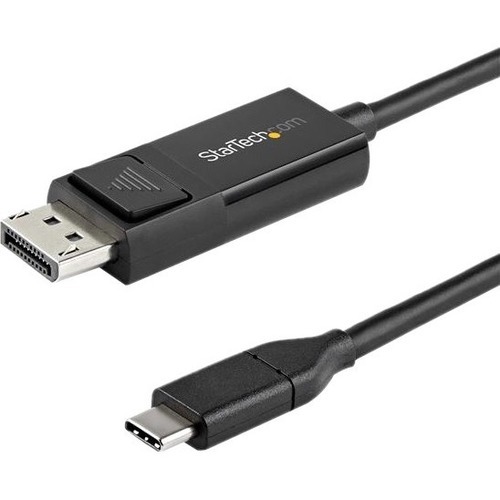
StarTech.com CDP2DP2MBD video cable adapter 78.7" (2 m) USB Type-C DisplayPort Black
USB Type-C™ Adapter Cable | 4K 60Hz | Thunderbolt 3™This USB-C™ to DisplayPort™ 1.2 cable lets you connect your USB Type-C™ (or Thunderbolt 3™) device to a DisplayPort display, or a DP device to a USB-C display with just one cable.Easy & Clutter-Free InstallationAt 6.6 ft. (2 m) in length, this bidirectional adapter cable delivers a direct connection that eliminates excess adapters and cabling, ensuring a tidy, professional installation. For shorter installations, we also offer a 3.3 ft. (1 m) USB-C to DP cable, enabling you to choose the right cable length for your custom installation needs.As well, the cable works with both Mac and Windows devices and allows for plug-and-play installation, removing the need for any additional software or drivers.Convenient, Bi-Directional SupportUse this USB-C to DisplayPort adapter cable to output 4K video and audio to a DP display from the USB Type-C (or Thunderbolt 3) port on your laptop or mobile device. With bi-directional capabilities, this cable can also connect your DisplayPort-enabled devices to a display featuring USB-C input.Ultra HD 4K Resolution at 60HzThis USB-C to DP 1.2 adapter cable lets you harness the video capabilities that are built into your computer's USB Type-C (or DisplayPort) connection, to deliver the astonishing quality of UHD to your 4K display. For even higher resolution and bandwidth support, we offer a USB-C to DP 1.4 cable, which is the perfect accessory for early adopters of 8K.CDP2DP2MBD is backed by a StarTech.com 3-year warranty and free lifetime technical support.Note: Your USB 3.1 Type-C device must support DP Alt Mode to work with this cable.The StarTech.com Advantage
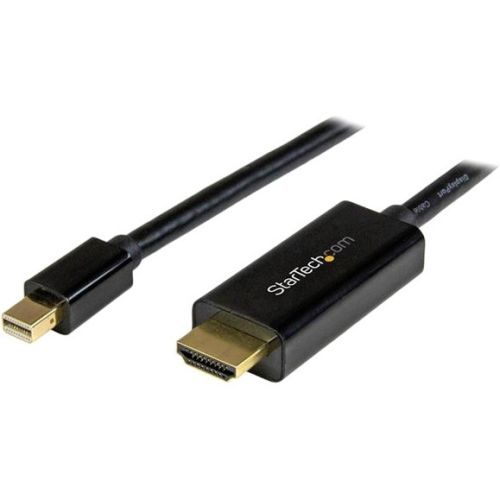
StarTech.com MDP2HDMM1MB video cable adapter 39.4" (1 m) DisplayPort HDMI Type A (Standard) Black
Eliminate clutter by connecting your PC or Mac® directly to an HDMI display, using this short cableThis 3-foot Mini DisplayPort™ to HDMI® adapter cable offers a single-cable connection from your mDP equipped Microsoft® Surface™ Pro, MacBook or Ultrabook™ laptop to an HDMI display or projector. The passive adapter supports video resolutions up to Ultra HD 4K and is Thunderbolt™ compatible when connected directly to a supporting DisplayPort over Thunderbolt I/O port.Astonishing picture qualityThis adapter cable ensures you can maintain an astonishing picture quality, four times the resolution of 1080p, when converting Mini DisplayPort to HDMI.The adapter is also backward compatible with lower resolution displays and video sources. With support for high-definition resolutions of 1080p and 720p, you can future-proof your existing setup for 4K video.Hassle-free setupFor the simplest and most discreet installation, this mDP to HDMI adapter connects directly from your Mini DisplayPort video source to the HDMI port on your display. It doesn't need a power source, unlike some converter dongles that require active power and separate video cabling.Clutter-free installationAt 3ft in length, this adapter cable delivers a compact connection that eliminates excess to ensure a tidy, professional installation. For longer installations, we also offer a 6 ft mDP to HDMI cable (MDP2HDMM2MB) enabling you to choose the right cable length for your custom installation needs.The MDP2HDMM1MB is backed by a 3-year StarTech.com warranty and free lifetime technical support.The StarTech.com Advantage
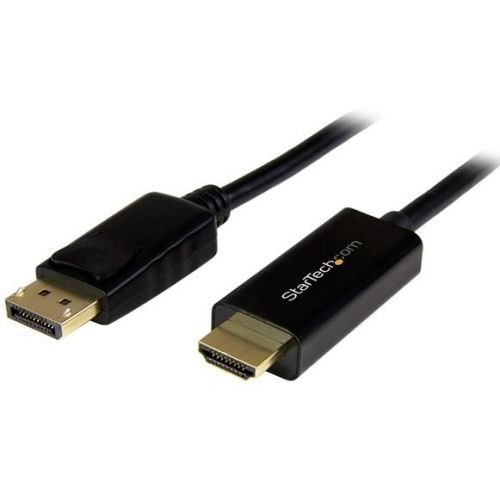
StarTech.com DP2HDMM3MB video cable adapter 118.1" (3 m) DisplayPort HDMI Black
Eliminate clutter by connecting your DP computer directly to an HDMI display, using this 3-meter cableThis 3-meter (10 ft.) DisplayPort to HDMI® adapter cable lets you connect your DisplayPort equipped Ultrabook™, laptop or desktop computer to an HDMI television, monitor or projector, with no additional adapters or cables required. The passive adapter supports video resolutions up to Ultra HD 4K, ensuring support for high-resolution applications.Astonishing picture qualityThis adapter cable ensures you can maintain an astonishing 4K picture quality, four times the resolution of 1080p, when converting DisplayPort to HDMI. The adapter is also backward-compatible with lower-resolution displays and video sources. With support for high-definition resolutions of 1080p and 720p, you can future-proof your existing setup for 4K video.Hassle-free setupFor the simplest and most discreet installation, this DP to HDMI adapter connects directly from your DisplayPort video source to the HDMI port on your display. It doesn't need a power source, unlike some converter dongles that require active power and separate bulky video cabling.Clutter-free installationWith a built-in DP to HDMI adapter, this 3 m cable delivers a direct connection that eliminates the need for additional adapters, ensuring a tidy, professional installation. Plus, because the cable is 3 meters (10 feet) in length, the cable is ideal when connecting your computer to a display that's further away than a standard 6 ft. (2 m) cable.For shorter or longer installations, we also offer a 1 m DP to HDMI cable (DP2HDMM1MB) , a 2 m DP to HDMI cable (DP2HDMM2MB) and a {5 m DP to HDMI cable (DP2HDMM5MB) enabling you to choose the right cable length for your custom installation needs.The DP2HDMM3MB is backed by a 3-year StarTech.com warranty and free lifetime technical support.The StarTech.com Advantage
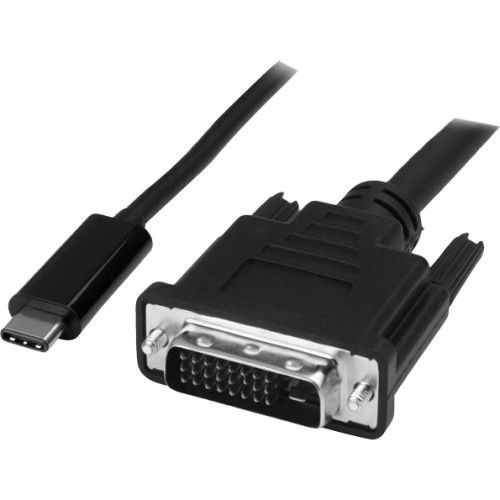
StarTech.com CDP2DVIMM2MB video cable adapter 78.7" (2 m) USB Type-C DVI-D Black
USB Type-C™ to DVI Adapter Cable | Thunderbolt™ 3 CompatibleThis USB-C to DVI cable lets you connect your Thunderbolt 3 or USB Type-C enabled device to a DVI computer monitor with just one cable, providing you with a convenient, clutter-free solution.Astonishing Picture QualityThe USB-C to DVI adapter cable lets you harness the video capabilities that are built into your USB-C connection, to deliver astonishing picture quality at resolutions up to 1920 x 1200.Plus, the USB-C video cable is backward compatible with 1080p displays, which makes it a great accessory for home, office or other work environments.Clutter-Free InstallationAt 6.6 ft. (2 m) in length, this computer monitor cable delivers a compact connection that eliminates excess adapters and cabling, ensuring a tidy, professional installation. For shorter or longer connections, we also offer a 3.3 ft. (1 m) (CDP2DVIMM1MB) and a 9.8 ft. (3 m) (CDP2DVI3MBNL) USB-C to DVI cable, enabling you to choose the right cable length for your custom installation needs.Hassle-Free ConnectionThe reversible USB-C connector allows for an easy and convenient connection. To ensure easy operation and installation, this USB-C to DVI cable works with both Windows and Mac computers and supports easy plug-and-play installation.CDP2DVIMM2MB is backed by a 3-year StarTech.com warranty and free lifetime technical support.Note: Your USB-C port must support DisplayPort over USB-C (DP Alt Mode) in order to work with this adapter.The StarTech.com Advantage
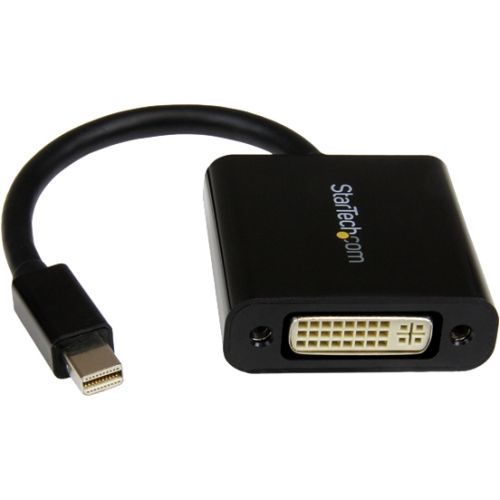
StarTech.com MDP2DVI3 video cable adapter 5.12" (0.13 m) Mini DisplayPort DVI-I Black
Connect a DVI Display to a Mini DisplayPort Video SourceThe MDP2DVI3 Mini DisplayPort® to DVI Adapter lets you connect your Mini DisplayPort video source (such as any of your MacBook® or Microsoft® Surface™ Pro devices with mDP) to a DVI monitor, projector, or display, eliminating the expense of having to upgrade to a Mini DisplayPort-capable monitor.Compatible with Intel® Thunderbolt™, when connected directly to a supporting DisplayPort over Thunderbolt™ I/O port, the adapter supports display or projector resolutions up to 1920x1200 (WUXGA) and is compliant with HDCP standards.MDP2DVI3 is a passive adapter that requires a DP++ port (DisplayPort++), meaning that DVI and HDMI® signals can also be passed through the port.Backed by a StarTech.com 3-year warranty and free lifetime technical support.The StarTech.com Advantage
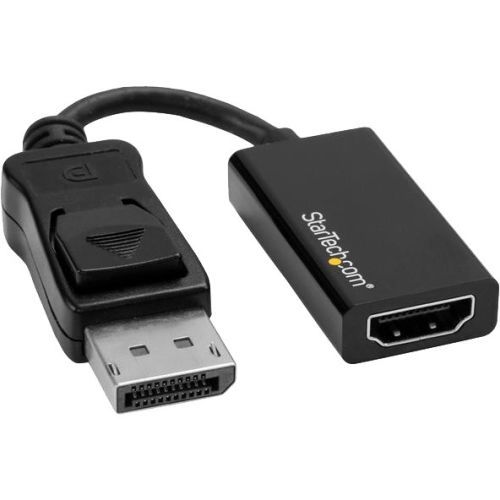
StarTech.com DP2HD4K60S video cable adapter 8.46" (0.215 m) DisplayPort HDMI Black
Connect your DP computer to an HDMI display using this converter, which supports UHD resolutions up to 4K at 60HzThis DisplayPort to HDMI® adapter lets you output HDMI video and audio from a DP device, with support for Ultra HD 4K at 60Hz.Astonishing picture quality with support for Ultra HD 4K at 60 HzThe adapter lets you harness the video capabilities that are built into your DisplayPort connection, to deliver the astonishing quality of UHD to your 4K 60Hz display. This makes it easier for you to multitask while using multiple monitors to work on resource-demanding applications.Unlike many 4K DisplayPort to HDMI adapters that only support a 30Hz refresh rate, this adapter works with HDMI 2.0 displays that can deliver output resolutions of up to 3840 x 2160p at 60Hz. Support for HDMI 2.0 means this adapter can support bandwidth up to 18Gbps, making it the ideal solution for performing high-resolution tasks such as editing 4K video.The adapter is backward compatible with 1080p displays, which ensures that it will work with lower resolution displays such as TVs or projectors around your home or office.Ultimate portability with a compact, lightweight designThe compact video adapter is highly portable and lightweight. It's the perfect accessory for your portable DP devices, fitting easily into your laptop bag or carrying case.The portable adapter is a convenient addition when deploying company computers because it enables your employees to interface with BYOD (Bring Your Own Device) HDMI applications around the office, such as working at a hot-desk with an HDMI display or sharing your laptop's screen on a boardroom projector.Hassle-free setup with an active adapter that features plug-and-play installationTo ensure compatibility with any DisplayPort output, the DP adapter offers active conversion. Active video conversion is required to maintain 4K resolutions when converting DisplayPort to HDMI. An active DP adapter is ideal for outputting 1080p resolutions because it will work with graphics cards that can't output multimode DP++ signals, such as ATI Eyefinity™ cards.For a hassle-free setup, the DisplayPort to HDMI adapter allows for plug-and-play installation without any additional software or drivers.Note: To achieve 4K resolution at 60 Hz, a DisplayPort 1.4 output and an HDMI 2.0 display are required.The DP2HD4K60S is backed by a 3-year StarTech.com warranty and free lifetime technical support.The StarTech.com Advantage
Item(s) added to cart
Netgear GS105E-200NAS ProSafe Plus Switch, 5-Port Gigabit Ethernet - 5 Ports - 2 Layer Supported - Wall Mountable - Lifetime Limited Warranty-None Listed Compliance
MFR: Netgear, Inc
Qty: 1
Part #: GS105NA