

StarTech.com P2DD46A22-KVM-SWITCH KVM switch Black
Share a mouse, keyboard, RS-232 device, and dual-4K 60Hz DisplayPort monitors between two DisplayPort-enabled desktopsThis Dual-Monitor KVM Switch enables users to switch between two desktops that are USB-A and DisplayPort enabled. It allows for sharing of dual-4K 60Hz DisplayPort monitors, a keyboard and mouse, two USB 5Gbps devices, and two USB 2.0 HID devices.RS232 Serial ControlThis 2-Port KVM Switch provides control using serial commands, enabling users to switch between host ports, modify hotkeys, and perform various other functions. The RS232 host ports offer additional flexibility by allowing the switching of an RS232 device between two desktop computers.Near Instantaneous SwitchingDisplayPort EDID and USB Emulation technology enable near-instant switching of a keyboard, video, and mouse. DisplayPort EDID emulation remembers application window placement, while USB Emulation ensures compatibility with combination keyboards/mice, as well as keyboards featuring additional function keys.Dual-4K 60Hz DisplayPort MonitorsThis TAA-Compliant KVM Switch supports dual-4K 60Hz DisplayPort monitors, making it an ideal choice for working with high-resolution graphics or video. It also features MST pass-through, enabling the connection of additional monitors through daisy chaining - when using an MST Hub or the Video Output Ports located on the monitor.Customizable SwitchingThis Universal KVM Switch offers multiple switching options, including hotkey, on-screen display, or push-button switching. Hotkeys provide independent switching of USB/Video, Audio, and RS232, allowing for audio playback from one computer while controlling the other or switching without interrupting serial communication. An audible buzzer confirms hotkey input, and LEDs provide a visual indication of the selected host.Enhance Productivity and Device Management with the StarTech.com Connectivity Tools ApplicationDeveloped to improve performance and security, StarTech.com Connectivity Tools is the only software suite on the market that works with a wide range of IT connectivity accessories. The software suite includes:• Advanced Windows Layout Utility: Setup and save custom windows layouts.• MAC Address Pass-Through Utility: Improve network security.• USB Event Monitoring Utility: Track and log connected USB devices.• Wi-Fi Auto Switch Utility: Enable users to quickly access faster network speeds via wired LAN.For more information and to download the StarTech.com Connectivity Tools application, please visit: www.startech.com/connectivity-toolsThe StarTech.com Advantage

StarTech.com C2-D46-UC2-CBL-KVM KVM switch Black
Share a mouse, keyboard, and 4K 60Hz DisplayPort display between two USB-C enabled laptops, using this KVM Switch with built-in cablesThis USB Type-C KVM Switch enables users to switch between two USB-C laptops, sharing a 4K 60Hz DisplayPort monitor, keyboard, mouse, and audio input/output devices.Hassle-Free SetupThe KVM switch is bus powered and features built-in USB-C and 3.5mm Audio Input/Output cables. This ensures compatibility and performance between the KVM switch, monitor, and peripherals - without the need to select and purchase the cables required for those connections.CompatibilityThe 2-port KVM switch is compatible with all operating systems, including Windows, macOS, ChromeOS, and Linux. The KVM works with all hardware platforms including Intel, AMD, and Apple M1/M2.Intuitive ControlThe KVM switch offers two options to switch between hosts - a remote push-button or hotkey commands, using the downloadable software. The remote push button includes a 1.5m cable for optimal placement in the setup. Independent audio switching can be achieved through the software, utilizing keyboard shortcuts (i.e., hotkeys), ensuring uninterrupted audio when switching between host devices.Enhance Productivity and Device Management with the StarTech.com Connectivity Tools ApplicationDeveloped to improve performance and security, StarTech.com Connectivity Tools is the only software suite on the market that works with a wide range of IT connectivity accessories. The software suite includes:• Advanced Windows Layout Utility: Setup and save custom windows layouts.• MAC Address Pass-Through Utility: Improve network security.• USB Event Monitoring Utility: Track and log connected USB devices.• Wi-Fi Auto Switch Utility: Enable users to quickly access faster network speeds via wired LAN.For more information and to download the StarTech.com Connectivity Tools application, please visit: www.startech.com/connectivity-toolsThe StarTech.com Advantage
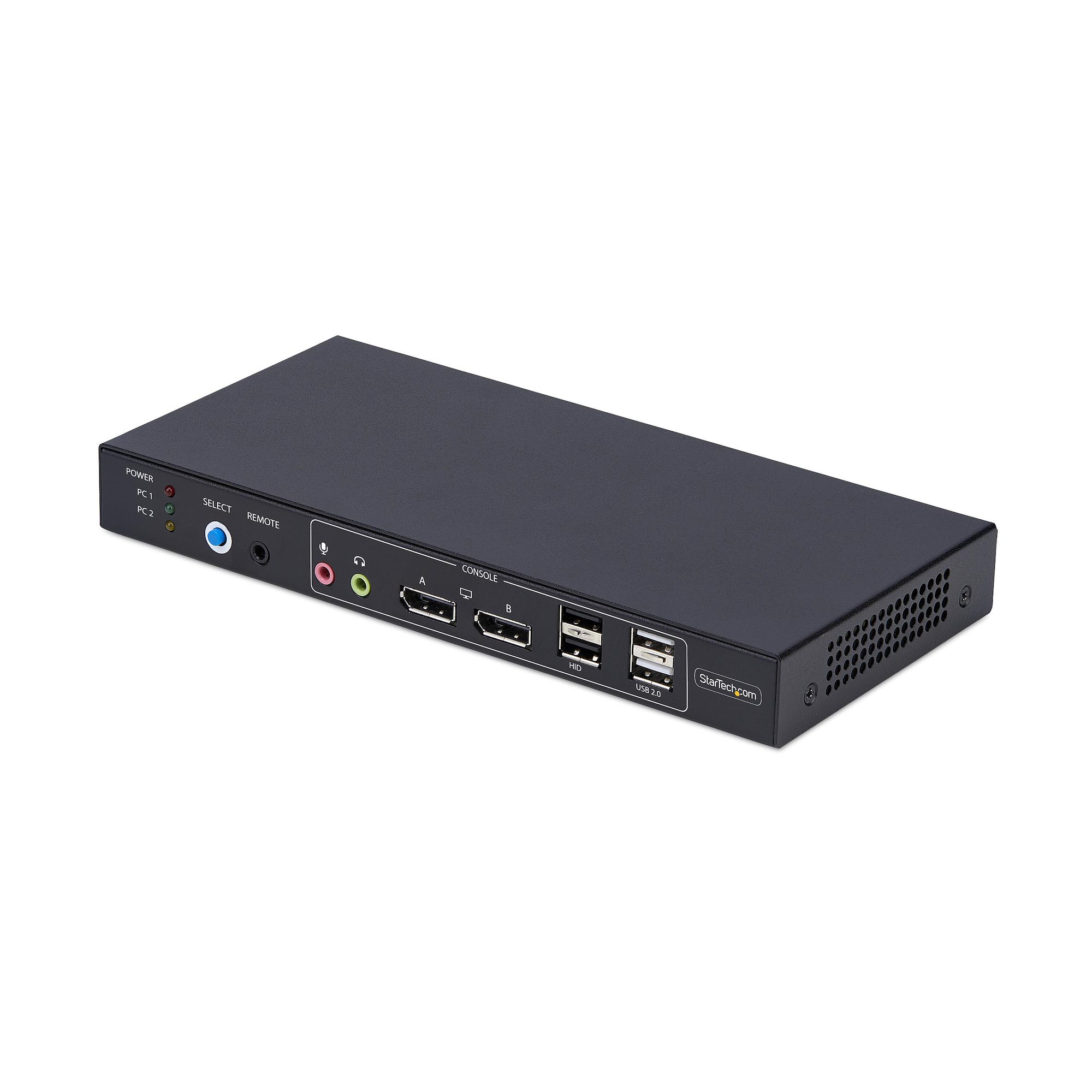
StarTech.com P2ADD121D-KVM-SWITCH KVM switch Black
Share a mouse, keyboard, USB hub, and dual 4K 60Hz DisplayPort monitors, between two DisplayPort-enabled computers, featuring dual-view video matrix capabilitiesThe Video Matrix KVM Switch allows you to view one display from each connected computer and switch the keyboard, mouse, and audio device between the selected displays using hotkeys. You can also switch all connected peripherals and both monitors like a standard KVM.Universal CompatibilityThe TAA-Compliant KVM Switch provides BIOS/UEFI control and works with any operating system, including Windows, macOS, and Linux. No software is required, and it is compatible with all hardware platforms such as Intel, AMD, and Apple Silicon.Customizable SwitchingSwitching KVM ports is easy with the front-facing push button, hotkeys, or the included remote selector cable. An audible buzzer provides confirmation, and LEDs offer quick visual port selection status.Reliable PerformanceThe durable design features a steel housing that helps prevent Electro-Magnetic Interference (EMI), enhancing the stability and reliability of the KVM. Its sturdy construction makes it ideal for installation in a variety of environments, and it offers 8kV Air/6kV Contact ESD protection.USB AudioEliminate the need to connect 3.5mm cables from the computers to the KVM by using this KVM switch's built-in USB audio device, which provides 3.5mm audio jacks for both microphone and speakers. This setup simplifies your workspace by integrating audio management directly into the KVM switch.Enhance Productivity and Device Management with the StarTech.com Connectivity Tools ApplicationDeveloped to improve performance and security, StarTech.com Connectivity Tools is the only software suite on the market that works with a wide range of IT connectivity accessories. The software suite includes:• Advanced Windows Layout Utility: Setup and save custom windows layouts.• USB Event Monitoring Utility: Track and log connected USB devices.For more information and to download the StarTech.com Connectivity Tools application, please visit: www.startech.com/connectivity-toolsThe StarTech.com Advantage

StarTech.com C2-D46-UAC-CBL-KVM KVM switch Black
Share a mouse, keyboard, and a 4K 60Hz DisplayPort display between a USB-A computer and a USB-C DP Alt-mode computer, using this KVM Switch with built-in cablesThis Hybrid KVM Switch enables users to switch between a USB Type-A and DisplayPort-enabled desktop and a USB Type-C (DP Alt-Mode) enabled laptop, to share a keyboard, mouse, audio input/output devices, and a single 4K 60Hz DisplayPort monitor.Hassle-Free SetupThe KVM switch is bus powered and features built-in DisplayPort, USB-A, USB-C, and 3.5mm Audio Input/Output cables. This ensures compatibility and performance between the KVM switch, monitors, and peripherals - without the need to select and purchase the cables required for those connections.CompatibilityThe 2-port KVM switch is compatible with all operating systems, including Windows, macOS, ChromeOS, and Linux. The KVM works with all hardware platforms including Intel, AMD, and Apple M1/M2. The USB-C host port works with USB-C, USB4, Thunderbolt 3, and Thunderbolt 4 laptops. If the desktop does not have a 4-position 3.5mm port the included 3.5mm Headset Adapter ensures compatibility out of the box.Intuitive ControlThe KVM switch offers two options to switch between hosts - a remote push button or hotkey commands, using the downloadable software. The remote push button includes a 1.5m cable for optimal placement in the setup. Independent audio switching can be achieved through the software, utilizing keyboard shortcuts (i.e., hotkeys), ensuring uninterrupted audio when switching between host devices.Enhance Productivity and Device Management with the StarTech.com Connectivity Tools ApplicationDeveloped to improve performance and security, StarTech.com Connectivity Tools is the only software suite on the market that works with a wide range of IT connectivity accessories. The software suite includes:• Advanced Windows Layout Utility: Setup and save custom windows layouts.• MAC Address Pass-Through Utility: Improve network security.• USB Event Monitoring Utility: Track and log connected USB devices.• Wi-Fi Auto Switch Utility: Enable users to quickly access faster network speeds via wired LAN.For more information and to download the StarTech.com Connectivity Tools application, please visit: www.startech.com/connectivity-toolsThe StarTech.com Advantage
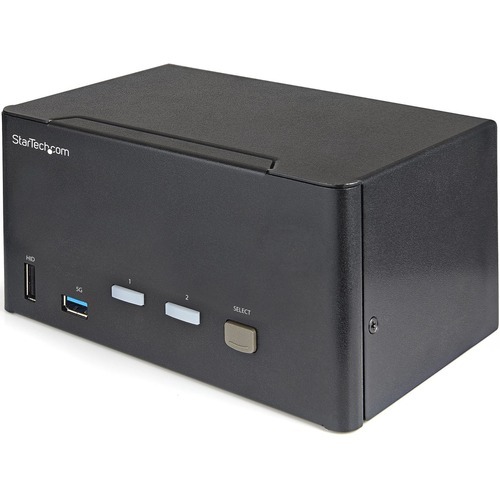
StarTech.com SV231TDPU34K KVM switch Black
KVM with USB | Triple Monitor | TAA Compliant | USB 3.0 Hub | DisplayPort 1.2 | Digital & Analog AudioThis 2-port KVM switch combines 4K (60Hz) digital display capabilities with control of two connected computers.4K 60Hz Picture and Full Audio SupportThe DisplayPort KVM switch supports resolutions up to 4K at 60Hz. It drives three large monitors at the full 4K resolution. Includes USB emulation for faster switching times to avoid disrupting your workflow. With support for digital audio (with supporting displays and sources) and separate 3.5 mm stereo audio, the DisplayPort 1.2 KVM switch delivers full audio compatibility.Integrated USB HubThe integrated USB 3.0 hub shares two peripherals (in addition to keyboard and mouse) among attached computers as if they were directly connected to your host computer, eliminating the cost of duplicate devices such as printers and scanners.Windows, Mac & Linux CompatibleWhile supporting Windows, this DP KVM switch is also compatible with Mac and Linux operating systems.Easy to OperateThe front-panel pushbuttons make it easy to switch between systems and activate the auto-scan feature. The hotkey functionality makes accessing each system quickly, while a buzzer sound confirms the switch.StarTech.com offers a wide selection of high-quality KVM switches and KVM-related products to help you access your systems more efficiently without the expense and clutter of extra keyboards, mice, and monitors. This 2-port DisplayPort KVM switch is backed by a 2-year warranty and free lifetime technical support.The StarTech.com Advantage

StarTech.com C2-H46-UAC-CBL-KVM KVM switch Black
Share a mouse, keyboard, and a 4K 60Hz HDMI display between a USB-A computer and a USB-C DP Alt Mode computer using this KVM Switch with built-in cablesThis Hybrid KVM Switch enables users to switch between a USB Type-A and HDMI-enabled desktop and a USB Type-C (DP Alt-Mode) enabled laptop, to share a keyboard, mouse, audio input/output devices, and a single 4K 60Hz HDMI monitor.Hassle-Free SetupThe KVM switch is bus powered and features built-in HDMI, USB-A, USB-C, and 3.5mm Audio Input/Output cables. This ensures compatibility and performance between the KVM switch, monitors, and peripherals - without the need to select and purchase the cables required for those connections.CompatibilityThe 2-port KVM switch is compatible with all operating systems, including Windows, macOS, ChromeOS, and Linux. The KVM works with all hardware platforms including Intel, AMD, and Apple M1/M2. The USB-C host port works with USB-C, USB4, Thunderbolt 3, and Thunderbolt 4 laptops. If the desktop does not have a 4-position 3.5mm port the included 3.5mm Headset Adapter ensures compatibility out of the box.Intuitive ControlThe KVM switch offers two options to switch between hosts - a remote push button or hotkey commands. The remote push button includes a 1.5m cable for optimal placement in the setup. Independent audio switching can be achieved through the software, ensuring uninterrupted audio when switching between host devices.Enhance Productivity and Device Management with the StarTech.com Connectivity Tools ApplicationDeveloped to improve performance and security, StarTech.com Connectivity Tools is the only software suite on the market that works with a wide range of IT connectivity accessories. The software suite includes:• Advanced Windows Layout Utility: Setup and save custom windows layouts.• MAC Address Pass-Through Utility: Improve network security.• USB Event Monitoring Utility: Track and log connected USB devices.• Wi-Fi Auto Switch Utility: Enable users to quickly access faster network speeds via wired LAN.For more information and to download the StarTech.com Connectivity Tools application, please visit: www.startech.com/connectivity-toolsThe StarTech.com Advantage
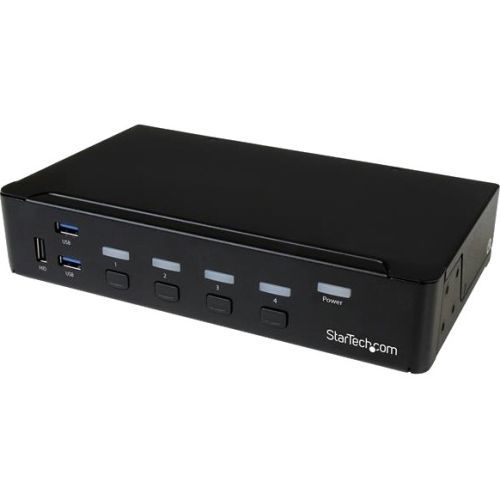
StarTech.com SV431DPU3A2 KVM switch Rack mounting Black
Control four DP computers using a single console with a built-in USB 3.0 hub for sharing additional peripheral devicesThis 4-Port USB 3.0 DisplayPort KVM switch lets you control four DisplayPort (DP) computers with a single monitor, keyboard and mouse. The KVM also features 3.5 mm audio and a built-in 3-port USB 3.0 hub.Convenient and cost-effective USB 3.0 peripheral sharingThis KVM switch offers a built-in 3-port USB 3.0 hub that's separate from your HID keyboard and mouse, so you can share USB peripheral devices between each connected computer and avoid the expense of separate equipment. The USB 3.0 hub automatically switches your connected USB devices to the selected computer, saving you the hassle of disconnecting and reconnecting your peripherals.With support for USB 3.0, you can achieve data transfer rates up to 5Gbps, to ensure flawless performance for your USB peripherals - great for quickly transferring data to external USB 3.0 drives.Astonishing picture qualityOffering support for resolutions up to Ultra HD 4K at 30 Hz, this 4-port DisplayPort KVM switch has the ability to drive large DP displays with ease, making it ideal for graphical applications that require high-resolution video support.Complete multimedia controlThe KVM switch features auxiliary 3.5 mm audio ports that enable you to share independent analog audio, from each of your connected computers, with your desktop speaker set. Independent audio, along with 4K DP video, gives you full multimedia control between different computers, making this KVM perfect for creative professional applications such as video and sound design or editing.The SV431DPU3A2 is backed by a StarTech.com 2-year warranty and free lifetime technical support.Rackmount your KVM switchIf you’d like to mount this KVM switch to your server rack, StarTech.com offers a 1U Rackmount Bracket (sold separately) that turns this KVM into a rackmountable KVM.The StarTech.com Advantage- Easily share peripheral devices using the built-in USB 3.0 hub- Astonishing picture quality with support for Ultra HD 4K resolutions- Full multimedia control with separate 3.5 mm auxiliary support
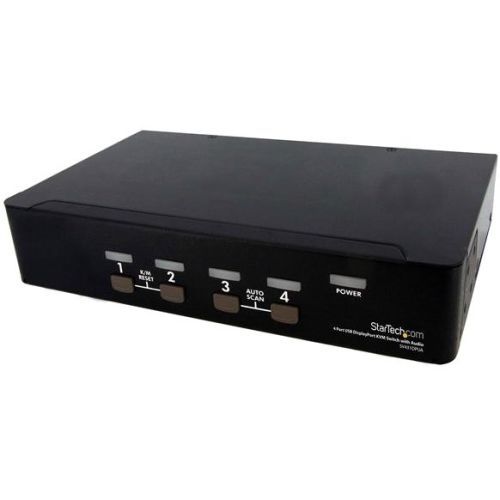
StarTech.com SV431DPUA KVM switch Black
Share keyboard, mouse, and DisplayPort display between four HD multimedia systemsThe SV431DPUA 4 Port USB DisplayPort KVM Switch with Audio combines next generation display standards with seamless KVM control of up to 4 connected PC or Mac computers.Featuring DisplayPort resolutions of 2560x1600 @60Hz, as well as offering both 7.1 HD digital audio (with supporting displays and sources) and separate 3.5mm stereo audio support. An integrated USB 2.0 hub allows you to share 2 additional peripherals among attached computers as if they were directly connected.Suitable for high quality static imaging applications such as health care (MRI, X-ray diagnostics, etc.), a maximum resolution of 3840x2400 is supported at reduced refresh rates.A simple yet comprehensive solution, the 4-port KVM features both front-panel push-button and hotkey switching, and offers a small form factor with rear connection ports, to minimize workspace disruptions.Backed by a StarTech.com 3-year warranty and free lifetime technical support.Rackmount your KVM switchIf you’d like to mount this KVM switch to your server rack, StarTech.com offers a 1U Rackmount Bracket (sold separately) that turns this KVM into a rackmountable KVM.The StarTech.com Advantage- USB peripheral sharing using the integrated hub eliminates the expense of duplicate devices (printers, scanners, etc.)- Compatible with Mini-DisplayPort adapters, making it suitable for Apple Macbook connectivity- Support for digital DisplayPort 7.1 HD audio or separate 3.5mm analog audio connections for added versatility
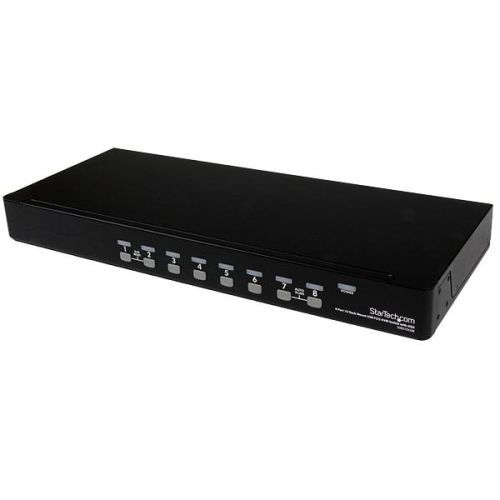
StarTech.com SV831DUSBU KVM switch Rack mounting Black
Control up to 8 VGA and USB computers from a single keyboard, mouse and monitorThe SV831DUSBU 8 Port 1U Rack Mount USB KVM Switch with OSD offers a dependable computer management tool that allows you to control up to 8 USB-connected computers from a single keyboard, mouse and monitor.The KVM switch offers maximum control, allowing you to switch computers using hotkey commands or front panel push-buttons, and offers added configuration options and convenience through an On Screen Display (OSD).A suitable addition to server room operations, the 8 port switch can be rack mounted into 1U of cabinet space, and can be cascaded with multiple KVM switches to deliver control of up to 64 computers from this single switch.Backed by a StarTech.com 3-year warranty and free lifetime technical support.The StarTech.com Advantage- Extracting the keyboard strokes from the USB connection this KVM enables hot key support for wireless keyboard and mouse combo kits that use a single USB receiver- Cascade configuration supported for one spot control of up to 64 computers- Rugged, rack mountable 1U metal chassis is ideal for any environment
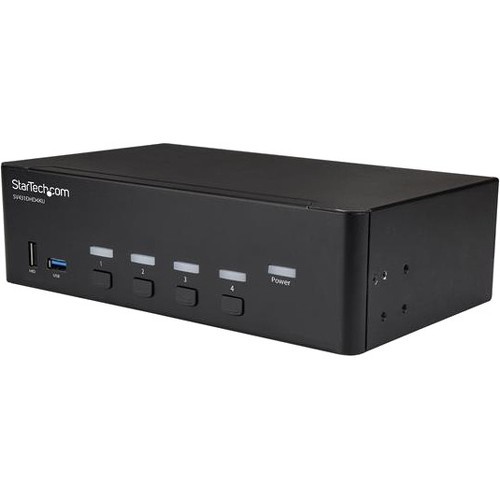
StarTech.com SV431DHD4KU KVM switch Rack mounting Black
This 4K HDMI KVM with dual monitor support lets you control four HDMI computers with a single mouse, keyboard and dual monitors up to 4K at 30HzThis 4-port HDMI KVM switch lets you control four HDMI computers with a single mouse, keyboard and monitor up to 4K 30Hz. The KVM also features 3.5 mm audio and a built-in 2-port USB 3.0 hub.4K at 30Hz UHD dual displayWith support for ultra-high-definition 4K 30Hz resolutions, this 4-port KVM switch can drive dual HDMI displays with crystal clarity, making it ideal for graphical applications that require UHD capability.Convenient and cost-effective USB 3.0 peripheral sharingThis 4-port KVM switch offers two USB 3.0 ports, as well as four HID keyboard and mouse ports, so you can share peripheral devices between each computer and avoid the cost of separate equipment. The USB 3.0 hub automatically switches your connected devices to the selected computer, saving you the hassle of disconnecting and reconnecting peripherals.Complete multimedia capabilityAlong with dual UHD video capability, this KVM switch features auxiliary 3.5 mm dual-channel bi-directional audio ports. This independent analog audio lets you share your analog audio devices such as speakers or a microphone between each of your connected computers, giving you complete multimedia control of your systems.The SV431DHD4KU is backed by a StarTech.com 2-year warranty and free lifetime technical support.The StarTech.com Advantage- High-definition video quality with support for dual 4K at 30Hz displays- Two built-in USB 3.0 ports and independent HID keyboard/mouse ports- No software or drivers required
Item(s) added to cart
Netgear GS105E-200NAS ProSafe Plus Switch, 5-Port Gigabit Ethernet - 5 Ports - 2 Layer Supported - Wall Mountable - Lifetime Limited Warranty-None Listed Compliance
MFR: Netgear, Inc
Qty: 1
Part #: GS105NA