
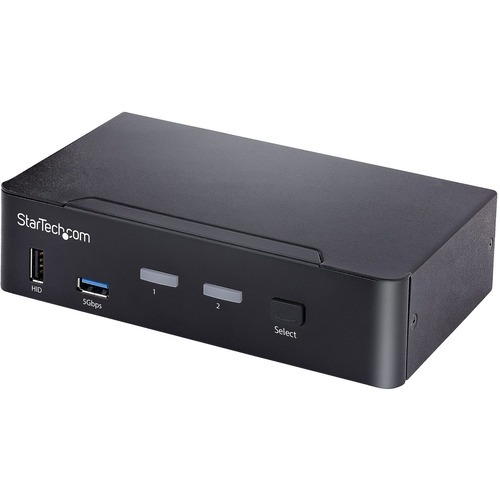
StarTech.com SV231DPUCA KVM switch Black
DisplayPort 1.2 KVM | 6x USB Hub Ports | Digital & Analog Audio | TAA CompliantThis 2-port KVM switch combines 4K 60Hz capabilities with control of two USB-C DP Alt-mode, Thunderbolt 3, or Thunderbolt 4 computers.4K 60Hz ResolutionThis 2-Port USB-C KVM switches between two USB-C enabled computers viewed over a single DisplayPort monitor. It supports up to 4K 60Hz (4:4:4) resolutions with 6x USB-A 480Mbps hub ports. This KVM is ideal for applications such as CAD/CAM, video editing, and content creation. Support for High Dynamic Range (HDR) offers increased contrast, brightness, colors, and greater luminosity.Analog and Digital AudioThis USB-C DisplayPort KVM Switch supports 2-channel analog and digital audio output, as well as microphone input, through 3.5mm or USB ports. This provides the user with centralized audio control through the KVM switch. Audio profiles are selectable with hot key commands.Intuitive ControlThe front panel push button and hot key functions make it easy to switch between computers. Install host computers using a single USB-C cable to connect to the KVM. USB HID and USB Hub ports on the front and rear ensure convenient setup configuration and access to USB peripherals. The metal housing of the KVM Switch is suitable for many installation environments.This product is backed for 2-years by StarTech.com, including free 24/5 multi-lingual technical assistance.The StarTech.com Advantage

StarTech.com P2DD46A2-KVM-SWITCH KVM switch Black
Share a mouse, keyboard, USB 5Gbps hub, and dual 4K 60Hz DisplayPort displays between two DisplayPort-enabled computersThis Dual-Monitor KVM Switch enables users to switch between two desktops that are USB-A and DisplayPort enabled. It allows for sharing of dual-4K 60Hz DisplayPort monitors, a keyboard and mouse, and two USB 5Gbps devices.Fast Switching with USB EmulationUSB Emulation technology enables faster switching of a keyboard, video, and mouse compared to traditional KVMs. USB Emulation also ensures compatibility with combination keyboards/mice as well as keyboards featuring additional function keys.Dual-4K 60Hz Displays & USB 5Gbps Hub PortsThis TAA-Compliant KVM Switch supports dual-4K 60Hz DisplayPort monitors, making it ideal for working with high-resolution graphics or video. Additionally, it offers two USB 3.2 Gen 1 (5Gbps) Hub Ports for fast data transfer, and two USB 2.0 HID Ports for the keyboard and mouse. 8kV air and 6kV contact Electrostatic Discharge (ESD) protection.Customizable SwitchingThis Universal KVM Switch provides various switching options, including hotkey or push-button switching. Hotkeys allow for independent switching of USB/Video and Audio, enabling audio playback from one computer while controlling the other. An audible buzzer confirms hotkey input, and LEDs provide a visual status of the selected host.Enhance Productivity and Device Management with the StarTech.com Connectivity Tools ApplicationDeveloped to improve performance and security, StarTech.com Connectivity Tools is the only software suite on the market that works with a wide range of IT connectivity accessories. The software suite includes:• Advanced Windows Layout Utility: Setup and save custom windows layouts.• MAC Address Pass-Through Utility: Improve network security.• USB Event Monitoring Utility: Track and log connected USB devices.• Wi-Fi Auto Switch Utility: Enable users to quickly access faster network speeds via wired LAN.For more information and to download the StarTech.com Connectivity Tools application, please visit: www.startech.com/connectivity-toolsThe StarTech.com Advantage
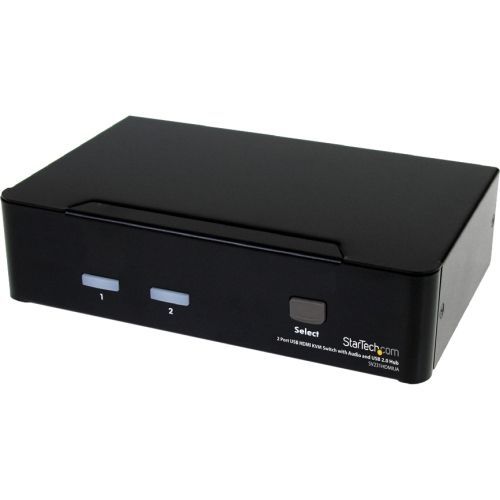
StarTech.com SV231HDMIUA KVM switch Black
Share a keyboard, mouse and HDMI® monitor between 2 multimedia computersThe SV231HDMIUA 2-port USB HDMI® KVM Switch lets you control two USB-enabled multimedia computers or devices with HDMI video interfaces, using a single peripheral set/console (USB keyboard, mouse, monitor, speakers and microphone).A highly versatile KVM solution, the USB HDMI KVM Switch features an integrated 2-port USB 2.0 hub that lets selected computers access shared high speed USB devices, eliminating the cost of duplicate USB peripheral purchases.Ensuring high quality video capability, the HDMI KVM switch supports HD resolutions of up to 1920 x 1200. Offering genuine digital signal transmission over the cable, this switch can be used to share one HD panel between multiple HDMI sources such as Blu-Ray players, Video Game consoles and HD media centers.The switch also supports audio and microphone switching functions and allows you to select connected computers, USB device hub ports and audio/mic channels either simultaneously or independently using either front-panel push-buttons or keyboard hotkeys.This product is TAA compliant and backed by a Startech.com 3-year warranty with free lifetime technical support.The StarTech.com Advantage
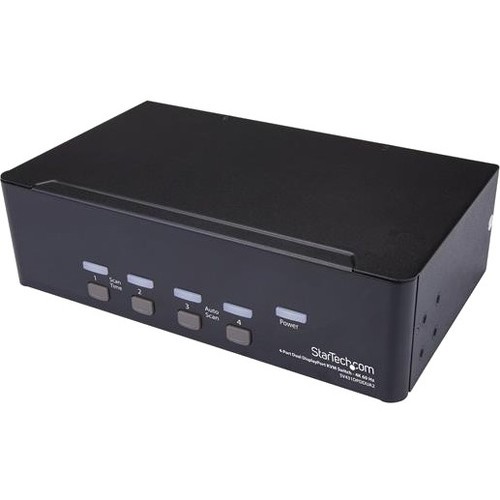
StarTech.com SV431DPDDUA2 KVM switch Rack mounting Black
This 4-port Dual DP KVM switch combines dual 4K 60Hz displays with KVM switch control of four connected PC and MAC computersThis 4-port dual DP KVM switch combines dual 4K 60Hz displays with KVM switch control of four connected PC and Mac computers. It features audio and USB peripheral support along with dual-display capability, which makes it easy to create a multimedia workstation that can switch between two dual-head DP systems.Maximize productivity with dual videoWith two DP video inputs and control of four different computers, this Ultra HD KVM switch helps maximize productivity by giving you the freedom to multitask. Each of the DP ports supports resolutions up to 4K 60Hz, for maximum screen viewing space.Astonishing picture qualityThe dual DisplayPort KVM switch supports resolutions up to 4K at 60Hz, and can drive two large DP displays with ease. An ideal solution for creating workstations where high-quality imaging is critical, such as for graphic design.Convenient multimedia and peripheral sharingThe KVM switch features full multimedia control with separate 3.5 mm microphone and speaker ports and two USB ports separate from the HID keyboard and mouse. The independent audio support lets you share independent analog audio from each of your connected computers, while the 2-port USB hub enables you to share USB peripherals between each connected computer.The SV431DPDDUA2 is backed by a 2-year StarTech.com warranty.The StarTech.com Advantage- Maximum productivity with dual-display, multi-computer access- Full multimedia control with separate 3.5 mm microphone and speaker support- Astonishing picture quality with support for Ultra HD 4K resolutions at 60Hz
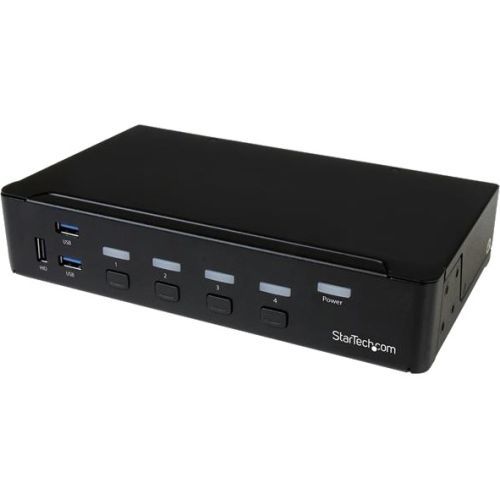
StarTech.com SV431HDU3A2 KVM switch Rack mounting Black
This 4-Port USB 3.0 HDMI® KVM switch lets you control four HDMI computers with a single monitor, keyboard and mouse. The KVM also features 3.5 mm audio and a built-in 3-port USB 3.0 hub.Convenient and cost-effective USB 3.0 peripheral sharingThis KVM switch offers a built-in 3-port USB 3.0 hub that's separate from your HID keyboard and mouse, so you can share USB peripheral devices between each connected computer and avoid the expense of separate equipment. The USB 3.0 hub automatically switches your connected USB devices to the selected computer, saving you the hassle of disconnecting and reconnecting peripherals.With support for USB 3.0, you can achieve data transfer rates up to 5Gbps, to ensure flawless performance for your USB peripherals - great for quickly transferring data to external USB 3.0 drives.HD picture qualityOffering support for high-definition 1080p resolutions, this 4-port HDMI KVM switch has the ability to drive HDMI displays with crystal clarity, making it ideal for graphical applications that require 1920 x 1080 video resolutions.Complete multimedia controlThe KVM switch features auxiliary 3.5 mm audio ports that enable you to share independent analog audio, from each of your connected computers, with your desktop speaker set. Independent audio, along with 1080p HDMI video, gives you full multimedia control between different computers, making this KVM perfect for creative professional applications such as video and sound design or editing.The SV431HDU3A2 is backed by a StarTech.com 2-year warranty and free lifetime technical support.Rackmount your KVM switchIf you’d like to mount this KVM switch to your server rack, StarTech.com offers a 1U Rackmount Bracket (sold separately) that turns this KVM into a rackmountable KVM.

StarTech.com R8AD122-KVM-SWITCH KVM switch Rack mounting Black
Control up to eight USB and DisplayPort-enabled computers from a single keyboard, mouse, and 4K 60Hz DisplayPort monitorThe 4K 60Hz rackmount KVM switch allows switching between eight DisplayPort-enabled computers, sharing a keyboard, mouse, audio, 4-port USB 2.0 hub, and a 4K 60Hz DisplayPort 1.2 monitor. This enables effortless multi-system management, improved workspace efficiency, and enhanced productivity.No Drivers or SoftwareThe TAA-Compliant 8-Port KVM Switch is universally compatible, providing BIOS-level control and working with any operating system, including Windows, Windows ARM, macOS, ChromeOS, and Linux. It is also compatible with all hardware platforms such as Intel, AMD, SnapDragon/ARM, and Apple Silicon.Multiple Switching OptionsEnsures efficient and user-friendly operation for multi-server administration with switching via push-buttons or hotkeys, an audible buzzer for confirmation, and LEDs for quick visual port selection status.Rack Mount Kit IncludedThe KVM switch offers a space-saving solution for managing multiple servers directly within a rack. It includes rack-mount brackets for installation in 1U of rack space on network racks and is compatible with 19-inch server racks that have a mounting depth of 6.5 inches (165mm) or more. It also complies with ANSI/EIA RS-310-D standards.To ensure flexibility to choose the best cables for your specific installation, the KVM switch does not include cables. StarTech.com offers a wide variety of DisplayPort, USB, and 3.5mm audio cables in assorted lengths to suit different installation needs.Enhance Productivity and Device Management with the StarTech.com Connectivity Tools ApplicationDeveloped to improve performance and security, StarTech.com Connectivity Tools is the only software suite on the market that works with a wide range of IT connectivity accessories. The software suite includes:• Advanced Windows Layout Utility: Setup and save custom windows layouts.• USB Event Monitoring Utility: Track and log connected USB devices.For more information and to download the StarTech.com Connectivity Tools application, please visit: www.startech.com/connectivity-toolsThe StarTech.com Advantage
StarTech.com NOTECONS02-VGA-MDP KVM switch Black
Turn a laptop into a portable console for rack servers, PCs, ATMs, kiosks, and moreThe USB crash cart adapter gives you control of a headless system, turning your laptop into a portable crash cart for rack servers, PCs, ATMs, kiosks, and more.Instant System AccessSimply connect the laptop crash cart adapter to your computer using the included USB cable, then connect the integrated USB and VGA cables to your server for instant BIOS-level control. Use the included Mini DisplayPort adapter to connect to mDP-enabled computers or servers. With no server-side software required, you can be up and running instantly.*Please note that the mouse function may be limited in some BIOS/UEFI environmentsTroubleshoot More EfficientlyWith the flexible software interface, you can transfer files from your laptop to the server, capture videos for records or instructional purposes, take screenshots and scale the display window to full screen mode or smaller, with no scroll bars helping you to troubleshoot faster.Self-Powered ReliabilityPowered from the server-side USB connection, the KVM adapter doesn't require an AC outlet so you can connect to any PC that has a VGA or mDP output and USB connection, even if there's no power outlet available.Take It AnywhereThis pocket-sized adapter features a compact design that easily fits inside your laptop bag and requires no additional accessories to connect, eliminating the need to lug around a large, awkward traditional crash cart to troubleshoot and service your systems.StarTech.com offers a wide selection of high-quality KVM-related products to help you access your systems more efficiently without the expense and clutter of extra keyboards, mice and monitors.The StarTech.com Advantage

StarTech.com P4DD46A2-KVM-SWITCH KVM switch Black
Share a mouse, keyboard, USB 5Gbps hub, and dual 4K 60Hz DisplayPort displays between four DisplayPort-enabled computersThis Dual-Monitor KVM Switch enables users to switch between four desktops that are USB-A and DisplayPort enabled. It allows for sharing of dual-4K 60Hz DisplayPort monitors, a keyboard and mouse, and two USB 5Gbps devices.Fast Switching with USB EmulationUSB Emulation technology enables faster switching of a keyboard, video, and mouse compared to traditional KVMs. USB Emulation also ensures compatibility with combination keyboards/mice as well as keyboards featuring additional function keys.Dual-4K 60Hz Displays & USB 5Gbps Hub PortsThis TAA-Compliant KVM Switch supports dual-4K 60Hz DisplayPort monitors, making it ideal for working with high-resolution graphics or video. Additionally, it offers two USB 3.2 Gen 1 (5Gbps) Hub Ports for fast data transfer, and two USB 2.0 HID Ports for the keyboard and mouse. 8kV air and 6kV contact Electrostatic Discharge (ESD) protection.Customizable SwitchingThis Universal KVM Switch provides various switching options, including hotkey or push-button switching. Hotkeys allow for independent switching of USB/Video and Audio, enabling audio playback from one computer while controlling another. An audible buzzer confirms hotkey input, and LEDs provide a visual status of the selected host.Enhance Productivity and Device Management with the StarTech.com Connectivity Tools ApplicationDeveloped to improve performance and security, StarTech.com Connectivity Tools is the only software suite on the market that works with a wide range of IT connectivity accessories. The software suite includes:• Advanced Windows Layout Utility: Setup and save custom windows layouts.• MAC Address Pass-Through Utility: Improve network security.• USB Event Monitoring Utility: Track and log connected USB devices.• Wi-Fi Auto Switch Utility: Enable users to quickly access faster network speeds via wired LAN.For more information and to download the StarTech.com Connectivity Tools application, please visit: www.startech.com/connectivity-toolsThe StarTech.com Advantage

StarTech.com P2DD46A22-KVM-SWITCH KVM switch Black
Share a mouse, keyboard, RS-232 device, and dual-4K 60Hz DisplayPort monitors between two DisplayPort-enabled desktopsThis Dual-Monitor KVM Switch enables users to switch between two desktops that are USB-A and DisplayPort enabled. It allows for sharing of dual-4K 60Hz DisplayPort monitors, a keyboard and mouse, two USB 5Gbps devices, and two USB 2.0 HID devices.RS232 Serial ControlThis 2-Port KVM Switch provides control using serial commands, enabling users to switch between host ports, modify hotkeys, and perform various other functions. The RS232 host ports offer additional flexibility by allowing the switching of an RS232 device between two desktop computers.Near Instantaneous SwitchingDisplayPort EDID and USB Emulation technology enable near-instant switching of a keyboard, video, and mouse. DisplayPort EDID emulation remembers application window placement, while USB Emulation ensures compatibility with combination keyboards/mice, as well as keyboards featuring additional function keys.Dual-4K 60Hz DisplayPort MonitorsThis TAA-Compliant KVM Switch supports dual-4K 60Hz DisplayPort monitors, making it an ideal choice for working with high-resolution graphics or video. It also features MST pass-through, enabling the connection of additional monitors through daisy chaining - when using an MST Hub or the Video Output Ports located on the monitor.Customizable SwitchingThis Universal KVM Switch offers multiple switching options, including hotkey, on-screen display, or push-button switching. Hotkeys provide independent switching of USB/Video, Audio, and RS232, allowing for audio playback from one computer while controlling the other or switching without interrupting serial communication. An audible buzzer confirms hotkey input, and LEDs provide a visual indication of the selected host.Enhance Productivity and Device Management with the StarTech.com Connectivity Tools ApplicationDeveloped to improve performance and security, StarTech.com Connectivity Tools is the only software suite on the market that works with a wide range of IT connectivity accessories. The software suite includes:• Advanced Windows Layout Utility: Setup and save custom windows layouts.• MAC Address Pass-Through Utility: Improve network security.• USB Event Monitoring Utility: Track and log connected USB devices.• Wi-Fi Auto Switch Utility: Enable users to quickly access faster network speeds via wired LAN.For more information and to download the StarTech.com Connectivity Tools application, please visit: www.startech.com/connectivity-toolsThe StarTech.com Advantage

StarTech.com C2-DD46-UA2-CBL-KVM KVM switch Black
Share a mouse, keyboard, and dual 4K 60Hz DisplayPort displays between two DisplayPort enabled computers, using this KVM Switch with built-in cablesThis Dual-Monitor KVM Switch enables users to switch between two USB-A and DisplayPort enabled desktops, sharing dual-4K 60Hz DisplayPort monitors, a keyboard and mouse, and audio input/output devices.Hassle-Free SetupThe KVM switch is bus powered and features built-in dual-DisplayPort, USB-A, and 3.5mm Audio Input/Output cables. This ensures compatibility and performance between the KVM switch, monitors, and peripherals - without the need to select and purchase the cables required for those connections.CompatibilityThe 2-port KVM switch is compatible with all operating systems, including Windows, macOS, ChromeOS, and Linux. The KVM works with all hardware platforms including Intel, AMD, and Apple M1/M2.Intuitive ControlThe KVM switch offers two options to switch between hosts - a remote push button or hotkey commands, using the downloadable software. The remote push button includes a 1.5m cable for optimal placement in the setup. Independent audio switching can be achieved through the software, utilizing keyboard shortcuts (i.e., hotkeys), ensuring uninterrupted audio when switching between host devices.Enhance Productivity and Device Management with the StarTech.com Connectivity Tools ApplicationDeveloped to improve performance and security, StarTech.com Connectivity Tools is the only software suite on the market that works with a wide range of IT connectivity accessories. The software suite includes:• Advanced Windows Layout Utility: Setup and save custom windows layouts.• MAC Address Pass-Through Utility: Improve network security.• USB Event Monitoring Utility: Track and log connected USB devices.• Wi-Fi Auto Switch Utility: Enable users to quickly access faster network speeds via wired LAN.For more information and to download the StarTech.com Connectivity Tools application, please visit: www.startech.com/connectivity-toolsThe StarTech.com Advantage
Item(s) added to cart
Netgear GS105E-200NAS ProSafe Plus Switch, 5-Port Gigabit Ethernet - 5 Ports - 2 Layer Supported - Wall Mountable - Lifetime Limited Warranty-None Listed Compliance
MFR: Netgear, Inc
Qty: 1
Part #: GS105NA