
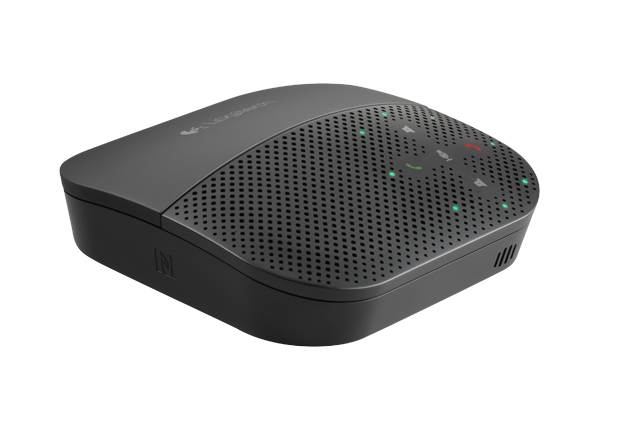
Logitech 980-000741 speakerphone Mobile phone USB/Bluetooth Black
The Logitech Mobile Speakerphone P710e combines enterprise-quality audio, portability, and second-screen flexibility with the human-centric design and user-friendly features Logitech is known for. With up to 15 hours of talk time, USB and Bluetooth® connectivity, and NFC (Near Field Communication) pairing with mobile devices, Logitech’s mobile speakerphone enables users to instantly set up a virtual conference room anywhere their travels take them.The P710e features a sliding top section that positions a mobile phone or tablet at the optimal angle for hands-free video calls. The cleverly designed mobile device stand also creates “second-screen” versatility, enabling users to view calendar alerts, see incoming messages, and perform productivity tasks without having to pick up their mobile device. Sophisticated audio enhancements produce an “I can’t tell you’re on a speakerphone” experience, making the Logitech Mobile Speakerphone P710e an enterprise-grade solution that real people love to use—in the office, at home, or on the go.
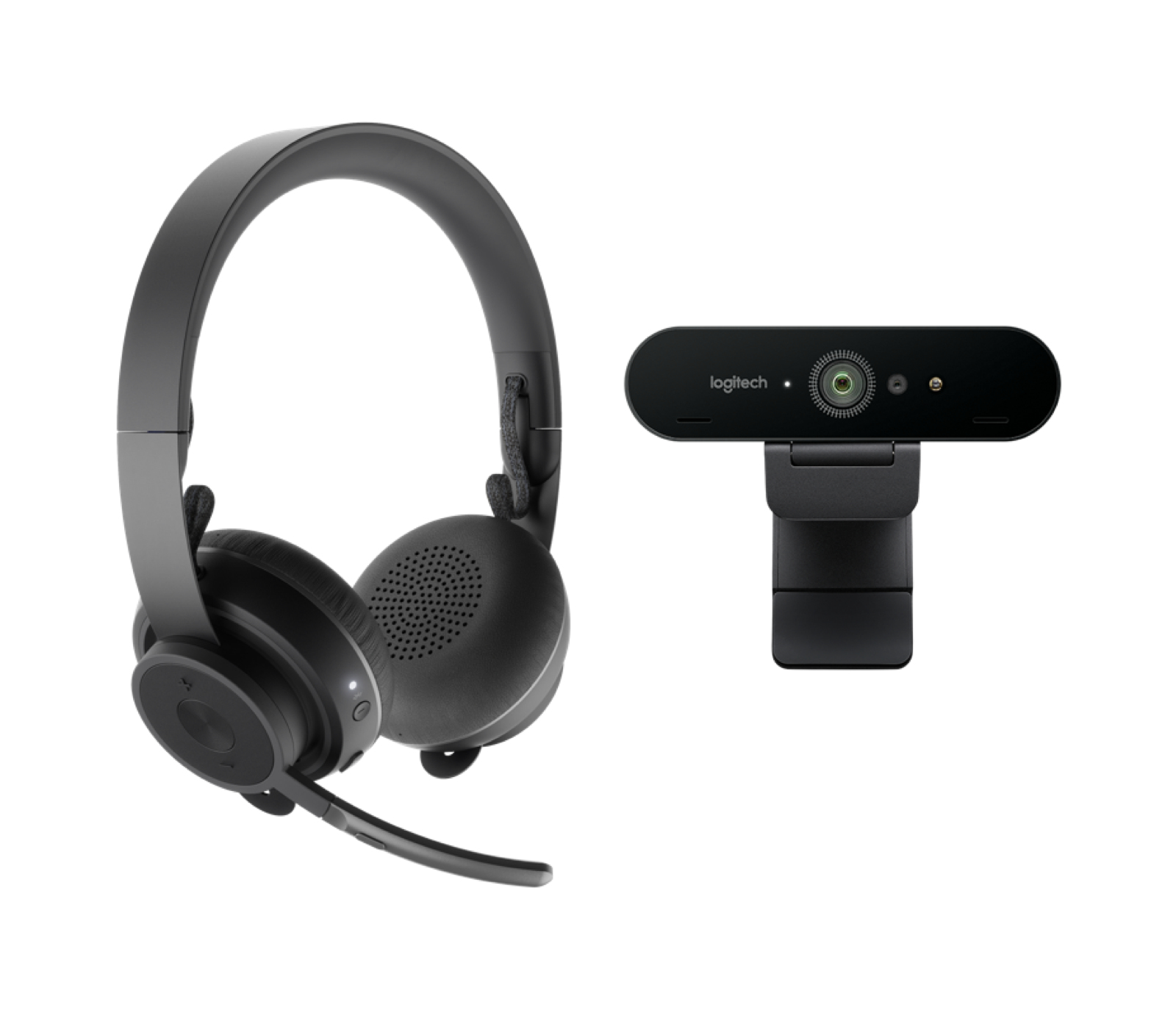
Logitech 991-000344 video conferencing system 1 person(s) Personal video conferencing system
Pro Personal Video Collaboration KitOutfit any workspace with a 4K webcam and a MSFT Teams Certified® wireless Bluetooth headset.PREMIUM KIT FOR VIDEO COLLABORATION FROM ANY DESKWith the Logitech BRIO and Zone Wireless solution, any personal workspace can be provisioned with our most advanced webcam matched with the Bluetooth® headset specifically designed for open workspaces.BRIO delivers high-resolution video quality whether hopping on a quick call or joining a video conference. Add high-definition audio with the Zone Wireless headset and employees are fully equipped for premium-quality video conferencing without ever leaving their desks.Sound ProfessionalTune out unwanted noise around you for better, more focused video meetings from any desk or personal workspace. Zone Wireless headsets have a noise-canceling mic that isolates voice from distracting sound clutter for clearer conversations. With an adjustable sidetone control for modulating voice volume to just the right level, a flip-to-mute mic, Qi wireless charging and 14-hour battery, this headset is an ideal wireless solution for your professional setup.LOOK PROFESSIONALBRIO is packed with advanced features that produce outstanding video in any environment, including personal workspaces. RightLight™ 3 and high dynamic range (HDR) technology automatically help users look great in any lighting condition. The adjustable field of view gives users control over how video calls are framed while the 4K ultra high-def camera with 5x digital zoom delivers remarkable clarity, smoothness, and detail.SIMPLE.EASY.BRIO and Zone Wireless are easy to set up and use, which means minimal support overhead for busy IT teams. Zone Wireless provides simple and intuitive on-ear call controls and flip-to-mute, which employees love. Plug-and-play compatibility ensures simplicity right out of the box, including seamless integration with virtually any video conferencing software app—including the ones your organization already uses.CERTIFIED FOR BUSINESSBusiness certifications ensure compatibility and seamless integration in the workplace. Zone Wireless headset and BRIO 4K webcam are certified for Microsoft® Skype for Business, work with Google Voice™ and Meet™, ready for Teams®, compatible with Zoom®, and work with other popular calling applications such as Cisco Webex®, BlueJeans, and GoToMeeting®. In addition BRIO delivers fast and secure facial recognition for Windows® Hello.
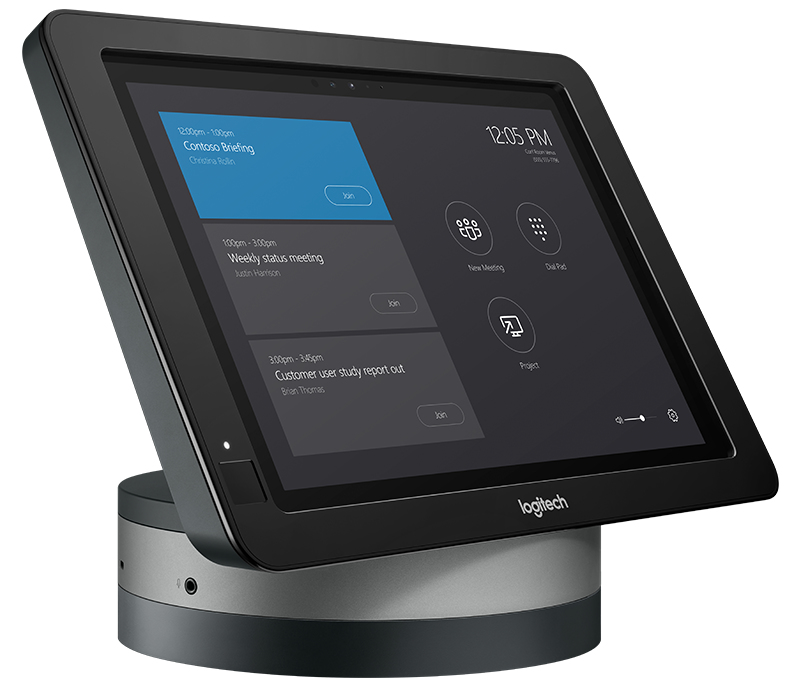
Logitech SmartDock Flex video conferencing system Ethernet LAN Multimedia congress terminal
ADD FLEX. GET ABILITY. Streamline cabling and add new capabilities to Logitech SmartDock, the secure AV console designed for Skype for Business. Logitech SmartDock Flex consolidates cables to CAT6 for a clean, clutter-free installation, and also provides an integrated GROUP hub for direct camera and speakerphone connections. With passthrough access to the room’s AV equipment for participation in external meetings, Logitech SmartDock Flex delivers a sleek and versatile room solution for Skype Room Systems. CABLE CONSOLIDATION SmartDock Flex makes it easy to manage cabling between the conference table and the front of the room, and eliminates the need to purchase and install individual USB and HDMI extenders. With a low-profile base for SmartDock and an easily-concealable extender box, SmartDock Flex is the first and only solution that consolidates USB, dual HDMI, and power to a single CAT6 cable. EXTENDED ROOM LAYOUTS Position SmartDock within easy reach of meeting participants, even if that’s across the room from your wall-mounted displays. SmartDock Flex sends, audio, video, and power through up to 50 feet (15 meters) of CAT6 cable, which you can easily route under tables, through walls, above ceilings, and through standard ¾” conduit. AV PASSTHROUGH SmartDock Flex maximizes the versatility of Skype Room Systems, allowing the room's camera, speakerphone, and display to be used with Cisco WebEx, Zoom, BlueJeans, and most any meeting or webinar service. Participants simply join the meeting on their laptop and connect to SmartDock Flex: AV Passthrough technology gives temporary access to the room's AV equipment, with no impact on the room's Skype for Business configuration. CABLE RETENTION AND STRAIN RELIEF Sturdy retention and strain-relieving mechanisms secure AV cables within the SmartDock Flex base. With a CAT6 cable that clicks into place at both ends, users can reposition SmartDock Flex without impacting power, USB, and HDMI connections. HUB FOR LOGITECH GROUP With an integrated hub for the Logitech GROUP ConferenceCam, installers can reduce cross-table cabling by connecting the speakerphone to the SmartDock Flex base and the camera to the SmartDock Flex extender box.
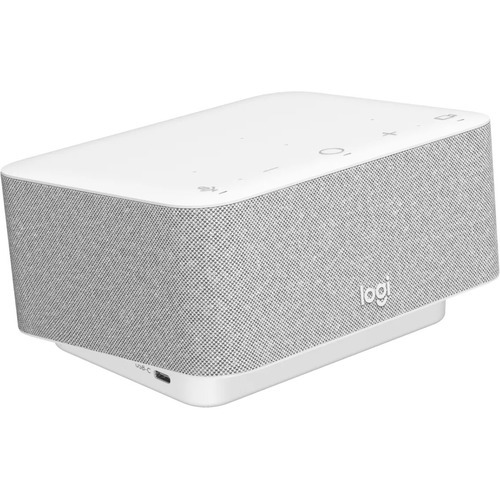
Logitech 986-000031 video conferencing system 1 person(s)
Logi DockAll-in-one docking station with meeting controls and speakerphone.The Work-From-Home SuperHeroWorking from home shouldn’t be a compromise. Logi Dock is an all-in-one docking station that simplifies home office setup, reduces desktop clutter, and helps remote workers feel more productive. Certified for leading video conferencing platforms and easy to set up, Logi Dock connects everything in one tidy unit that replaces the need for extra peripherals and eliminates a tangle of cables and wires.UNCLUTTER YOUR DESKTOPWork freely. Logi Dock connects and charges up to five USB peripherals and two monitors, replaces unneeded chargers and power cords, and makes desktop clutter disappear. Whether you use a Mac®, PC, or Chromebook™, Logi Dock streamlines your home office so you can work more productively.TAKE CONTROL OF YOUR MEETINGSTake advantage of Logi Dock’s calendar integration to instantly join any meeting by simply pressing a button.Press the mute button to quickly turn your own audio on or off. Use the volume controls to turn the speaker up or down.Press Logi Dock’s video button to instantly turn your own camera on or off.HEAR & BE HEARD CLEARLYThe built-in speakerphone includes six beamforming microphones that capture your voice clearly while advanced algorithms suppress unwanted background noise.When you want to switch the audio from Logi Dock’s speakerphone to your personal audio, simply turn on your Zone Wireless headset or insert your Zone True Wireless earbuds. Logi Dock intelligently makes the switch.ADD MUSIC TO YOUR WORKDAYIf music is your ideal work companion, indulge your preferences with small but mighty speakers that deliver immersive, stereophonic audio, a powerful bass line you can hear, and volume you can crank way up. Enjoy your favorite tunes distortion-free, carefully balanced, and crystal clear.CONNECT EVERYTHINGTake control of your desk with one simple solution that connects your devices, powers your laptop up to 100W, and reduces the number of chargers, cables, and adapters. Attach up to five USB peripherals and two monitors using USB-A, USB-C, HDMI, and a display port. Pair to your smartphone or tablet via Bluetooth® to stream audio.UPGRADE LOGI DOCK WITH TUNELogi Tune is the app that takes Logi Dock from great to exceptional. By syncing your calendar with Logi Dock, Tune makes it easy to stay on top of your day, get informed of upcoming appointments, and quickly join your meetings with the press of a button. Tune also lets you optimize Logitech business webcams and Zone headsets, to ensure you look and sound the way you want in video meetings.READY FOR BUSINESSLogi Dock is compatible with Microsoft Teams®, Google Meet™, Google Voice™, and Zoom®. It’s also compatible with common calling applications across most platforms and operating systems within your IT ecosystem. And because it’s simple for employees to set up, you can deploy Logi Dock with confidence to your remote and hybrid workforce.BETTER TOGETHER WITH LOGITECHLogitech’s collaboration products are designed to play nicely together (with minimal supervision). Create a wireless workspace with Logi Dock by directly pairing Zone wireless products, and connecting a Logitech wireless keyboard and mouse with a Unifying receiver. This frees up USB ports for other devices, like your webcam.This desk setup also includes MX Keys, MX Master, and Zone True Wireless.One Dock, Many PlacesLogi Dock is elegantly designed for any modern workspace, whether in an open space at home, a private office, or a focus room.
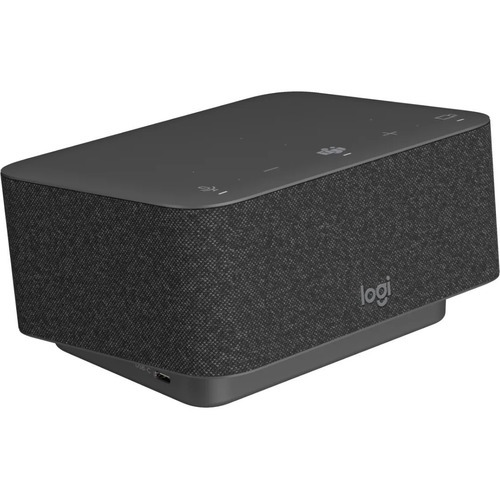
Logitech 986-000025 video conferencing system
Logi DockAll-in-one docking station with meeting controls and speakerphone.The Work-From-Home SuperHeroWorking from home shouldn’t be a compromise. Logi Dock is an all-in-one docking station that simplifies home office setup, reduces desktop clutter, and helps remote workers feel more productive. Certified for leading video conferencing platforms and easy to set up, Logi Dock connects everything in one tidy unit that replaces the need for extra peripherals and eliminates a tangle of cables and wires.UNCLUTTER YOUR DESKTOPWork freely. Logi Dock connects and charges up to five USB peripherals and two monitors, replaces unneeded chargers and power cords, and makes desktop clutter disappear. Whether you use a Mac®, PC, or Chromebook™, Logi Dock streamlines your home office so you can work more productively.TAKE CONTROL OF YOUR MEETINGSTake advantage of Logi Dock’s calendar integration to instantly join any meeting by simply pressing a button.Press the mute button to quickly turn your own audio on or off. Use the volume controls to turn the speaker up or down.Press Logi Dock’s video button to instantly turn your own camera on or off.HEAR & BE HEARD CLEARLYThe built-in speakerphone includes six beamforming microphones that capture your voice clearly while advanced algorithms suppress unwanted background noise.When you want to switch the audio from Logi Dock’s speakerphone to your personal audio, simply turn on your Zone Wireless headset or insert your Zone True Wireless earbuds. Logi Dock intelligently makes the switch.ADD MUSIC TO YOUR WORKDAYIf music is your ideal work companion, indulge your preferences with small but mighty speakers that deliver immersive, stereophonic audio, a powerful bass line you can hear, and volume you can crank way up. Enjoy your favorite tunes distortion-free, carefully balanced, and crystal clear.CONNECT EVERYTHINGTake control of your desk with one simple solution that connects your devices, powers your laptop up to 100W, and reduces the number of chargers, cables, and adapters. Attach up to five USB peripherals and two monitors using USB-A, USB-C, HDMI, and a display port. Pair to your smartphone or tablet via Bluetooth® to stream audio.UPGRADE LOGI DOCK WITH TUNELogi Tune is the app that takes Logi Dock from great to exceptional. By syncing your calendar with Logi Dock, Tune makes it easy to stay on top of your day, get informed of upcoming appointments, and quickly join your meetings with the press of a button. Tune also lets you optimize Logitech business webcams and Zone headsets, to ensure you look and sound the way you want in video meetings.READY FOR BUSINESSLogi Dock is compatible with Microsoft Teams®, Google Meet™, Google Voice™, and Zoom®. It’s also compatible with common calling applications across most platforms and operating systems within your IT ecosystem. And because it’s simple for employees to set up, you can deploy Logi Dock with confidence to your remote and hybrid workforce.BETTER TOGETHER WITH LOGITECHLogitech’s collaboration products are designed to play nicely together (with minimal supervision). Create a wireless workspace with Logi Dock by directly pairing Zone wireless products, and connecting a Logitech wireless keyboard and mouse with a Unifying receiver. This frees up USB ports for other devices, like your webcam.This desk setup also includes MX Keys, MX Master, and Zone True Wireless.One Dock, Many PlacesLogi Dock is elegantly designed for any modern workspace, whether in an open space at home, a private office, or a focus room.
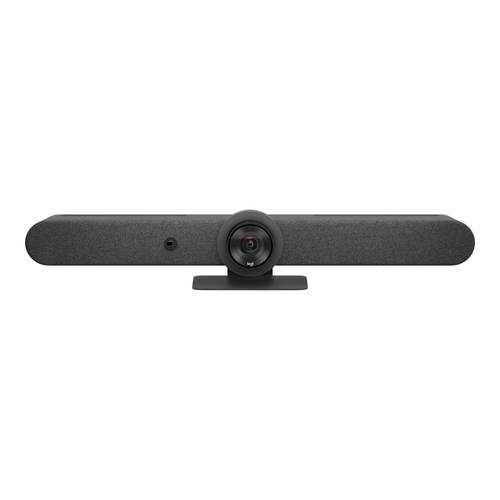
Logitech 960-001564 video conferencing system Ethernet LAN Group video conferencing system
Logitech Rally Bar - TAA
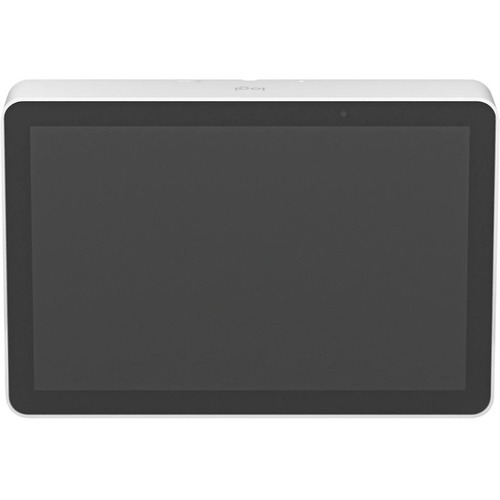
Logitech 952-000088 meeting room display 10.1" 1280 x 800 pixels 802.11a, 802.11b, 802.11g, Wi-Fi 4 (802.11n), Wi-Fi 5 (802.11ac) Bluetooth
Logitech TAP IPMake video meetings simple to join with a network-connected touch controller.DEPLOY ROOM SOLUTIONS WITH EASETransform collaboration spaces with Logitech Tap IP and leading video conferencing room solutions. Deliver one-touch join, easy content-sharing, and a seamless meeting experience across all rooms.CLEAN AND CONVENIENT SETUPJust the Right PresenceWith a spacious 10.1” display, low profile, and motion sensor for always-on readiness, Tap IP has a sleek and unobtrusive presence in the room.Simple and Secure CablingStreamline setup with a single cable that can be routed through the back or below the device. Keep connections tight with built-in strain relief and retention mechanisms.Multiple Mounting OptionsInstall Tap IP almost anywhere in the room with Table and Riser Mounts that fit standard table grommets and rotate 180° for visibility and convenience. Or save table space in small rooms with the Wall Mount.SINGLE CABLE SIMPLICITYWith a single Power over Ethernet cable, place Tap IP conveniently near room participants for a tidy and professional install.PAIRS WELL WITH PARTNERSEnable easy and effective meetings for onsite and remote workers. Tap IP and the Logitech suite of room solutions integrate with leading video conferencing services for a seamless meeting experience.SIMPLE TO MANAGE WITH LOGITECH SYNCWith Logitech Sync, you can monitor and manage Tap IP along with your other meeting room devices from one single platform.AN ALL-IN-ONE SERVICE PLANLogitech Select is a comprehensive service plan that delivers reliability, continuity, and peace of mind for each room you designate. Select provides 24/7 support, a dedicated Customer Success Manager, accelerated RMA, onsite spares, and advanced Sync analytics including customizable alerts through ServiceNow integration.UP TO FIVE YEAR WARRANTYPurchasing an extended warranty offers security and peace of mind that comes with knowing your Logitech video collaboration room systems and devices are protected against defects for up to five years from the purchase date. Extended warranties are available for either one year or three years beyond the original Logitech manufacturer’s two-year warranty.
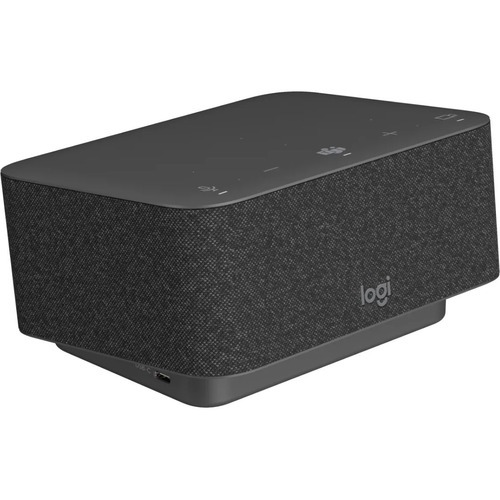
Logitech 986-000015 video conferencing system 1 person(s)
Logi DockAll-in-one docking station with Teams meeting controls and speakerphone.The Work-From-Home SuperHeroWorking from home shouldn’t be a compromise. Logi Dock is an all-in-one docking station that simplifies home office setup, reduces desktop clutter, and helps remote workers feel more productive. Certified for leading video conferencing platforms and easy to set up, Logi Dock connects everything in one tidy unit that replaces the need for extra peripherals and eliminates a tangle of cables and wires.UNCLUTTER YOUR DESKTOPWork freely. Logi Dock connects and charges up to five USB peripherals and two monitors, replaces unneeded chargers and power cords, and makes desktop clutter disappear. Whether you use a Mac®, PC, or Chromebook™, Logi Dock streamlines your home office so you can work more productively.TAKE CONTROL OF YOUR MEETINGSTake advantage of Logi Dock’s calendar integration to instantly join any meeting by simply pressing a button.Press the mute button to quickly turn your own audio on or off. Use the volume controls to turn the speaker up or down.Press Logi Dock’s video button to instantly turn your own camera on or off.HEAR & BE HEARD CLEARLYThe built-in speakerphone includes six beamforming microphones that capture your voice clearly while advanced algorithms suppress unwanted background noise.When you want to switch the audio from Logi Dock’s speakerphone to your personal audio, simply turn on your Zone Wireless headset or insert your Zone True Wireless earbuds. Logi Dock intelligently makes the switch.ADD MUSIC TO YOUR WORKDAYIf music is your ideal work companion, indulge your preferences with small but mighty speakers that deliver immersive, stereophonic audio, a powerful bass line you can hear, and volume you can crank way up. Enjoy your favorite tunes distortion-free, carefully balanced, and crystal clear.CONNECT EVERYTHINGTake control of your desk with one simple solution that connects your devices, powers your laptop up to 100W, and reduces the number of chargers, cables, and adapters. Attach up to five USB peripherals and two monitors using USB-A, USB-C, HDMI, and a display port. Pair to your smartphone or tablet via Bluetooth® to stream audio.UPGRADE LOGI DOCK WITH TUNELogi Tune is the app that takes Logi Dock from great to exceptional. By syncing your calendar with Logi Dock, Tune makes it easy to stay on top of your day, get informed of upcoming appointments, and quickly join your meetings with the press of a button. Tune also lets you optimize Logitech business webcams and Zone headsets, to ensure you look and sound the way you want in video meetings.READY FOR BUSINESSLogi Dock is compatible with Microsoft Teams®, Google Meet™, Google Voice™, and Zoom®. It’s also compatible with common calling applications across most platforms and operating systems within your IT ecosystem. And because it’s simple for employees to set up, you can deploy Logi Dock with confidence to your remote and hybrid workforce.BETTER TOGETHER WITH LOGITECHLogitech’s collaboration products are designed to play nicely together (with minimal supervision). Create a wireless workspace with Logi Dock by directly pairing Zone wireless products, and connecting a Logitech wireless keyboard and mouse with a Unifying receiver. This frees up USB ports for other devices, like your webcam.This desk setup also includes MX Keys, MX Master, and Zone True Wireless.One Dock, Many PlacesLogi Dock is elegantly designed for any modern workspace, whether in an open space at home, a private office, or a focus room.

Logitech 952-000056 video conferencing accessory Lens cover Graphite
Lens cap for Rally Bar

Logitech 952-000053 video conferencing accessory Back cover White
For Rally Bar and Rally Bar Mini
Item(s) added to cart
Netgear GS105E-200NAS ProSafe Plus Switch, 5-Port Gigabit Ethernet - 5 Ports - 2 Layer Supported - Wall Mountable - Lifetime Limited Warranty-None Listed Compliance
MFR: Netgear, Inc
Qty: 1
Part #: GS105NA