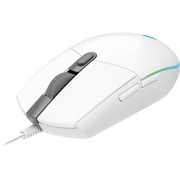
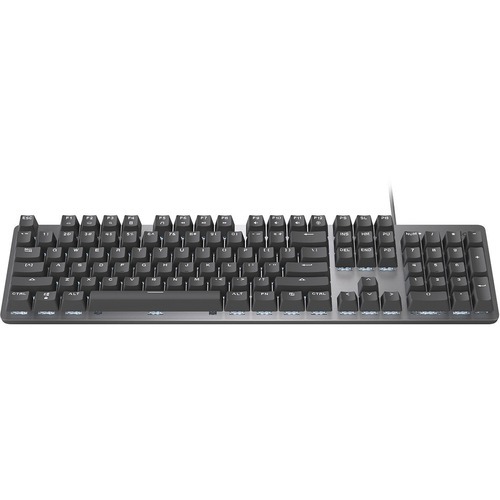
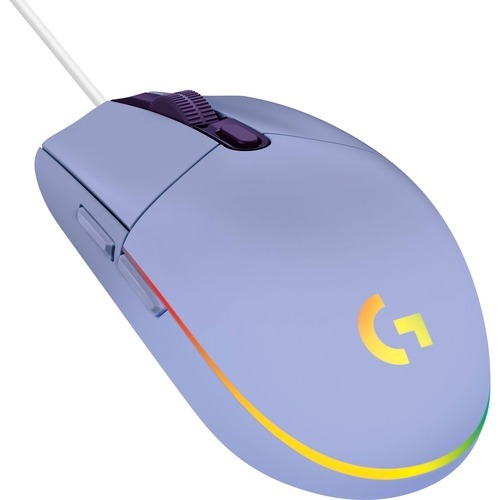
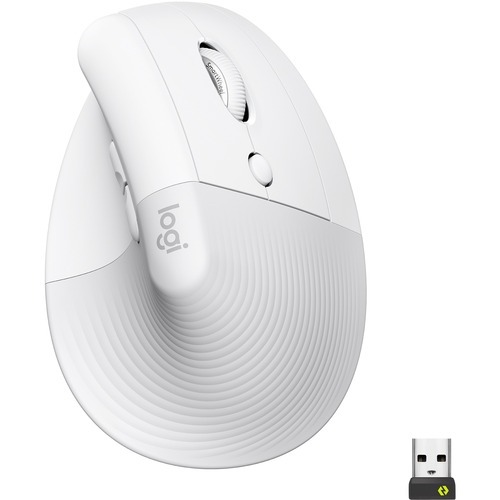
Logitech MX Keys Mini (Pale Grey)
Logitech Signature M650L (Red)
Mechanical typing, Mac key layoutA next-level low-profile quieter mechanical typing experience with Tactile Quiet switches on a Mac key layout that offer a satisfying tactile bump you feel – for precise feedback, reactive key reset, and less noise.Non-stop performance.Smart illumination allows the backlit keys to magically light up the moment your hands approach, and automatically adjust to suit your lighting conditions for optimal battery usage. A variety of immersive backlighting effects draw you into your workflow. Toggle between the effects in Logi Options+ Available on Windows and macOS at logitech.com/optionsplus or by pressing the Fn key and bulb key at the same time.You've got optionsDo more with your keyboards with Logi Options+. Available on Windows and macOS at logitech.com/optionsplus. Work across macOS computers or laptops, change Fn key functions, check battery life, select backlighting effects, assign app-specific profiles and Smart Actions to optimize nearly every aspect of your workflow.Multi Mac connectivityEasily pair your MacBook, iMac and iPad via Bluetooth® Low Energy and switch between them at the push of a button - connecting up to 3 devices has never been easier. Your MX keyboard follows your Flow technology enabled MX mouse from one Mac computer or laptop to another, meaning you can type on multiple Mac computers in one fluid workflow. Transfer files, documents, and images across devices and macOS and Windows® operating systems.Connect instantly, charge quicklyMX Mechanical Mini for Mac stays powered up to 15 days on a full charge – or up to 10 months with backlighting turned off. Battery life may vary based on user and computing conditions. Just one quick 15 minute charge using the included USB-C to C cable powers a full day of non-stop performance. Battery life may vary based on user and computing conditions. 15 DAYS ON FULL CHARGE UP TO 10 MONTHS WITH BACKLIGHTING TURNED OFFMastered for MacIntroducing a low-profile mechanical keyboard designed for Mac and fully compatible with macOS, iPadOS Device basic functions will be supported without software for operating systems other than Windows and macOS, and iOS Device basic functions will be supported without software for operating systems other than Windows and macOS.High Performance. Engineered Responsibly.We engineer our products for speed, precision, and high performance, all while considering sustainability as a key criteria throughout every stage of the product development process
Plug & Play SimplicityM170 is ready when you are. Simply plug the receiver into a USB port on your device to start working in seconds. The small size and smooth cursor control make it great for tight workspaces and busy desks. Enjoy the world of wireless!ANY HAND, ANYWHEREThe compact, wireless M170 has a fully ambidextrous design that easily fits within your laptop bag, so you can get to work anywhere—whether you’re left- or right-handed.PLUG & PLAY WIRELESSUp to 10 meters of wireless freedom with a strong, reliable USB receiver. That means no delays, no dropouts. M170 is compatible with Windows, macOS, Chrome OS and Linux and works instantly when you plug the USB receiver into your computer or laptop. Just three seconds and you’re connected.Easy Navigation, Smooth ControlEasy navigation thanks to a controlled line-by-line scrolling and optical tracking. The optical sensor gives you smooth and accurate cursor control on almost any surface. That means accurate mouse movements with no more annoying missed clicks.QUALITY YOU CAN RELY ONThe mouse is built with the same high quality standards that have made Logitech the global leader for mice and keyboards. Durable and reliable, M170 also works up to 12 months without changing batteries thanks to the on/off switch button and auto-sleep power-saving mode.BETTER THAN A TOUCHPADUsing a mouse is more ergonomic than a touchpad. The compact shape and wireless capability lets you work comfortably —at home, the office, or anywhere in between.MADE WITH RECYCLED PLASTICThe plastic parts in M170 include certified post consumer recycled plastic — 58% for Blue/Black, Red/Black, Black/Black, Grey/Black, Off-white and 38% for Rose and Blue gray —to give a second life to end-of-life plastic from old consumer electronics and help reduce our carbon footprint.
Logitech M240 Silent Bluetooth Mouse Offwhite
A wireless ergonomic keyboard with a cushioned palm rest, for natural, feel-good typing throughout the day.Familiar typing.Only comfier.*Compared to a traditional Logitech keyboard without palm restExperience the delights of a wave-shaped keyboard with a cushioned palm rest. Enjoy more wrist support, less pressure, and a natural typing posture throughout the day.Comfy typing, all day long.This compact keyboard’s wavy design places your hands, wrists and forearms in a natural typing position for daylong feel-good.More palm support, less pressure. *Compared to a traditional Logitech keyboard without palm restWith a cushioned palm rest with 3 layers of memory foam, Wave Keys gives your wrists the support they need to keep typing in comfort.Approved by ergonomistsWave Keys has been developed and tested with The Logi Ergo Lab, and certified ergonomic with the stamp of approval from United States Ergonomics.Smoother days, your waywith Logi Options+ AppStay relaxed with fluid, natural typing, and customizable keys using Logi Options+ App. You can even customize your shortcuts for specific apps.Peaceful connectivityConnect Wave Keys wireless ergonomic keyboard using Bluetooth® or the included Logi Bolt receiver, and switch between your laptop, tablet or phone in a tap using the Easy-Switch keys. Wave Keys works with your favorite devices (Windows, macOS, ChromeOS, iPadOS, iOS, Android)15The device's basic functions will be supported without additional drivers for operating systems other than Windows and macOS. Enjoy up to 3 years’ battery life with the included batteries (2x AAA)16Battery life may vary based on user and computing conditions.
Logitech M550. Form factor: Ambidextrous. Movement detection technology: Optical, Device interface: RF Wireless + Bluetooth, Movement resolution: 4000 DPI, Buttons type: Pressed buttons, Buttons quantity: 3. Power source: Batteries. Product color: Pink
Logitech MX Keys S Combo for Mac
DESIGNED TO BE DIFFERENTLet the world see who you are with the Pebble Keys 2 K380s. A minimalist and slim keyboard designed to stand out.RECYCLED PLASTIC DOESN’T HAVE TO BE DULLWe don’t just stop at a unique design, we make sure that our products are responsibly made too. The Pebble Keys 2 is made with more than 50% recycled plastic.READY TO GO WHEN YOU ARECompact, and ready to make big moves. Its lightweight and portable design means you can slip the keyboard into your bag, whenever, wherever.DEVICE-HOPPING MADE EASYSwitch between 3 of your devices with a press of the Easy-Switch buttons. Compatible with Windows, macOS, iPadOS, iOS, and Android.SHHH - QUIET TYPINGHear that? No? Perfect. Keep it on the low with round and quiet low-profile keys that don’t click and clack, for a familiar laptop-like typing feel.SHORTCUT YOUR LIFE TO THE FUN PARTShortcut keys give you instant access to screen capture, search, voice dictation, emoji menu, and more, so you can work smarter, not harder.YOU’VE GOT OPTIONSYour keyboard does more than just type. With the Logi Options+ App, you’ll be able to customize the 10 F-row keys to do everyday actions like copy/paste, adjust screen brightness, and open app, so you can do things your way. Available on Windows and macOSGO FOR LONGERNeed more power? Pebble Keys 2 K380s comes with up to 36 months of battery life (up to 50 percent more than the previous K380) to keep you going for longer and worry-free.GET THE LOOKMake your whole desk match your aesthetic. Complete your look by picking a color combo that fits your vibe.HOW TO CUSTOMIZE YOUR PEBBLE KEYS 2 K380SSTEP 1Download Logi Options+ app After installing Logi Options+ at www.logitech.com/optionsplus, add your device and explore our app to do more with your keyboard. Available on Windows and macOSSTEP 2Change the default shortcuts Select the keycap you wish to customize and choose a shortcut from the extensive options available. Just play around and make it your own.HOW YOU EXPRESS YOURSELF IS UP TO YOUDefy mundane. Defy bland. DEFY BORING. Add a touch of your colorful self to your every day with the Pebble Keys 2. A keyboard with more color and even smarter tech.High Performance. Engineered Responsibly.We engineer our products for speed, precision, and high performance, all while considering sustainability as a key criteria throughout every stage of the product development process.
MFR: Netgear, Inc
Qty: 1
Part #: GS105NA