
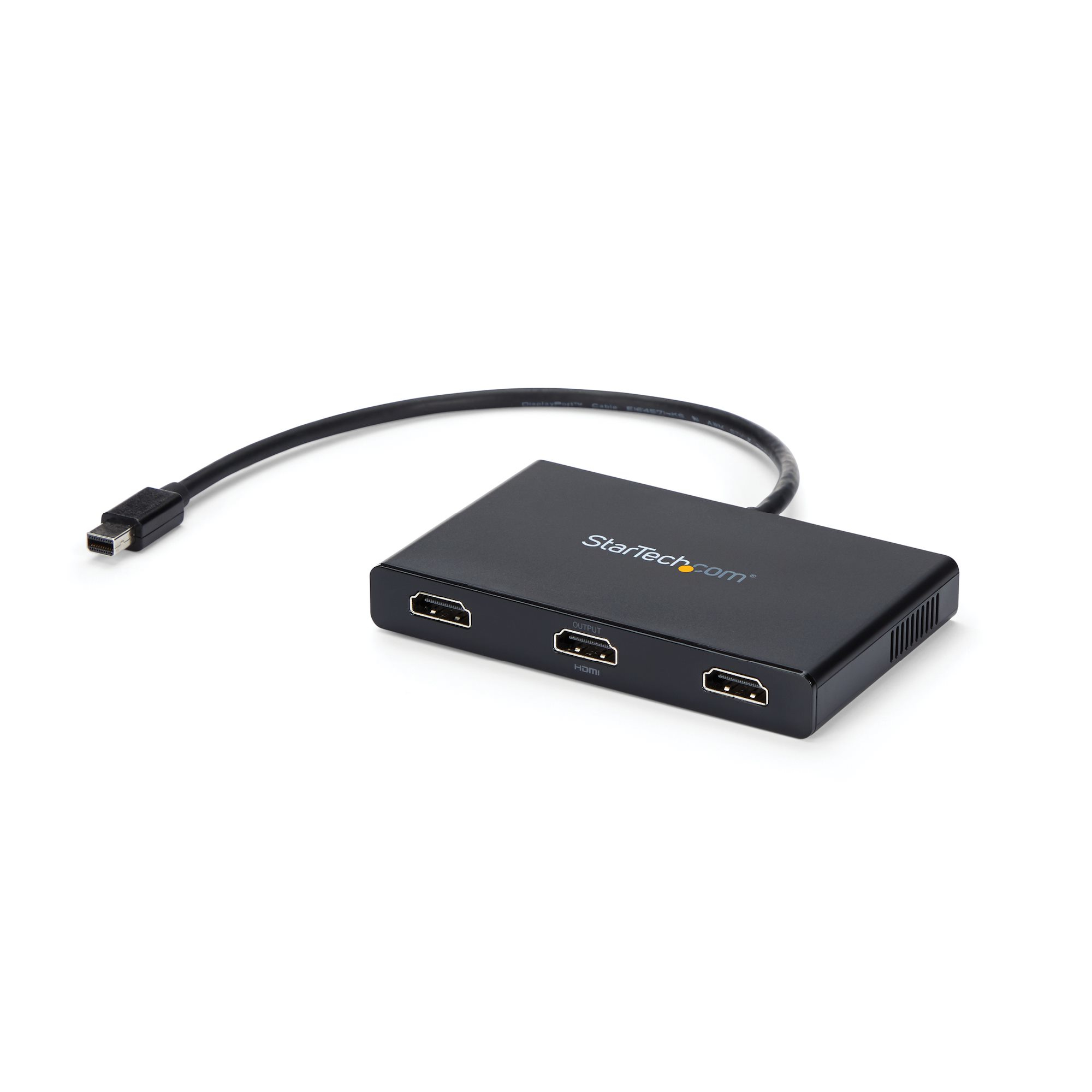
StarTech.com MSTMDP123HD video splitter Mini DisplayPort 3x HDMI
Use this adapter to connect three independent displays to a single mDP 1.2 portThis MST hub lets you connect three HDMI monitors to your Mini DisplayPort computer. MST works on any Windows® device that supports DisplayPort 1.2, such as models of the Lenovo™ Think Pad® and Microsoft® Surface™. When connected to earlier revisions of DisplayPort, such as DP 1.1 the MST hub acts as a video splitter.Increase your productivity with multiple monitorsThe newest generations of laptops are more portable than ever, unfortunately this means you’re left with fewer video outputs and a small integrated screen. The MST hub solves these problems by letting you connect three independent displays to a single mDP port on your computer, which makes multitasking much easier. Using the MST hub, you can extend your desktop onto additional monitors and stream independent content to each display, which makes it easier to multitask and increase your productivity - perfect for creating an easy-to-dock hot desk solution with a wireless keyboard and mouse peripheral set. You can also mirror the same image onto multiple displays for remote viewing applications such as digital signage.Astonishing picture quality that won’t drain your system resourcesMST technology uses your existing video card to minimize the use of system resources while delivering Ultra HD 4K resolutions. 4K is supported by the latest A/V devices and delivers four times the resolution of 1080p. Plus, because the MST hub can output high-definition 1080p, the MST hub is perfect for all high-resolution applications such as graphic design and medical imaging.The MSTMDP123HD is backed by a 3-year StarTech.com warranty and free lifetime technical support.The StarTech.com Advantage
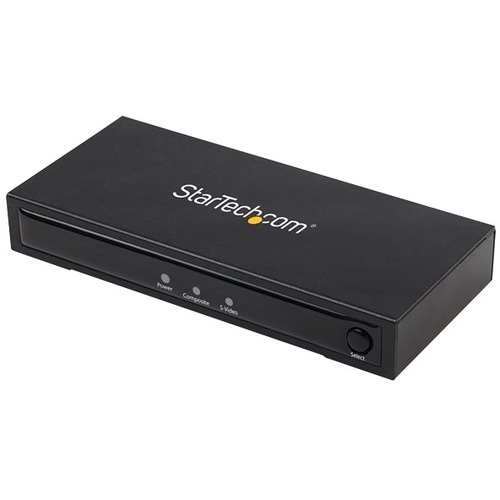
StarTech.com VID2HDCON2 video signal converter Active video converter 1280 x 720 pixels
Analog to HDMI® Upscaler| Mac & Windows® | On-Screen DisplayThis S-Video or composite to HDMI® converter with audio lets you connect an S-Video or analog composite device, along with supporting RCA L/R audio, to your HDMI monitor or television.Hassle-Free Setup and Easy to Use Equipped with an on-screen display (OSD) menu and convenient selector switches for easy configuration, this compact S-Video or composite to HDMI video converter installs quickly and easily, for a true plug-and-play experience. Save on Upgrade CostsThis HDMI upscaler is able to function with both NTSC and PAL systems, and offers support for output resolutions up to 720p to seamlessly integrate with almost any display.By using this analog to HDMI converter you’ll be able to continue using your legacy equipment (video camera, DVD player, etc.) with your HDMI display or monitor, ultimately saving the costs of upgrading your equipment. It's ideal for boardroom settings, medical imaging and watching old home videos on your HD display or television.Support for AudioThis AV (audio video) converter box features an integrated RCA L/R audio connection that combines the audio and video inputs into a single HDMI output, avoiding the hassle of running a separate audio cable to your destination display.VID2HDCON2 is backed by a StarTech.com 2-year warranty and free lifetime technical support. The StarTech.com Advantage- Convert and upscale S-Video or analog composite input to HDMI video output- Features on-screen display for simple setting selections- Supports standard high-definition resolutions up to 720p
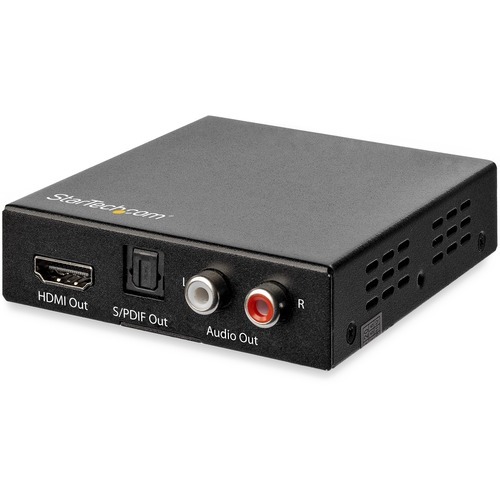
StarTech.com HD202A video signal converter 4096 x 2160 pixels
HDMI Audio De-embedder | HDR | Toslink Optical Audio | Dual RCA Audio | HDMI AudioThis 4K HDMI audio extractor lets you de-embed the audio from your HDMI video streams to create a distinct audio output that you can connect directly to a digital or analog audio device. Supporting HDMI 2.0 specifications, the de-embedder maintains 4K 60Hz resolutions to deliver a seamless video experience.4K Video PerformanceThe HDMI sound splitter supports video resolutions up to 4K 60Hz (3840 x 2160) and high video bandwidth up to 18Gbps. It also supports High Dynamic Range (HDR) video pass-through, letting you enjoy lifelike images with incredible contrast, brightness and color, and greater luminosity compared to standard digital imaging.Maximum CompatibilityEasily integrate HDMI 2.0 devices, such as your new 4K Blu-ray player, with your existing audio equipment or desktop speakers. The extractor isolates and extracts the audio signal from your HDMI cable and lets you output to digital optical audio or dual RCA audio devices . The integrated EDID management capabilities support 2-channel, 5.1-channel and pass-through audio modes.The HDCP compliant HDMI audio de-embedder is compatible with dual-RCA composite adapters, giving you the flexibility to integrate the audio from your HDMI source into 3.5 mm audio applications using MU6MMRCA, MU3MMRCA or MUFMRCA (sold separately).The compact extractor features a small footprint that blends discreetly into your hardware setup, for a uniform look.HD202A is backed by a 2-year StarTech.com warranty and free lifetime technical support.The StarTech.com Advantage- Separate and send the audio from a 4K HDMI video signal to dedicated audio devices- Supports the latest HDMI 2.0 specifications and HDR video pass-through- Hassle-free connection with digital optical audio or Dual RCA audio devices
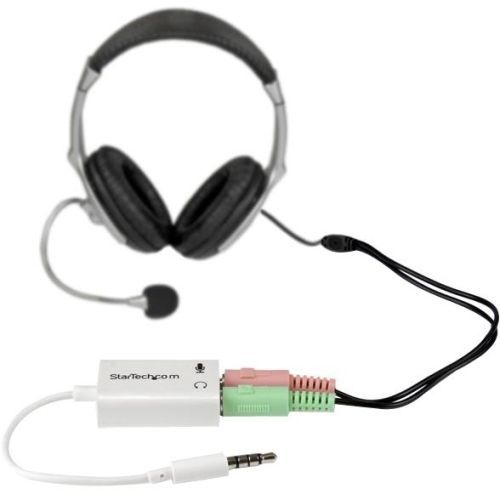
StarTech.com MUYHSMFFADW audio splitter White
Have you recently purchased a newer laptop or Ultrabook and now you can’t figure out where to plug in your favorite headset?Most new laptops and Ultrabooks come equipped with a single 3.5mm 4-position (4pin) audio port that supports both audio input and output. A great number of headsets on the market come equipped with two separate headphone and microphone connectors that are not compatible with this new configuration.The MUYHSMFFADW white headset adapter features two 3.5mm 3-position ports that provide a separate headphone and microphone connection that can be connected to the single audio port on your laptop. Alternatively, you can also connect a separate microphone and powered speakers if you prefer to use Skype or chat online without using a headset.Headset Connectivity Simply connect the headphone plug from your headset into the audio output port marked with the headphone symbol, and connect the microphone plug into the audio input port marked with the microphone symbol. Plug the adapter into the audio port on your laptop and you’re all set. Microphone and Powered Speaker ConnectivityWant to work or game without using a headset?You can also connect a microphone and powered speakers to your laptop using the adapter. Just plug in your microphone into the audio input port marked with the microphone symbol, and plug your powered speakers into the audio output port marked with the headphone symbol, and connect the adapter to the audio port on your laptop.Keep in touch while you travelAre you travelling for work or taking a trip?The headset adapter features a compact and sturdy design that makes it the perfect solution for mobile applications.Tuck the adapter in with your tablet or slip it inside another carrying case. It works great with tablets and smartphones that have a single audio port. Just connect the headphone and microphone plugs from your headset into the adapter, connect the adapter to your mobile device and start talking.This high quality 3.5mm headset adapter is backed by StarTech.com's lifetime warranty.Please note:This adapter is not a headphone splitter or Y-cable. It cannot be used to split the audio output to two separate sets of headphones or speakers.Some laptops and mobile devices will not work with all external microphones. This is typically caused by an impedance mismatch between the microphone and the device. This is due to hardware incompatibility and is not a limitation of the MUYHSMFFADW adapter.The StarTech.com Advantage- Turns a 3.5mm combo headphone/microphone port into two distinct ports – one 3.5mm headphone jack and one 3.5mm microphone port- Allows the use of older audio accessories with newer computers
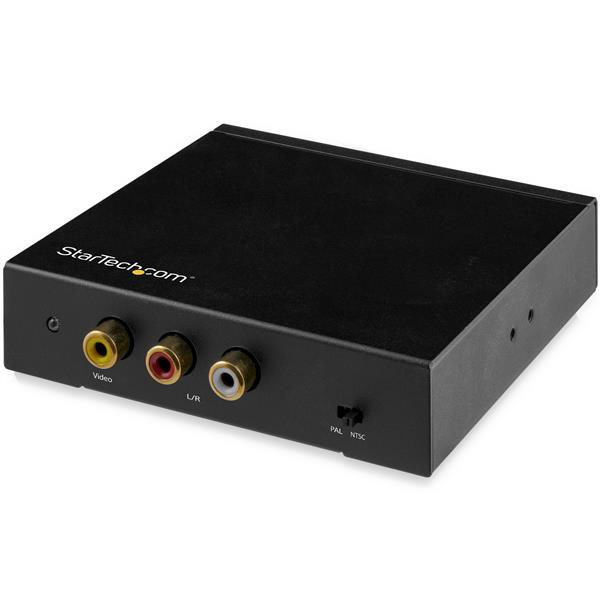
StarTech.com HD2VID2 video signal converter Active video converter 1920 x 1080 pixels
Composite Video Adapter | NTSC/PAL | 1080pThis HDMI to RCA converter box with audio converts a digital HDMI video source (with supporting audio) to work with analog RCA composite video televisions and displays, in both NTSC and PAL systems.Uncompromised QualityThis HDMI to composite video converter provides features that ensure the highest quality output image, such as noise reduction, frame rate conversion and adaptive contrast enhancement.With support for high-definition input resolutions up to 1080p, this RCA adapter lets you convert your HDMI signal to composite video and audio while still producing a crystal-clear picture.Ultimate ConvenienceThis lightweight composite adapter is compact and highly portable, so you can use it virtually anywhere. Offering support for a wide range of HDTV and PC input resolutions, this versatile RCA converter is a perfect solution for using newer devices with your existing legacy displays.The ability to convert and use your new HDMI equipped device with your older televisions or displays not only offers flexibility but also saves you the cost of upgrading hardware, making it extremely convenient for home or office applications.Hassle-Free SetupTo ensure easy operation and installation, this unique RCA composite video converter allows for plug-and-play installation without any additional software or drivers.HD2VID2 is backed by a 2-year StarTech.com warranty and free lifetime technical support.The StarTech.com Advantage- Convert your current HDMI source to composite video and audio (yellow, white and red outputs)- Achieve HDTV resolutions with support for up to 1080p- Support for multiple HDTV and PC input resolutions, compatible with almost any HDMI source device

C2G C2G54277 AV extender Console transmitter & receiver Black
C2G Superbooster USB Extenders deliver reliable USB signal transmission for USB devices, allowing devices such as cameras, interactive whiteboards and printers to be placed at greater distances from the host computer.What's more, the C2G Superbooster USB Camera Extender has been tested to be compatible with industry-leading video conferencing cameras. Not only does this testing ensure reliability and deployment confidence for AV integrators, it saves valuable time as well.This camera extender is designed with chipset technology that offers a higher compatibility rate than other USB extenders on the market. The C2G Superbooster USB Camera Extender has been tested and proven by C2G to support leading PTZ cameras at 1080p or 4K resolutions depending on the camera.This Superbooster USB Camera Extender provides reliable USB data extension from a computer to a USB camera up to 150 feet (45.7m) over a standard Cat6 network cable – making it an ideal solution for conference rooms, command centers, classrooms, auditoriums and medical facilities.This plug-and-play solution consists of one box transmitter and one box receiver.
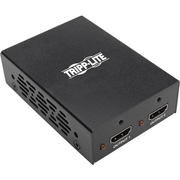
Tripp Lite B118-002-UHD-2 video splitter HDMI 2x HDMI
The B118-002-UHD-2 2-Port 4K 3D HDMI Splitter transmits a UHD 4K @ 60 Hz (3840 x 2160) audio/video signal from an HDMI source, such as a Blu-ray player or computer, to two HDMI monitors, projectors or televisions at the same time. Ideal for classrooms, churches, offices, restaurants, bars, trade shows and anywhere else featuring 4K x 2K digital signage, the B118-002-UHD-2 is quick and simple to install with no software or drivers necessary.Using standard 28 AWG HDMI cabling, this splitter can transmit a 4K (3840 x 2160) signal up to 15 feet (4.6 meters). It supports a wide range of audio formats, including DTS-HD, Dolby TrueHD, Dolby Digital Plus, and LPCM 7.1-channel surround sound, as well as 36-bit Deep Color (12 bits per channel). The Full 3D-compliant B118-002-UHD-2 also supports HDCP 2.2 for up-to-date content protection.Note: The B118-002-UHD-2 sends the same image to all connected displays. If you would like to extend an image over multiple displays, you will need an MST hub, such as the B156-002-HD-V2.
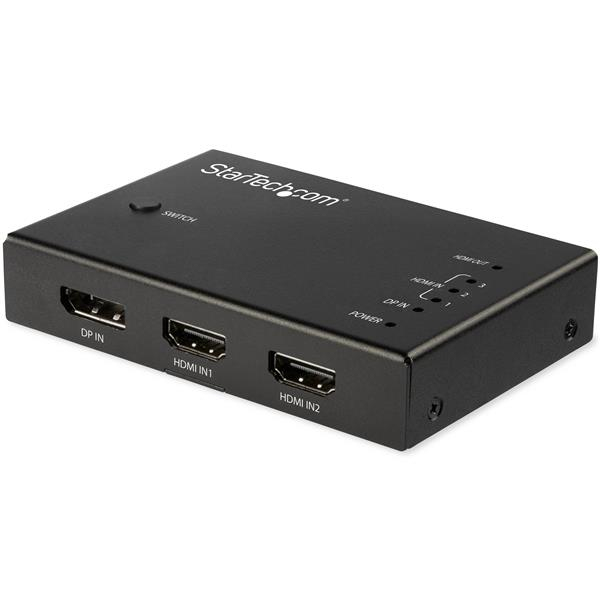
StarTech.com VS421HDDP video switch HDMI/DisplayPort
Multi-Port HDMI Switch Box | Automatic Switcher | IR Remote ControlThis 4-input HDMI video switch lets you share an HDMI 2.0 display or projector with three HDMI video sources and one DisplayPort video source.Enjoy Astonishing Picture QualityThe multi-port HDMI switch lets you deliver the capabilities of your HDMI 2.0 video sources to your UHD 4K60 display. Unlike many 4K switches that only support a 30Hz refresh rate, this switcher box works with HDMI 2.0 displays with output resolutions of up to 4096 x 2160 at 60Hz.With full support for HDMI 2.0 devices and 4:4:4 chroma subsampling, this 4K HDMI video switcher supports a bandwidth up to 18Gbps. As well, the switch supports DisplayPort 1.2 with HBR2, making it ideal for high-resolution computer tasks.Flexible Input OptionsThis multi-port video switcher offers four input options, including one DisplayPort and three HDMI ports, enabling you to switch from one of four sources to your HDMI video display. The mix-and-match input options provide users with a flexible solution so they are not limited to one specific input.Hassle-Free Operation with Automatic SwitchingThis HDMI switcher box ensures effortless operation with automatic switching that detects and selects a newly connected device. It's perfect for automatically switching to a 4K media player such as a 4K UHD Blu-ray player as soon as it's switched on.This automatic HDMI switch also supports manual operation, using the included IR remote control or the built-in front-panel toggle switch.VS421HDDP is backed by a 2-year StarTech.com warranty and free lifetime technical support.The StarTech.com Advantage- Experience astonishing picture quality with support for resolutions up to 4K 60Hz- Hassle-free operation with automatic 4-port switching and an included IR remote control- Unique input combination with both HDMI and DisplayPort ports
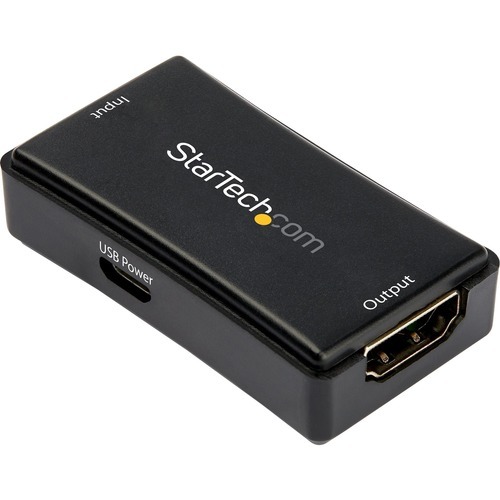
StarTech.com HDBOOST4K2 AV extender AV repeater Black
HDMI® Inline Repeater & Amplifier | USB Powered | 7.1 Audio Support | YUV 4:4:4Use this 4K HDMI® signal booster to amplify your HDMI signal and extend it 45 ft. (14 m) using HDMI cabling.Cable lengthfrom sourceCable lengthto displayTotal cable lengthMaximumresolution82 ft. (25 m)82 ft. (25 m)164 ft. (50 m)1080p (60 Hz) - 1920x108065 ft. (20 m)65 ft. (20 m)130 ft. (40 m)4K (30 Hz) - 3840x216022.5 ft. (7 m)22.5 ft. (7 m)45 ft. (14 m)4K (60 Hz) - 3840x2160Maintains Ultra HD 4K VideoWhen you're extending HDMI over distances using standard video cabling, higher resolutions from your HDMI 2.0 devices can become unavailable after a few short feet. With this signal extender you can ensure that HDMI 2.0 resolutions up to UHD 4K at 60Hz are available even at distances up to 45 ft. (14 m). You can achieve even longer distances at lower refresh rates - up to 4K at 30Hz, at up to 100 ft. (30 m).The signal booster works by connecting two HDMI certified cables, each up to 22.5 ft. (7 m) in length, to either side of the signal booster.Hassle-Free InstallationWith its compact design, the HDMI signal amplifier is easy to hide, for a discreet installation. By extending your video signal using HDMI certified cables, the inline booster is a cost-effective alternative to more expensive extension systems that require the installation of a CAT5 or CAT6 cabling infrastructure.Supports Several DistancesSupport for a variety of extension distances makes the 4K repeater perfect for multi-device deployment across large institutions, such as boardrooms in corporate offices, classrooms in schools, or waiting rooms in hospitals, as these applications may require varied distances in different rooms.HDBOOST4K2 is backed by a 2-year StarTech.com warranty with free lifetime technical support.Note: To achieve resolutions up to 4K 60Hz, your video source, display and cabling must support HDMI 2.0.The StarTech.com Advantage

Item(s) added to cart
Netgear GS105E-200NAS ProSafe Plus Switch, 5-Port Gigabit Ethernet - 5 Ports - 2 Layer Supported - Wall Mountable - Lifetime Limited Warranty-None Listed Compliance
MFR: Netgear, Inc
Qty: 1
Part #: GS105NA